剪輯落在節拍上
音樂軌上的節拍標記,讓每個剪輯點都落在音樂的位置,而不是前後差一格。
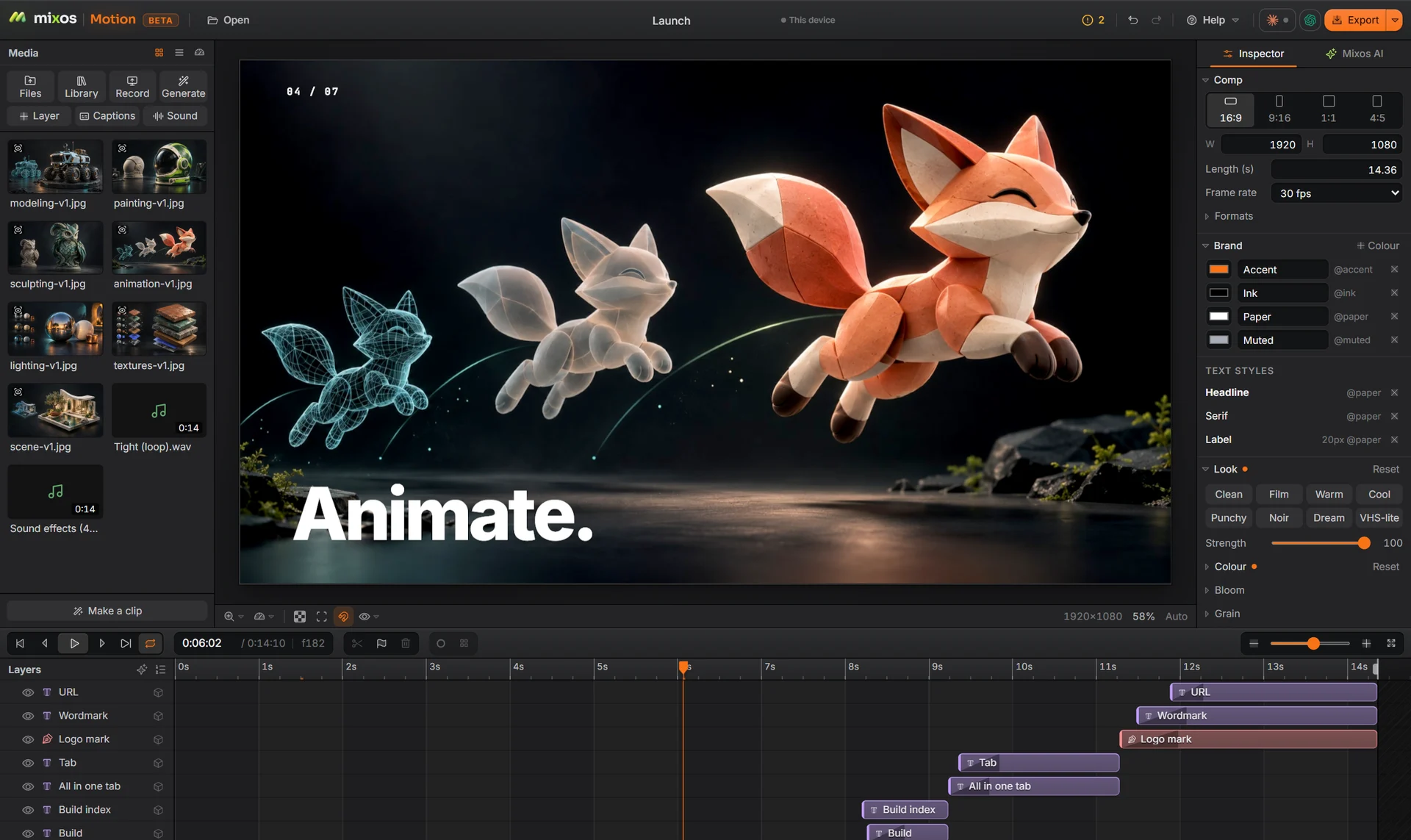
音樂軌上的節拍標記,讓每個剪輯點都落在音樂的位置,而不是前後差一格。
把片段速度在 0.1× 到 8× 之間調整、漸變、倒轉或定格,再在時間軸上修剪與分割。
你的姓名、職稱與連結以動態文字呈現,用你自己的顏色與字型,放在開頭與結尾。
來自 Studio(mixos 的 3D 應用程式)的算圖一步就以完整尺寸進來,與其他來源的素材並列。
Every clip here is a template Motion rendered itself. Pick one in the start window and swap the words, the pictures and the brand colours.

A showreel from video: a word cut from footage, beat cuts, a speed ramp, a freeze frame.
Product sizzle: seven crisp renders cut on the beat, one word each, a clean end card.

One clip, made into a launch: the name stands behind the car, slow motion, a tracked label, a duotone freeze and a spec panel.
Mixos AI
Type the ask under the viewer. Mixos AI works in your comp with the same tools as the buttons, so what it makes is normal layers you can move, retime or delete, and each request is one undo step.
Open MotionMake a showreel from the clips in my media bin: beat cuts, a title at the start and an end card with my name.
為什麼選擇 Mixos
一支好的作品集影片不到兩分鐘,以最好的鏡頭開場,絕不讓弱的鏡頭混進來。剪輯本身很簡單;花時間的是節奏,而節拍標記、吸附與快速的時間軸就是為此而設。
Reel 範本是一個實作範例:從素材中剪出的一個詞、節拍剪輯、速度漸變與定格。換上你的片段並保留節奏,或從空白合成開始。
匯出給 Vimeo 或你網站用的完整尺寸 MP4,從同一個合成製作給社群用的 9:16 版本,以及從任何一格擷取的靜態畫面作為縮圖。
建構、製作動畫與預覽,只要有免費帳號就都免費;免費匯出為 540 px,並帶有浮水印。沒有浮水印、最高 4K 的匯出,屬於每月 $10.00 的 Pro,或一次性 $129 的授權。
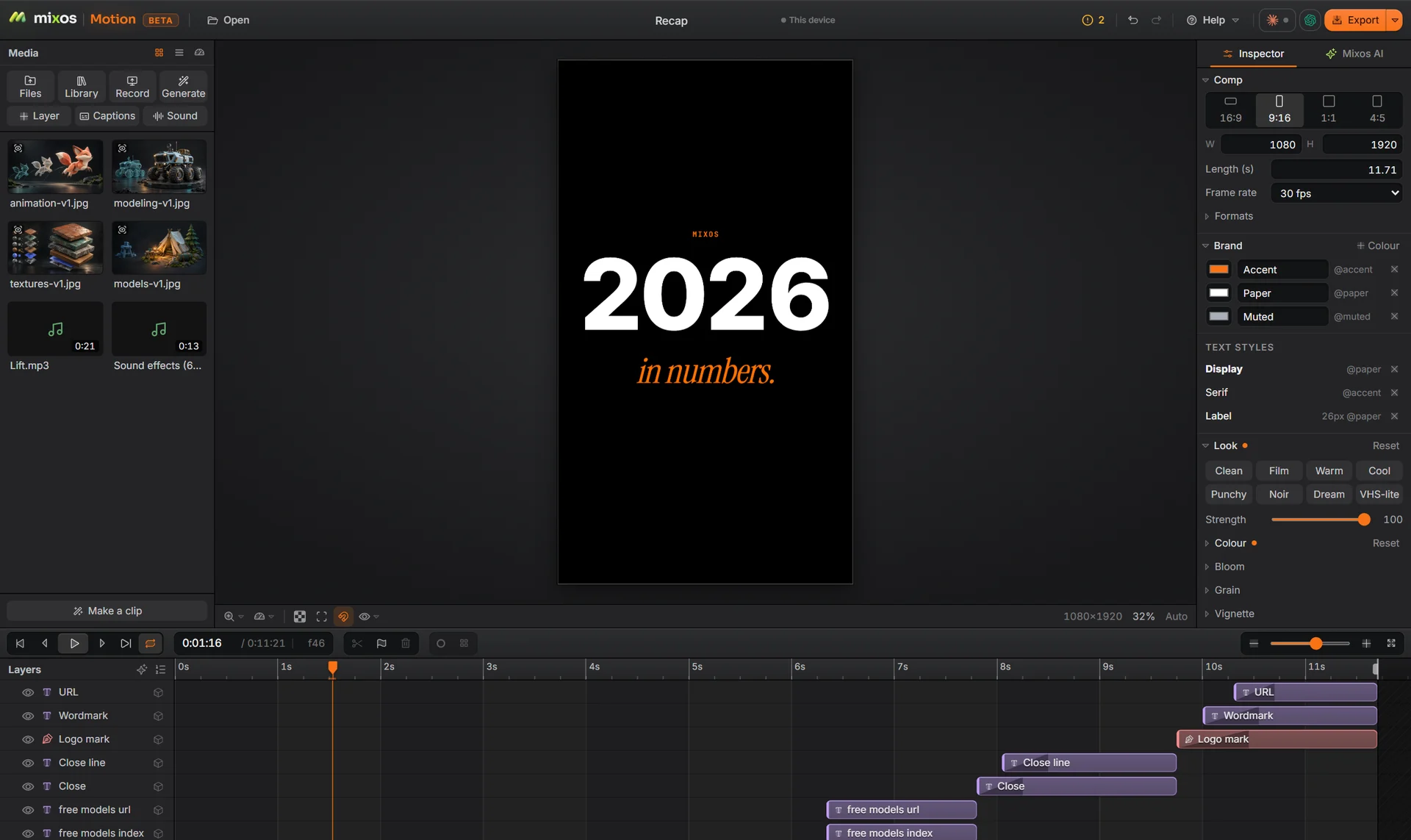
你需要多長都可以。大型影片檔案會從你的磁碟連結,而不是複製,Motion 會製作較輕的副本,讓你剪輯時能順暢播放。
可以。匯入一首曲子,或使用內建音樂庫。節拍標記兩者都適用。
Chrome 或 Edge 能播放的 MP4 與 WebM 影片,以及圖片、SVG、聲音與 3D 模型(GLB、glTF、FBX 與 OBJ)。
建構與預覽都是免費的。免費帳號匯出影片時,長邊為 540 px 並帶有浮水印;Pro 與一次性授權則可匯出最高 4K 且沒有浮水印。
一台桌上型或筆記型電腦,搭配最新版的 Chrome 或 Edge,作業系統可為 Windows、macOS、Linux 或 ChromeOS。Motion 透過 WebGPU 使用你的顯示卡,所以不需要安裝任何東西,開啟時需要有免費帳號。