模型與場景
建構可編輯的物件、文字、曲線與完整場景。安排、對齊、重複與散佈零件。
Mixos AI 將你的描述建構成真正的 3D 場景,含物件、材質、燈光與攝影機。它與你一起為鏡頭製作動畫,再完稿為保留你的取景與動態的寫實影像或影片。
拖曳分隔線,比較 3D 場景與完成的畫面。預先準備的入門範例:3D 場景與動畫是為入門資料庫製作,每張影像與影片都由其視埠生成。 每個範例都能免費在工作區開啟,成為你自己的可編輯副本。
上方的每個範例都始於一個可以繞行檢視的場景。影像與影片最後才產生,來自你已經滿意的畫面。
每片車身面板、煞車碟盤與大衣鈕扣,都是擁有各自材質的獨立 3D 物件。你可以移動、重新上色,或在 Studio 開啟整個場景手動編輯。
動態以關鍵影格的形式存在於時間軸上。可要求較低的角度或較慢的推軌,也可自己拖曳關鍵影格,並立即看到預覽,不必先生成任何付費內容。
畫面確定後,mixos AI 會將視埠轉為寫實影像、將動畫轉為影片,並保留你設定的構圖、攝影機與時間。
每一回合都會說明改了什麼、花了多少,旁邊還有復原。未經你同意,不會執行任何付費操作。
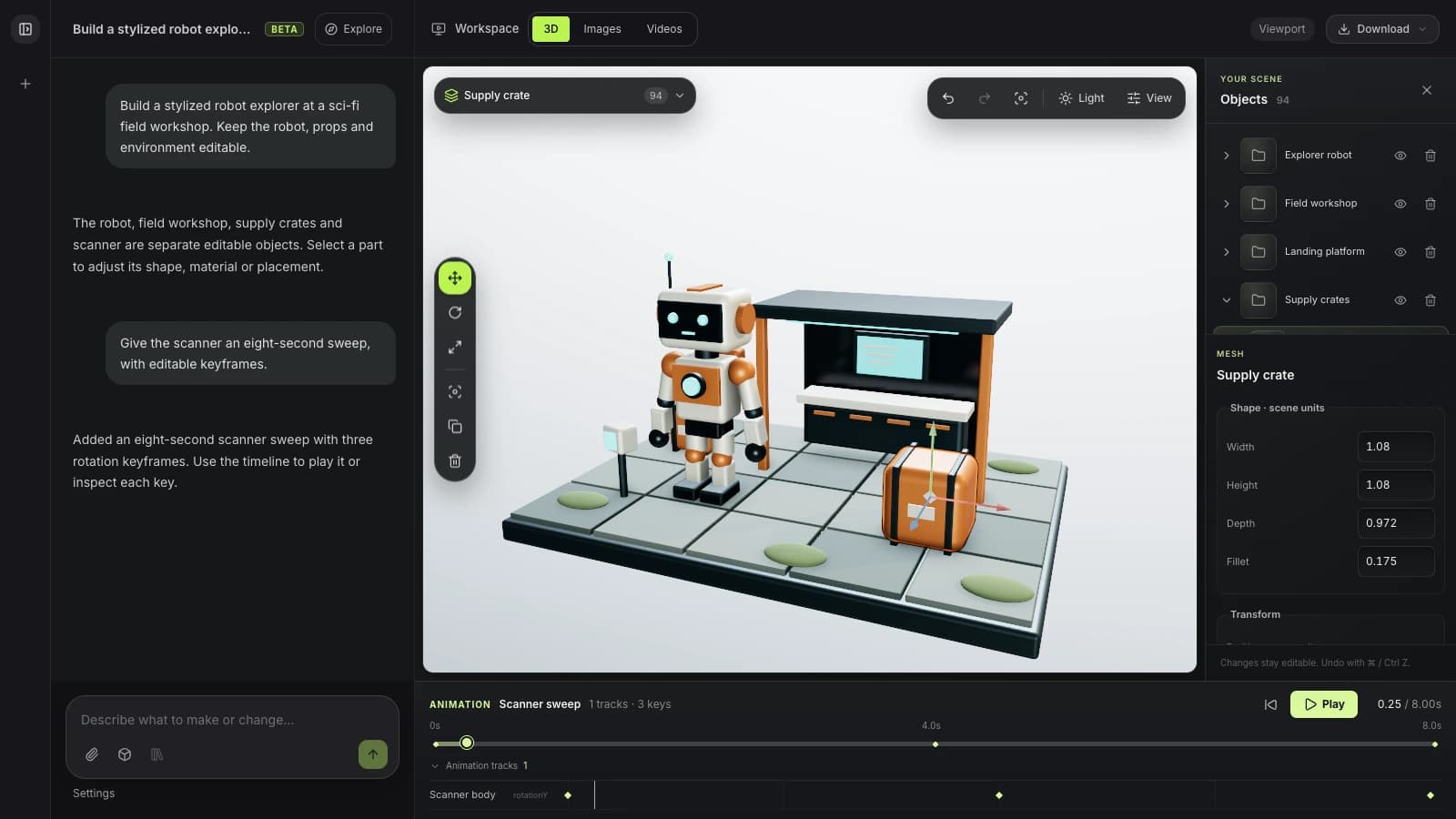
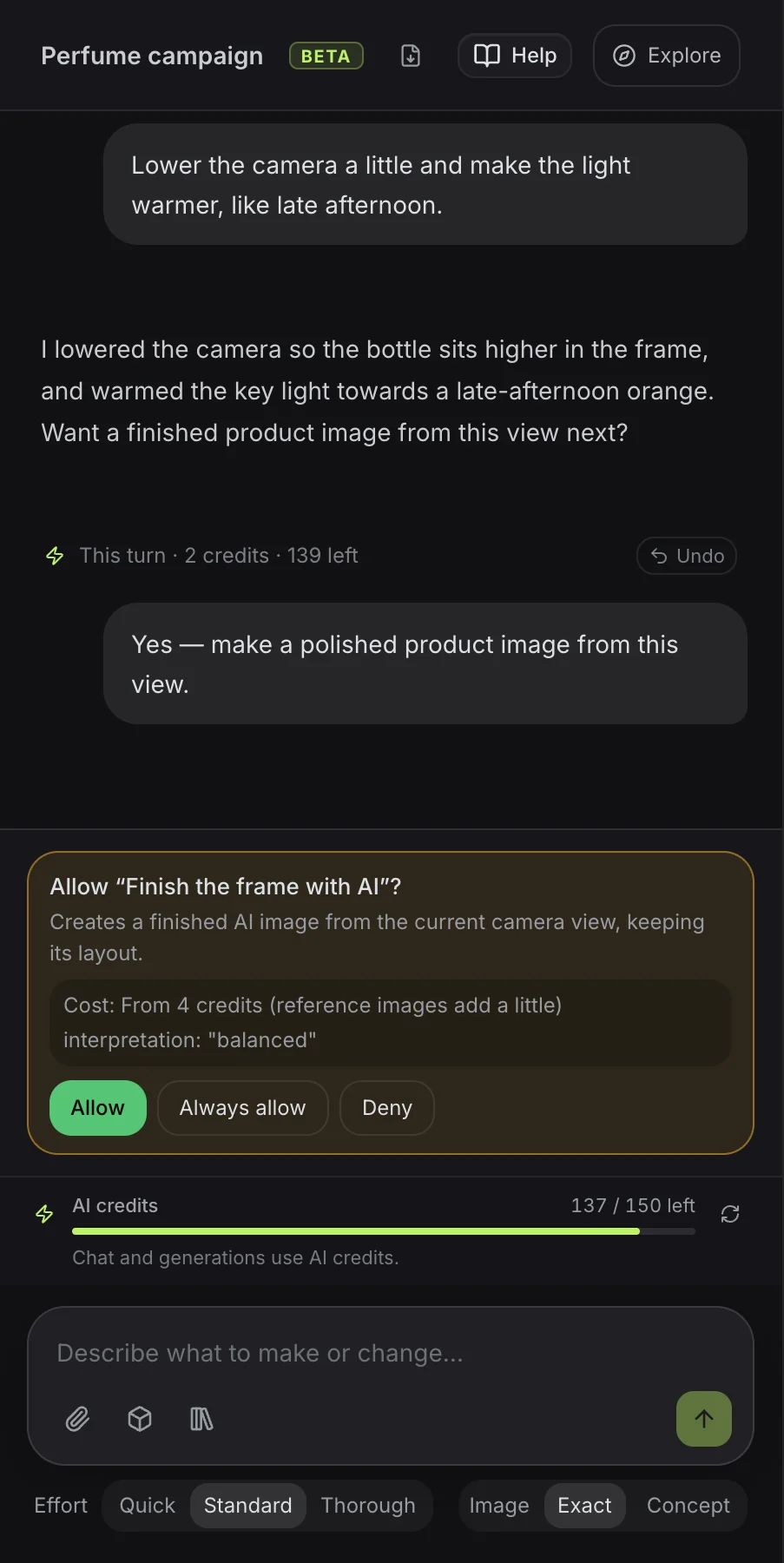
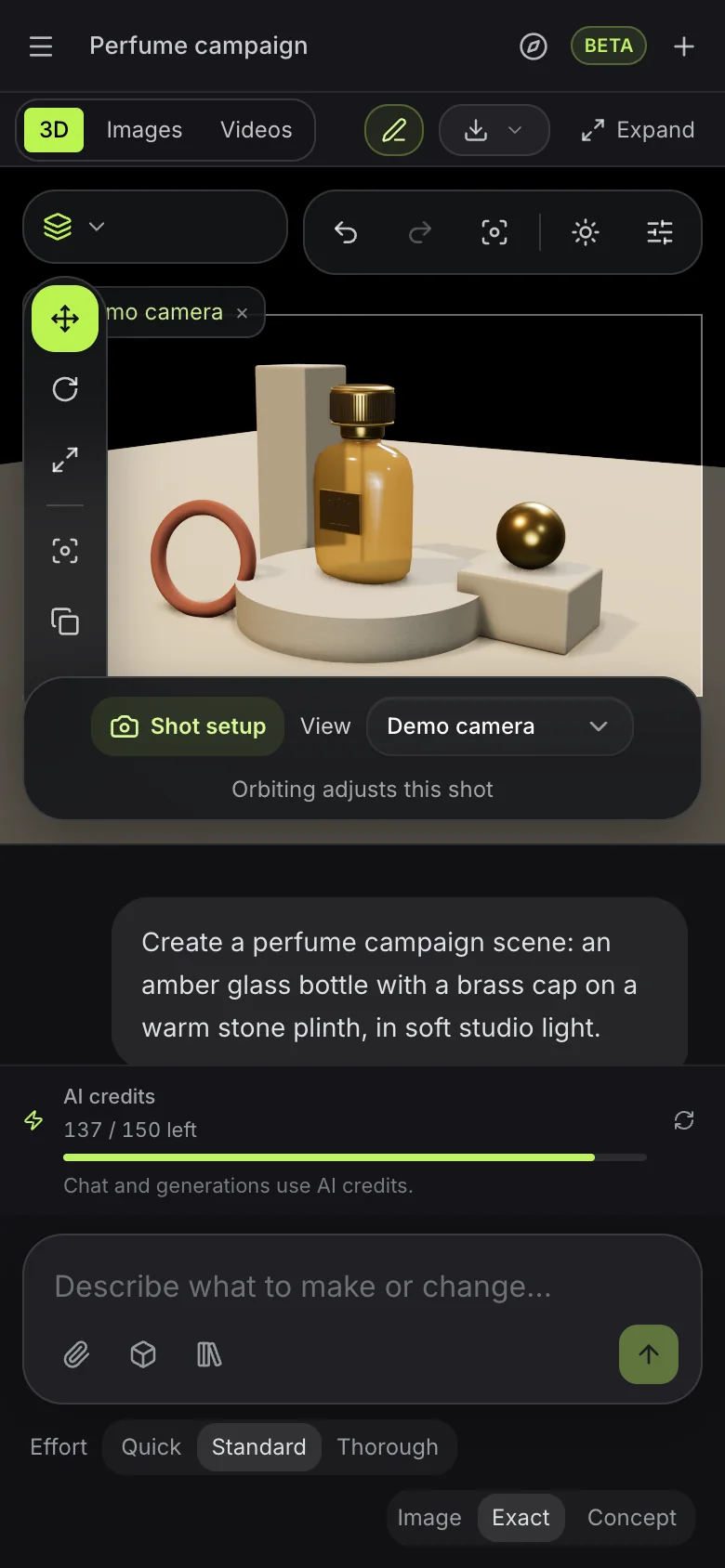
從一段描述開始,隨著想法成形,再要求具體的修改。
建構可編輯的物件、文字、曲線與完整場景。安排、對齊、重複與散佈零件。
擠出、倒角、切割並合併網格。以修改器堆疊讓變更保持即時。
使用資料庫的 PBR 材質、建立材質節點圖、生成表面並調整其質感。
設定環境、燈光與攝影機構圖。調整氛圍與算圖設定。
檢查綁定、套用可編輯的動態捕捉、為攝影機製作動畫並預覽動態。以獨立鏡頭規劃選用的分鏡腳本。
將佈置好的場景變成影像或短片。需要時可選擇自動 3D 生成。
“設計一個安靜的閱讀角落,有雕塑感的躺椅、低矮的桌子與紙燈。使用暖色木材、柔和的象牙白與午後光線。”
試試這則提示詞“在暖色石材佈景上建立一個雕塑感的香水瓶。給它琥珀色玻璃、黃銅細節與戲劇性的攝影棚燈光。然後從這個視角製作完成的產品影像。”
試試這則提示詞“一尊小小的狐狸半身像,有一對富有表情的大耳朵,表面是氧化銅,凹處帶有綠色銅綠,立於圓形炭黑色基座上。”
試試這則提示詞“從一片高挑、微微扭轉的鰭片開始,以青綠色與黃銅色,繞著圓形大理石底座重複 24 次。讓鰭片如波浪般繞圈起伏,並在八秒內循環。”
試試這則提示詞“建立一副雕塑感的頭戴式耳機,珊瑚色耳殼配象牙白耳墊,置於黑色大理石底座上。製作緩慢的完整旋轉動畫,再據此製作一段短產品影片。”
試試這則提示詞“為一間名為 Ember 的咖啡店設計 3D 標誌:一顆升成火焰的咖啡豆,採用髮絲紋銅質。”
試試這則提示詞Mixos AI 以 AI 點數運作。對話依訊息所需的工作量消耗點數;影像、影片與生成的模型在你核准前會先顯示價格。
可觀看本頁的所有範例,並在 mixos 應用程式中編輯你的作品。與 mixos AI 對話需要付費方案。
每月 50 點 AI 點數,並可下載場景、模型、影像與影片的完整解析度版本。
每月 150 點 AI 點數,適合高用量。需要更多?付費方案可加購 25 點起的點數包。
Follow a project from idea to finished result, or search everything Mixos AI can do. Every prompt is yours to edit before sending.
15 areas to explore
Build designs in Frame with editable text, shapes, fonts and brand colours. Review layout variations, make matching sets and prepare AI artwork edits.
Open Frame and create a summer campaign from a template. Keep its text and shapes editable, preview the design and let me apply it before making a matching story.
Try this promptBuild editable objects, text, curves and complete scenes. Arrange, align, repeat and scatter parts.
Build a cosy reading nook with a custom armchair, floor lamp and side table. Keep the objects editable, inspect the scene and save it.
Try this promptExtrude, bevel, cut and combine meshes. Keep changes live with a modifier stack.
Inspect the selected object and suggest three useful geometry improvements. Tell me what you would change before editing it.
Try this promptCreate geometry node networks, adjustable generators, cloners and reusable patterns.
Build a procedural shelving unit with adjustable height, width and shelf count. Keep its controls live, inspect it and save the scene.
Try this promptShape meshes with brushes, masks, symmetry, remeshing and pose tools in Mold.
Open Mold and build a simple fox bust with a clear silhouette and expressive ears. Inspect the sculpt from several angles and save it.
Try this promptLayer PBR surfaces in Paint, control wear with masks and place decals on your model.
Inspect the current Paint model. Add a worn copper material layer and masked grime, keeping the layers editable, then save the project.
Try this promptUse library PBR materials, create material node graphs, generate surfaces and tune their finish.
Give the selected object a realistic brushed-copper finish using a library PBR material or a validated material graph. Inspect the surface and save the scene.
Try this promptSet environments, lights and camera composition. Refine the atmosphere and render settings.
Light and frame the current scene for a warm studio product shot. Inspect the composition and save it before generating any paid media.
Try this promptInspect rigs, apply editable motion capture, animate cameras and preview motion. Plan optional storyboards with independent shots.
Create a slow camera orbit around the selected object, preview it as a playblast and save the scene. Keep the animation editable.
Try this promptTurn a staged scene into an image or short video. Choose automatic 3D generation when you need it.
Explain the options and current credit costs for making an image, video or automatically generated 3D model from this scene. Let me choose before running generation.
Try this promptExplore concepts, choose a mark and build an editable 3D Logo project with depth and materials.
Open Logo and design a coffee-bean and flame emblem for Ember. Show me concepts to choose from, then build the chosen mark in brushed copper and save the Logo project.
Try this promptCheck topology, normals, proportions, intersections and performance. Unwrap and pack UVs.
Inspect the current model's topology, normals and UVs. Report the three most useful fixes before changing anything.
Try this promptFind saved work, import assets, save milestones and move work between apps. Prepare files for export.
Show me the saved scenes and models in my library that I could bring into this scene. Let me choose an asset before importing it.
Try this promptAuthor custom geometry, batch repeated work, save presets and use scene variables and constraints.
Inspect this scene and suggest a reusable preset or script for a repeated task. Describe the result before making changes.
Try this promptExplore cloth draping, rigid bodies, particles, fracture, volumes and hair. Available in development builds.
Create a cloth draped over a small table, advance the simulation to inspect the drape and save the scene.
Try this promptMixos AI can guide you to Auto, Scan, libraries and browser utilities. Use those apps' own controls for work there.
此版本已提供 Mixos AI。請使用 Mixos 帳號開啟工作區;對話工具需要付費方案或尚未用完的已購點數。擴充的創作工作區正於預覽版中逐步推出。
可以。助理會處理開啟場景中的物件、幾何、材質、燈光、攝影機與動畫。你可以儲存里程碑、重新開啟專案,或在 Studio 中繼續編輯。示意圖僅呈現創作方向,不保證提示詞能產生完全相同的結果。
一般的建模需求會建立可編輯的幾何。明確要求自動生成時,則使用現有的付費模型目錄,從文字或參考圖建立帶貼圖的網格。你也可以匯入支援的模型、插入場景,並從資料庫重複使用。原生 .mxs 場景會以新專案開啟。
你可以算圖輸出場景,或以 AI 完成視埠畫面,並選擇精確、平衡或創意的詮釋程度。製作影片時,先準備可編輯的動畫、完成的靜態畫面與對應的動態捕捉,再選擇支援的影片引擎。若來源場景有變動,請先更新靜態畫面與捕捉,再生成下一段影片。結果可預覽、重複使用,並依現有的匯出權限下載。
先檢查骨架,並重複使用相容的綁定。支援的 T 字姿勢人形角色可自動綁定骨架。搜尋動作資料庫、套用合適的動態捕捉,再將時間與位移調整為可編輯的關鍵影格。不支援的姿勢、骨架或沒有的動作,需要改用相容角色或資料庫中的其他動作;本預覽版不包含新的文字轉動作服務。
不需要。只要用一則提示詞描述想製作或修改的內容,助理就會自動依你的需求處理。設定中提供選用的需求聚焦選項。需要多個鏡頭時,可從一個開始,或規劃三個,分鏡腳本中最多可有十二個。每個鏡頭各有自己的攝影機、動畫片段、說明與生成設定;場景物件、燈光與材質則共用。生成的版本會與其來源鏡頭保持關聯。
不需要。Mixos AI 是獨立的工作區,擁有自己的即時視埠。攝影機預設與可編輯路徑都在場景內運作。共用指令也支援 MCP 呼叫端,但在這裡創作不需要外部軟體或 MCP 設定。
在已發行的 Mixos 應用程式中,使用 Mixos 帳號即可免費編輯。AI 生成會消耗點數。正式輸出匯出需要付費方案或授權;免費方案包含 512px 帶浮水印的算圖預覽。目前額度請見價格頁。觀看本頁的示範不會消耗 AI 點數。