모델과 씬
편집 가능한 오브젝트, 텍스트, 커브, 완성된 씬을 만듭니다. 부품을 배치, 정렬, 반복, 흩뿌리기할 수 있습니다.
Mixos AI는 설명한 내용을 오브젝트, 머티리얼, 조명, 카메라를 갖춘 실제 3D 씬으로 만듭니다. 함께 샷을 애니메이션한 뒤, 프레이밍과 모션을 유지한 포토리얼 이미지나 영상으로 완성합니다.
선을 드래그해 3D 씬과 완성된 프레임을 비교하세요.준비된 스타터 예시입니다. 3D 씬과 애니메이션은 스타터 라이브러리를 위해 만들었고, 각 이미지와 영상은 해당 뷰포트에서 생성했습니다. 각 예시는 워크스페이스에서 나만의 편집 가능한 사본으로 무료로 열립니다.
위의 모든 예시는 둘러볼 수 있는 씬에서 시작됩니다. 이미지와 영상은 이미 마음에 드는 프레임에서 마지막에 만들어집니다.
자동차 패널, 로터, 코트 단추 하나하나가 자신의 머티리얼을 가진 별도의 3D 오브젝트입니다. 옮기거나 색을 바꾸거나, 씬 전체를 Studio에서 열어 직접 편집하세요.
모션은 타임라인의 키프레임으로 존재합니다. 더 낮은 앵글이나 더 느린 달리를 요청하거나 키를 직접 드래그하면, 유료 생성이 이루어지기 전에 바로 미리보기로 확인할 수 있습니다.
프레임이 마음에 들면 mixos AI는 뷰포트를 포토리얼 이미지로, 애니메이션을 영상으로 바꾸며 사용자가 정한 레이아웃, 카메라, 타이밍을 유지합니다.
모든 턴마다 무엇이 바뀌었고 비용이 얼마였는지 알려 주며, 옆에는 실행 취소가 있습니다. 유료 작업은 사용자의 승인 없이는 실행되지 않습니다.
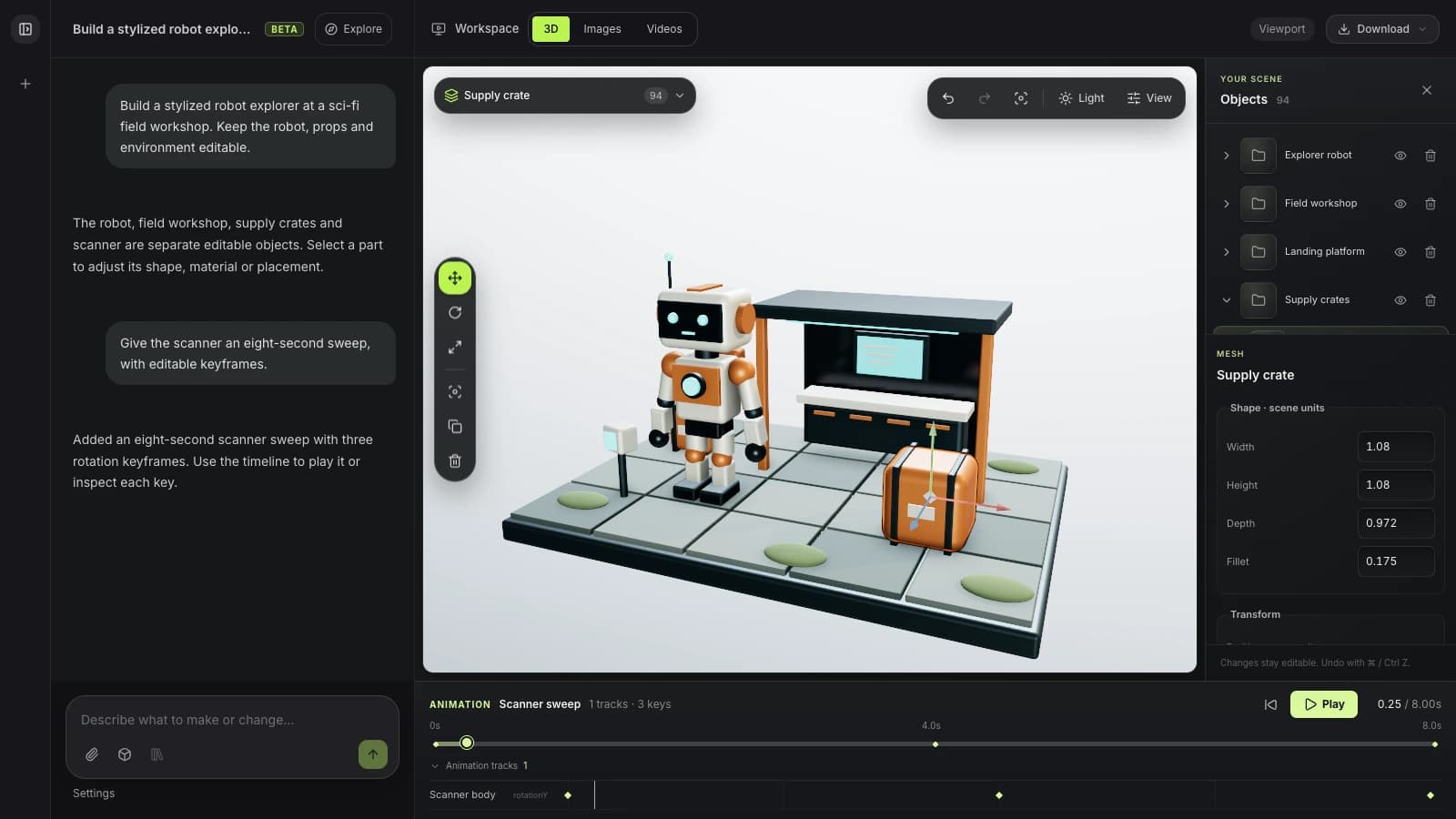
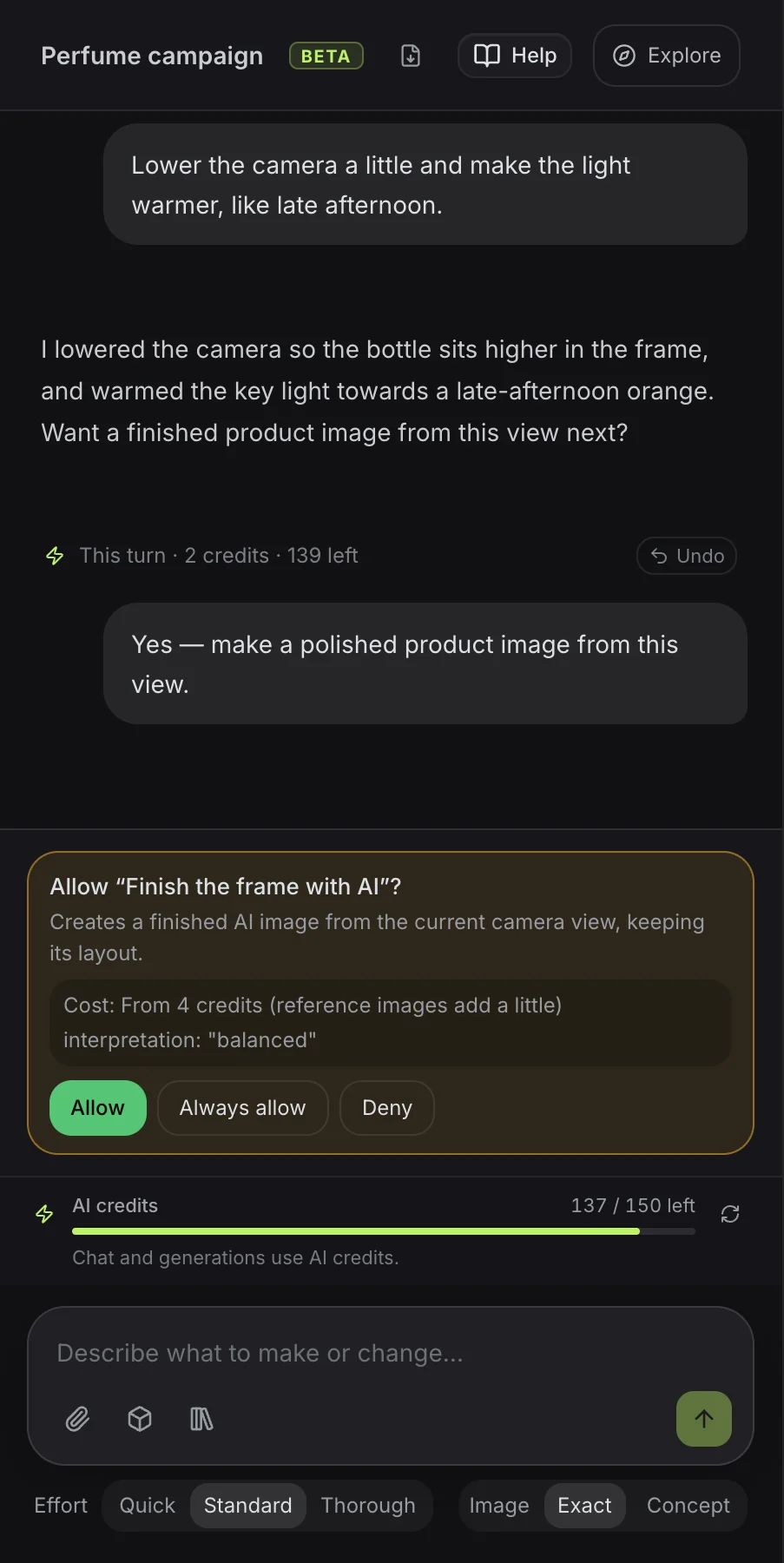
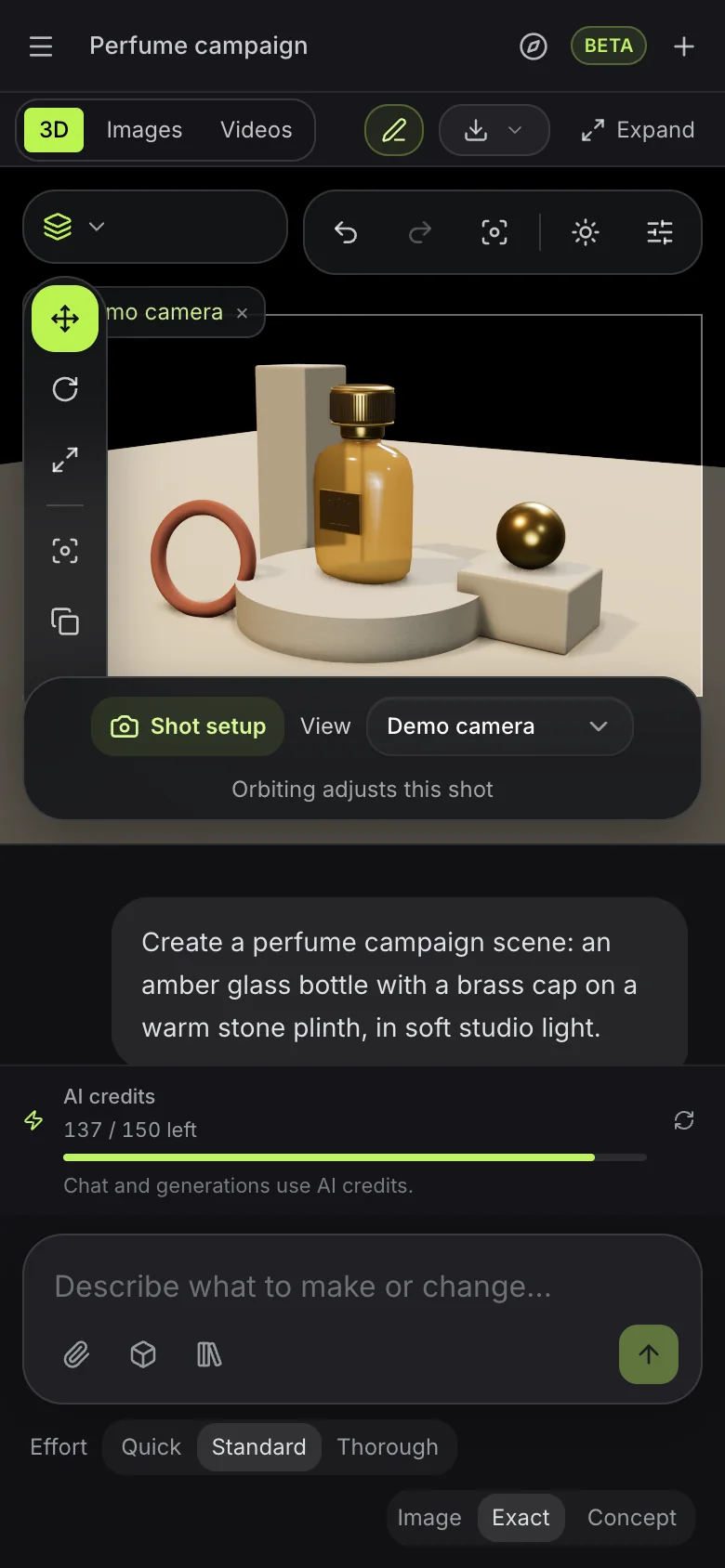
설명에서 시작해, 아이디어가 구체화되면 원하는 변경을 요청하세요.
편집 가능한 오브젝트, 텍스트, 커브, 완성된 씬을 만듭니다. 부품을 배치, 정렬, 반복, 흩뿌리기할 수 있습니다.
메시를 압출하고, 베벨하고, 자르고, 결합합니다. 모디파이어 스택으로 변경 사항을 실시간으로 유지하세요.
라이브러리의 PBR 머티리얼을 사용하고, 머티리얼 노드 그래프를 만들고, 표면을 생성하고, 마감을 조정합니다.
환경, 조명, 카메라 구도를 설정합니다. 분위기와 렌더 설정을 다듬으세요.
리그를 점검하고, 편집 가능한 모션 캡처를 적용하고, 카메라를 애니메이션하고, 모션을 미리 봅니다. 독립된 샷으로 선택형 스토리보드를 계획하세요.
연출한 씬을 이미지나 짧은 영상으로 만듭니다. 필요할 때 자동 3D 생성을 선택하세요.
“조형적인 라운지 체어, 낮은 테이블, 종이 램프가 있는 조용한 독서 코너를 디자인해 줘. 따뜻한 목재, 부드러운 아이보리, 오후의 빛을 사용해 줘.”
이 프롬프트 사용해 보기“따뜻한 석재 세트 위에 조형적인 향수병을 만들어 줘. 호박색 유리, 황동 디테일, 극적인 스튜디오 조명을 적용해 줘. 그다음 이 뷰로 완성된 제품 이미지를 만들어 줘.”
이 프롬프트 사용해 보기“크고 표정 풍부한 귀를 가진 작은 여우 흉상. 산화된 구리로 마감하고 오목한 부분에는 녹색 녹청을 입혀 줘. 둥근 차콜색 받침대 위에 올려 줘.”
이 프롬프트 사용해 보기“살짝 비틀린 키 큰 핀 하나로 시작해, 청록색과 황동색의 원형 대리석 받침대 둘레에 24번 반복해 줘. 핀이 원을 따라 퍼지는 파도처럼 오르내리게 하고, 8초 동안 루프되게 해 줘.”
이 프롬프트 사용해 보기“검은 대리석 받침대 위에 코랄색 쉘과 아이보리 쿠션을 가진 조형적인 오버이어 헤드폰을 만들어 줘. 천천히 한 바퀴 도는 애니메이션을 만든 뒤, 그것으로 짧은 제품 영상을 만들어 줘.”
이 프롬프트 사용해 보기“Ember라는 커피숍을 위한 3D 로고. 불꽃으로 피어오르는 커피콩을 브러시드 구리 소재로 만들어 줘.”
이 프롬프트 사용해 보기Mixos AI는 AI 크레딧으로 작동합니다. 채팅은 메시지에 필요한 작업량에 따라 크레딧을 사용하며, 이미지, 영상, 생성 모델은 승인하기 전에 가격이 표시됩니다.
이 페이지의 모든 예시를 보고 mixos 앱에서 작업을 편집할 수 있습니다. mixos AI와 채팅하려면 유료 플랜이 필요합니다.
매월 AI 크레딧 50개를 제공하며, 씬, 모델, 이미지, 영상을 전체 해상도로 다운로드할 수 있습니다.
더 많이 사용하는 경우를 위해 매월 AI 크레딧 150개를 제공합니다. 더 필요하신가요? 유료 플랜에서는 25 크레딧부터 크레딧 팩을 추가할 수 있습니다.
Follow a project from idea to finished result, or search everything Mixos AI can do. Every prompt is yours to edit before sending.
15 areas to explore
Build designs in Frame with editable text, shapes, fonts and brand colours. Review layout variations, make matching sets and prepare AI artwork edits.
Open Frame and create a summer campaign from a template. Keep its text and shapes editable, preview the design and let me apply it before making a matching story.
Try this promptBuild editable objects, text, curves and complete scenes. Arrange, align, repeat and scatter parts.
Build a cosy reading nook with a custom armchair, floor lamp and side table. Keep the objects editable, inspect the scene and save it.
Try this promptExtrude, bevel, cut and combine meshes. Keep changes live with a modifier stack.
Inspect the selected object and suggest three useful geometry improvements. Tell me what you would change before editing it.
Try this promptCreate geometry node networks, adjustable generators, cloners and reusable patterns.
Build a procedural shelving unit with adjustable height, width and shelf count. Keep its controls live, inspect it and save the scene.
Try this promptShape meshes with brushes, masks, symmetry, remeshing and pose tools in Mold.
Open Mold and build a simple fox bust with a clear silhouette and expressive ears. Inspect the sculpt from several angles and save it.
Try this promptLayer PBR surfaces in Paint, control wear with masks and place decals on your model.
Inspect the current Paint model. Add a worn copper material layer and masked grime, keeping the layers editable, then save the project.
Try this promptUse library PBR materials, create material node graphs, generate surfaces and tune their finish.
Give the selected object a realistic brushed-copper finish using a library PBR material or a validated material graph. Inspect the surface and save the scene.
Try this promptSet environments, lights and camera composition. Refine the atmosphere and render settings.
Light and frame the current scene for a warm studio product shot. Inspect the composition and save it before generating any paid media.
Try this promptInspect rigs, apply editable motion capture, animate cameras and preview motion. Plan optional storyboards with independent shots.
Create a slow camera orbit around the selected object, preview it as a playblast and save the scene. Keep the animation editable.
Try this promptTurn a staged scene into an image or short video. Choose automatic 3D generation when you need it.
Explain the options and current credit costs for making an image, video or automatically generated 3D model from this scene. Let me choose before running generation.
Try this promptExplore concepts, choose a mark and build an editable 3D Logo project with depth and materials.
Open Logo and design a coffee-bean and flame emblem for Ember. Show me concepts to choose from, then build the chosen mark in brushed copper and save the Logo project.
Try this promptCheck topology, normals, proportions, intersections and performance. Unwrap and pack UVs.
Inspect the current model's topology, normals and UVs. Report the three most useful fixes before changing anything.
Try this promptFind saved work, import assets, save milestones and move work between apps. Prepare files for export.
Show me the saved scenes and models in my library that I could bring into this scene. Let me choose an asset before importing it.
Try this promptAuthor custom geometry, batch repeated work, save presets and use scene variables and constraints.
Inspect this scene and suggest a reusable preset or script for a repeated task. Describe the result before making changes.
Try this promptExplore cloth draping, rigid bodies, particles, fracture, volumes and hair. Available in development builds.
Create a cloth draped over a small table, advance the simulation to inspect the drape and save the scene.
Try this promptMixos AI can guide you to Auto, Scan, libraries and browser utilities. Use those apps' own controls for work there.
이 빌드에서 Mixos AI를 사용할 수 있습니다. Mixos 계정으로 워크스페이스를 열 수 있으며, 대화형 도구는 유료 이용권이나 사용하지 않은 구매 크레딧이 필요합니다. 확장된 제작 워크스페이스는 프리뷰 빌드에서 순차적으로 제공 중입니다.
네. 어시스턴트는 열려 있는 씬의 오브젝트, 지오메트리, 머티리얼, 조명, 카메라, 애니메이션을 다룹니다. 중간 단계를 저장하고, 프로젝트를 다시 열거나 Studio에서 계속 편집할 수 있습니다. 예시 이미지는 창작 방향을 보여 줄 뿐이며, 프롬프트가 정확히 그 결과를 만든다고 보장하지는 않습니다.
일반적인 모델링 요청은 편집 가능한 지오메트리를 만듭니다. 명시적인 자동 생성은 기존 유료 모델 카탈로그를 사용해 텍스트나 레퍼런스 이미지로 텍스처가 입혀진 메시를 만듭니다. 지원되는 모델을 가져와 씬에 넣고 라이브러리에서 재사용할 수도 있습니다. 네이티브 .mxs 씬은 새 프로젝트로 열립니다.
씬을 렌더링하거나, 정밀·균형·창의 해석 중 하나로 AI가 뷰포트를 마무리하게 할 수 있습니다. 영상은 편집 가능한 애니메이션, 완성된 스틸, 일치하는 모션 캡처를 준비한 뒤 지원되는 영상 엔진을 선택합니다. 원본 씬이 바뀌면 다른 클립을 생성하기 전에 스틸과 캡처를 새로 만드세요. 결과물은 미리 보고, 재사용하고, 기존 내보내기 권한에 따라 다운로드할 수 있습니다.
먼저 스켈레톤을 점검하고 호환되는 리그를 재사용하세요. 지원되는 T포즈 휴머노이드는 자동 리깅할 수 있습니다. 모션 라이브러리를 검색해 알맞은 캡처를 적용하고, 타이밍과 이동을 편집 가능한 키프레임으로 조정합니다. 지원되지 않는 포즈, 리그 또는 없는 모션은 호환되는 캐릭터나 다른 라이브러리 모션이 필요하며, 새로운 텍스트 투 모션 서비스는 이번 프리뷰에 포함되지 않습니다.
아니요. 만들거나 바꾸려는 내용을 한 번의 프롬프트로 설명하면 어시스턴트가 요청을 자동으로 따릅니다. 선택형 요청 포커스는 설정에서 사용할 수 있습니다. 여러 샷이 필요하면 하나로 시작하거나 세 개를 계획할 수 있고, 스토리보드에는 최대 열두 개까지 담을 수 있습니다. 각 샷은 고유한 카메라, 애니메이션 클립, 브리프, 생성 설정을 가지며, 씬 오브젝트, 조명, 머티리얼은 공유됩니다. 생성된 테이크는 원래의 샷에 연결된 채로 유지됩니다.
아니요. Mixos AI는 자체 라이브 뷰포트를 갖춘 독립형 워크스페이스입니다. 카메라 프리셋과 편집 가능한 패스는 씬 안에서 작동합니다. 공유 커맨드는 MCP 호출도 지원하지만, 여기서 작업하는 데 외부 소프트웨어나 MCP 설정은 필요하지 않습니다.
출시된 Mixos 앱에서의 편집은 Mixos 계정만 있으면 무료입니다. AI 생성에는 크레딧이 소모됩니다. 프로덕션 내보내기에는 유료 플랜이나 라이선스가 필요하며, 무료 플랜에는 512px 워터마크 렌더 미리보기가 포함됩니다. 현재 제공량은 요금 페이지를 참고하세요. 이 페이지의 시연을 보는 데에는 AI 크레딧이 사용되지 않습니다.