Your project needs reusable 3D objects, an editable set and camera animation you can inspect before generating an image or video. You want to keep developing the scene between outputs.
Higgsfield alternativeA Higgsfield alternative.
A Higgsfield alternative.
Built on editable 3D.
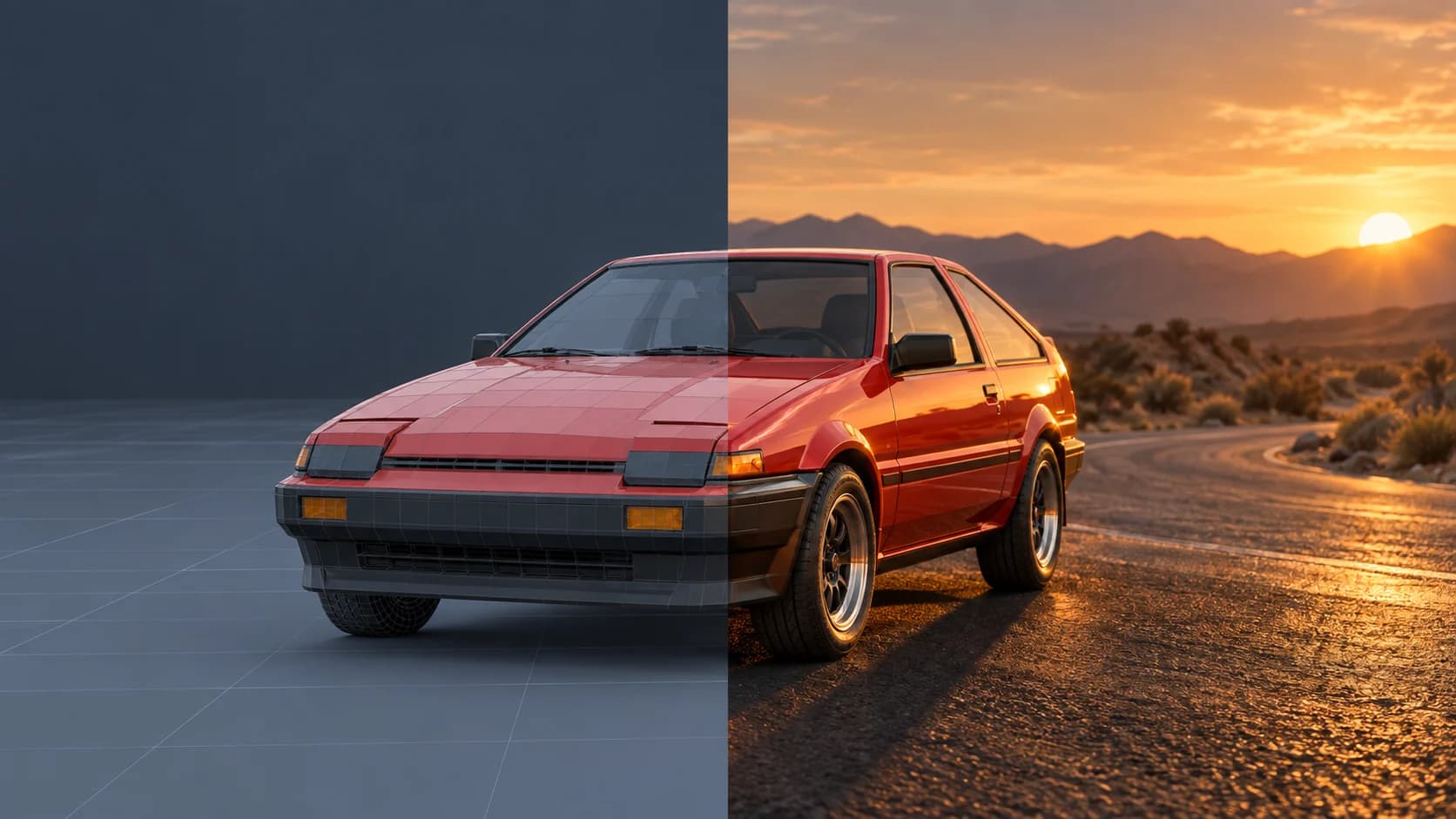
Looking for a Higgsfield alternative with an editable 3D starting point? Mixos AI brings objects, materials, lighting and camera moves into a conversational workspace, then lets you use that scene to guide an image or video.
Available in this build. AI actions require paid access or purchased credits.
EDITABLE 3DIMAGE / VIDEO
01 / FROM IDEA TO OUTPUT
Direct the scene behind your next shot.
For a product campaign or a camera move, start with choices you can revisit. Build the set, preview its composition, then decide how to finish it. An AI image or video is a separate output; the underlying 3D scene stays editable.
- 01
Build your starting point
Describe a product scene or bring in a supported model. Arrange the objects and surroundings, then refine materials and light through chat.
- 02
Choose the camera move
Set a camera angle, use a preset or adjust an editable path. Preview the scene’s animation before preparing the reference motion for video.
- 03
Finish a still or a clip
Render a still or use AI to finish the frame. For video, pair a finished image with a matching motion capture and choose a supported engine. Review the credit cost before generation.
AN EXAMPLE BRIEF
Build a studio scene around a perfume bottle. Add warm side lighting, put the bottle on a stone plinth and set up a slow camera orbit.
A starting prompt to try when the workspace is available; results vary with the scene and model.
EXPLORE A PREPARED SCENE
SEE THE WORKFLOW
Five examples. See what changes with each prompt.
Build, finish and animate real 3D scenes. Choose an example, play the walkthrough or jump to any step.
The rotating showcasePrepared example · no credits used
THE BRIEF
“Create a pair of sculptural over-ear headphones. Use coral shells, soft ivory cushions and a polished metal headband.”
BUILD → FINISH → ANIMATE
One product. Every angle.
The chat explains the change. The viewport shows the result. Play all steps, or use the numbered controls to explore.
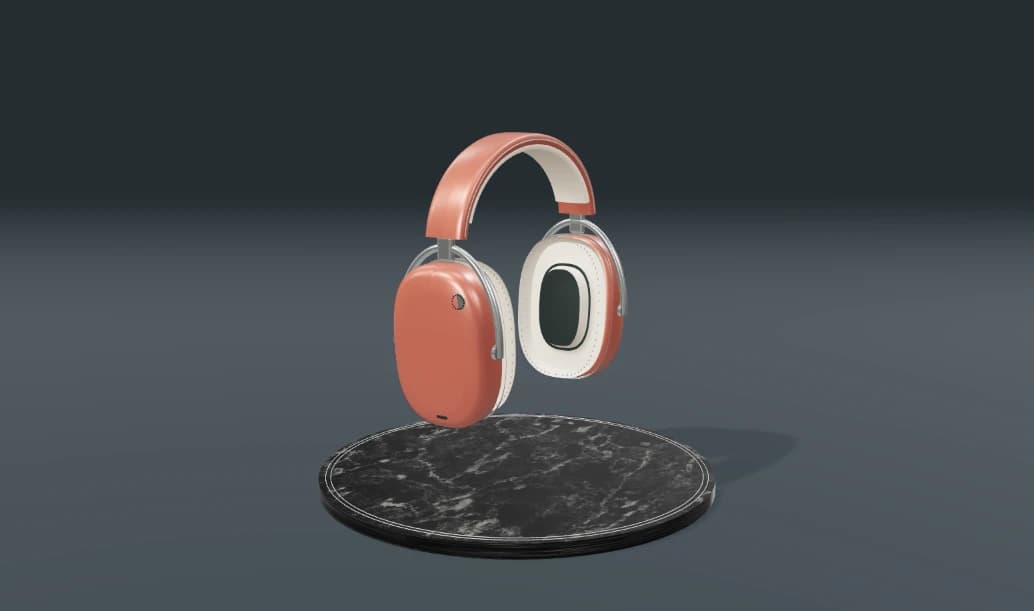
ANIMATIONCLICK TO FOLLOW THE STORY
The finished scene3D SCENE PREVIEW
Prepared walkthroughs with editable 3D, animation and illustrative AI images. Prompts and replies are scripted; playback uses no credits. AI video generation is a separate paid step, illustrated above.
02 / CHOOSE YOUR WORKFLOW
Mixos AI vs Higgsfield
Higgsfield offers image and video creation with camera, motion and model controls. Mixos AI starts from an editable 3D scene. The useful distinction is the starting point and what you want to keep changing between takes.
| Your workflow | Mixos AI | Higgsfield |
|---|---|---|
| Starting point | Describe or import a 3D scene, then work with its objects, materials, lights and camera. | Create from prompts and visual references using image and video tools. |
| Camera and motion | Preview an editable camera path and scene animation before using the capture to guide video. | Use camera presets, Cinema Studio controls or motion references to guide generation. |
| Product variations | Change a scene’s material, light or viewpoint and prepare another output from that scene. | Use its image, editing and video workflows to develop visual variations. |
| What you keep | An editable 3D project alongside rendered or generated outputs. | Image and video outputs within its creative production workflow. |
| Getting started | Explore the guided demo. The AI workspace follows its preview release availability. | Explore the currently offered tools, models and subscription options on Higgsfield. |
Your work centers on image and video generation, camera effects and its current model selection. Its existing creative tools fit your production process and you want to work there today.
Comparison reviewed October 6, 2026. Sources: Higgsfield video tools; Higgsfield Cinema Studio guide. See each product for current features and pricing. Mixos is independent of Higgsfield.
Questions about Higgsfield alternatives
Is Mixos AI available now?
Mixos AI is available in this build. Open the workspace with your Mixos account; conversational tools require paid access or unspent purchased credits. The expanded creation workspace is rolling out in preview builds.
Is Mixos AI a Higgsfield alternative?
It is an alternative workflow for creators who want editable 3D as the starting point for images and video. Higgsfield has its own image, video and camera tools. Mixos AI focuses on building and refining a scene before choosing a rendered or generated finish; check the availability answer before planning production work.
How does 3D camera control guide an AI video?
Prepare the camera move and animation in the editable scene. Use a finished still and a motion capture from the same scene to guide a supported video engine. Generation can interpret the references, so inspect the resulting clip rather than assuming it reproduces every movement exactly.
Can I change the product after generating a shot?
You can edit the scene’s objects, materials, lighting and camera. Those changes do not rewrite an existing generated image or clip. Refresh the finished still and matching motion capture before generating a new video.
Does Mixos AI use Higgsfield or connect to it?
This page compares two independent products. It does not describe a Higgsfield integration. Mixos AI uses its own supported generation catalog; its image and video controls show the available choices and the credit cost before generation.
What is free, and what requires a paid plan?
Editing in the released Mixos apps is free with a Mixos account. AI generation consumes credits. Production exports require a paid plan or licence; the free plan includes a 512px watermarked render preview. See Pricing for current allowances. Watching the demonstrations on this page does not spend AI credits.