Raised or engraved
Raised letters stand 1.2 mm proud of a 3 mm plate by default. Engraved letters are cut into the plate instead, for a single-colour print with a crisp look.
Ask for a keychain that says a name, a desk name plate or a door sign. Mixos AI sets the letters on a plate sized around them, adds a ring hole or screw holes, and keeps the lettering as its own part so it can print in a second colour.
Mixos AI is available in this build. Conversational tools require paid access or purchased credits.
 MADE IN MIXOS
Say the text and the size. Letter height, plate size, thickness and holes follow from those two, and every one can be changed by asking.
Give the text, one line or two, and what it is for: a keychain, a name plate or a sign. Name a font if you have one in mind.
Give the length in millimetres, or let Mixos AI use a typical size. It tells you how tall the letters came out and warns when they are too small to print cleanly.
Download a 3MF and the letters arrive as a separate part, ready for a filament change or an AMS. An STL merges them into one solid.
The viewport makes the result visible. Inspect the shape, placement and materials before moving on to the next change.
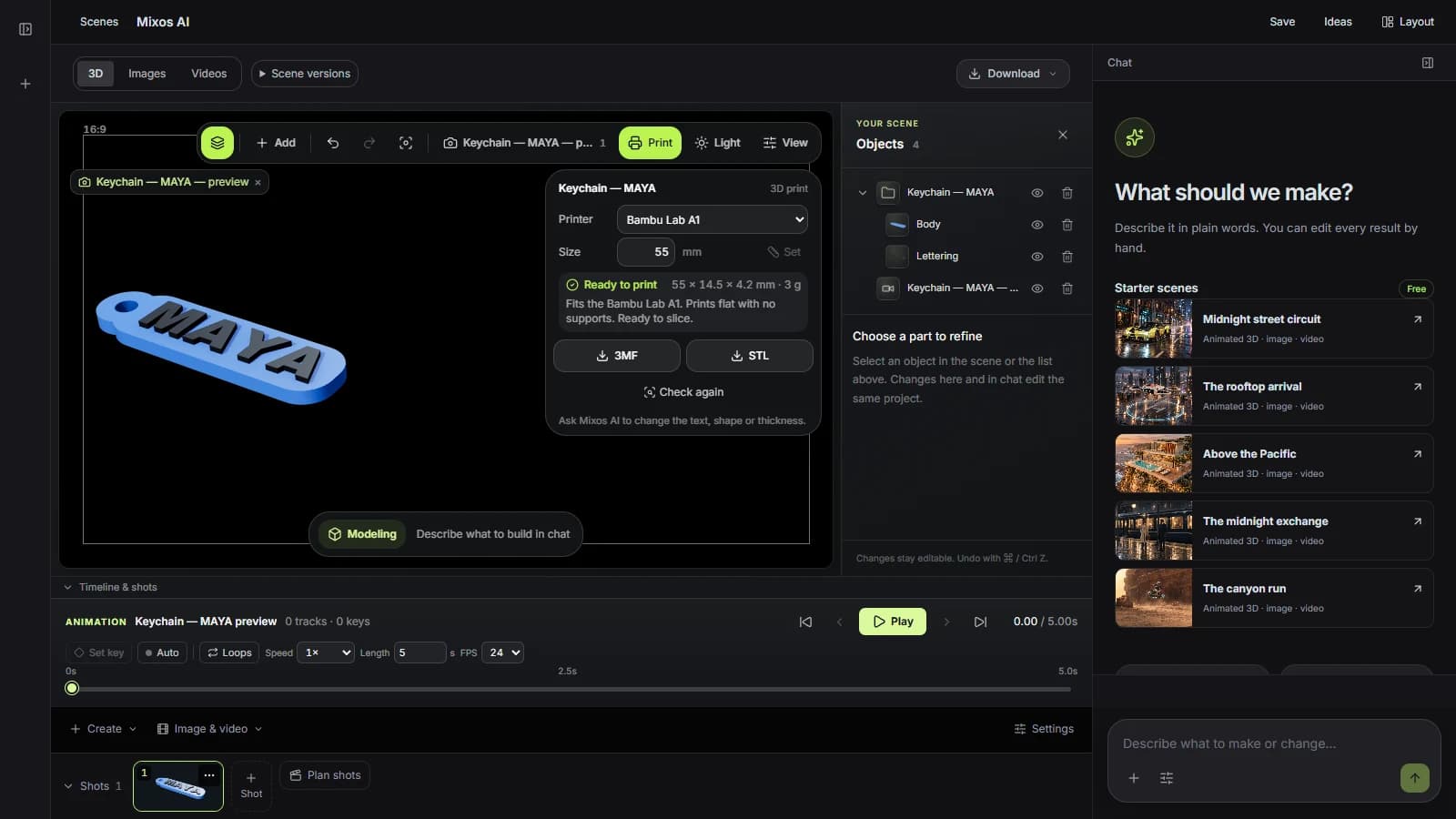
Raised letters stand 1.2 mm proud of a 3 mm plate by default. Engraved letters are cut into the plate instead, for a single-colour print with a crisp look.
A keychain gets a 4.5 mm hole a split ring passes through, with plastic around it so it does not tear out. A sign gets two countersunk holes for flat-head screws.
Ask for a heart, a star, a bone or a shield and the text is fitted inside the shape, with the hanging hole placed where the shape has room for it.
“Make a keychain that says MAYA in a bold font, 55 mm long, with the letters raised so I can print them black on white.”Open Mixos AI
“Make a door sign 200 mm wide that says Studio on one line and Please knock on the second, with screw holes.”Open Mixos AI
Example briefs to adapt to your project. Concept images show a creative direction; live results depend on your prompt and the tools used.
Build, finish and animate real 3D scenes. Choose an example, play the walkthrough or jump to any step.
“Build a compact studio speaker with an olive enclosure, a copper driver and a fine metal-mesh grille. Keep the components separate.”
The chat explains the change. The viewport shows the result. Play all steps, or use the numbered controls to explore.
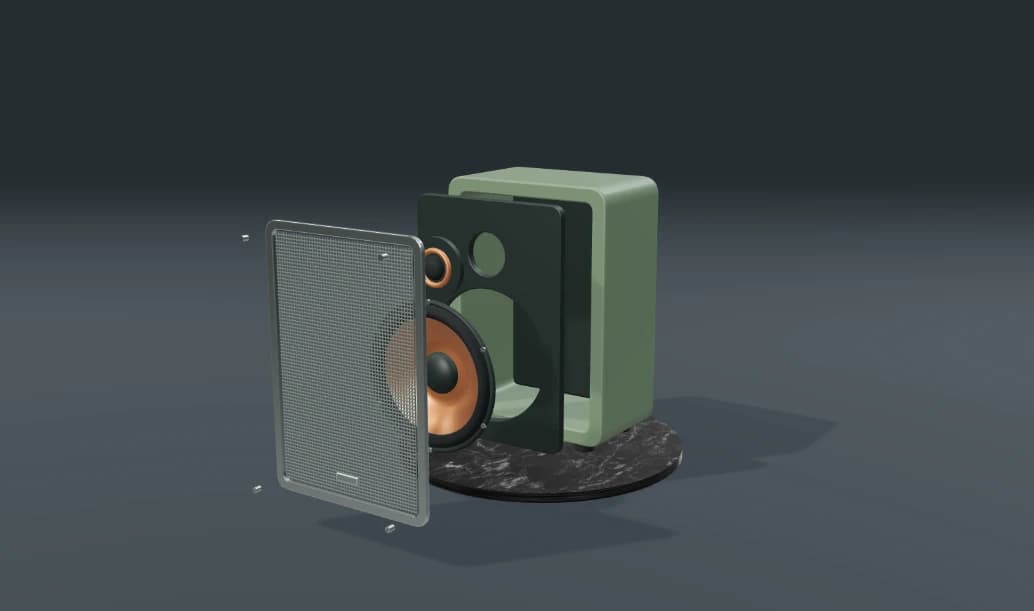
Prepared walkthroughs with editable 3D, animation and illustrative AI images. Prompts and replies are scripted; playback uses no credits. AI video generation is a separate paid step, illustrated above.
Mixos AI is available in this build. Open the workspace with your Mixos account; conversational tools require paid access or unspent purchased credits. The expanded creation workspace is rolling out in preview builds.
Yes. Raised letters are a separate part in the 3MF file, so a slicer can assign them their own filament for a colour change or a multi-material printer.
Letters under about 5 mm tall start to blur on a 0.4 mm nozzle. Mixos AI reports the letter height it used and suggests a longer plate or shorter text when they come out small.
Name a font family and Mixos AI uses it when your browser can draw it. Bold, simple fonts print most clearly.
Making the model uses Mixos AI chat credits. Downloading STL or 3MF files is part of Studio's export, which is included in every paid plan.
Editing in the released Mixos apps is free with a Mixos account. AI generation consumes credits. Production exports require a paid plan or licence; the free plan includes a 512px watermarked render preview. See Pricing for current allowances. Watching the demonstrations on this page does not spend AI credits.
See Pricing for current AI credits and export allowances. Studio is available now for manual 3D creation.