Free 3D texturing software, online.
Import your model, apply a material and export maps for Blender, Unreal or Unity. Paint and adjust the result in your browser, with nothing to install.
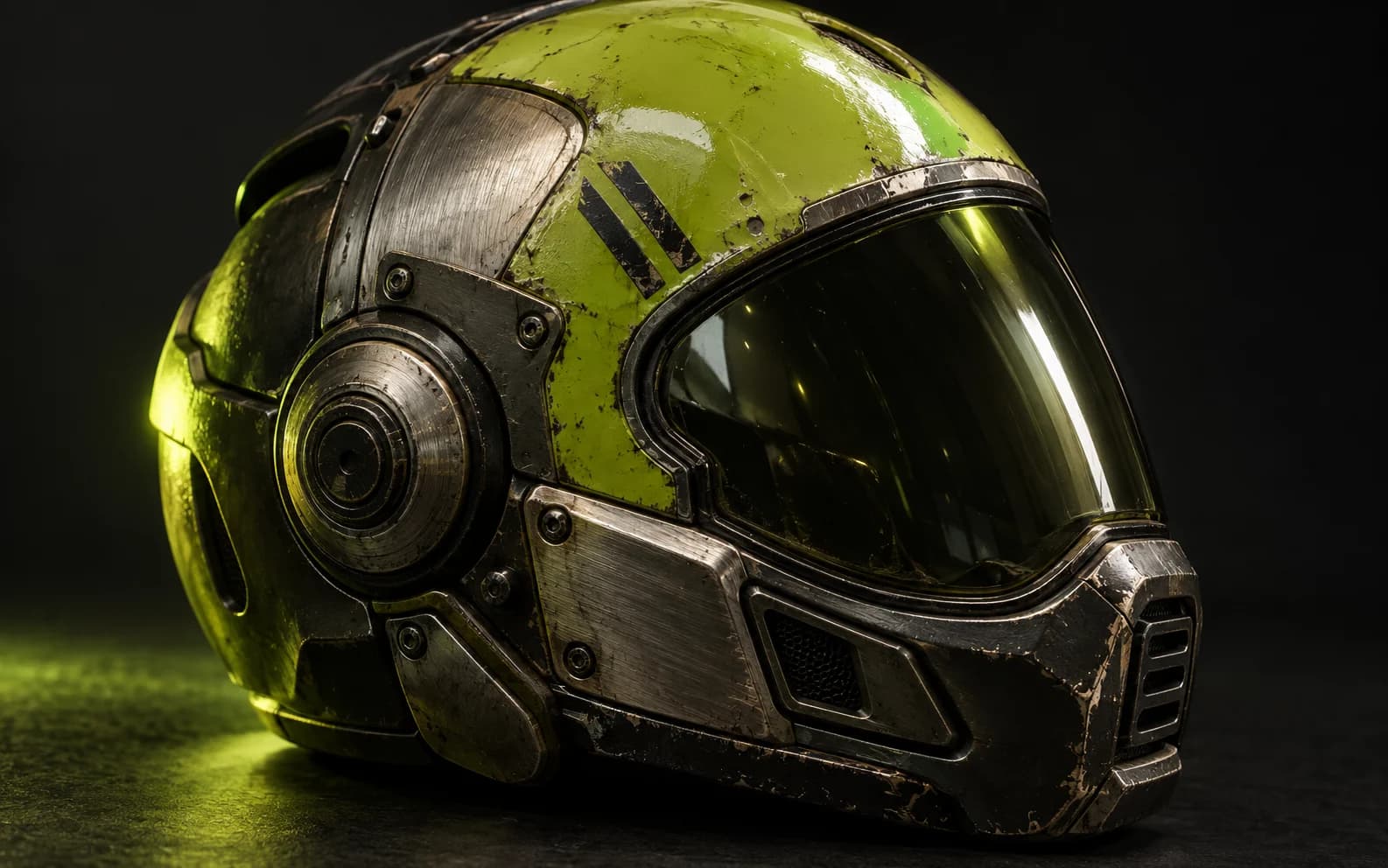
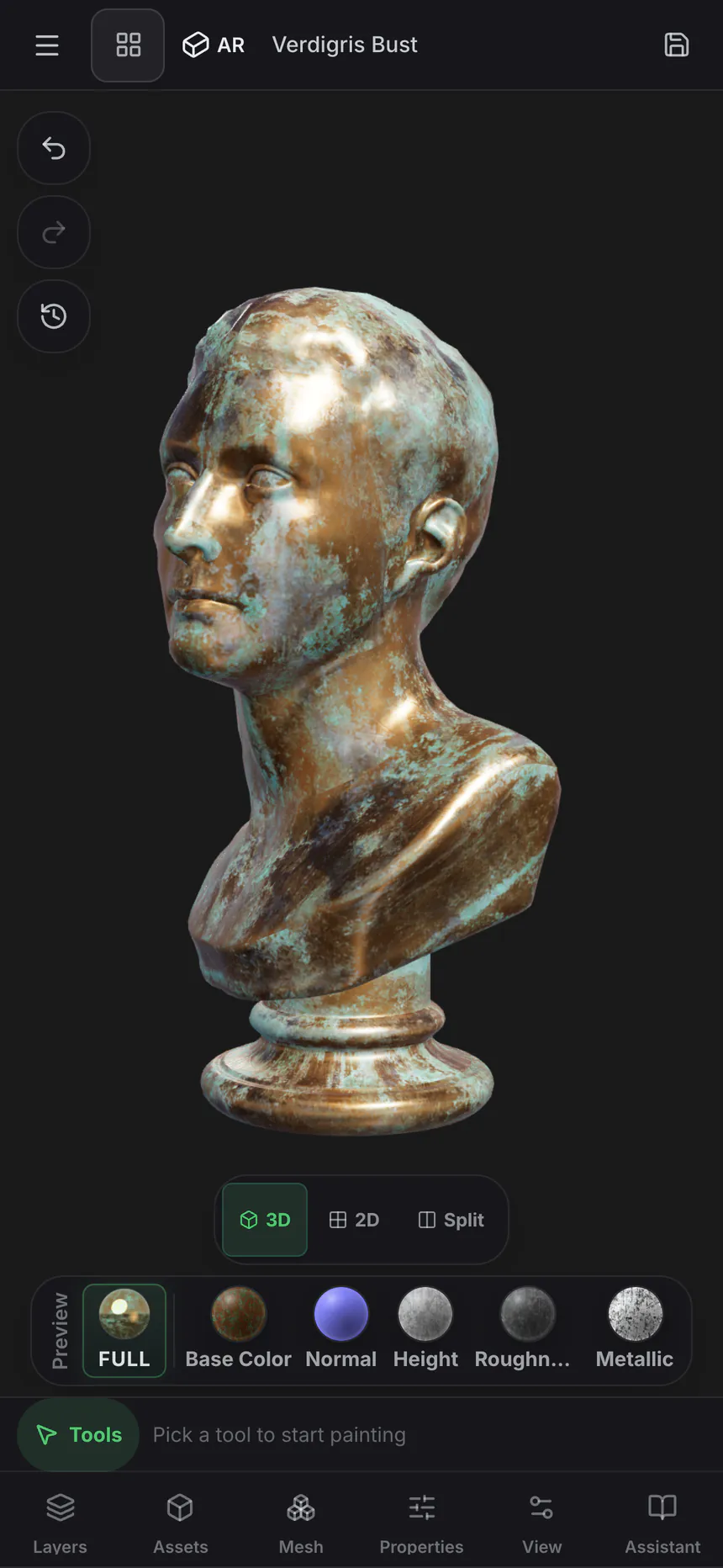
Painted right on the mesh
The toolkit
Paint, layer, and mask — the way you texture.
Not a filter stack and not a preview — the tools a finished texture actually needs, every one of them non-destructive.
Paint on the model
Brush detail straight onto the mesh — brush modes, alpha stamps and projection painting that carries across UV seams, for both the texture and the masks that place it.
Stack blendable layers
Non-destructive layers with blend modes, opacity and per-channel toggles. Paint color, height, roughness and metallic independently, and reorder or switch any layer off at any point.
Smart masks
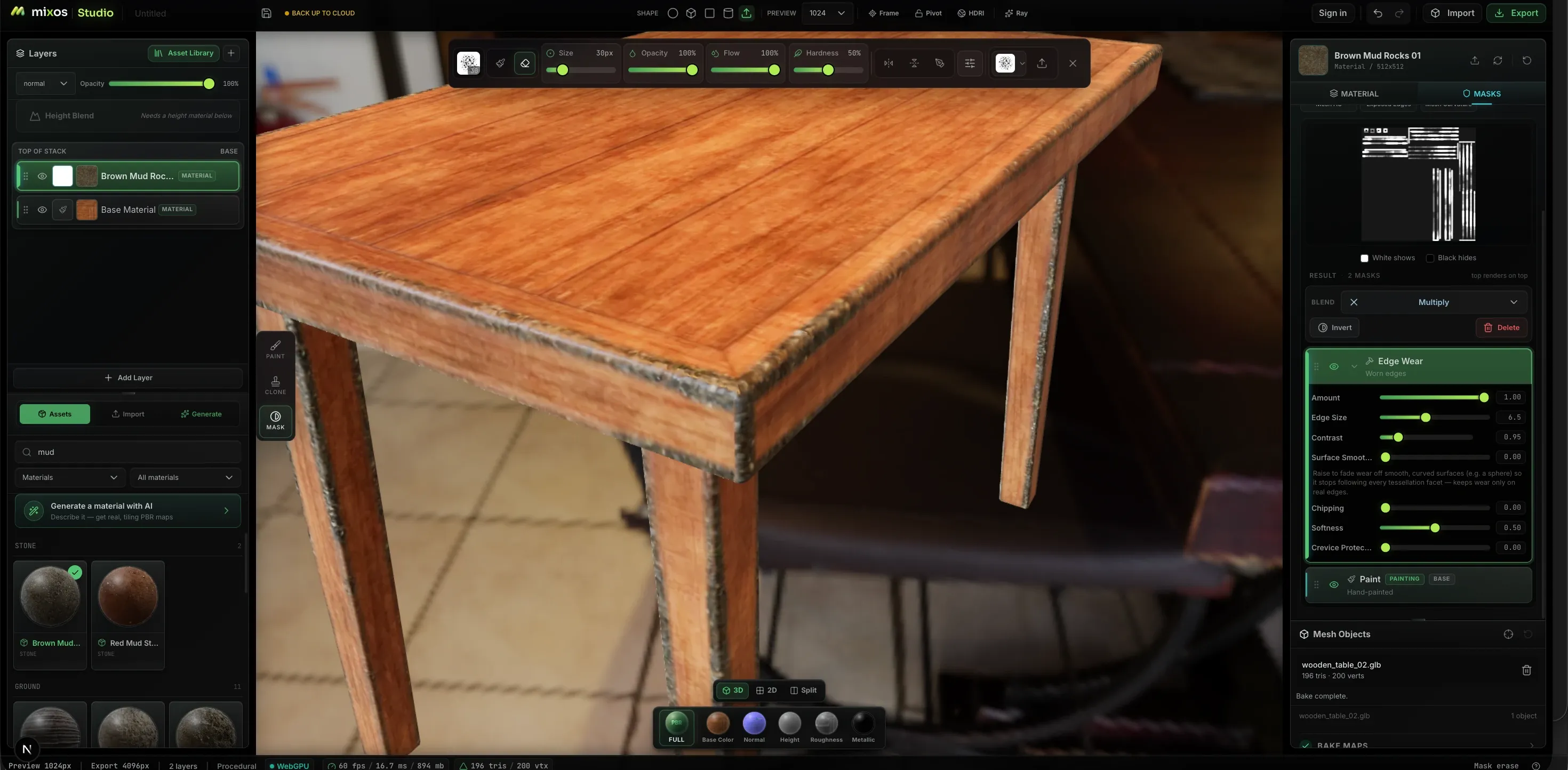
Procedural generators place wear where wear happens — edge wear, curvature, grime and cavity masks driven by the geometry, with amount, edge size, contrast and chipping as sliders rather than brushwork.
2600+ PBR materials
Drag a ready-made material onto the stack — metal, wood, stone, fabric, leather — then tune tiling and roughness. Import your own the same way: drop a folder, or a whole library, and the maps sort by filename.
Decals & stencils
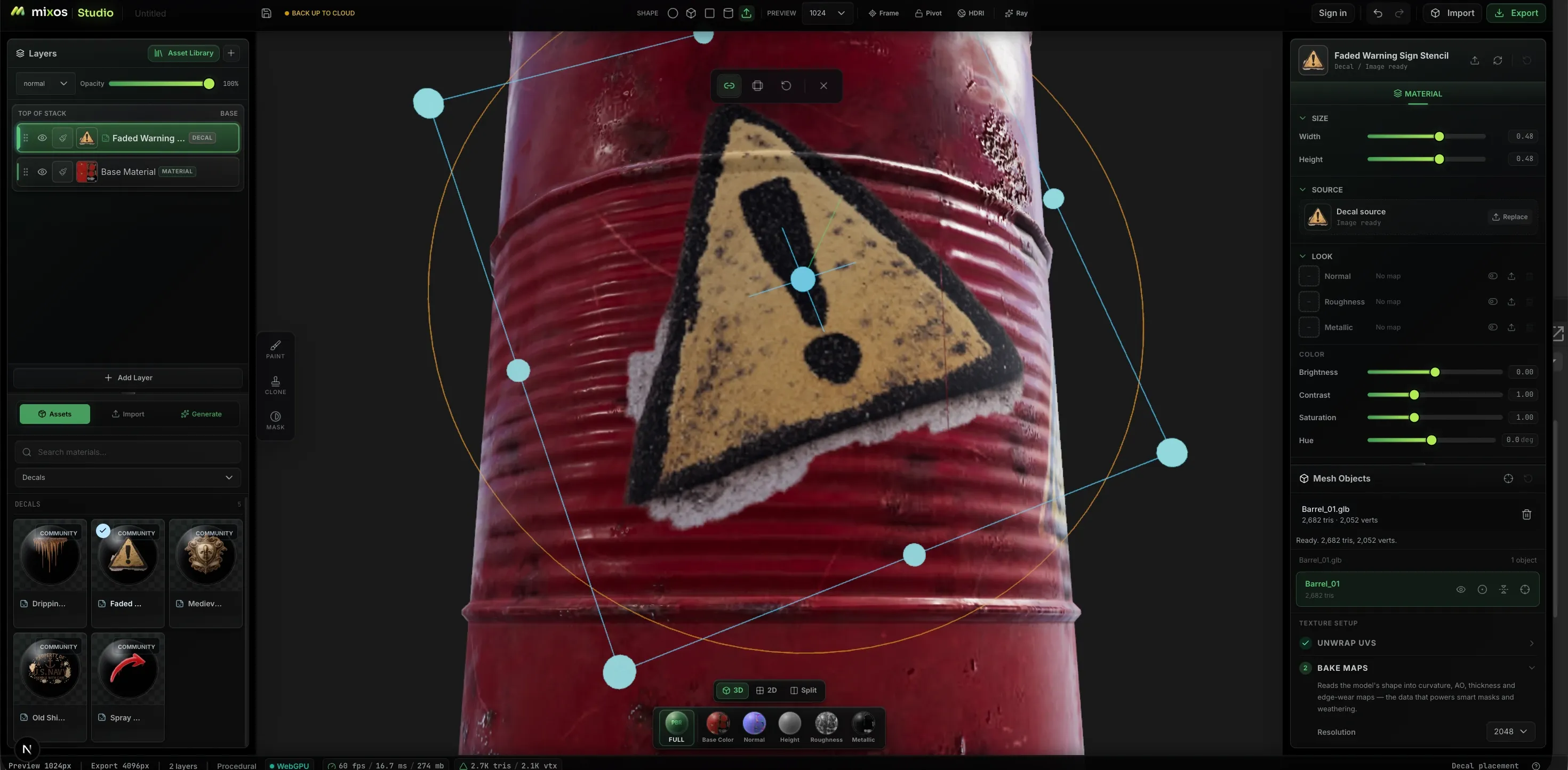
Drop logos, warning signs and stencils onto the surface and place them with an on-mesh gizmo — move, scale and rotate against the geometry rather than against a flat UV sheet.
Paint in 2D and 3D at once
Split the view and work on the flat texture sheet beside the model. The same brushes, layers and masks apply in either pane and both update together — so seams, tiling and anything easier to hit on a flat sheet stop being a guess.
Generate what you need
Prompt for a complete tiling PBR material, a seamless texture, a weathering mask, a brush tip, a decal — or a whole 3D model with real UVs to paint on. Every channel comes back as a real map you can edit, not a flat image baked into the color.
Where the realism comes from
Wear that follows the geometry.
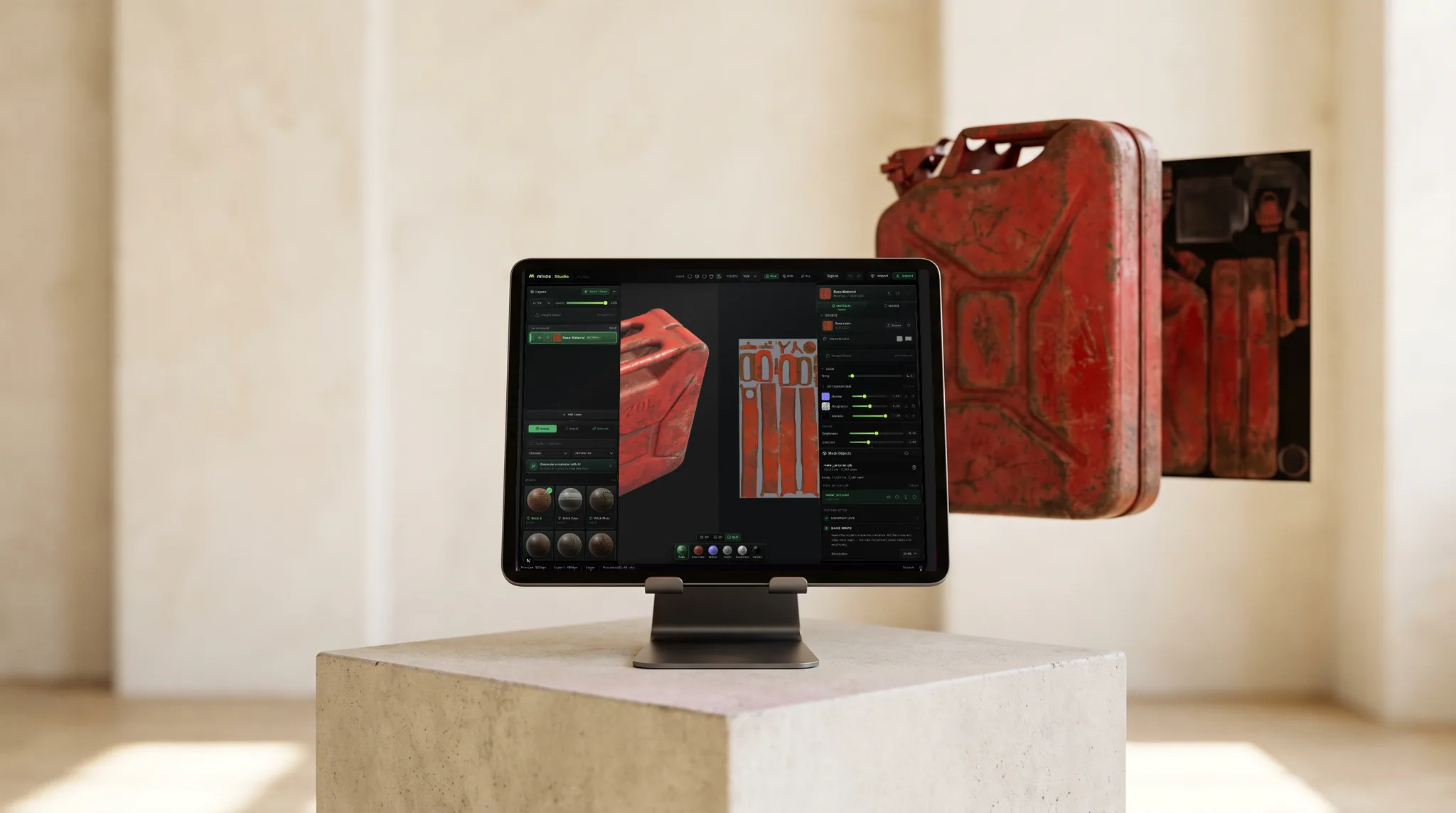
The difference between a flat material and a used object is where the edges have rubbed and where the grime has settled. Paint bakes curvature and ambient occlusion from your mesh and drives masks with them, so the wear lands where the shape says it should.
The workflow
From bare mesh to exported maps
Bring a model
Import GLB, glTF, FBX or OBJ, pull one from the free CC0 model library, or send a sculpt over from Mold with fresh UVs already on it.
Lay down a base
Drag a material onto the stack for an instant layered base, or auto-texture the whole mesh from a prompt and refine on top of the result.
Paint and mask
Brush in the detail that makes it yours, then isolate it — color-ID selections for parts, procedural generators for wear, hand-painted masks for everything else.
Export the maps
Organized PBR map sets up to 4K plus a .glb, named for the engine you are heading into. Painting is free; exporting the finished maps is on a paid plan.
Surfaces that read as real
Paint the wear, not just the color
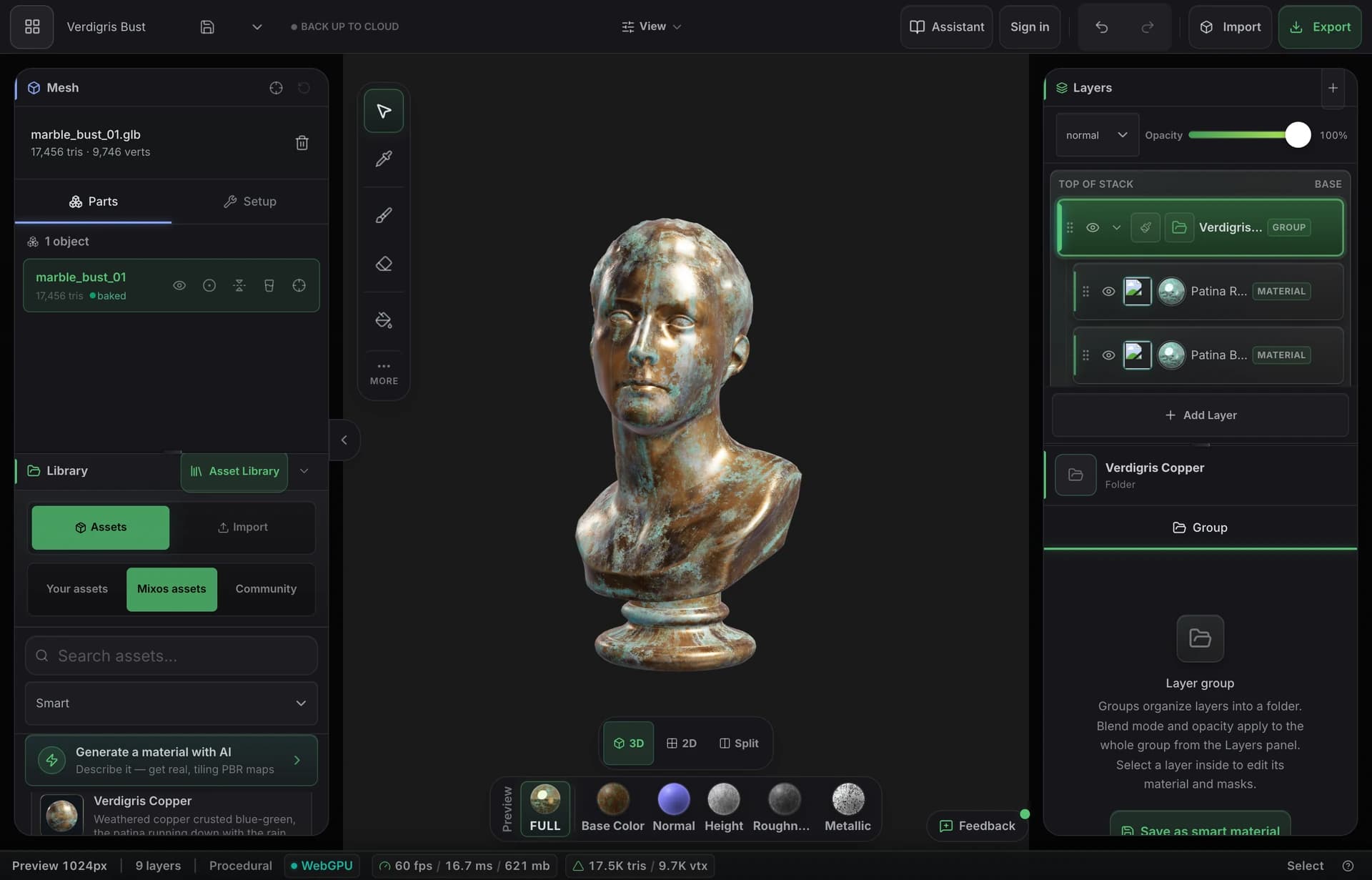
Bake the model's own curvature, thickness and ambient occlusion, then let smart materials settle rust into the pits and rub paint off the edges the way handling would. What comes back looks used, because it was aged by the shape itself.
- Curvature, AO and thickness baked from your mesh
- Smart materials that find edges and crevices on their own
- Export the full PBR map set at up to 4K
Into your pipeline
Standard maps, named the way your engine wants them.
Base color, normal, roughness, metallic, height and opacity, plus baked ambient occlusion and curvature, exported up to 4K as PNG — with presets that name and pack the channels the way Blender, Unreal and Unity expect.
Every channel previews on the model on its own, so you can see what each map is doing before it leaves.
On the free desktop app there is a Live Link that streams your maps into Blender, Cinema 4D or Unreal while you paint, so you see the change in your renderer rather than exporting to check.
Material library
Start from 2,669 ready-made PBR materials.
Bricks, concrete, metal, wood, stone, fabric, leather and more — each a full PBR set. Drag one onto the surface and paint over it, or start from a generated material.
The shelf keeps growing on its own, too: community AI materials — seamless PBR sets generated in Mixos and shared by the artists who made them — land in the same library every week, filtered behind their own chip. They're yours to paint with, though only the CC0 sets are downloadable.
- Wood376
- Stone244
- Metal229
- Tiles228
- Ground220
- Paving205
- Bricks202
- Fabric167
- Concrete132
- Asphalt90
- Leather54
- +8 more
AI generation
Describe it. Get something you can actually edit.
Every generator hands back a working asset, not a picture of one — and everything below is a real, unretouched generation.
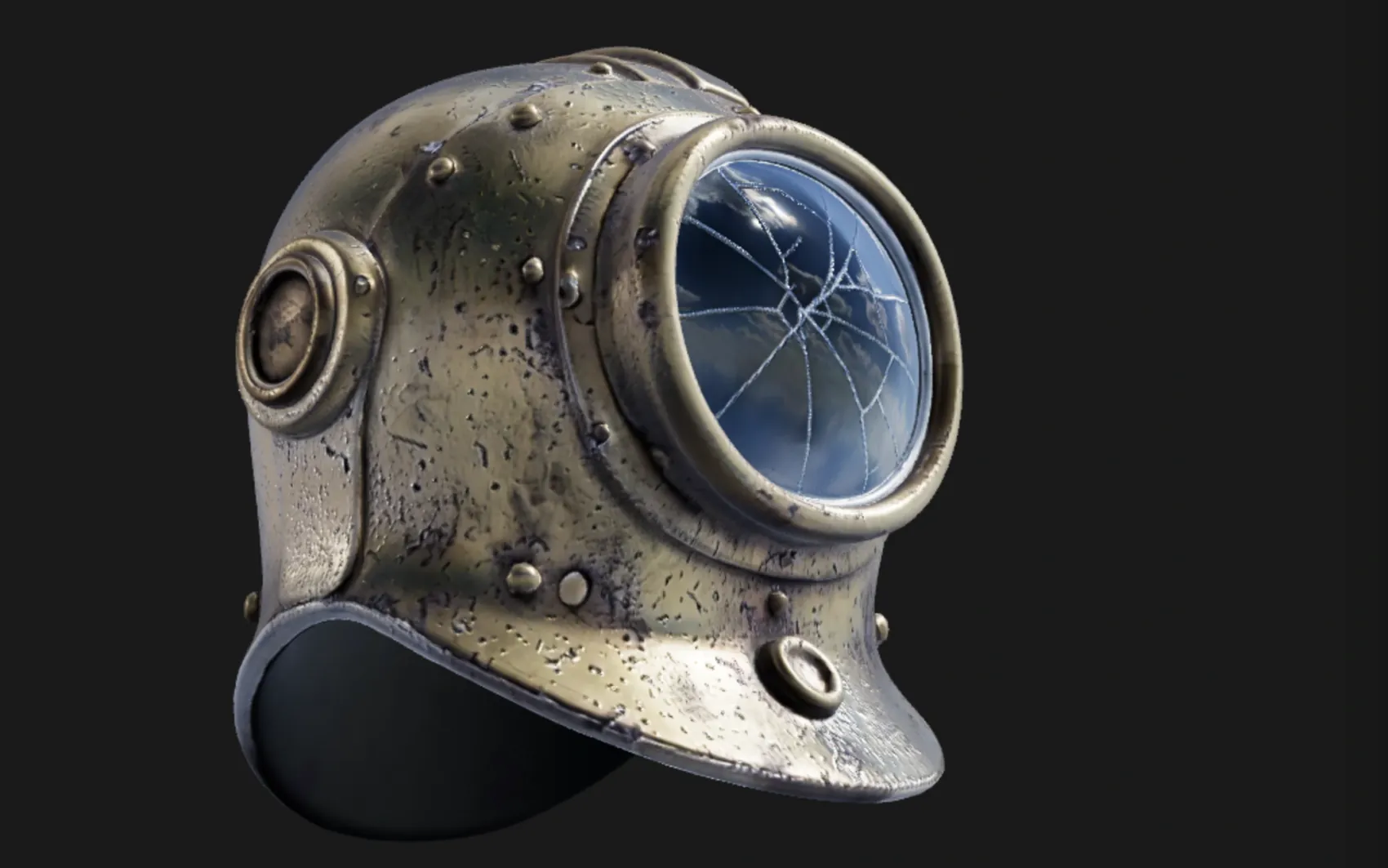
a weathered brass diving helmet with rivets and a cracked glass porthole
A textured, UV-unwrapped .glb — paintable the moment it lands, its generated maps already broken out as editable layers. No re-unwrap, no blank canvas.
“High detail” tier (Pro) · 180s
oxidised copper roof panel with green verdigris and rain streaks
One prompt, five real maps — not one image with the other four guessed from it. It exports as a standard map set for Blender, Unreal, Unity and C4D, and lands in the node editor as five wired nodes, so the roughness can go through a Levels or the albedo blend with grunge.
Five 1024² channels · 150s
 Base color
 Normal
 Roughness
 Metallic
 Height
Textures tile on all four edges, masks drive where a layer shows through, and brush alphas and decals stamp straight onto the mesh — each from one prompt, each landing as something you keep editing rather than a flat picture.
 Texture
 Mask
Mask Brush alpha
 Decal
DecalOnly generation spends credits — painting, layering, masking, baking and live preview never touch them. Every plan can generate, and a free account starts with a trial pool; Pro and Max add 2K materials and the two highest-fidelity 3D engines.
Mold ↔ Paint
Change the sculpt after you've textured it.
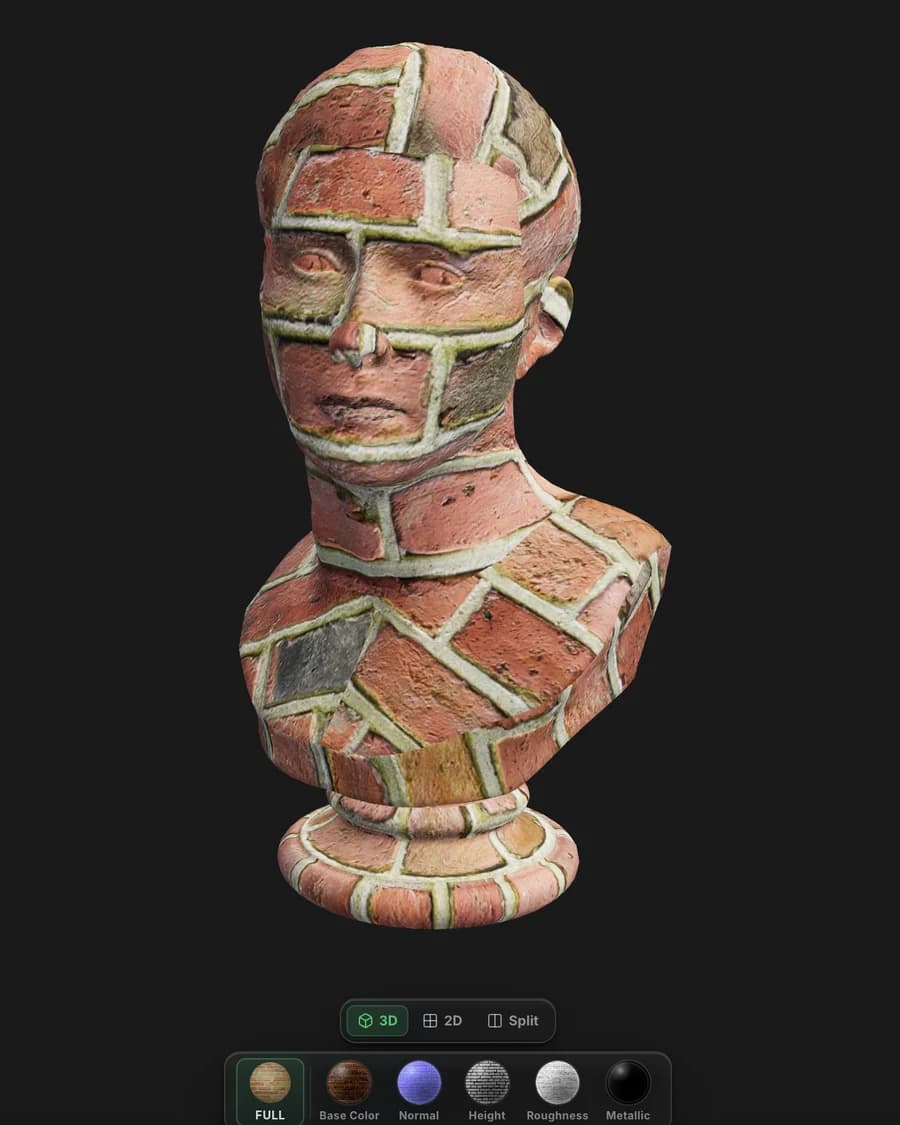
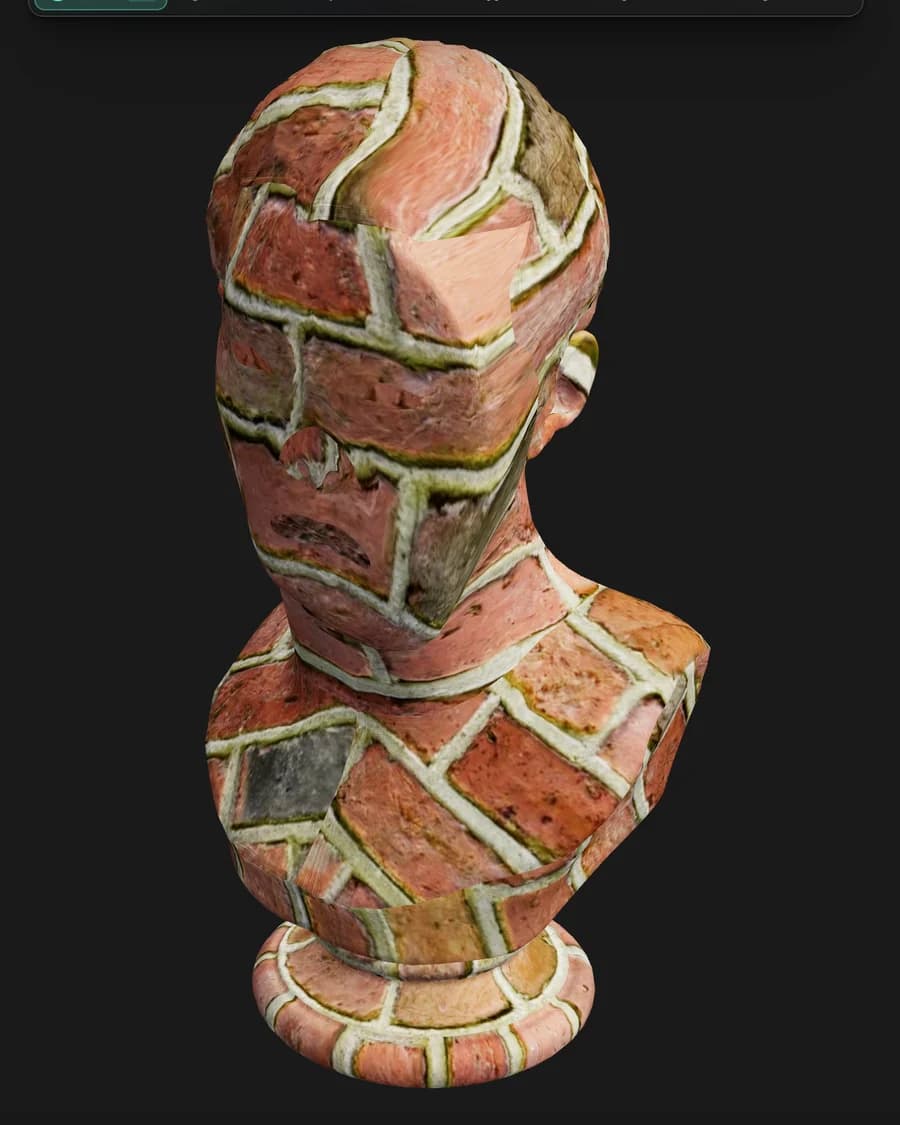
Texture a model in Paint, send it back to Mold, reshape the base — and the texture comes back exactly where you left it. Mixos carries the UV mapping across instead of re-projecting the paint onto the new surface, so your layers are never resampled and never drift. The tenth trip costs what the first one did.
- Layers return byte-identical
- Nothing is reprojected
- Full density comes home
- Multi-part models too
Node materials
Build a material out of nodes.
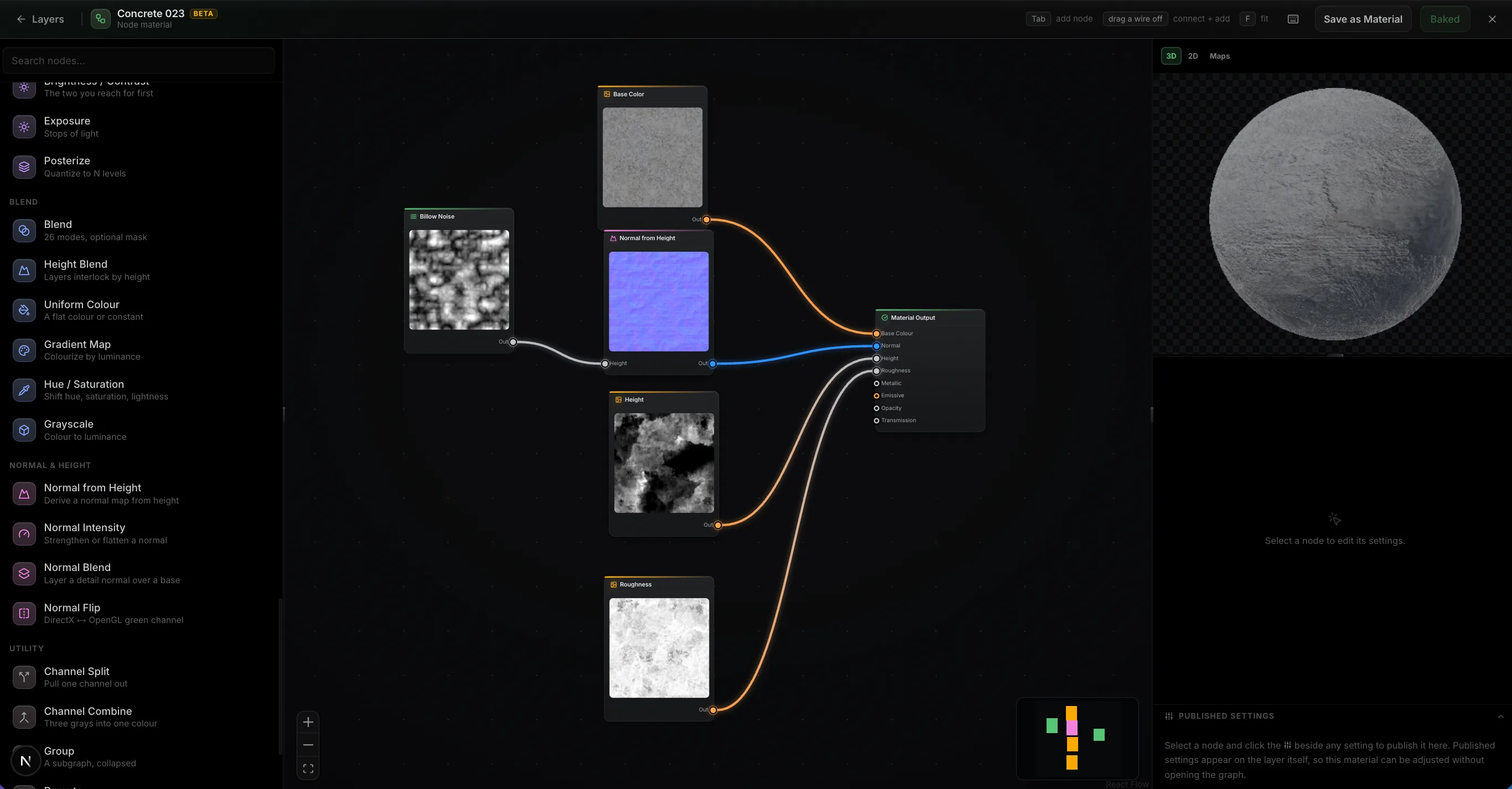
Wire noise, warps, levels and blends into a graph and it authors every PBR channel at once, evaluated on your GPU as you drag a slider. Feed in your mesh's baked maps and the wear lands where the geometry says it should. Then publish the handful of parameters that matter as variables on the layer, so the finished material stays adjustable without reopening the graph.
- ~30 nodes
- Mesh maps as inputs
- Published settings
- It's just a layer
Path-traced preview
Path-traced preview.
The Ray toggle switches the viewport to a progressive path-traced render of the frame you're editing — bounced light, soft shadows, and glossy reflections across your whole layer stack. It refines in place while you tune quality, exposure and depth of field.
- Progressive — refines in place
- Fast / Balanced / High quality
- Physical depth of field
 Ray · path-traced
Live Link · desktop app only
Live Link to Blender, C4D and Unreal.
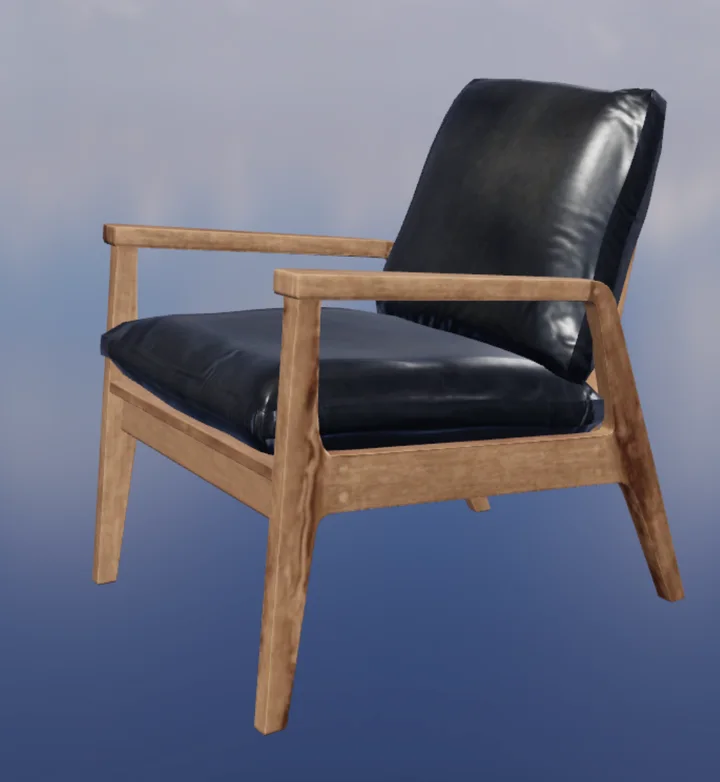
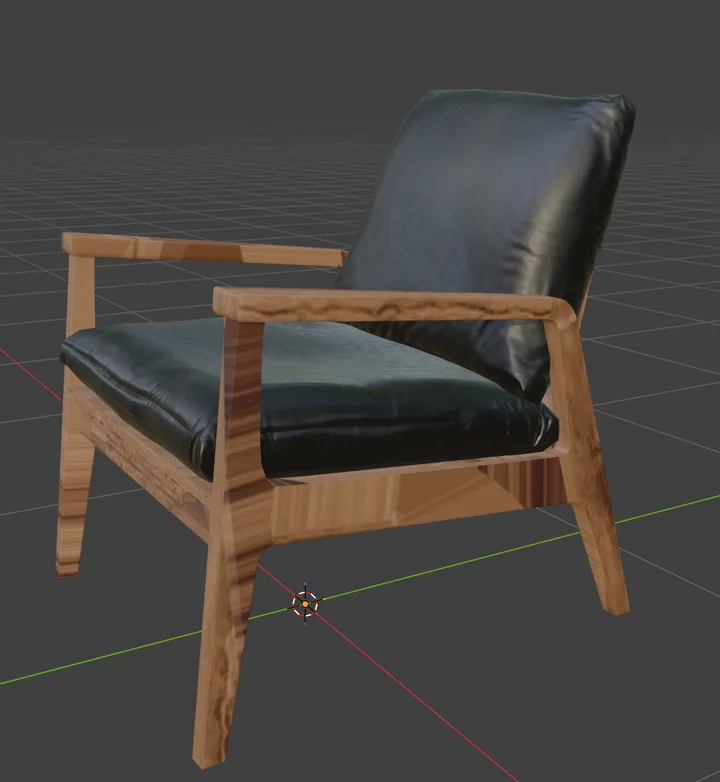
In the free desktop app, Live Link sends your maps to Blender, Cinema 4D, or Unreal each time they change — no export, no upload. With Blender it's two-way: send a model over, texture it, and the maps come back to the same object.
- Desktop app only
- One-click plugin install
- Auto Sync on every change
- Two-way with Blender
The whole pipeline
The rest of the suite works on the same model.
A sculpt from Mold arrives here with fresh UVs. A scene assembled in Studio comes back textured. Auto textures a whole mesh from a prompt.
The handoff is a button, not an export dance — the model goes across with its layers intact and comes back changed.
Wherever you work
Texturing without the workstation
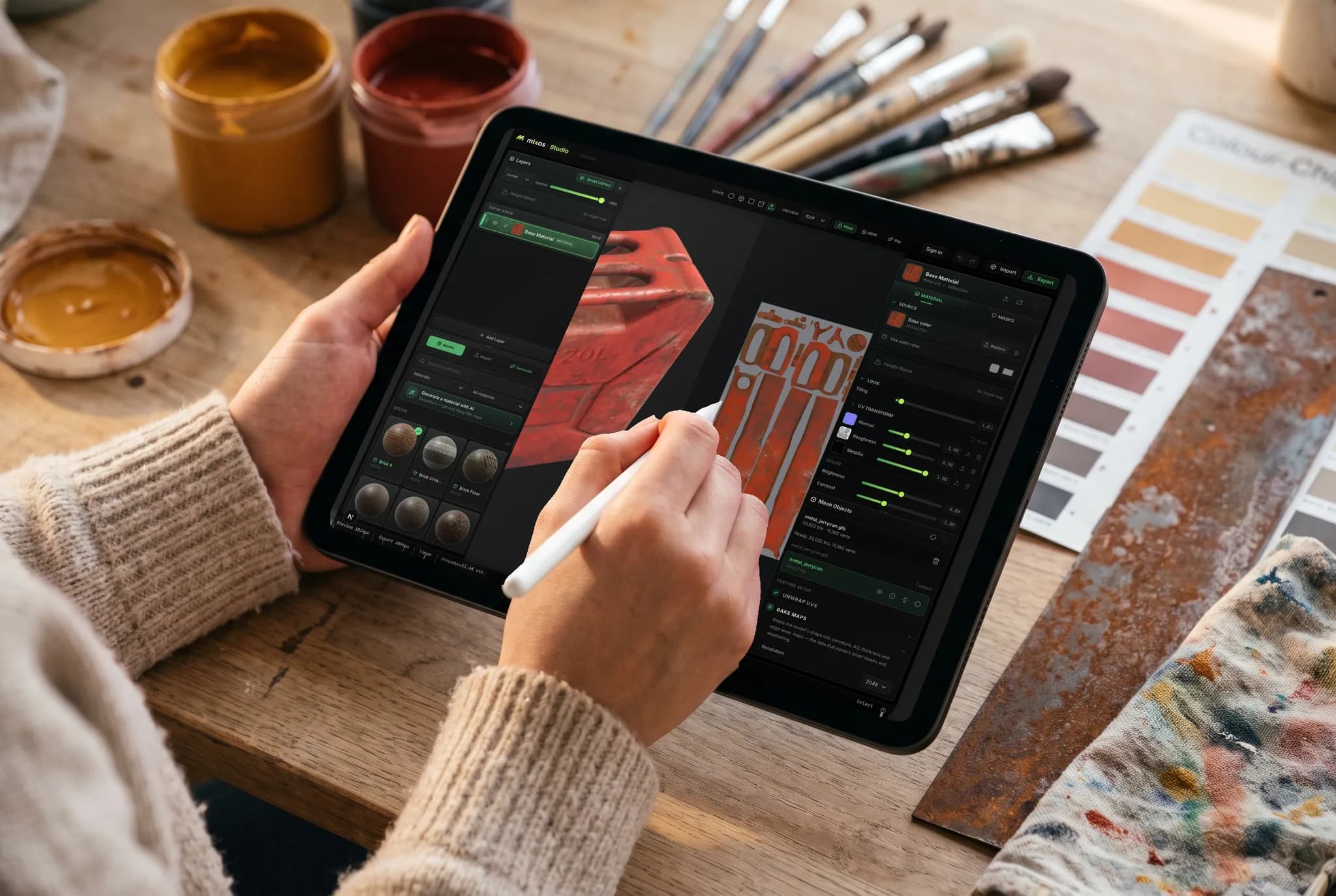
Paint runs in a browser tab on the GPU you already have. Pick up a model on an iPad on the sofa, keep going on a laptop later, and export the maps from either — no seat to move and nothing to install first.
- No download, no install, no license to transfer
- Models and layers follow your account
- Apple Pencil for masking and hand-painted detail
Any device
Texture on the machine you already have.
Paint's engine is the browser's, so there is no build to pick, no installer to run and no minimum spec beyond a browser that provides WebGPU.
Mac, Windows, Linux
Chrome, Edge, Firefox or Brave, plus Safari 26+. A mouse and keyboard, or a Wacom tablet for pressure-sensitive brushes.
iPad
A touch-first layout where the panels reflow into slide-up sheets, with Apple Pencil pressure and tilt driving the brush.
Android
Phones and tablets on a current Chrome. No sideloading, no separate build — the same tab and the same project.
Chromebook
Texturing on hardware that cannot run desktop packages at all, as long as ChromeOS provides WebGPU.
On iPhone and iPad, there's an app now.
Paint ships inside the free Mixos app, with a touch and Apple Pencil layout — and the browser still needs nothing installed. iOS 26 or later.
Common questions
What do I need to run Paint?
A browser with WebGPU — current Chrome, Edge or Safari on Mac, Windows or Linux. There is nothing to download, no plugin and no license server. Paint also runs on iPad and phones with a touch-first layout, including Apple Pencil pressure.
Is Mixos Paint a Substance Painter alternative?
For the fundamentals, yes — painting straight onto the mesh, non-destructive layers, blend modes, color-ID and procedural masks, smart materials, decals, baked mesh maps and 4K PBR export, all in a browser tab. Substance Painter goes deeper for large studio pipelines; Paint trades that depth for zero install, a free tier that actually textures, and a lossless round trip back to sculpting that Substance Painter cannot do at all.
Which texture maps does it export?
Base color, normal, roughness, metallic, height and opacity, plus baked maps like ambient occlusion and curvature, and a glTF (.glb) with the materials already attached. Presets name and pack the channels the way Blender, Unreal, Unity, Godot, Cinema 4D, Maya and Houdini each expect, so the set drops straight in.
Can I bring my own models and images?
Yes. Import your mesh as GLB, glTF, FBX or OBJ to paint and bake on it, and bring photos or scans in as material sources. You can also drop in an entire existing PBR material library and Paint sorts the maps by filename.
What happens to my texture if I change the model after painting it?
It survives. Send a textured project back to Mold, reshape the base, and the texture returns byte-identical — Mixos carries the UV mapping across the trip rather than re-projecting your paint onto the new surface, so nothing is resampled however many times you go back and forth. If you re-unwrap the model while the sculpt is out, or change the topology so far that the old mapping no longer describes it, Paint rebuilds the project instead — and duplicates your original first, so the texturing is never lost either way.
Do I need clean UVs before I start?
No. Triplanar projection lays materials down seamlessly on a mesh with no usable UVs at all, so you can start painting the moment the model loads. When you do want proper UVs, Paint unwraps the mesh for you and has a UV editor for tuning the islands.
Is Mixos Paint free?
Painting is free. Open the editor and texture as much as you like — every brush, layer, mask, smart material and the whole material library, with no time limit and no watermark on the work in your viewport. A free account also includes a one-time pool of trial credits for the AI generators. Exporting the finished texture maps is part of a paid plan.
What are AI credits used for?
Only AI generation spends credits, and what each one costs tracks what it costs us to run. A decal, weathering mask or brush tip is 1 credit; a seamless texture or a full PBR material is a few, and native 2K materials a little more. An auto-texture pass and 3D model generation are the priciest — 4–16 credits for a model depending on the generator. Everything else — painting, layering, masking, baking and live preview — is always free and never touches your credits.
Is there a desktop app?
Yes — Mixos for Mac and Windows is a free download. It is the same editor in a native shell that lifts the browser's limits: bakes on every core, native ML inference, full offline support, and a Live Link that streams your maps into Blender, Cinema 4D or Unreal while you paint, with no export loop at all. One account covers the app and any browser.
Keep exploring
Start texturing
Paint opens on a WebGPU-capable browser with nothing to install. Bring your own mesh, or start from a free model.