Buildings at their real heights
Each footprint is extruded to its tagged height, else its floor count, else an estimate, and seated on the ground. Mapped roof shapes are built; small homes the map says nothing about get a gable or hip roof.
3D city model generator
Search an address or drag a box over a neighbourhood and Studio builds it: buildings extruded to their mapped heights, streets laid on the real terrain, rivers and lakes, parks and paving. Then light it, frame it and render it — in a browser tab.
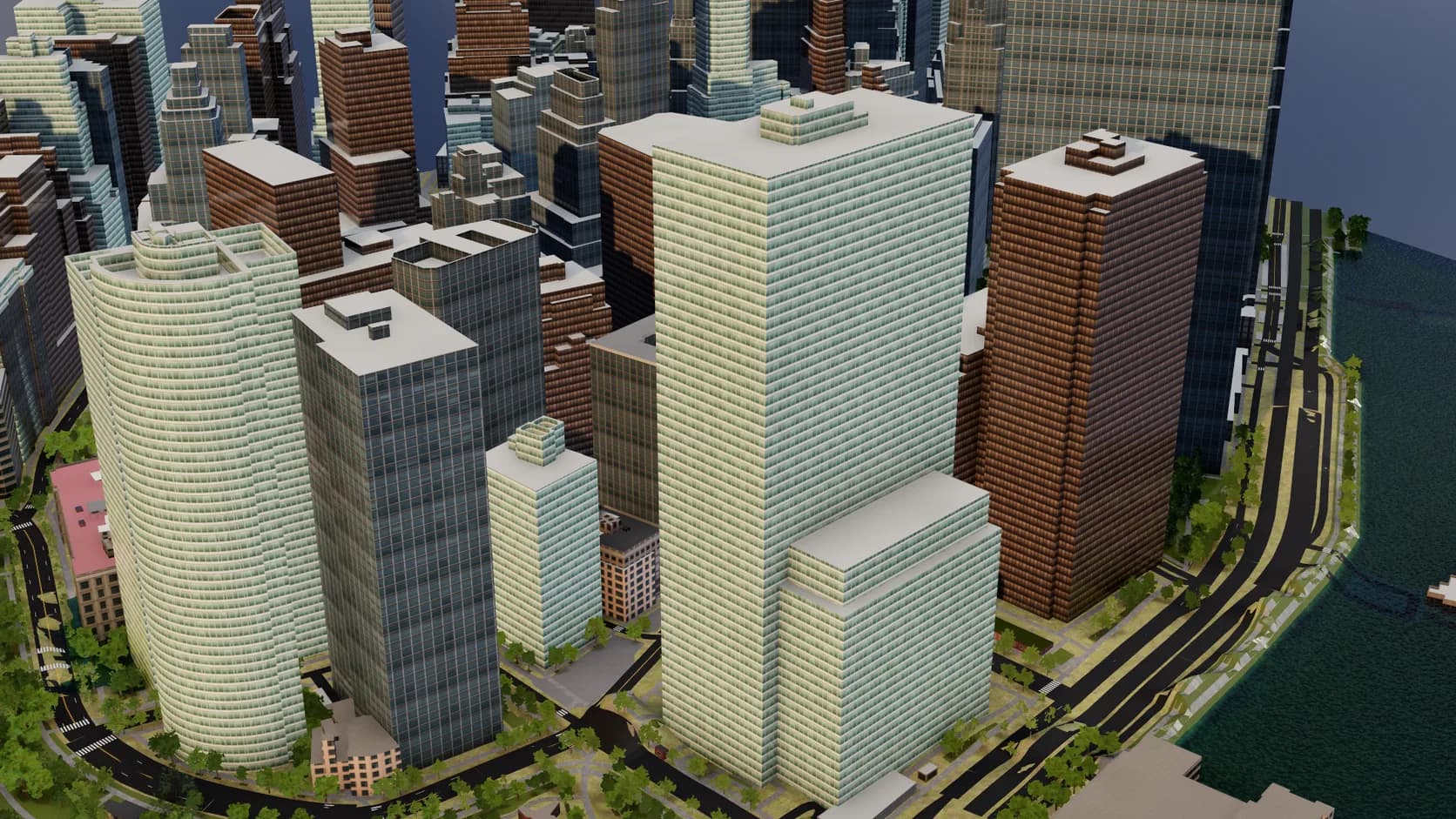
Each footprint is extruded to its tagged height, else its floor count, else an estimate, and seated on the ground. Mapped roof shapes are built; small homes the map says nothing about get a gable or hip roof.
Roads are sized by class, with kerbed sidewalks, lane markings and zebra crossings. Lakes and rivers become water, parks and paving get library materials, and street trees line built-up streets.
The city sits on terrain from real elevation data, so hillside streets climb and riverbanks fall the way they do in the place itself.
Every building, road and surface is an editable Studio object. Restyle materials, hide what you don't need, add your own model to the block and render it.
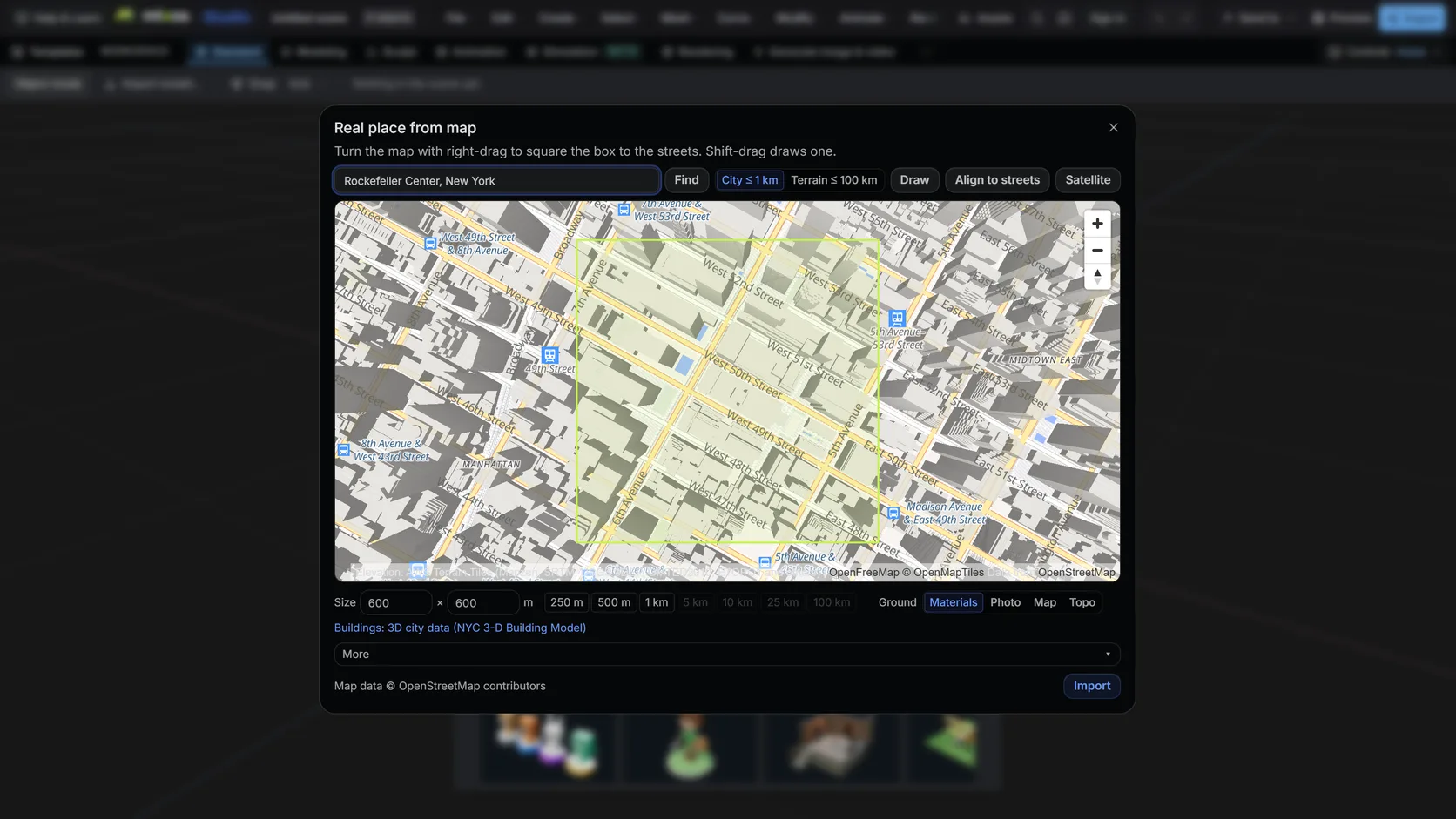
Search a name or an address, then drag a box. Terrain mode takes up to 100 km (25 km on a phone); city mode up to about 1 km with buildings, roads and water.
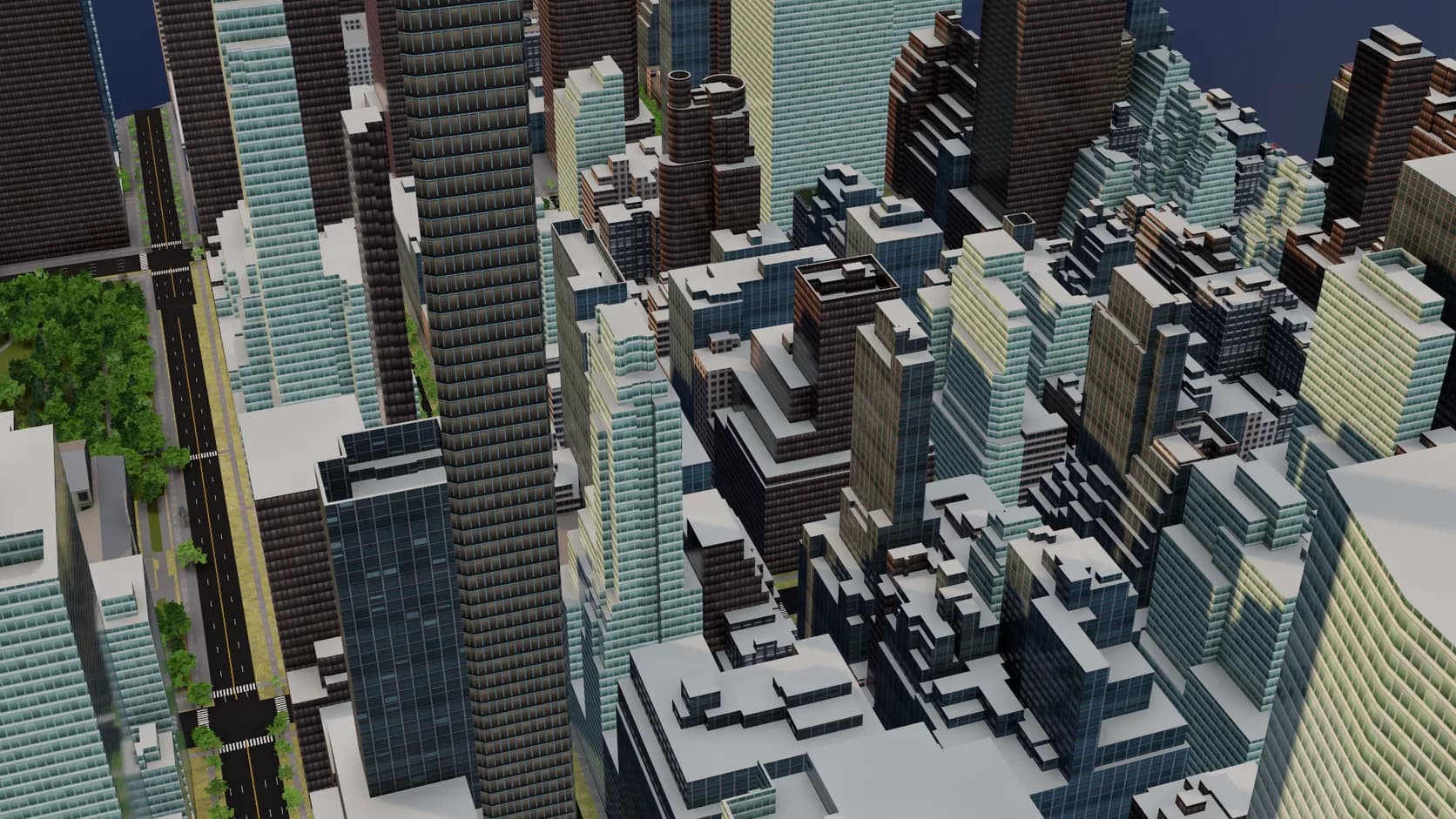
Footprints are extruded to their tagged height or floor count and seated on the ground. Mapped roof shapes and building parts are built, small homes get inferred gables and hips, and flat roofs get parapets and rooftop plant.
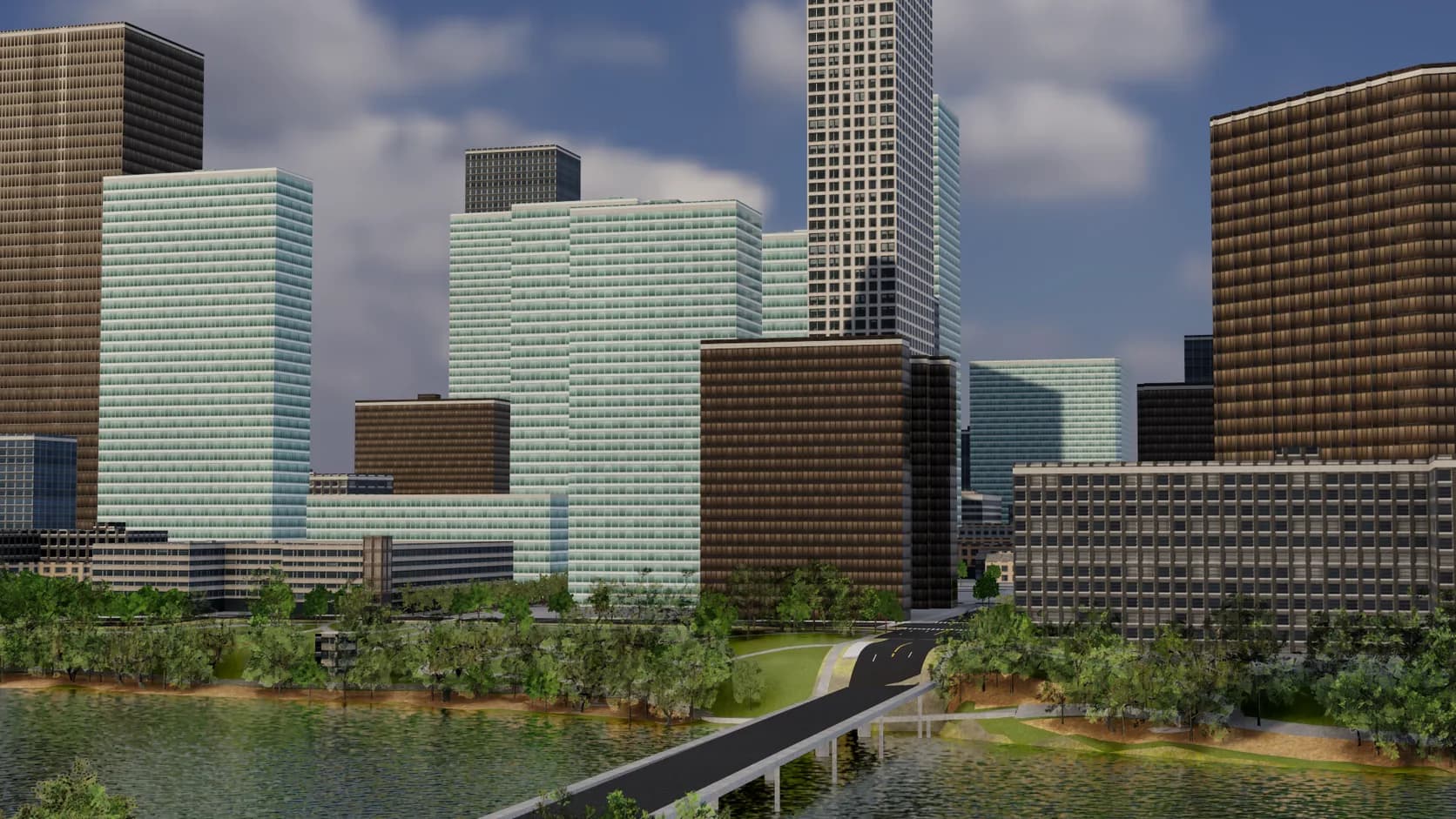
Roads are sized by class with sidewalks, lane markings and crossings, bridges span the water instead of dipping into it, and parks, paving and street trees fill in the rest.
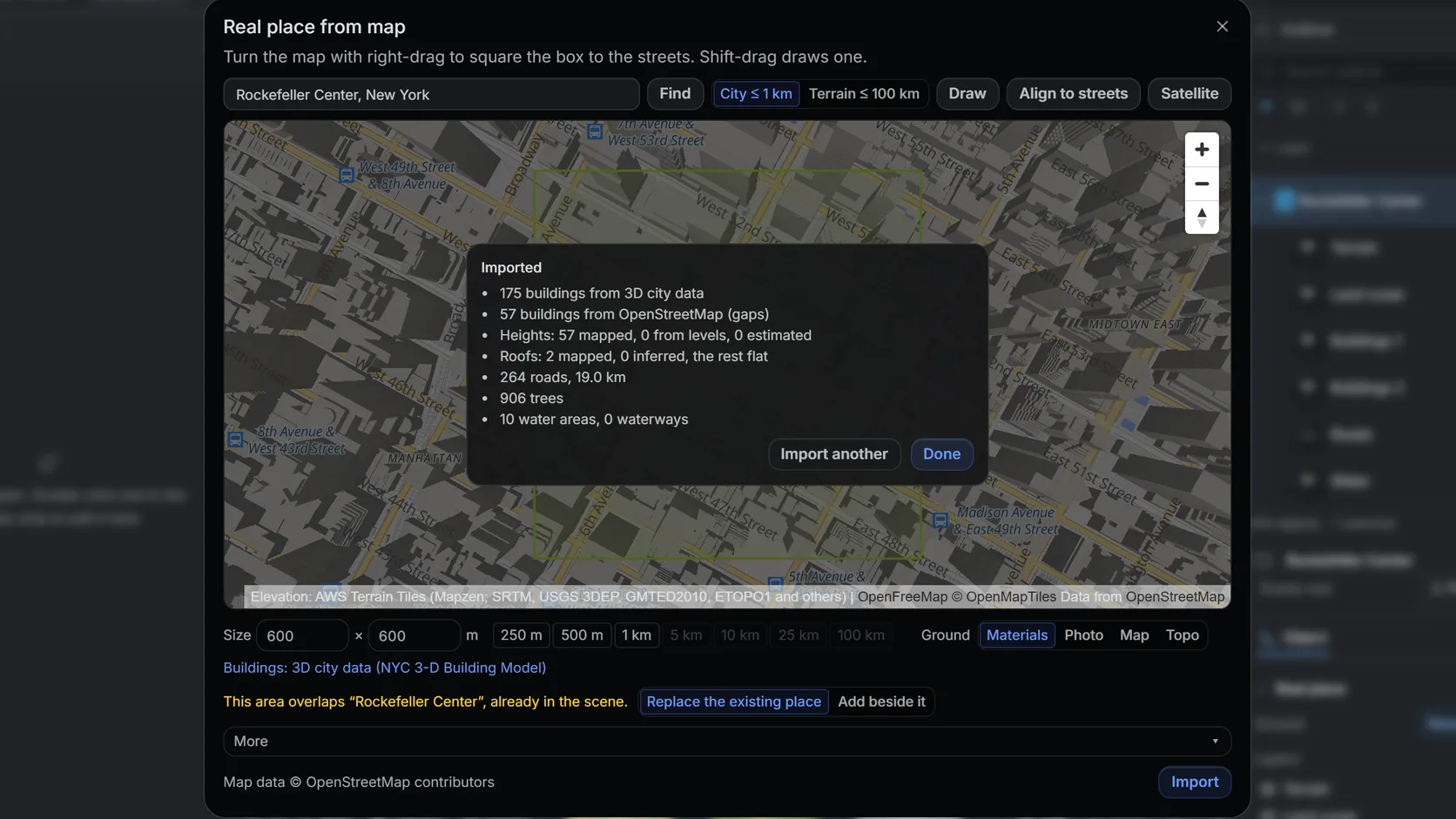
The import reports how many building heights came from the map and how many were estimated, so you know how far to trust the skyline.
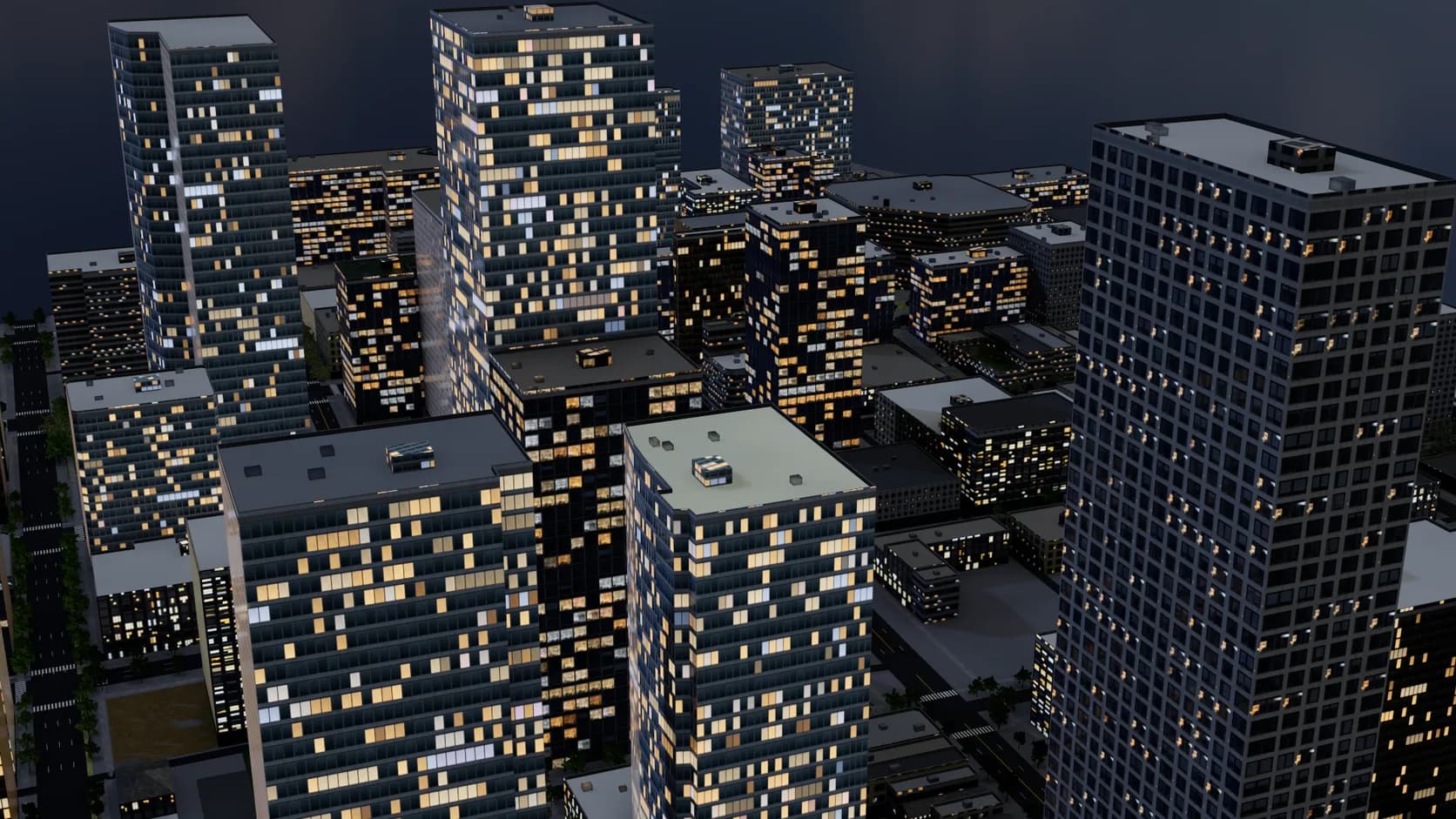
Set the sun after sunset and windows light up one by one, each a room you can see into, under a cool moonlit sky.
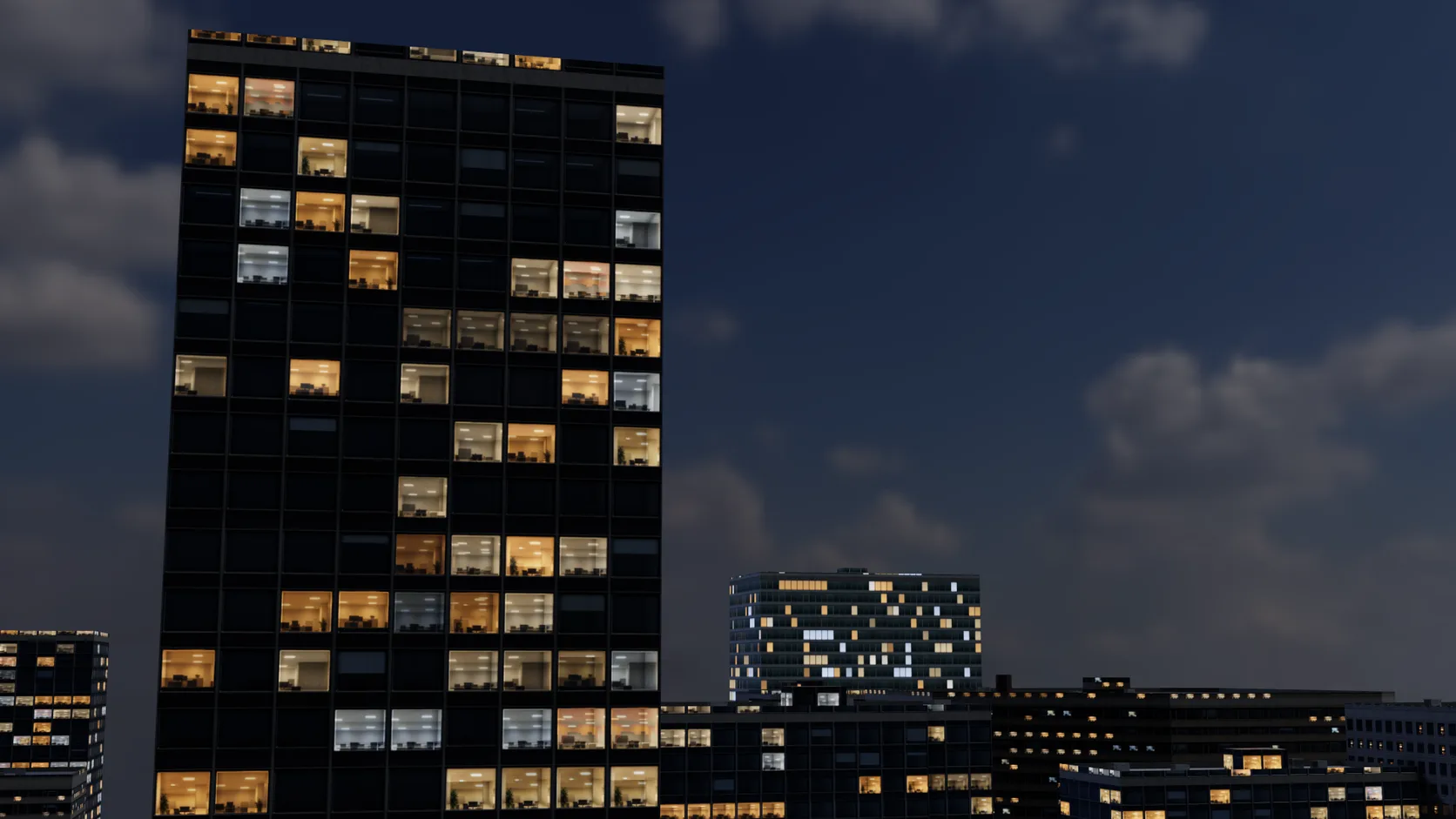
Windows are glass with depth: interior mapping puts a room behind each pane, so a lit window close up shows desks and ceiling lights, not a flat glow.
Why Mixos
A building, a product or a character looks wrong in a void. Putting it on a real street — with the neighbours at the right heights, the road at the right width and the hill at the right slope — is what makes a render read as a place. Modelling that context by hand takes an afternoon of tracing aerial photos; getting it from the map takes about a minute.
Studio's Real place import queries OpenStreetMap for everything inside the box you draw: building outlines and their height or floor tags, roads by class, water areas and land use. It builds the terrain first from elevation data, then raises every building with a roof — the mapped shape, or an inferred gable or hip on small homes, or a parapet with rooftop plant on a flat roof — and a facade picked from about twenty styles by building type, era and region. Roads with sidewalks and markings, water, land cover and trees go on last. In the Netherlands, North Rhine-Westphalia and Japan, open 3D city data supplies real roof geometry and OpenStreetMap fills the gaps. A dense downtown block of a few hundred buildings typically arrives in seconds once the area's data is cached; a first fetch of a new area waits mostly on the map service.
OpenStreetMap is volunteer-mapped, so what you get is as good as your area's mappers. Central districts of large cities are usually complete, often with heights; suburbs may only have footprints, and the import estimates those heights and tells you how many it estimated. Treat the result as accurate massing and street layout, not as surveyed architecture.
Because it is a normal scene, you take it from there. Drop your own model into the plot, swap the default concrete for brick or glass, add trees and people, set the sun for the real coordinates and render. mixos AI can do the import from a sentence, too, if you would rather describe the shot than draw the box.
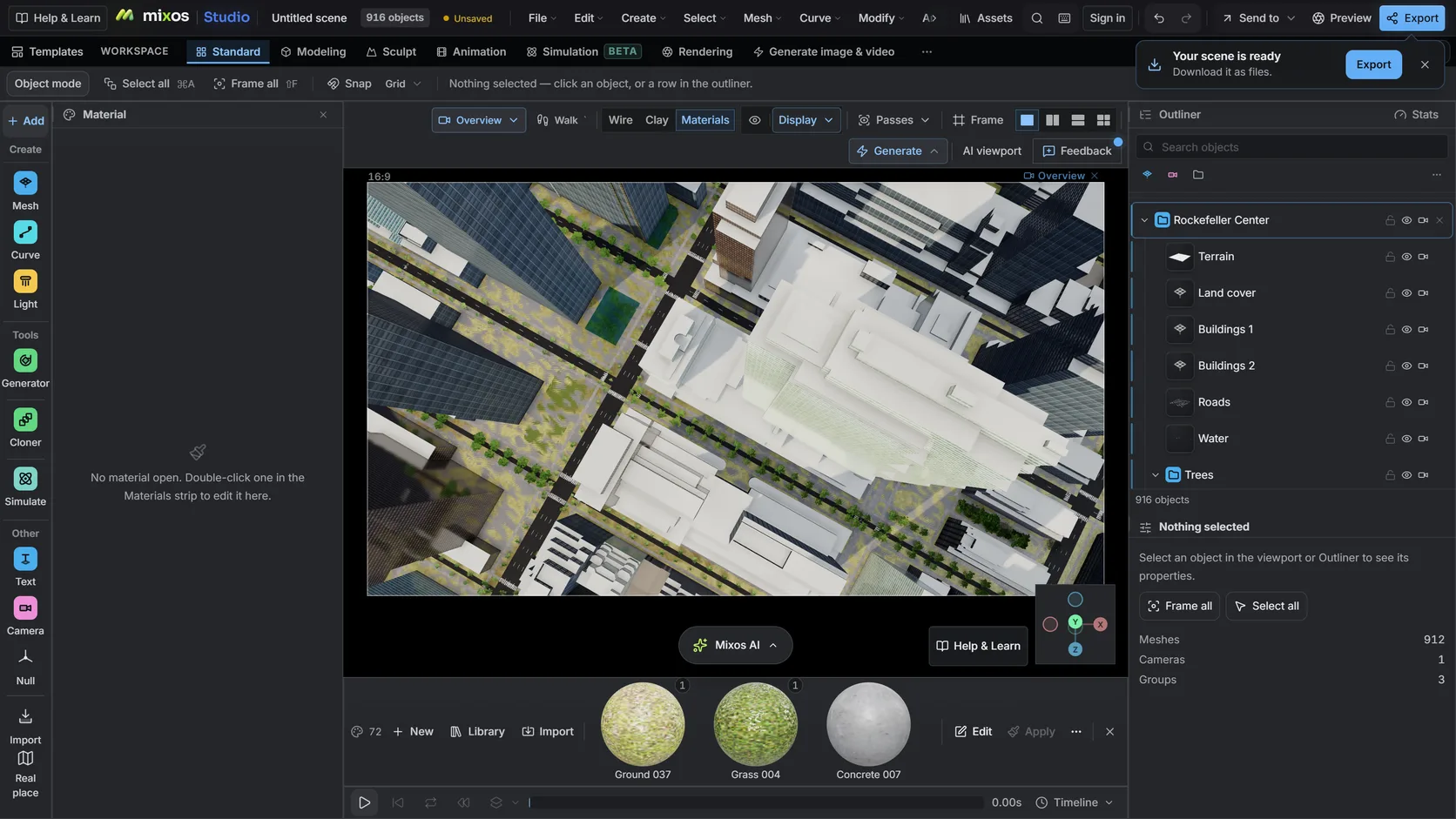
Open Studio's Real place picker, search an address or landmark, and draw a box up to about 1 km across in city mode.
Buildings, roads, water and land cover arrive on the terrain. The import reports how many building heights were mapped and how many were estimated.
Place your own model, restyle materials, set the sun for the real location and render a still or an animated orbit.
Build the blocks around Bryant Park in Midtown Manhattan, keep the towers glass and concrete, and light it for 6 pm in June.
Open Studio's Real place picker, search your neighbourhood and draw a box around it. Buildings, roads, water and terrain are built from OpenStreetMap and elevation data. You can import, edit and render for free; exporting the mesh is the paid step.
As accurate as the map. A building tagged with a height uses it; one tagged with a floor count uses about 3 m per floor; one with neither gets an estimate. The import tells you how many heights it estimated so you know how far to trust the skyline.
Where the map tags a roof shape — gabled, hipped, pyramidal, skillion, dome, onion — it is built. Small homes with no roof tag get an inferred gable or hip, and L-, T- and U-shaped houses get cross-gables. In the Netherlands, North Rhine-Westphalia and Japan, open 3D city data (3D BAG, Geobasis NRW, PLATEAU) supplies the real roof geometry.
Yes. Set the sun study after sunset and windows light up one by one across the facades, the sky dims and a cool moonlight keeps walls and streets readable. Up close, a lit window shows a room behind the glass rather than a flat glow.
City mode handles areas up to about 1 km across, which is a downtown core or a neighbourhood. Terrain-only imports can go to 100 km.
The geometry comes from OpenStreetMap, which is licensed under the Open Database License: you can use renders and models commercially as long as you credit © OpenStreetMap contributors. Mixos keeps that credit with the scene for you.
Yes, on a paid plan: export the scene as GLB, glTF, OBJ, FBX or STL. For printing, see the topographic map page for the printable base.
Read next
Which format keeps materials and which throws them away.
Open the file in the browser — meshes, materials, triangle count.
Watertight remesh, thickened walls, and the checks that stop a bad print.
Key, retime and ease a move, step by step.
Keep exploring
OpenStreetMap to 3D
3D terrain generator
3D map maker
3D city at night
DEM Earth alternative
Online 3D modeling
Blender alternative