Runs where Aerialod doesn't
Studio needs a WebGPU browser: Chrome or Edge on Mac, Windows, Linux or ChromeOS, or Safari on a recent iPad.
Aerialod alternative
Aerialod is a lovely, free path-traced heightmap renderer — for Windows. On a Mac, an iPad or a Chromebook, Studio renders terrain in a browser tab: from your own heightmap, or from any real place you pick on a map.
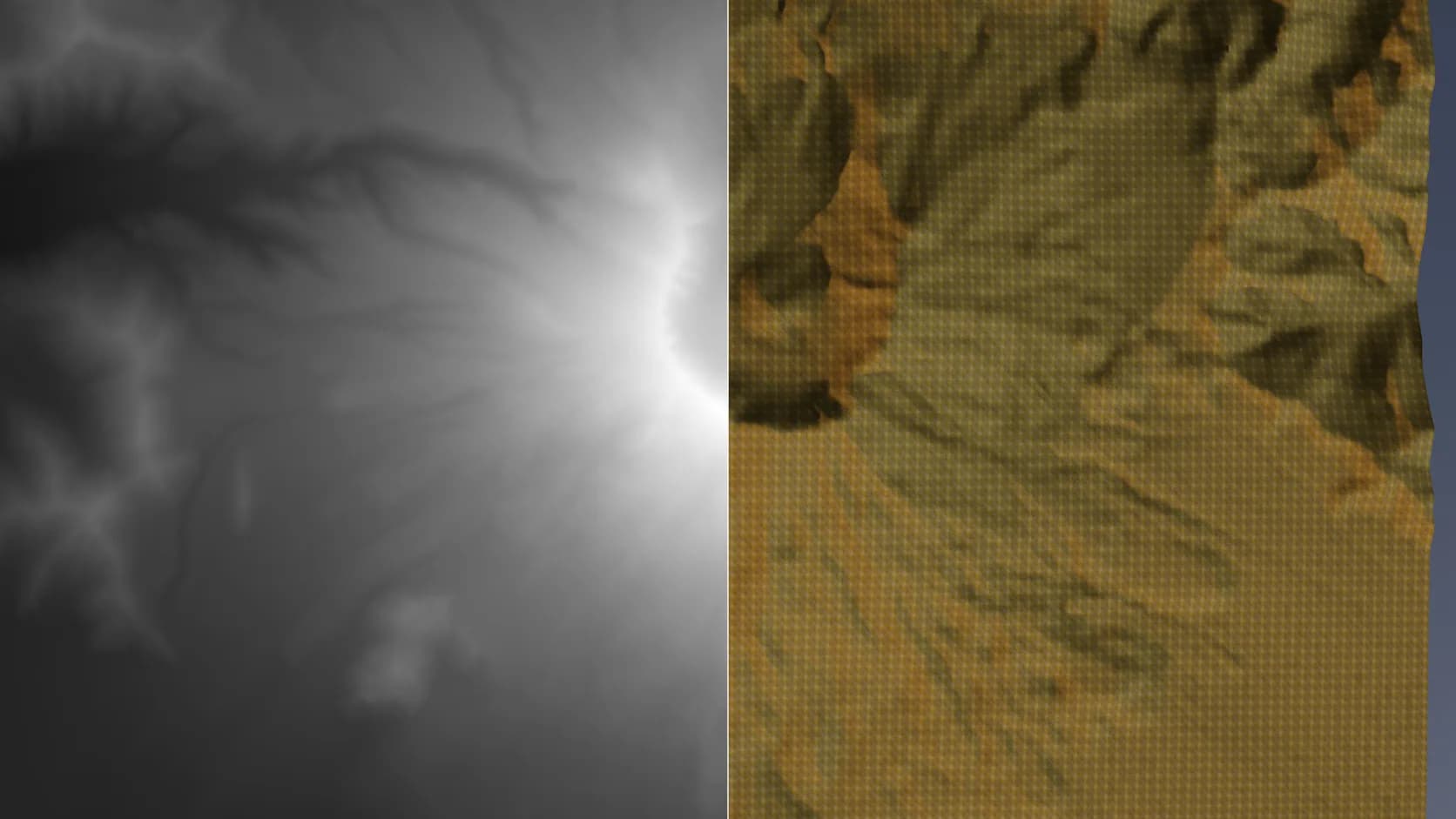
Studio needs a WebGPU browser: Chrome or Edge on Mac, Windows, Linux or ChromeOS, or Safari on a recent iPad.
Draw a box on a map and the terrain is built from open elevation data. Your own PNG, GeoTIFF or ASCII grid still works.
Render with the built-in path tracer or the realtime engine, with the sun placed for the real location and date.
Add materials, models, text and cameras, animate a fly-over, and export the terrain mesh on a paid plan.
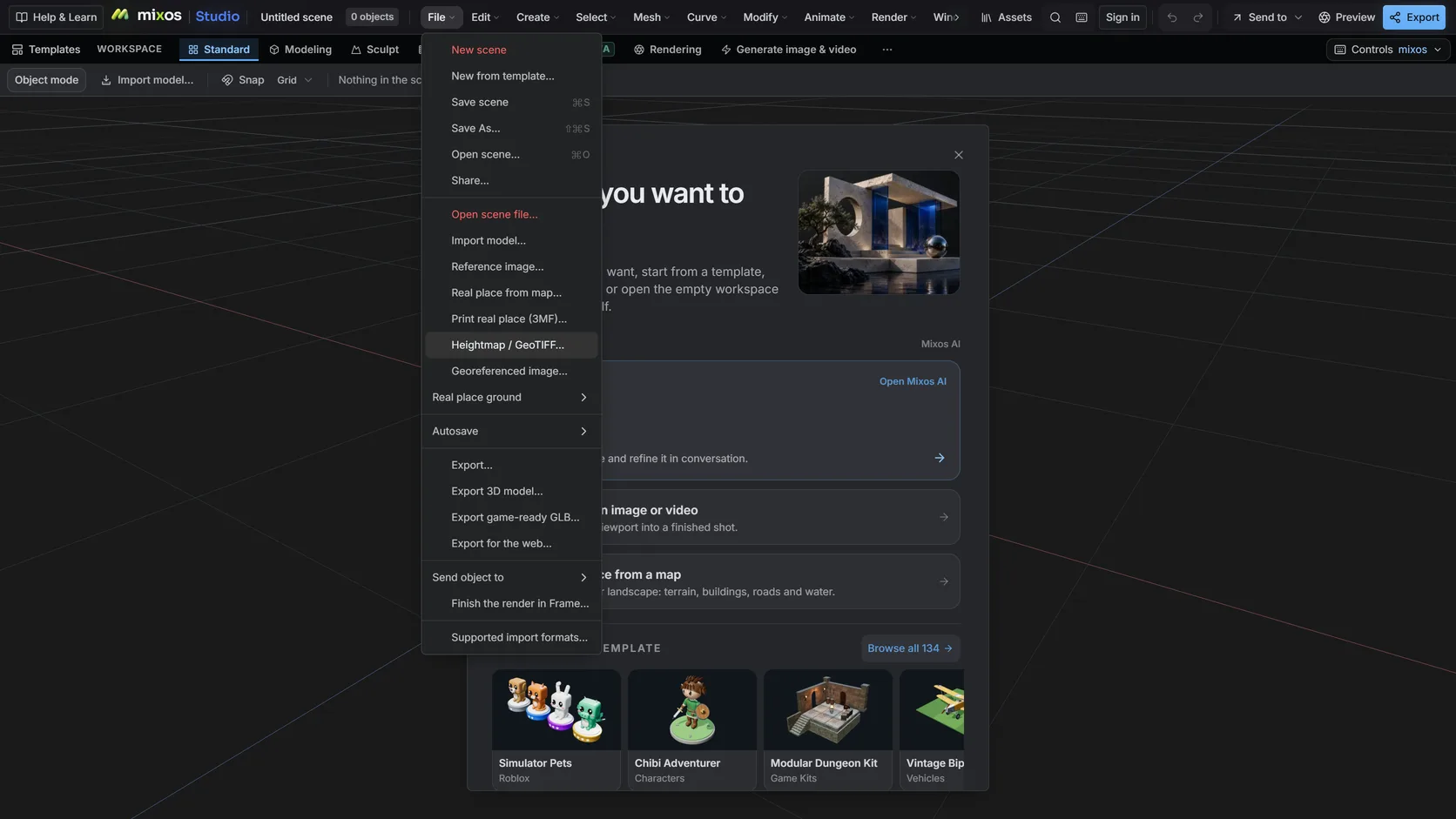
File ▸ Heightmap / GeoTIFF… reads 8- or 16-bit grayscale PNGs, single-band GeoTIFFs and ESRI ASCII grids.
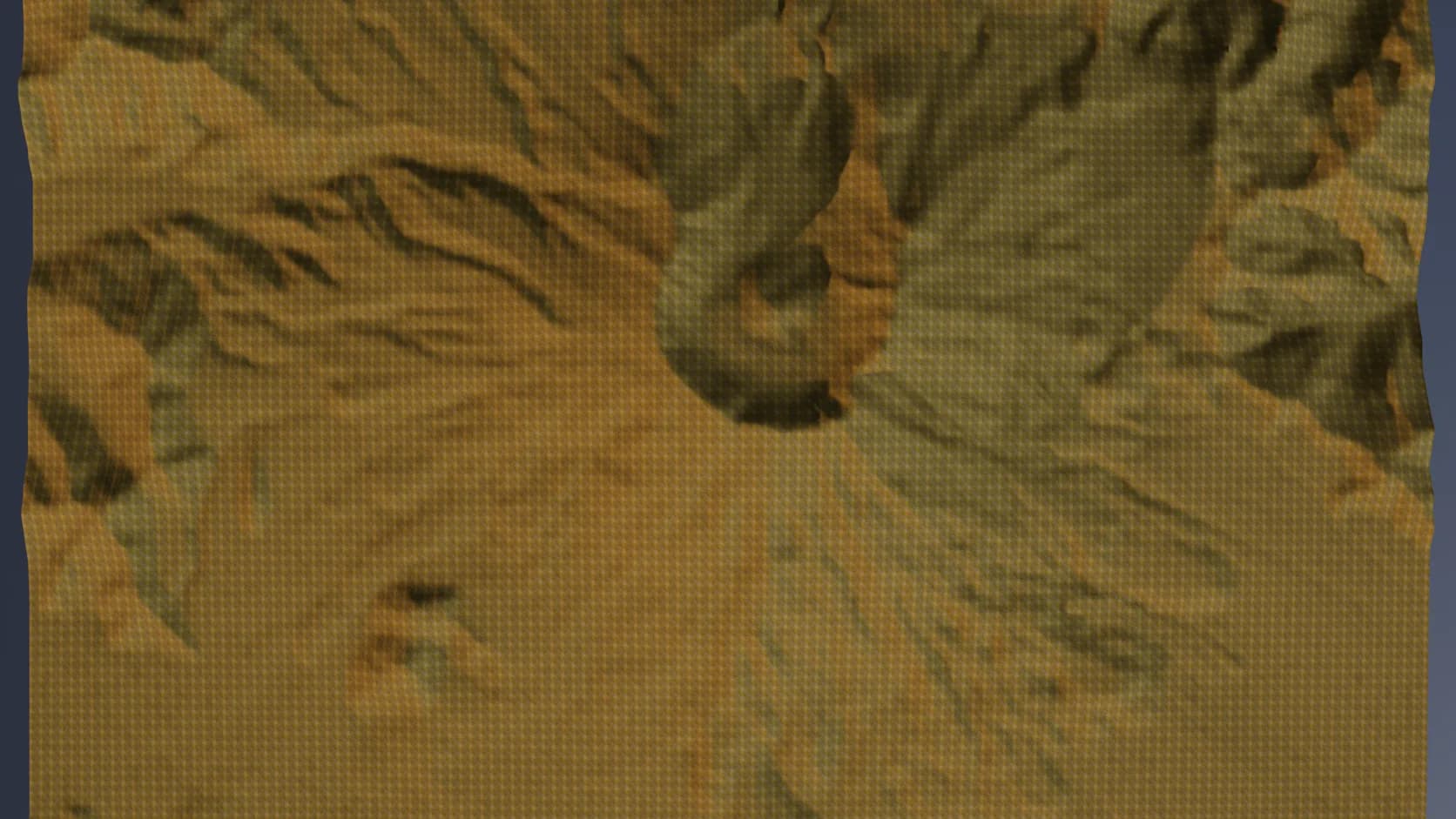
The result is a mesh in a full scene: light it with the sun or an HDR sky and render it.
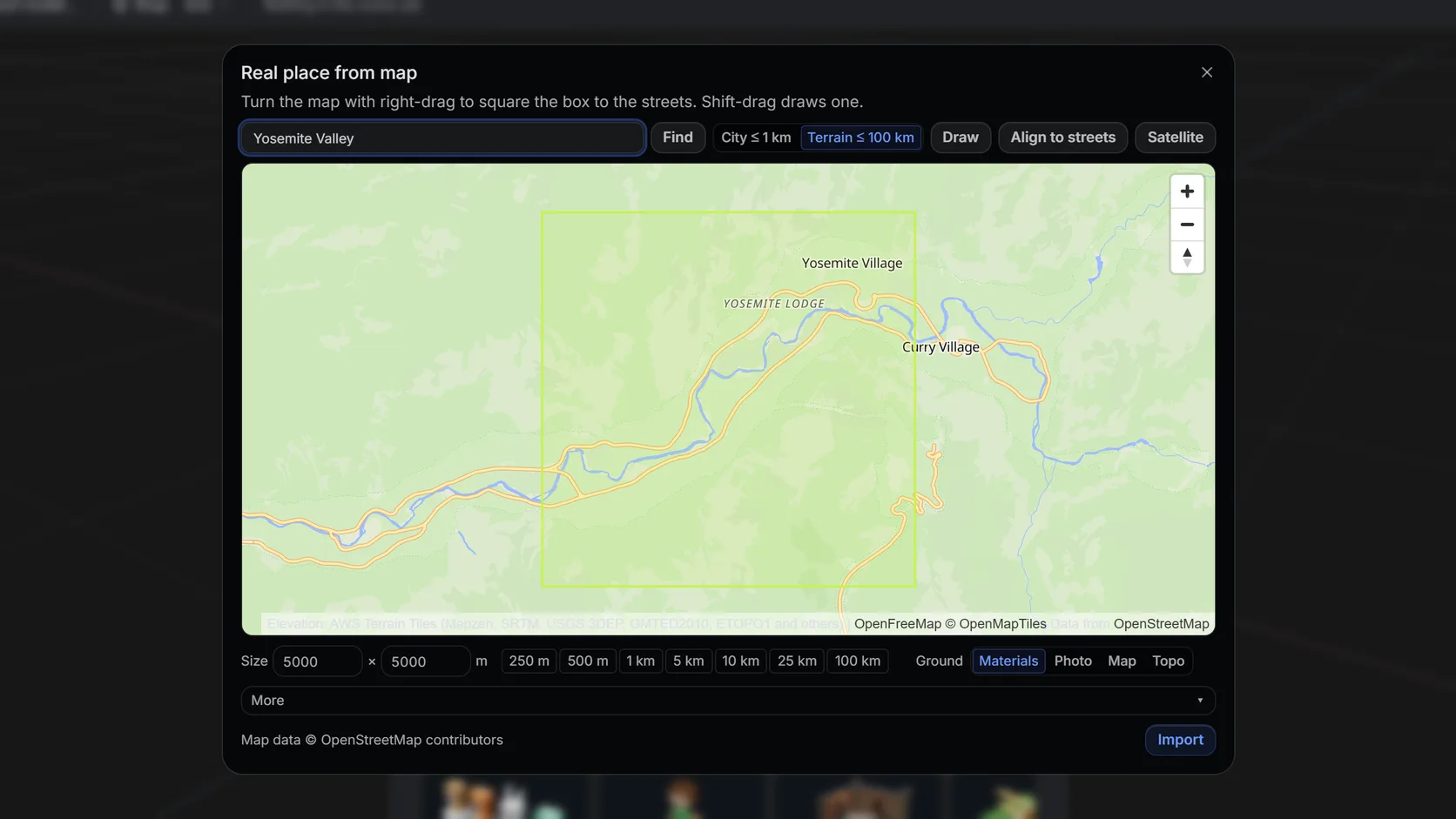
Search a place and drag a box: the terrain is built from open elevation data, up to 100 km a side on a computer.
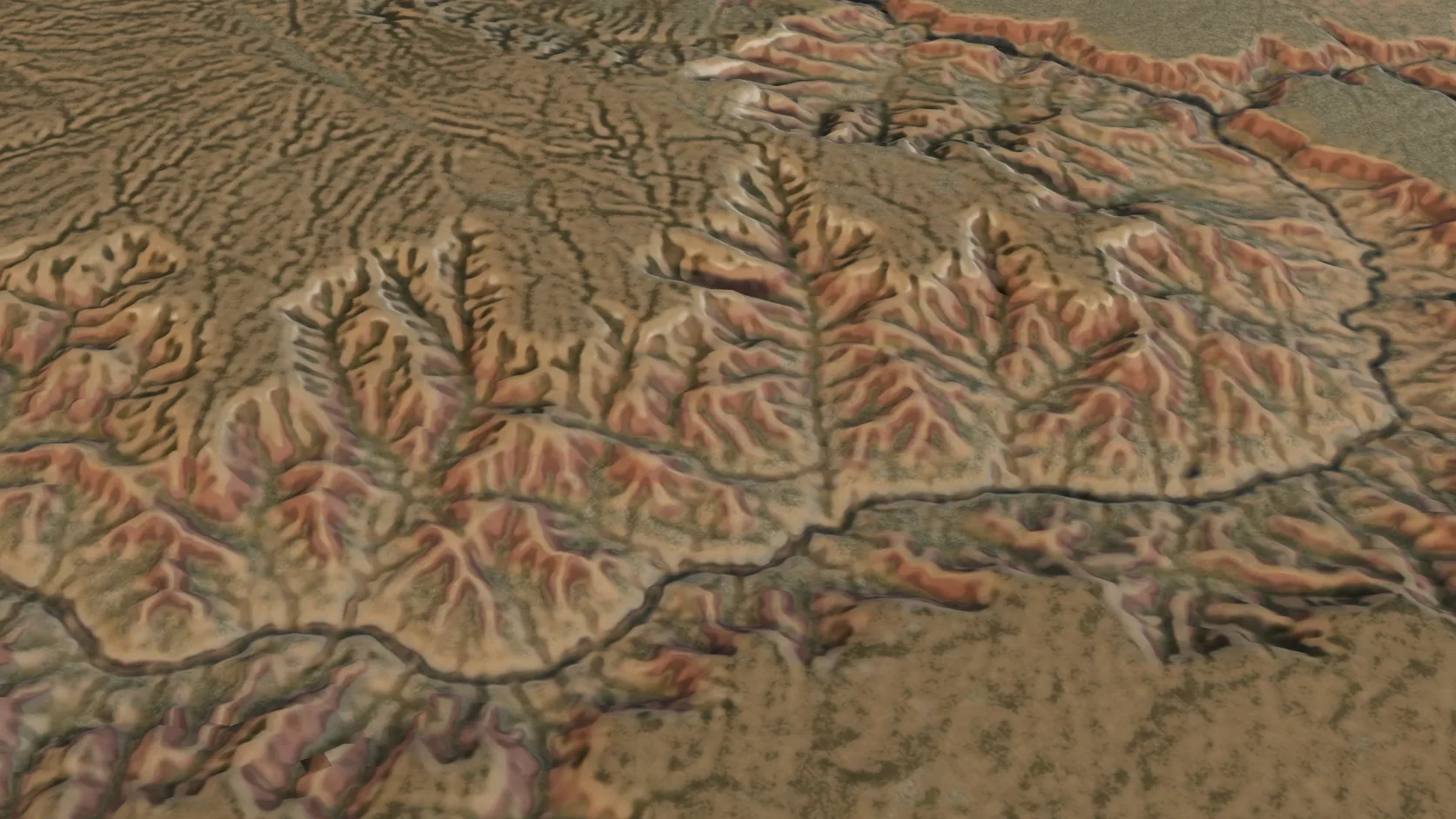
Terrain-only imports reach 100 km a side on a computer — a mountain range or a whole canyon system — with the grid coarsening to match.
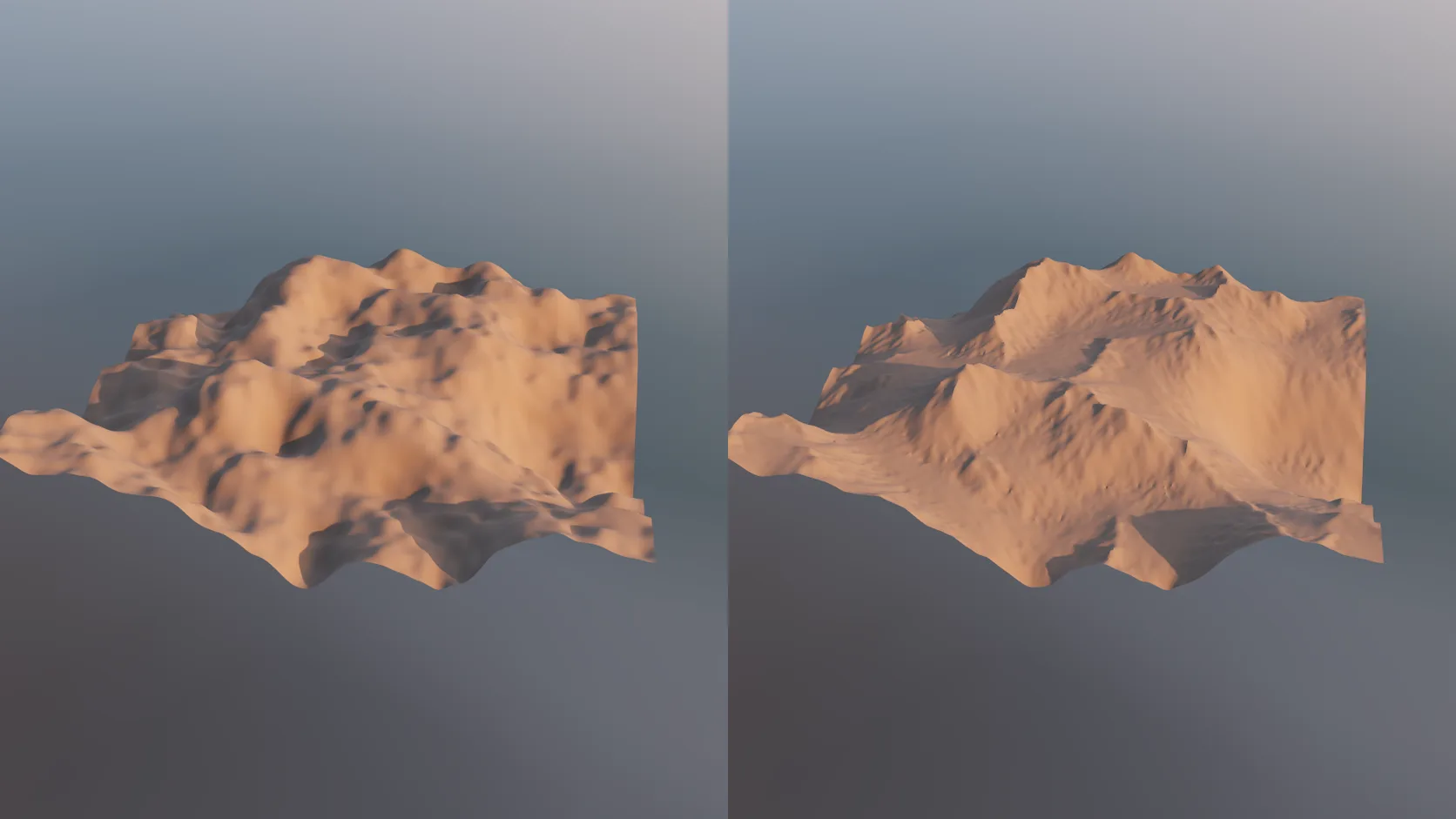
Real elevation is smooth at 30 m, and noise looks invented. An erode stage carves gullies, ridges and sediment fans into any terrain mesh — non-destructively, on the GPU, so you can dial it back.
Feature by feature
Both turn elevation into a lit, rendered landscape. Aerialod is a focused heightmap renderer; Studio is a 3D application that also imports real places.
| Feature | Mixos | Aerialod |
|---|---|---|
| Runs on | A WebGPU browser on Mac, Windows, Linux, ChromeOS or iPad | Windows (64-bit build) |
| Cost | Free to import, edit and render previews; export is paid | Free |
| Elevation input | 8- or 16-bit PNG, single-band GeoTIFF, ESRI ASCII grid, LiDAR LAS/LAZ | PNG, JPG and TIF heightmaps, ASC grids and HiRISE DTMs |
| Heightmap detail | Meshed at up to 256 cells a side | Renders heightmaps up to 16,384 pixels a side |
| Real places from a map | Any area up to 100 km, with buildings, roads and water up to 1 km | No — you supply the heightmap |
| Rendering | Path tracer or realtime engine; sun for the real location | Interactive path tracer, sun or HDR sky, fog, colour maps, denoiser plugin |
| Scene building | Full 3D editor: models, materials, cameras, keyframe animation | Terrain only |
| Mesh export | GLB, glTF, OBJ, FBX, STL and printable 3MF (paid plan) | PLY mesh export |
Aerialod details are from the developer's page (ephtracy.github.io), version 0.0.2, checked 2026-10-17.
Why Mixos
Aerialod, from the developer of MagicaVoxel, does one thing very well: it takes a heightmap and path-traces it into a gorgeous landscape, quickly and for free. It handles very large heightmaps, has a good sun-and-sky setup, fog and colour maps, and exports high-resolution stills. If you are on Windows and already have the heightmap, it is hard to beat for that job.
The two common reasons people look for an alternative are the platform and the input. Aerialod's download is a Windows build, so Mac, iPad and Chromebook users are out. And it renders a heightmap you already have; finding, downloading and cropping elevation data for a real place is up to you.
Studio covers both. It runs in a browser on any computer with WebGPU, and its Real place picker fetches the terrain for any area you draw on a map — or imports your own PNG, GeoTIFF or ASCII grid. Natural ground is painted from land cover, or you can drape aerial imagery, and the sun study lights it for the real coordinates. The result is an ordinary scene: add a model, text or a camera move and render it with the path tracer.
Be clear about the trade. Studio meshes an imported heightmap at up to 256 cells a side and a real place at up to 350, so it will not show the fine detail Aerialod renders from a 16K heightmap. For huge single stills from a heightmap you already have on Windows, use Aerialod. For real places, other platforms, or a scene rather than a render, use Studio.
Not as of 2026-10-17: the developer's page offers a Windows build only. Studio runs on a Mac in Chrome, Edge or another WebGPU browser.
Studio is free to use for importing terrain, editing it and rendering previews; exporting meshes and clean full-resolution renders is on a paid plan. Aerialod itself is free.
Yes. File ▸ Heightmap / GeoTIFF… imports 8- or 16-bit grayscale PNGs, single-band GeoTIFFs and ESRI ASCII grids. Set the width and height range from the command palette or mixos AI.
Studio has a built-in path tracer and a realtime engine. Aerialod's renderer is tuned for heightmaps alone and handles far larger ones; Studio's path tracer renders the whole scene, models and text included.
Read next
Which format keeps materials and which throws them away.
Open the file in the browser — meshes, materials, triangle count.
Watertight remesh, thickened walls, and the checks that stop a bad print.
Key, retime and ease a move, step by step.
Keep exploring
Heightmap to 3D
3D terrain generator
3D mountain model
LiDAR to 3D
DEM Earth alternative