Real geography underneath
The layout, heights and coastlines are measured, not drawn, so the map is right before you start making it beautiful.
3D map maker
Start from the real place — terrain, buildings, roads and water from open data — then style it like an illustration: clay-white blocks, one accent colour on the route, soft sun and a slow camera move. Render a still for a slide or an animation for a video.
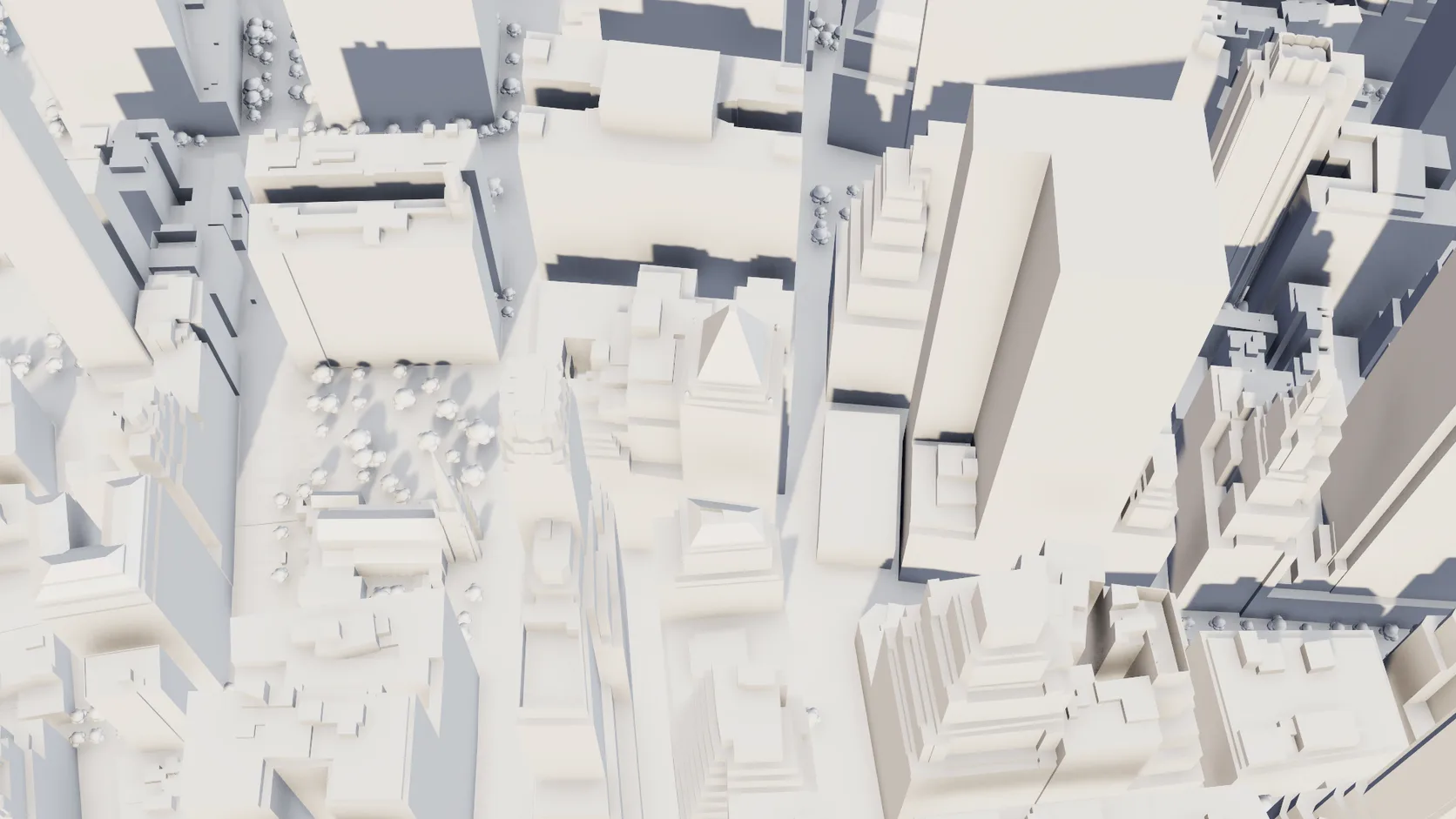
The layout, heights and coastlines are measured, not drawn, so the map is right before you start making it beautiful.
Every building, road and surface is a separate object with its own material, so a monochrome model with one highlighted street is a few clicks.
Key a camera along a path for a fly-in, an orbit or a reveal, then render the frames path-traced for a clean, flicker-free result.
The sun study uses the place's real coordinates, so morning light comes from the east of your city exactly as it does in the place itself.
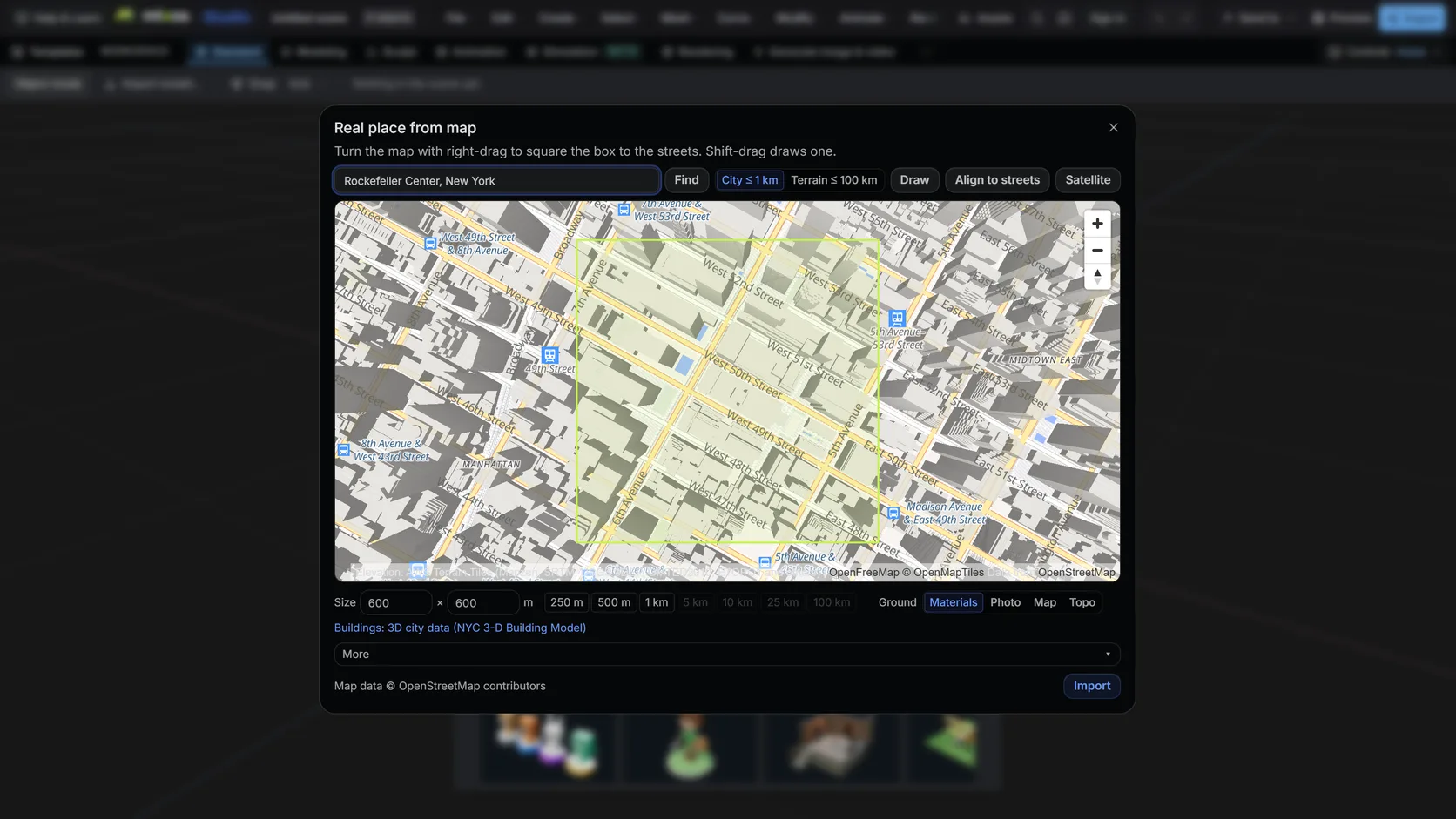
Search a name or an address, then drag a box. Terrain mode takes up to 100 km (25 km on a phone); city mode up to about 1 km with buildings, roads and water.
Pick the Map style for matte white buildings, trees and ground in one step. Every building, road and surface stays its own object, so an accent colour is one assignment.
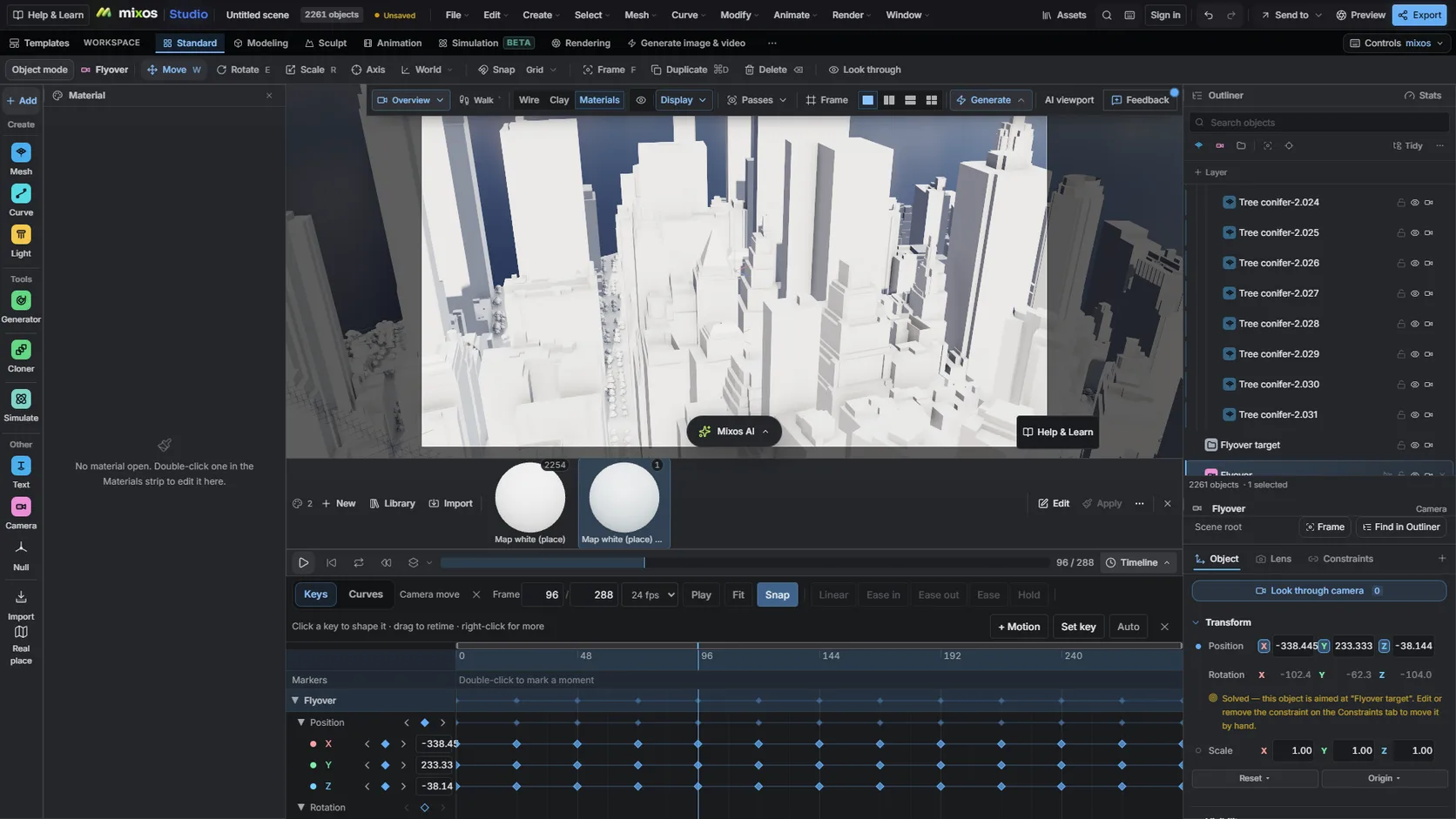
Put a camera on a path for a fly-in or an orbit, retime it on the timeline and render the frames path-traced.
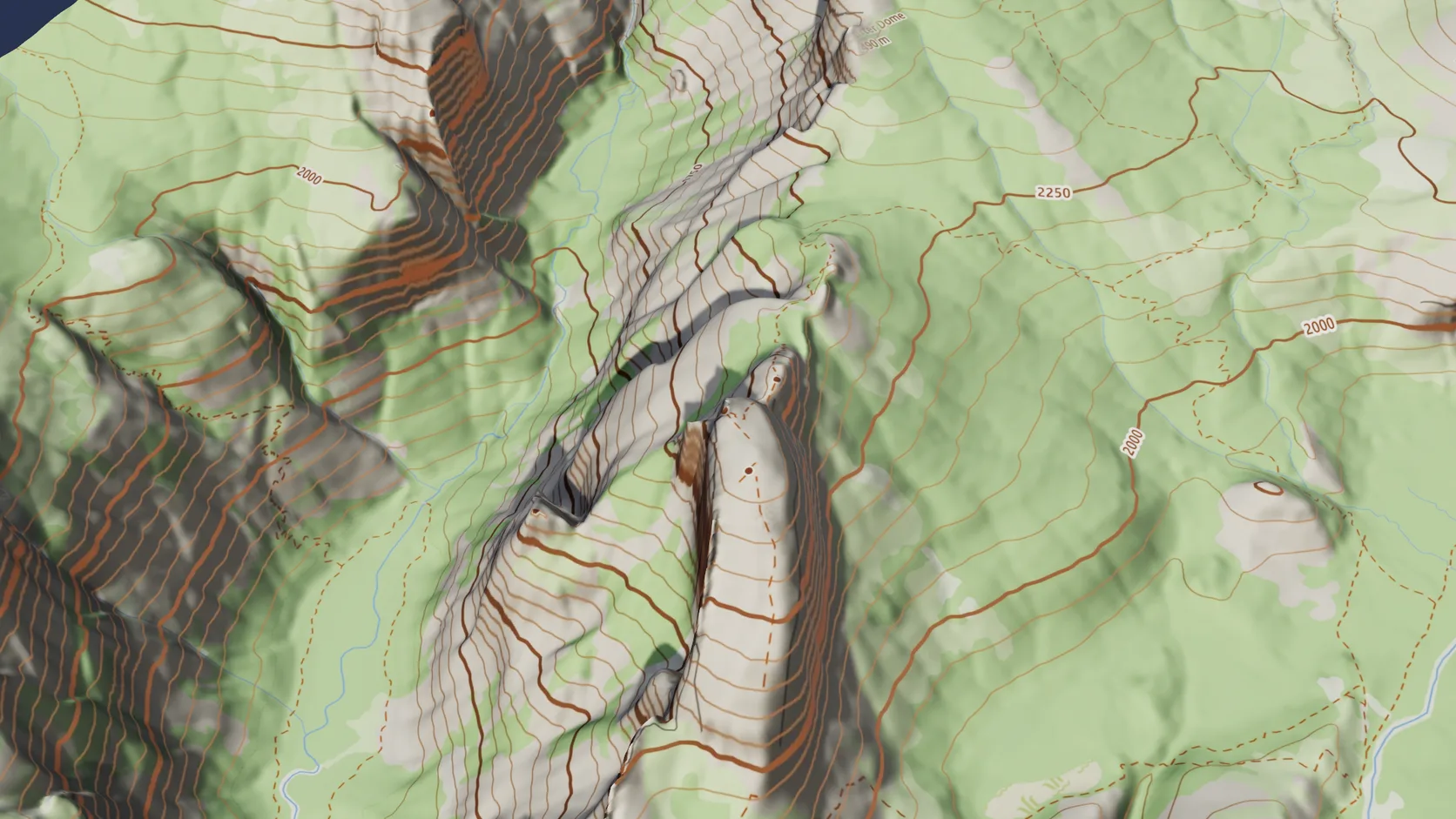
Drape the OpenFreeMap street map, or a topographic version with relief shading and labelled contours from the terrain's own elevation, and switch grounds later without re-importing.
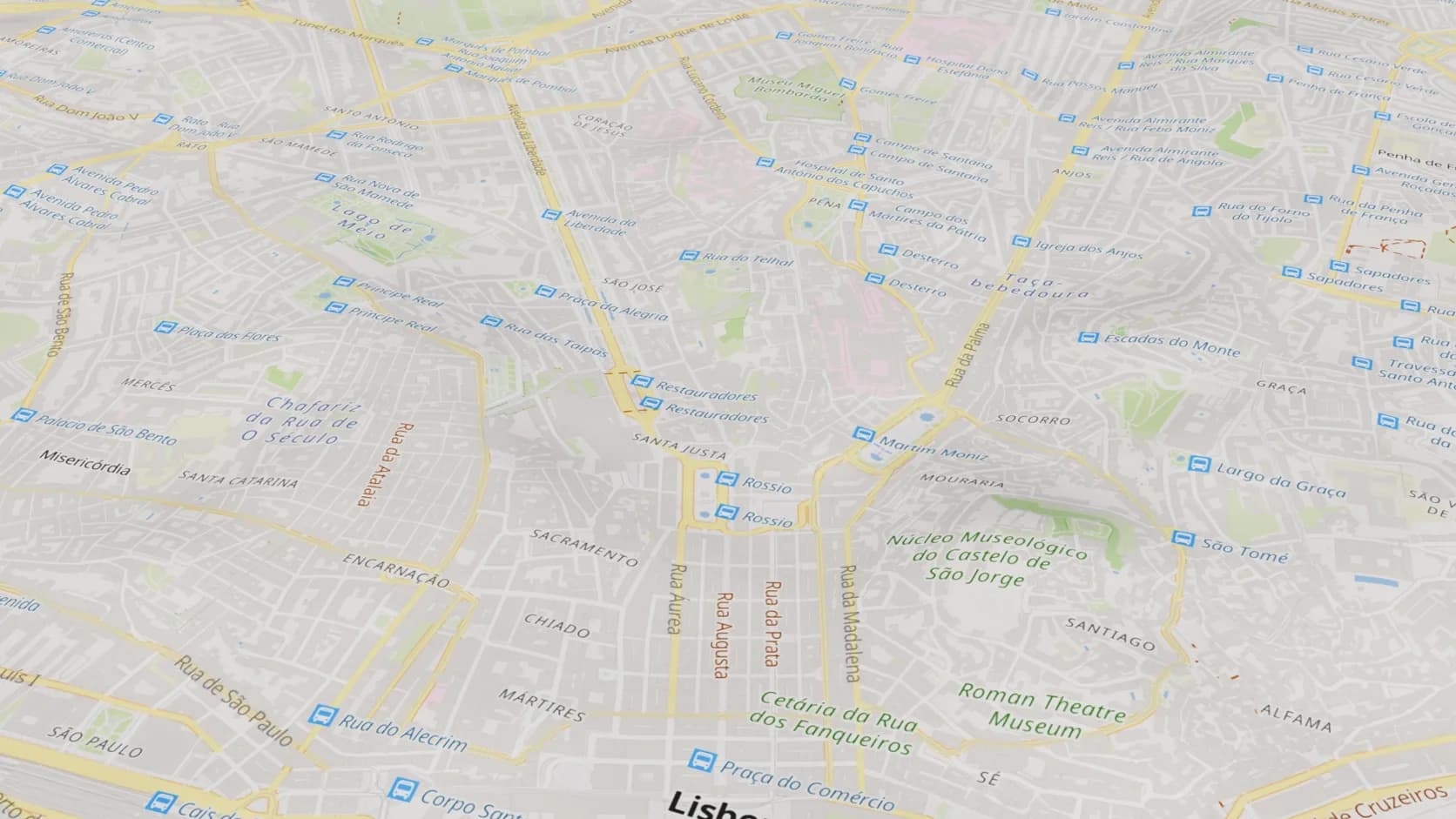
The street map ground lays the map's own streets, names and water on the real relief — a quick, clean base for a location shot.
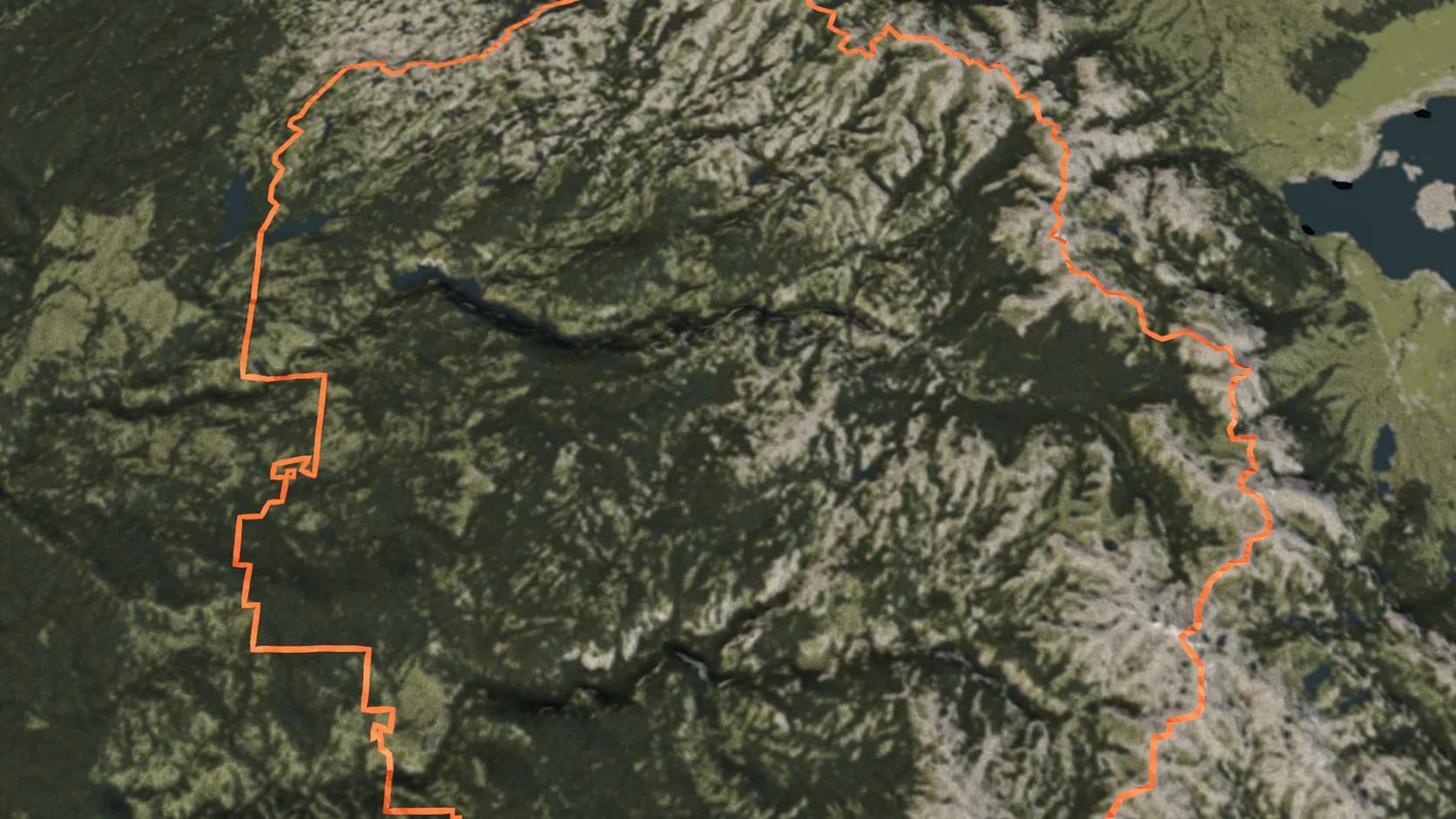
Name a country, state, county, city or park and its outline from OpenStreetMap is draped on the terrain as a ribbon.
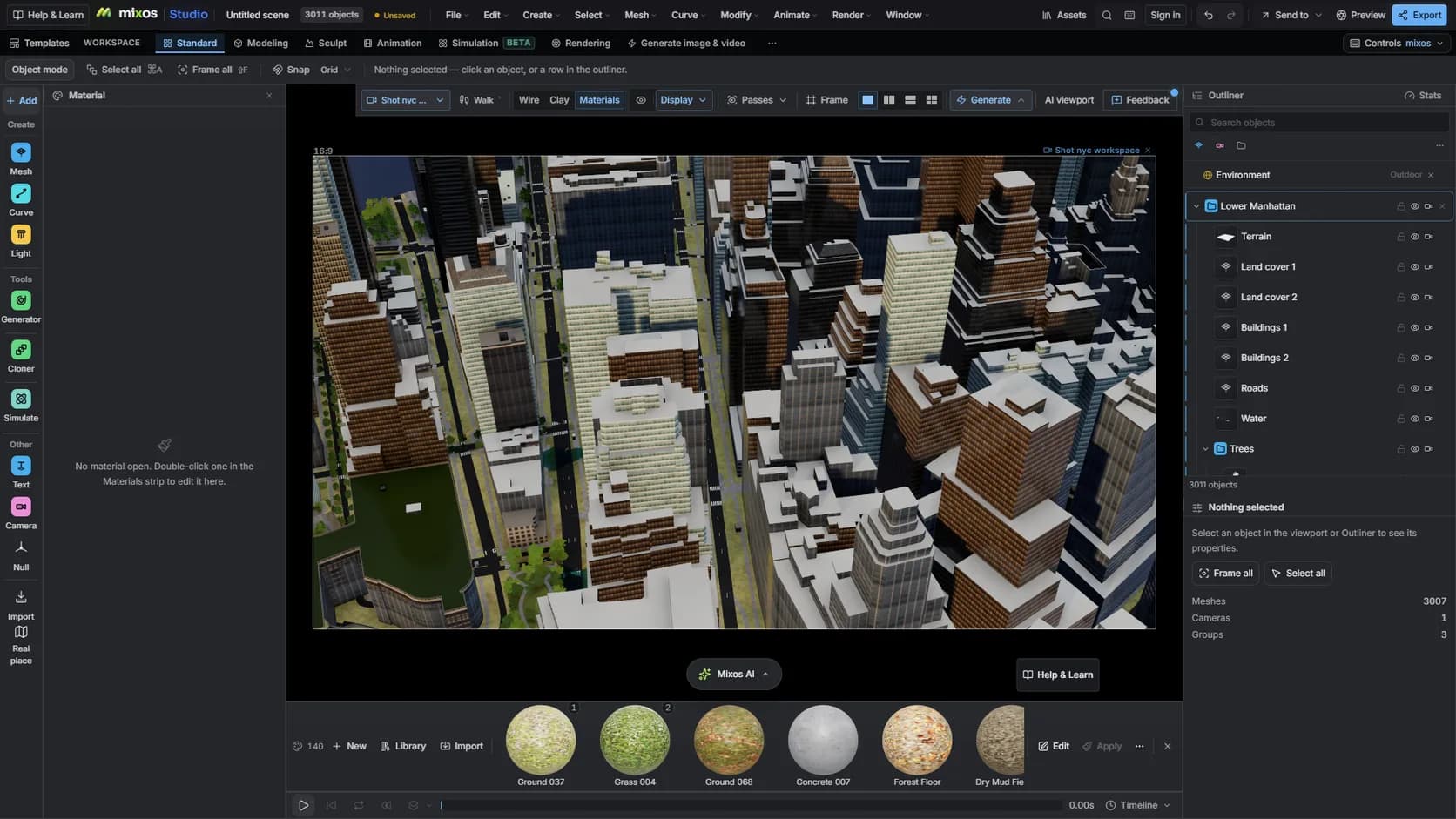
On a paid plan, mixos AI runs the same import from a sentence — the place, the look and the time of day — and keeps editing from there. It uses chat credits like any AI turn.
Why Mixos
Explainer videos, event invitations, property brochures and travel content all need the same thing: a map that tells the viewer where something is, quickly, and looks good doing it. Satellite views are busy and dated; flat vector maps lose the hills and the skyline that make a place recognisable.
A 3D model built from map data sits between the two. You keep the real shape of the land and the real massing of the buildings, and you choose how much detail to show. Studio's Real place import gives you each building, road, water area and ground surface as its own object, so styling is a matter of assigning materials: everything matte white, the river a flat blue, the route you are explaining in the brand colour.
From there it is a normal Studio scene. Put a camera on a path for a fly-in, key a slow orbit around a landmark, add labels as 3D text, and render. The sun study uses the place's real latitude and longitude, so the shadows fall the right way for the time of day you are showing.
Credit the data. The map content is © OpenStreetMap contributors and the elevation comes from open public surveys; mixos keeps those credits with the scene so they are to hand when you publish.
Search the place in Studio's Real place picker and draw a box. City mode brings buildings, roads and water; terrain mode covers up to 100 km of landscape.
Assign one neutral material to the buildings, a flat colour to the water and an accent to the streets you want to point at.
Put a camera on a path, set the sun for the real place and time, and render stills or an animation.
Make a clean 3D map of central Lisbon: matte white buildings, pale grey ground, the river in soft blue, and a slow orbit around Praça do Comércio at golden hour.
Yes. Importing a place, styling it and rendering in the viewport are free in Studio. Exporting clean full-resolution renders, video or the mesh itself requires a paid plan.
Yes. Studio has keyframe animation with a timeline and curve editor, cameras on paths, and a path-traced renderer for the frames.
It can. The ground can wear library materials, aerial imagery, the OpenFreeMap street map or a topographic map with relief shading and contour lines, and you can switch between them after the import. Buildings and roads stay separate objects either way, so the map stays fully restylable.
Yes. Import a GPX track and it is draped on the ground as a ribbon, or name a country, state, county, city or park and its border is drawn on the terrain from OpenStreetMap.
Yes, with credit. OpenStreetMap data is licensed under the Open Database License, which allows commercial use as long as you credit © OpenStreetMap contributors.
Read next
Which format keeps materials and which throws them away.
Open the file in the browser — meshes, materials, triangle count.
Watertight remesh, thickened walls, and the checks that stop a bad print.
Key, retime and ease a move, step by step.
Keep exploring
3D city model generator
3D terrain generator
OpenStreetMap to 3D
3D relief map maker
GPX to 3D map
Google Earth Studio alternative
Online 3D animation
Online 3D modeling