Animated logo maker

An animated logo that is actually 3D.

Most animated logo makers slide, fade or pop a flat picture around the screen. This one builds your mark as a real 3D object first — every colour its own raised layer — and then moves it, so the light travels across the edges as it turns. Pick a motion, pick a length, and save the clip.

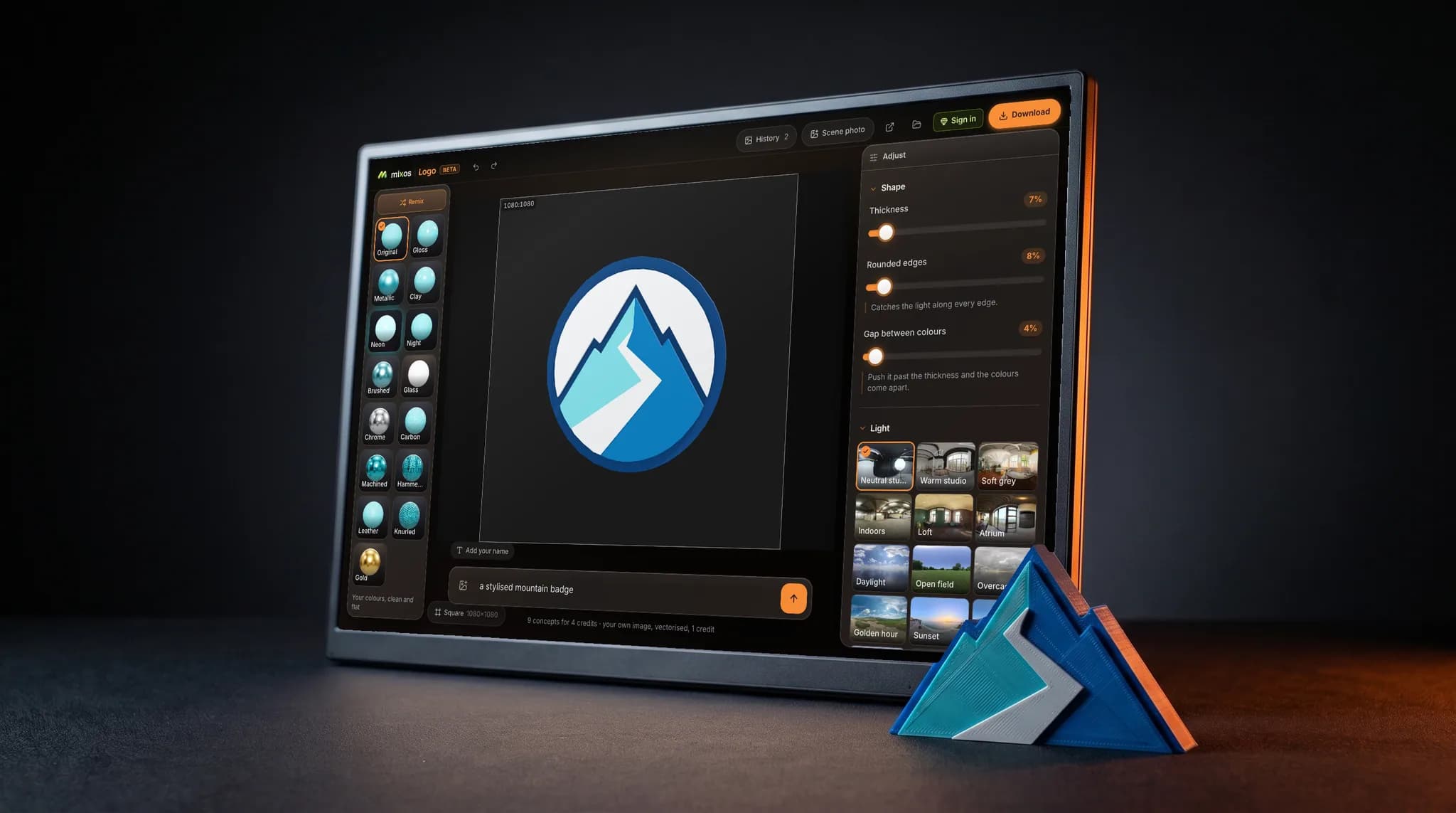
mixos Logo open on a desktop screen showing a geometric mountain mark extruded into layered 3D, against a near-black backdrop, a 3D print of the same mark rim-lit beside it.

Four motions, no keyframes

Spin turns it a full 360°. Float lifts and settles it. Wobble gives it a little weight. Sway is a short, subtle drift for something that has to loop behind text. Pick one and set the length — there is no timeline to learn and nothing to key.

A transparent background, properly

A logo animation usually has to sit on top of something else. Save it with the background switched off and you get a clip with real transparency, so it drops onto footage or a coloured slide without a black box behind it. That comes out as WebM, because MP4 has no codec that carries an alpha channel.

The movement is lit, not faked

Because the mark is real geometry in a real lighting environment, turning it does what turning a metal object does — the highlight crawls along the bevel and the side walls catch and lose the light. A flat logo rotated in a video editor cannot do that, which is the difference you can see without knowing why.

Build it free, pay to take it

Setting the whole thing up — the mark, the finish, the lighting, the motion, the preview — is free and needs no account. Saving the clip is what needs a paid plan.

Why Mixos

What an animated logo is actually for

An animated logo earns its keep in a handful of places: the first two seconds of a video, a stream overlay, a loading state, a slide that needs a full stop. In all of them it is doing one job — being recognised — and it has about a second to do it. That is why the motion should be short, calm and repeatable rather than clever.

The route most people are offered is a template: upload a flat logo, choose from a list of canned reveals, and the tool slides the picture around. It works, and it always looks like the template it came from, because the logo never becomes an object — it stays a rectangle with a picture on it.

Here the mark is extruded into layered geometry before anything moves. So when it spins, you see its side walls; when the light passes, the rounded edges pick it up; when it settles, it has somewhere to settle from. The motion is applied frame by frame at the point the video is written, so the clip is rendered rather than screen-captured.

The practical decisions are the background and the length. Transparent gives you something to composite; a solid background gives you something to post as-is. Four seconds is usually plenty for a sway or a float, and eight suits a full spin. If you need it as a still instead, the same setup exports a picture, and if you need it as an object, it exports as a 3D model.
Frequently asked questions

Is it free, and is there a watermark?

There is never a watermark. Building and previewing the animation is free and needs no account. Saving the video file needs a paid plan — that is the honest trade here, and it is worth knowing before you spend time on it.

What file do I get?

An MP4 normally. If you switch the background off you get a WebM instead, because MP4 has no widely-supported way to carry transparency. Both drop straight into a video editor.

Can I use my own logo?

An SVG under 4 MB opens free and without an account. A PNG or JPEG runs on AI — that needs an account and is a small paid step. Or start from one of the six free starter marks.

How long can the clip be?

Spin, float and wobble run eight seconds; sway runs four. They are built to loop, so a short clip repeated is usually better than a long one.

Can I add music or text to it?

Not here — this makes the moving logo itself, not a finished intro video. Bring the clip into whatever you already edit in and put the music and titles around it there.

Mixos

Open a tab. Start texturing.

No download, no setup, nothing to license. Auto-texture your first model and build real PBR materials in minutes.