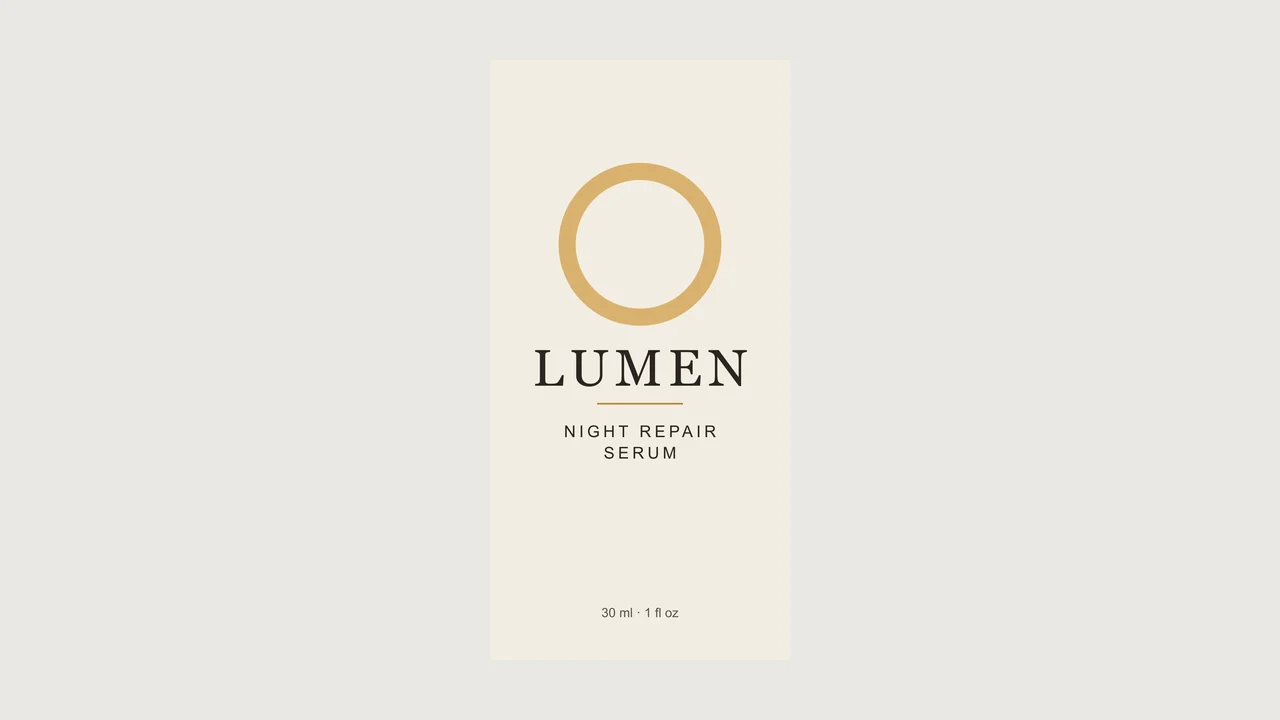
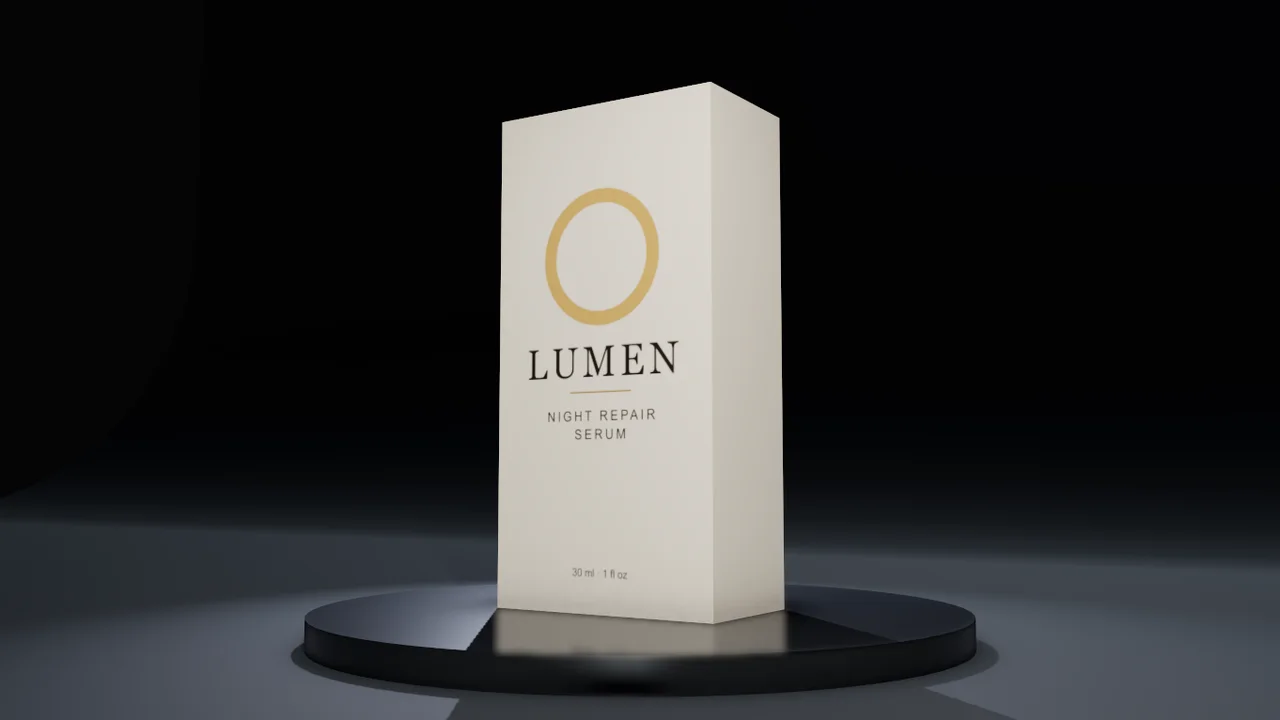
A front panel becomes a hero shot
The carton front was printed on a 70 × 140 × 40 mm tuck-end box with a soft-touch finish, then shot in the hero set.
Attach your label, your box artwork or a photo of the product. Mixos AI builds the package in 3D at its real size, sets up the shots a shop needs, and finishes any of them as a photograph without redrawing a single letter of your artwork.
Mixos AI is available in this build. Conversational tools require paid access or purchased credits.
 MADE IN MIXOS
You bring the artwork and the size. Mixos AI builds the package, frames the shots and tells you what each paid step costs before it runs.
A label file, a flat box dieline, the front panel of a carton or a plain photo of the product. No artwork yet? Give the brand name and Mixos AI prints a clean label from it.
Boxes, mailers, shipping boxes, cans, bottles, jars, tubes, pouches and paper bags, built to millimetres, with each picture on the right face and a wrap label running round the right way.
Ask for listing shots on white, a hero shot on a dark plinth or a lifestyle shot on a wooden table. Each is a free storyboard shot; a finished photo costs 4 credits and lays your own render back over the result.
Every result below is unedited Mixos output. Inputs are public-domain or openly licensed drawings, drawings made for these examples, or AI-generated example photos.
The carton front was printed on a 70 × 140 × 40 mm tuck-end box with a soft-touch finish, then shot in the hero set.
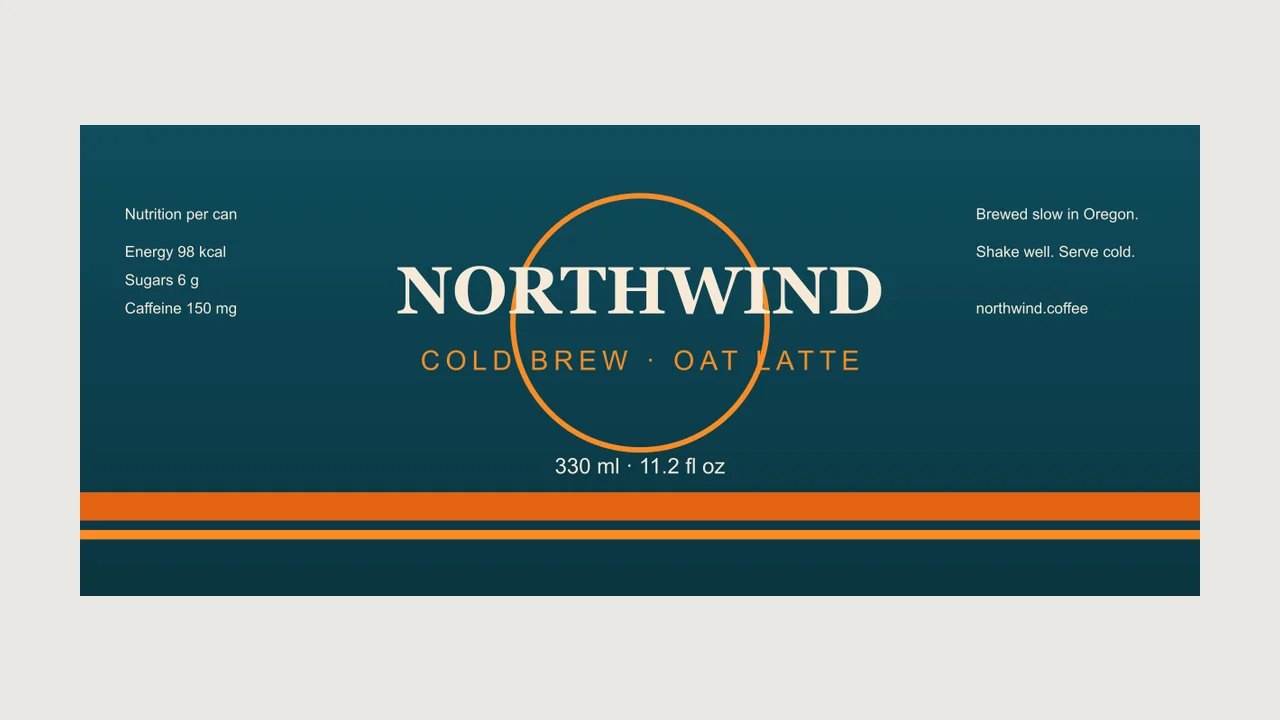
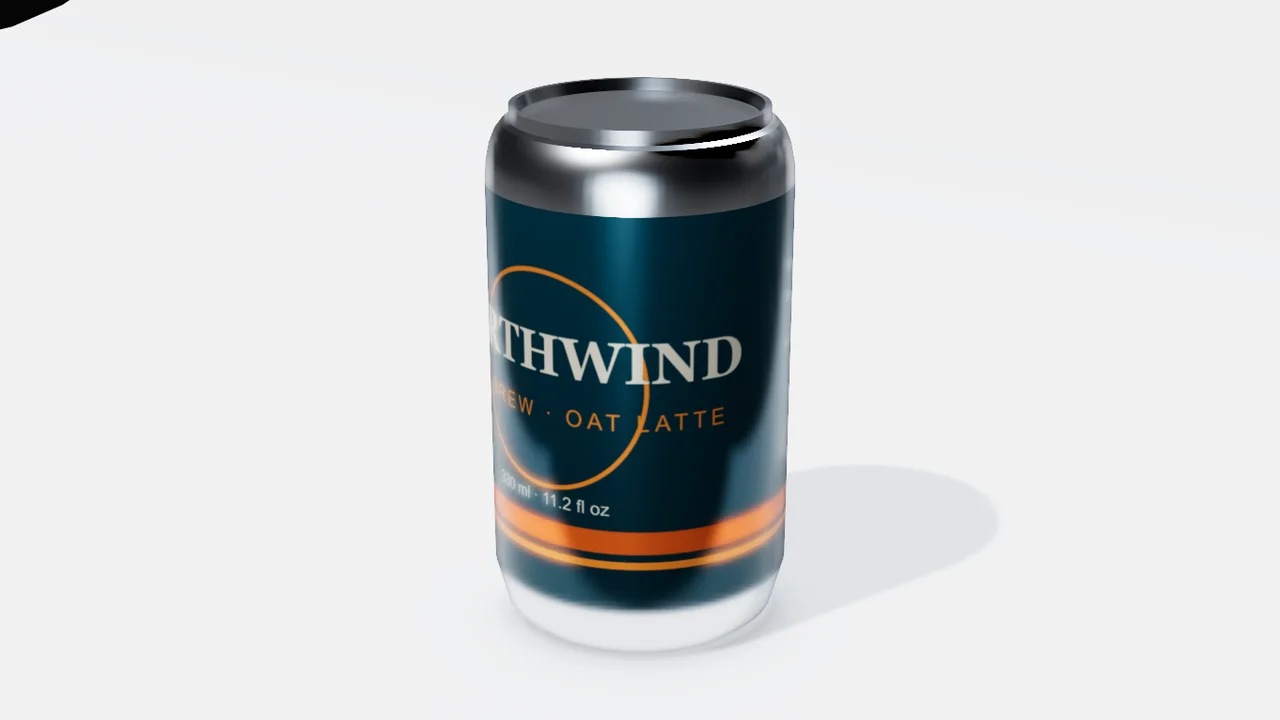
One wide label image wrapped round a standard 330 ml can, the middle of the design on the front and the seam at the back.
The viewport makes the result visible. Inspect the shape, placement and materials before moving on to the next change.
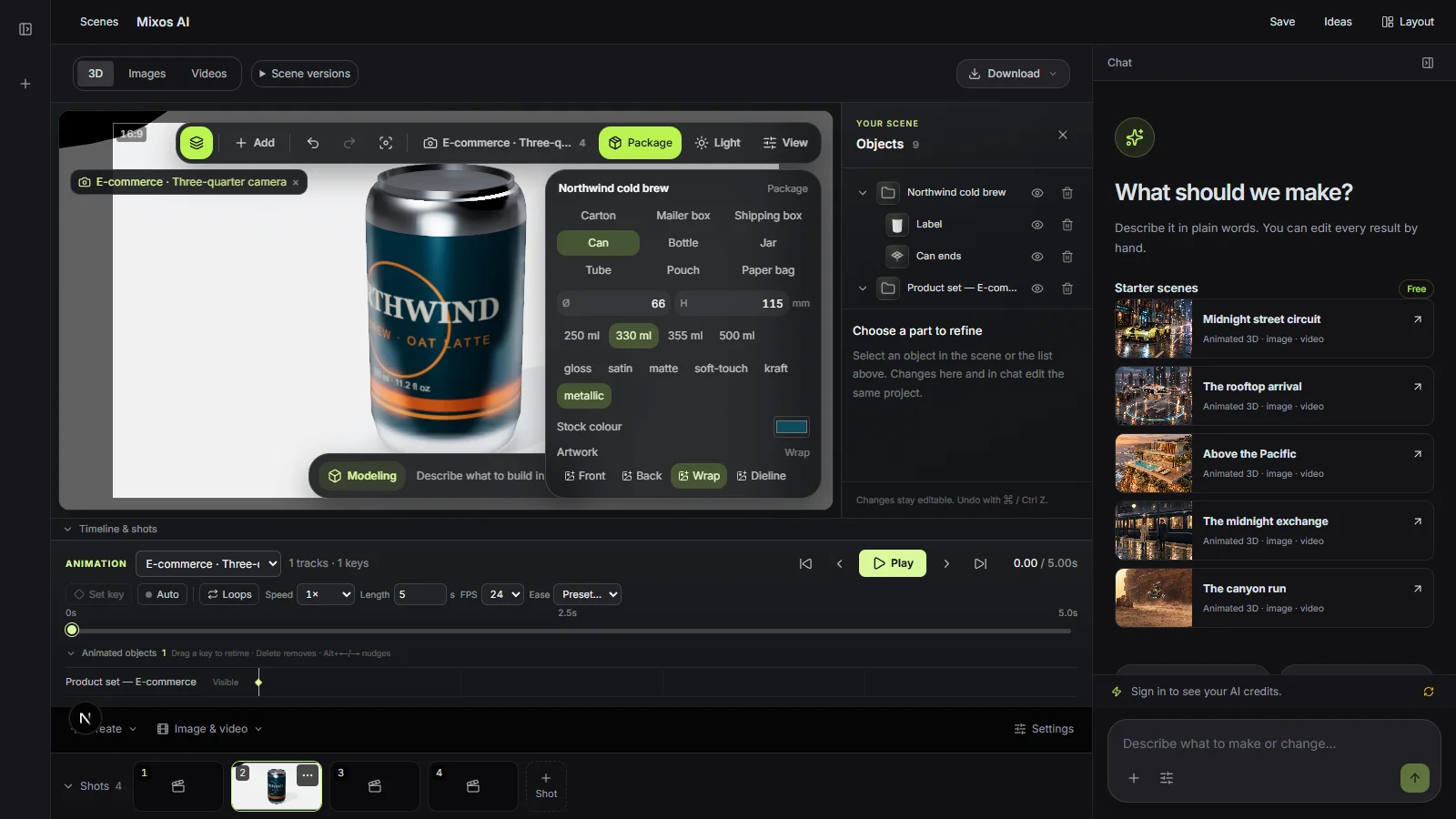
An image model asked to photograph a product tends to repaint its label, and small type comes back garbled. Here the product is rendered alone, the set is built around it, and the render goes back on top, so the label in the photo is your file.
Packages are built from millimetres or a fill volume such as 330 ml, and a round product can take its outline from your photo. Proportions stay true from the front shot to the turntable.
Say "make it 500 ml", "matte finish" or "swap the front art" and the package rebuilds in place. The shots re-frame themselves for the new size.
“Put the label I've attached on a 330 ml can and make the e-commerce shots on white. Show me the front shot.”Open Mixos AI
“Make a hero shot of the serum box on a dark plinth, then tell me what a finished photo on marble would cost.”Open Mixos AI
Example briefs to adapt to your project. Concept images show a creative direction; live results depend on your prompt and the tools used.
Build, finish and animate real 3D scenes. Choose an example, play the walkthrough or jump to any step.
“Create a pair of sculptural over-ear headphones. Use coral shells, soft ivory cushions and a polished metal headband.”
The chat explains the change. The viewport shows the result. Play all steps, or use the numbered controls to explore.
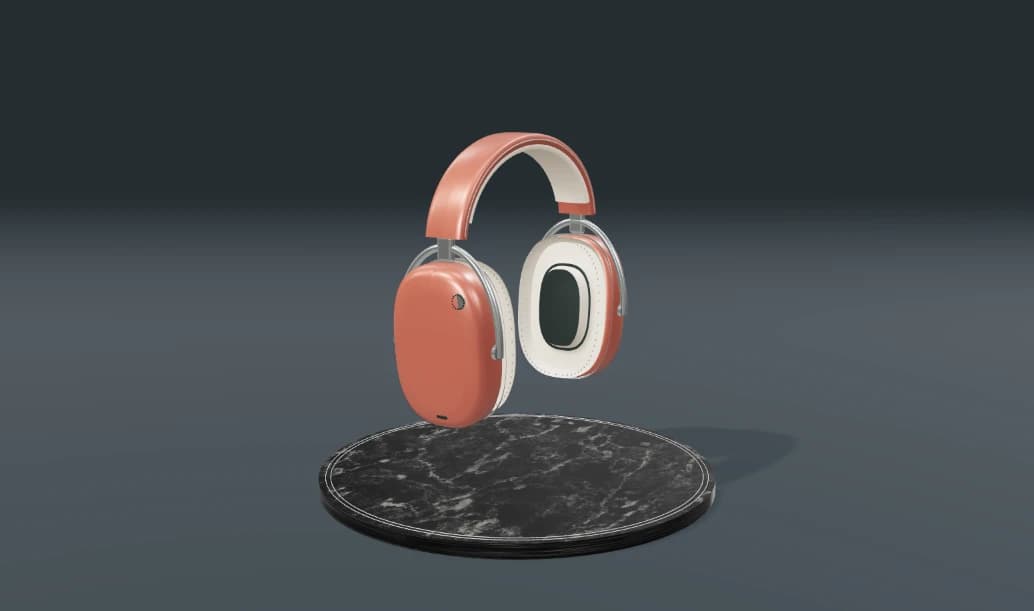
Prepared walkthroughs with editable 3D, animation and illustrative AI images. Prompts and replies are scripted; playback uses no credits. AI video generation is a separate paid step, illustrated above.
Mixos AI is available in this build. Open the workspace with your Mixos account; conversational tools require paid access or unspent purchased credits. The expanded creation workspace is rolling out in preview builds.
Not on the default setting. The finished photo is made around a render of your product and that render is laid back on top, so the label, logo and small print are your own artwork. If you allow things in front of the product, the label is as the model draws it.
Any one of: your label or box artwork, a flat dieline, a photo of the product, or just the brand name. Mixos AI asks only for what it cannot guess, usually the real size.
Building the package and setting up the shots happen in the conversation and use chat credits. A finished product photo costs 4 credits, and Mixos AI asks before it spends any.
Tuck-end cartons, mailer boxes, shipping boxes, drinks cans, bottles, jars, squeeze tubes, stand-up pouches and paper bags. Other shapes can be generated from a photo as a separate paid 3D model.
Yes. The images are yours to use in listings and ads. Check each marketplace's own image rules, such as a white background for a main image.
Editing in the released Mixos apps is free with a Mixos account. AI generation consumes credits. Production exports require a paid plan or licence; the free plan includes a 512px watermarked render preview. See Pricing for current allowances. Watching the demonstrations on this page does not spend AI credits.
See Pricing for current AI credits and export allowances. Studio is available now for manual 3D creation.