Units that slicers expect
STL has no units, so slicers read every number as millimetres. Files from Mixos are written in millimetres with Z up, so a 50 mm keychain opens 50 mm long and lying flat, not tiny and on its side.
An STL that looks right can still fail in the slicer: holes, inside-out faces, the wrong scale. Mixos AI builds printable objects as closed solids, measures them against your printer and writes STL or 3MF files at true size.
Mixos AI is available in this build. Conversational tools require paid access or purchased credits.
 MADE IN MIXOS
Ask for the object, or select one you already have. Mixos AI reports what it measured and fixes what it can before the file leaves.
Ask for a printable by name and size, or select a model you imported or built in Studio. Attach a picture when the shape comes from a drawing or a logo.
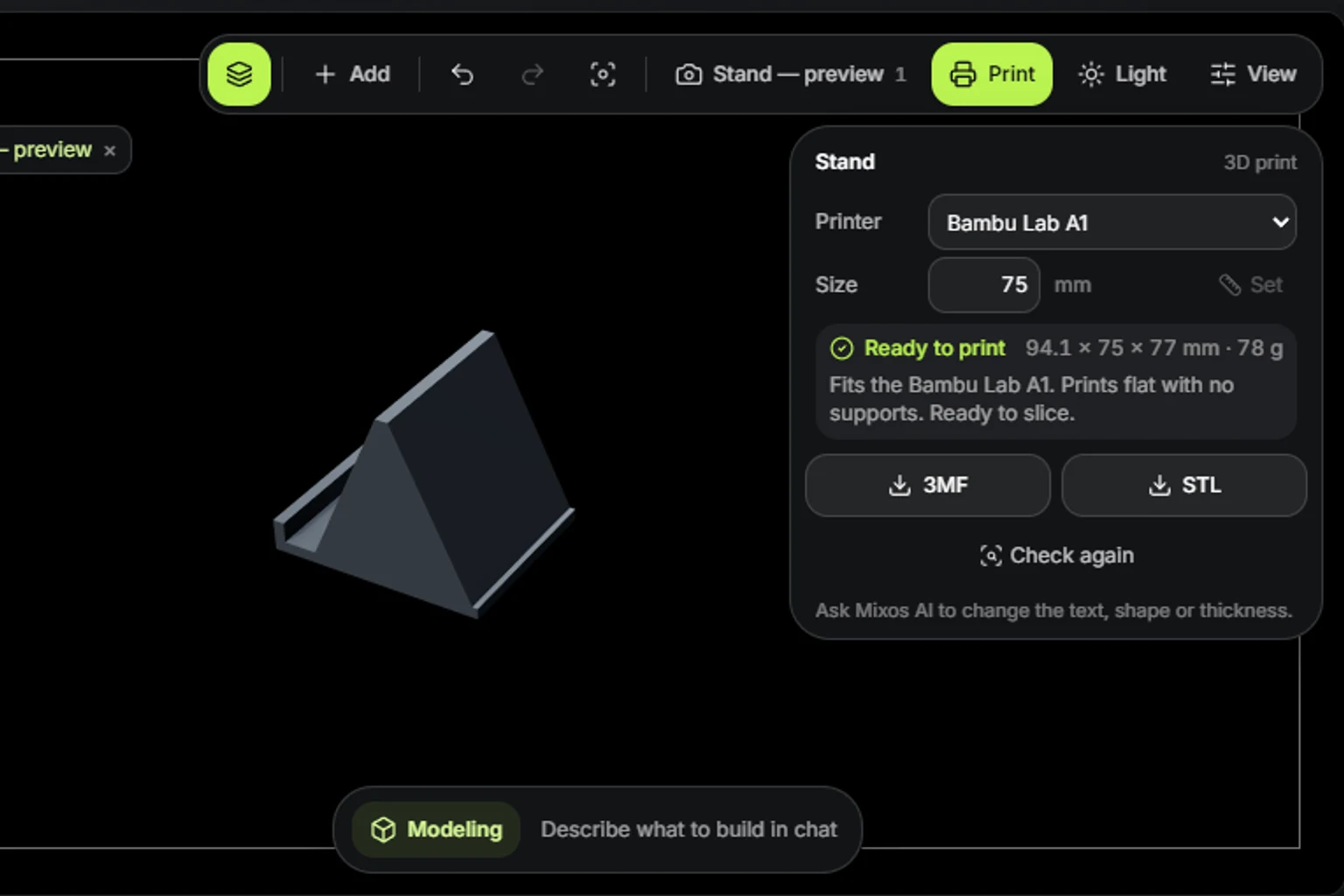
The print check finds holes, thin walls, overhangs that need supports and parts too big for your bed. Make print-ready closes holes, joins parts, scales to millimetres and lays the model on its best face.
Download STL for any slicer or print service, or 3MF to keep named, coloured parts. Both are in millimetres, Z up, sitting on the bed.
The viewport makes the result visible. Inspect the shape, placement and materials before moving on to the next change.
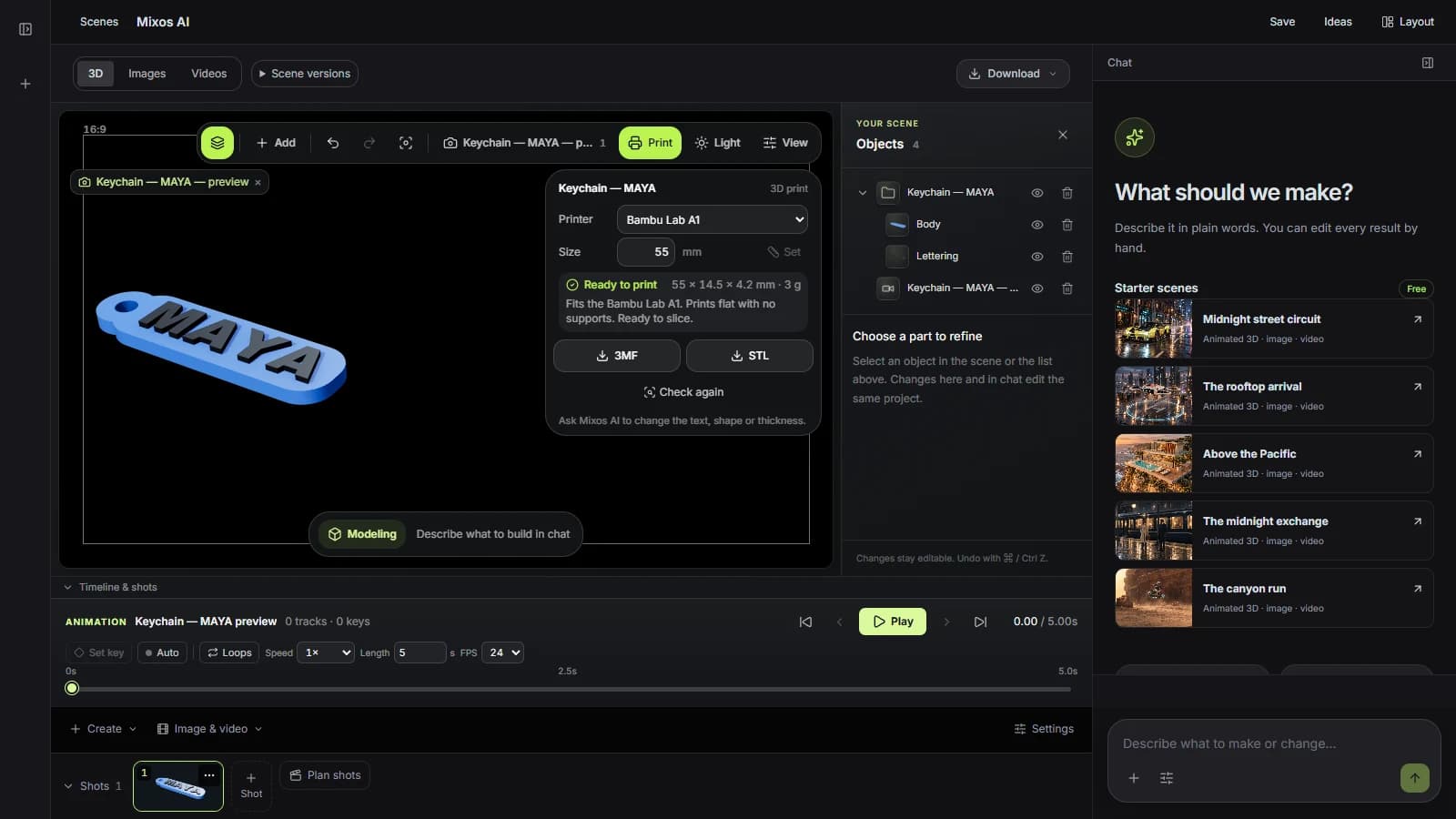
STL has no units, so slicers read every number as millimetres. Files from Mixos are written in millimetres with Z up, so a 50 mm keychain opens 50 mm long and lying flat, not tiny and on its side.
The check looks for open edges, edges shared by too many faces, faces wound the wrong way and surfaces that cross each other: the problems that make a slicer guess or refuse.
Each big flat face is tried on the bed and scored by how much support it would need and how well it grips. Make print-ready turns the model onto the winner and says which face it chose.
“Make a phone stand 75 mm wide for a phone 11 mm thick with its case, and download it as an STL.”Open Mixos AI
“Check the selected model for 3D printing on a Prusa MK4. If it has holes or needs supports, make it print-ready at 120 mm tall.”Open Mixos AI
Example briefs to adapt to your project. Concept images show a creative direction; live results depend on your prompt and the tools used.
Build, finish and animate real 3D scenes. Choose an example, play the walkthrough or jump to any step.
“Build a compact studio speaker with an olive enclosure, a copper driver and a fine metal-mesh grille. Keep the components separate.”
The chat explains the change. The viewport shows the result. Play all steps, or use the numbered controls to explore.
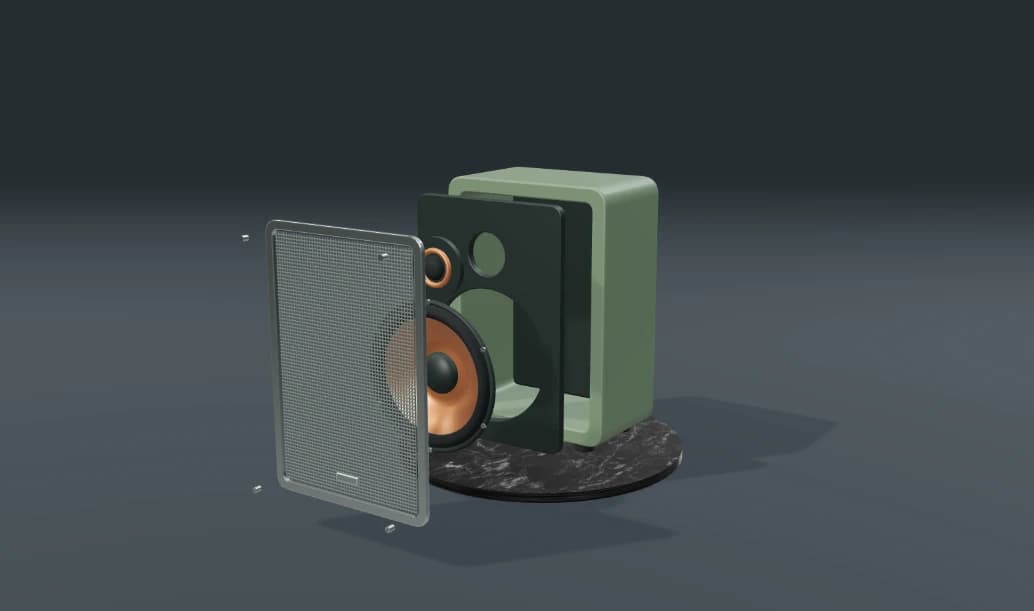
Prepared walkthroughs with editable 3D, animation and illustrative AI images. Prompts and replies are scripted; playback uses no credits. AI video generation is a separate paid step, illustrated above.
Mixos AI is available in this build. Open the workspace with your Mixos account; conversational tools require paid access or unspent purchased credits. The expanded creation workspace is rolling out in preview builds.
Printables made by Mixos AI are closed solids by construction. For models you bring yourself, the print check reports holes and other defects, and Make print-ready closes holes and joins overlapping parts into one solid.
Both open in every major slicer. 3MF records its units and keeps each part named and coloured, so raised lettering can print in a second filament. STL is the most widely accepted by print services.
Mixos AI makes the printable kinds it knows well and flat custom shapes from an outline or a picture. Other models can be built in Studio or imported, then checked and prepared for printing.
Building and checking use Mixos AI chat credits. Downloading STL or 3MF files is part of Studio's export, which is included in every paid plan.
Editing in the released Mixos apps is free with a Mixos account. AI generation consumes credits. Production exports require a paid plan or licence; the free plan includes a 512px watermarked render preview. See Pricing for current allowances. Watching the demonstrations on this page does not spend AI credits.
See Pricing for current AI credits and export allowances. Studio is available now for manual 3D creation.