Mold vs Sculptris
Mold vs Sculptris replacing the free sculptor.
Sculptris is how an enormous number of people made their first digital sculpt — free, tiny, forgiving, and built around dynamic topology before that was normal. It has not been developed for years. If you came here looking for it or for something to replace it, this is an honest comparison.
Feature by feature
Mold vs Sculptris, line by line.
A lime check marks the tool with the edge on each row. Where it's a wash, neither gets one — including the rows Sculptris wins.
| Feature | Mold | Sculptris |
|---|---|---|
| Still developed | Yes, actively | No — development ended years ago |
| Cost to sculpt | Free | Free |
| Install | None — a browser tab | Windows and macOS download |
| Modern OS support | Any current browser with WebGPU | Unreliable on current macOS and Windows builds |
| Dynamic topology | Yes — live, with constant, brush or screen detail | Yes — its signature feature |
| Multiresolution levels | Yes, with free stepping between levels | No |
| Brush set | 29 brushes across build, contour, move and mask | The core set, plus alphas |
| Remeshing | Voxel, field-aligned quad and adaptive, plus decimate and project | Reduce/detail brush only |
| Masking & symmetry | Masks, face sets and hiding; multi-axis mirror and radial symmetry | Masking and mirror symmetry |
| Painting | Full layered PBR texturing via one-click handoff | Vertex painting with a texture map |
| Tablet & phone | iPad, Android and Chromebook | Desktop only |
| Mesh export | GLB, OBJ, STL, 3MF, FBX — on a paid plan | OBJ — free |
| Works offline | In the desktop app; the browser needs a connection | Yes, fully offline |
So which should you use?
A free standalone sculpting application originally by Tomas Pettersson and later taken on by Pixologic, the makers of ZBrush. Its defining feature was dynamic tessellation — the mesh subdividing under the brush automatically. Development ended and Pixologic has directed users to ZBrushCoreMini and then to ZBrush itself.
Choose Mold if…
- You want something that still works. Sculptris runs poorly or not at all on current macOS and recent Windows builds, and nobody is going to fix that.
- You want multiresolution levels as well as dynamic topology — sculpt broad form low, detail high, and step between them freely.
- You want modern remeshing: voxel for watertight prints, quad for clean topology, adaptive for automatic retopology.
- You want to sculpt on a tablet, a phone or a Chromebook, not just a Windows desktop.
- You want to texture the result properly — layered PBR materials and real map export rather than vertex colors.
Choose Sculptris if…
- You already have it installed, it runs on your machine, and it does what you need. There is nothing wrong with continuing to use working software.
- You need to work fully offline. Sculptris is a local application; Mold needs a connection.
- You want free mesh export. Sculptris exports OBJ at no cost; Mold's export is on a paid plan.
- You specifically want its dynamic-tessellation feel, which was unusually pleasant and is a legitimate reason to prefer it.
The bottom line
What happened to Sculptris, and what to use now
Sculptris deserves its reputation. It was free at a time when sculpting software was expensive, it was small enough to run on almost any machine, and its dynamic tessellation made it forgiving in a way that suited beginners perfectly — you pulled a shape and the mesh simply found the geometry to support it. A large share of working artists made their first sculpt in it.
Pixologic acquired it, folded its ideas into ZBrush as Sculptris Pro, and stopped developing the standalone application. Pixologic's own guidance moved users towards ZBrushCoreMini and then to ZBrush proper. The practical consequence is an unmaintained binary that behaves unpredictably on current operating systems, and will get worse rather than better.
So the question is what replaces it, and the honest field has three answers. Blender is the most capable free option by a wide margin and costs nothing including export, at the price of being a very large program to learn. ZBrush is where Sculptris's own lineage went, and it is not free. Browser tools are the third route, and they are closest to Sculptris in spirit: nothing to install, nothing to license, small enough to just open and use.
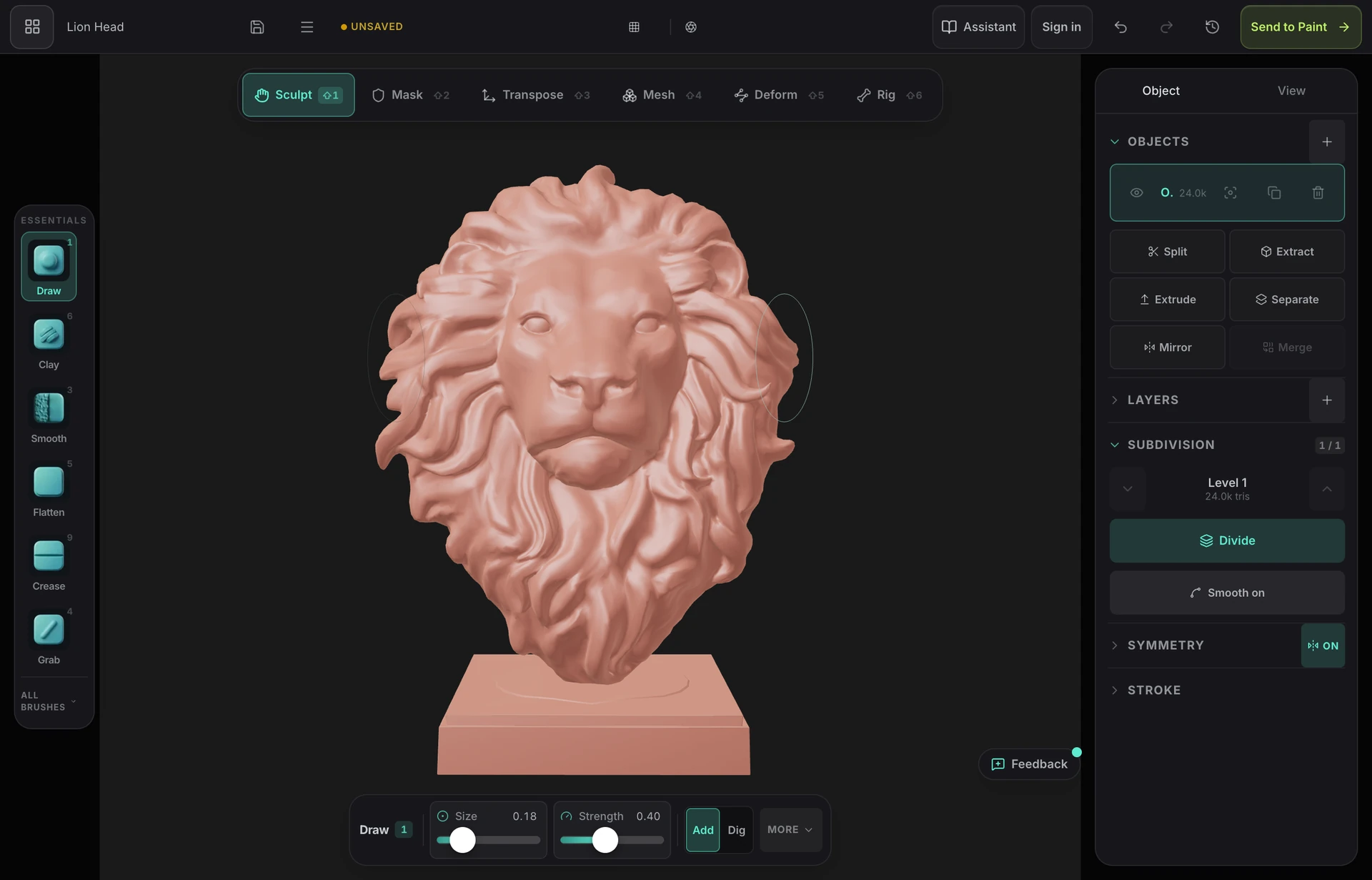
Mold is that third option built on current browser capability. It has the dynamic topology Sculptris was known for, plus the multiresolution levels it lacked, modern remeshing, a much larger brush set, and a path into real PBR texturing afterwards. It is free to sculpt on any account, with mesh export on a paid plan — which is the one place Sculptris still wins, since its OBJ export cost nothing.
Frequently asked questions
Is Sculptris still available and free?
It is still free where you can find it, but it is no longer developed and Pixologic has moved users towards its other products. On current macOS and recent Windows builds it is unreliable, and there will be no fix for that.
What is the best replacement for Sculptris?
Blender is the most capable free option, including free export, though it is a much bigger program to learn. Browser tools like Mold are closest to Sculptris in spirit — nothing to install, free to sculpt, dynamic topology included — with mesh export on a paid plan. ZBrush is where Sculptris's own lineage ended up, and it is a commercial product.
Did Sculptris have multiresolution?
No — that was its main structural limitation. It worked through dynamic tessellation, adding geometry under the brush, with no level stack to step down to. Mold has both, so you can fix a proportion at a low level and return to your fine detail intact.
Can I open my old Sculptris files?
Not directly — its native format isn't supported anywhere outside the application. Export your old work to OBJ from Sculptris while it still runs on a machine you have, and that OBJ will import into Mold, Blender, ZBrush or anything else.

Try it yourself. No install.
Dynamic topology, multiresolution levels, modern remeshing and a path to real texturing — free to sculpt, with nothing to install and nothing to go out of date.