Layers, masks and smart materials
A layer stack with blend modes and separate color, roughness, metallic, normal and height channels. Masks and smart materials place wear and grime for you, so you are not painting every scratch by hand.
3D texturing software
Most texturing software starts with a subscription, a download and a graphics card that can run it. Mixos Paint starts with a URL. Import a GLB, glTF, FBX or OBJ model, paint PBR materials onto it with layers and masks, and export map sets for Blender, Unreal, Unity or Godot. Painting is free with no time limit; 4K export is on a paid plan.
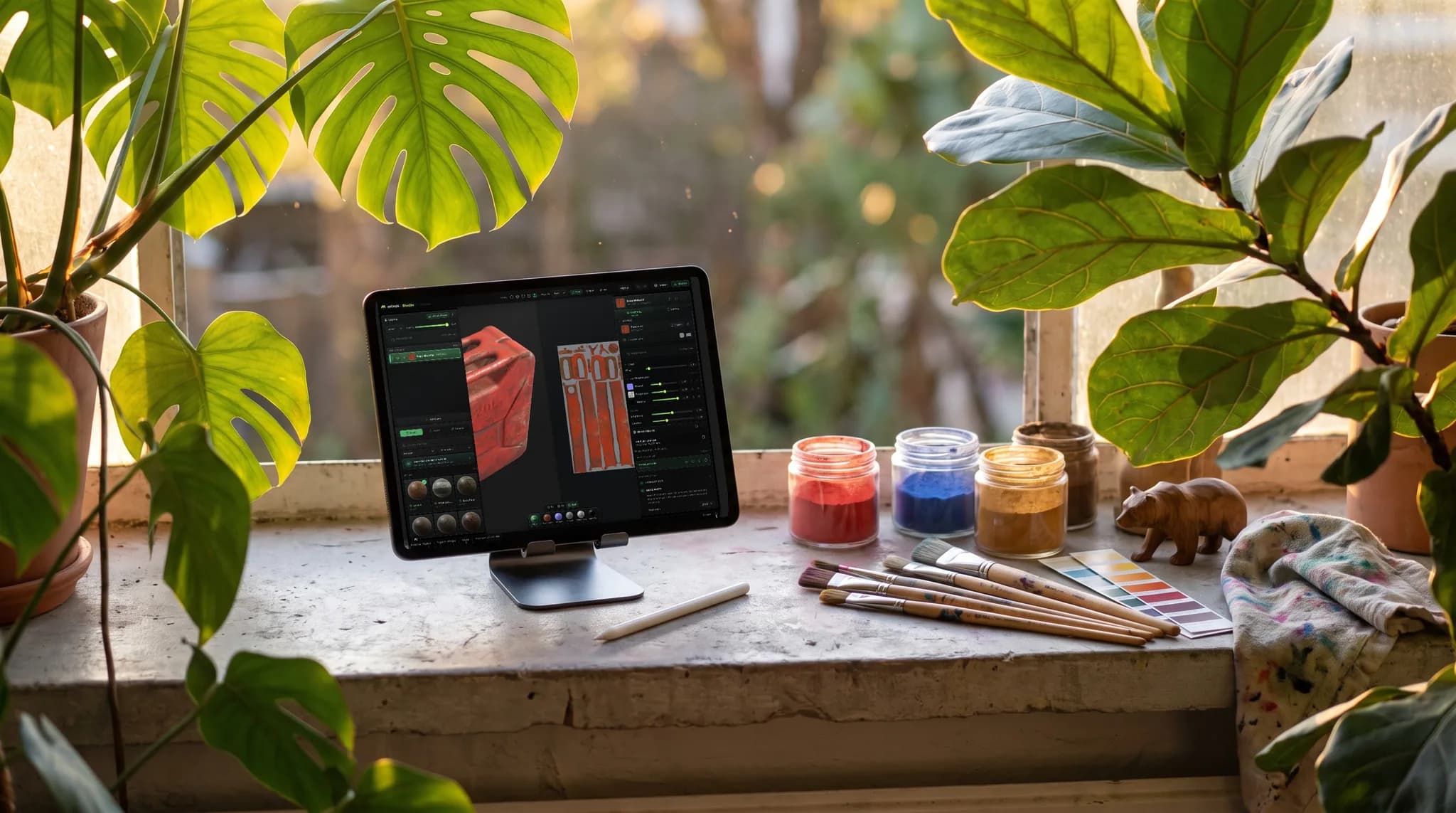
A layer stack with blend modes and separate color, roughness, metallic, normal and height channels. Masks and smart materials place wear and grime for you, so you are not painting every scratch by hand.
Bake ambient occlusion, curvature, cavity, thickness and normals from your mesh, including high-to-low. Edge wear lands on the edges and dirt settles in the crevices because the masks read the geometry.
Drop metal, wood, stone, fabric or leather onto the model as a base and paint on top. Every material in the library is CC0, so what you texture with it is yours to ship.
One export writes the PBR maps as PNG plus a .glb, named and packed for Blender, Unreal, Unity, Godot, Cinema 4D, Maya or Houdini — including Unity's Mask Map and Unreal's packed ORM map.
Why Mixos
Substance 3D Painter is the industry standard. It has the deepest generators, a highly configurable baker, Substance Designer integration and 8K export, and it is sold as a paid subscription or a perpetual Steam license, with a time-limited free trial. Blender is the serious free option: its Texture Paint mode exports without restriction, though layering materials usually means building shader nodes or adding an add-on. Between them sit desktop painters such as 3DCoat and the open-source ArmorPaint.
For most people starting out, the deciding factor is not the feature list. It is whether the software runs on the machine you own and what it costs before you know you will use it. A trial that ends in a week, or a download your laptop's graphics driver rejects, stops more texturing projects than any missing feature.
Mixos Paint removes both steps. It renders with WebGPU, the graphics API built into current browsers, so it runs on Mac, Windows, Linux, ChromeOS, iPad and Android with nothing to install, and your projects save to your account rather than to one machine. There is also a free desktop app for Mac and Windows, and a free iPhone and iPad app.
What you give up is depth at the studio end: Substance's generator library, 8K export and project-file compatibility. What you keep is the everyday texturing loop. Painting, layering, masking and baking are free with no time limit. The free plan exports a 512 px watermarked preview; Pro is $8.99/mo and exports maps up to 4K, and a one-time $99 licence unlocks the same exports without a subscription.
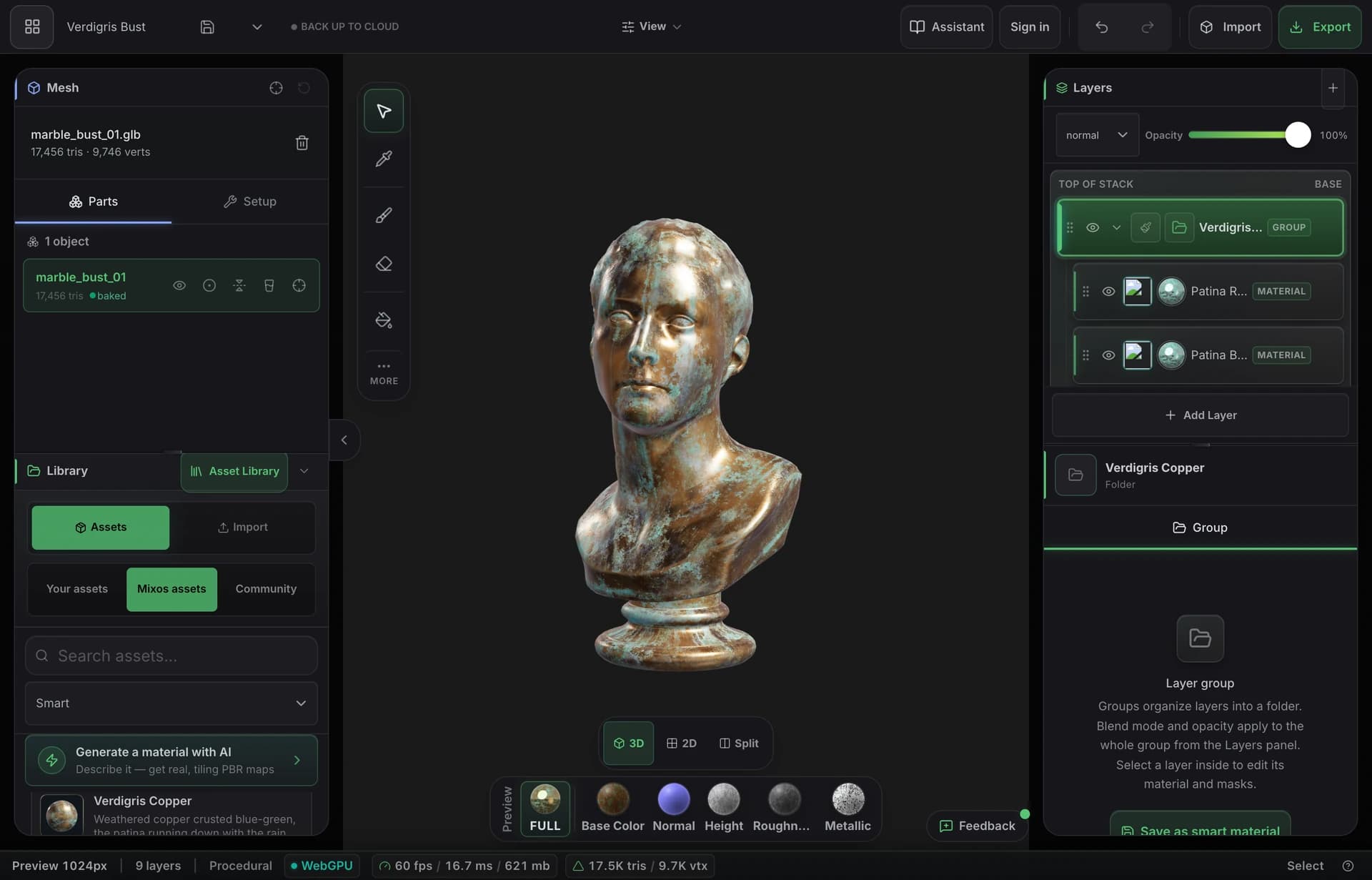
Blender is the most capable fully free option, export included, but layering materials in it usually means shader nodes or an add-on. Mixos Paint is free to texture in — layers, masks, smart materials, baking and the whole material library, with no time limit — and needs a paid plan to export full-resolution maps. ArmorPaint is open source if you are comfortable building or buying its desktop download.
Adobe offers a time-limited free trial of Substance 3D Painter, and a free education license for eligible students and teachers. Mixos Paint has no trial clock: the editor is free on a free account for as long as you like, and you pay only when you want 4K, watermark-free export.
It paints the surface of a 3D model. You apply materials and paint detail directly onto the mesh, and the software writes the result into image maps — base color, normal, roughness, metallic and height — that a game engine or renderer reads to make the model look like painted metal, worn leather or mossy stone.
Not to get started in Mixos Paint: triplanar projection tiles materials seamlessly on any mesh. For baking and precise placement you want clean UVs, and models coming from Mold can be unwrapped in one click.
Desktop packages such as Substance 3D Painter, 3DCoat and Blender need Windows, macOS or Linux. Mixos Paint runs in any browser with WebGPU — current Chrome, Edge and Firefox, or Safari 26 and later — so it works on Chromebooks, iPads and Android tablets, with Apple Pencil pressure on iPad.
Import GLB, glTF, FBX or OBJ. Export base color, normal, roughness, metallic, height and opacity maps as PNG, baked ambient occlusion and curvature, and a .glb with the materials attached — up to 4K on a paid plan.
Read next
The whole pass, from import to exported maps.
The maps a modern material is made of, and what each one does.
Why the same texture reads bigger on one model than another.
Drop the files in and see the material lit, in the browser.
Keep exploring
Online texture painter
Free Substance Painter alternative
AI texture generator
Texturing for Blender
ArmorPaint alternative
Quixel Mixer alternative
Browser-based texturing