Draw with a pen
Click to place a sharp corner, press and drag for a smooth curve, and click the first point again to close the shape, the way a pen tool works in Illustrator or Figma.
3D drawing online
Sketch an outline with a pen tool and Mixos turns it into a 3D object: pushed out into a solid, spun on a lathe or swept along a path. For freehand form, sculpt it; for colour, paint straight onto the surface. Nothing to install, and free to start.
Click to place a sharp corner, press and drag for a smooth curve, and click the first point again to close the shape, the way a pen tool works in Illustrator or Figma.
Extrude a profile into a thick shape, lathe it around an axis for vases and bottles, or sweep it along a path for pipes, cables and frames. The curve stays editable, so you can reshape it and rebuild.
Begin from a ready-made outline such as a circle, star, gear, arrow or spiral, or type 3D text from a real font with an optional bevel.
Mold sculpts with pressure brushes, like digital clay. Paint brushes colour and materials onto the model. On an iPad, both work with Apple Pencil.
Why Mixos
Drawing in 3D on a flat screen works best the way designers already do it: draw a clean outline on a plane, then give it depth. In Mixos Studio the pen places points on a flat plane facing the camera or lying on the ground, so the shape stays tidy instead of wandering through space. Sharp corners are a click; smooth curves are a press and drag.
The outline then drives a generator. Extrude pushes it out into a solid, which is how logos, signs and cookie-cutter shapes are made. Lathe spins a profile around an axis, which turns half a silhouette into a vase, a glass or a chess piece. Sweep runs a profile along a second curve for tubes, rails, picture frames and springs, and loft blends between profiles. Because the curve is kept, you can move a point and rebuild rather than starting over.
Not every shape is an outline. For organic forms such as faces, creatures or rocks, Mold sculpts the surface with brushes that push, pull and smooth it like clay. For colour and texture, Paint lets you brush paint and PBR materials directly onto the model. Studio also models with ordinary polygon tools, so a drawn shape can be extruded, bevelled and combined with other objects in one scene.
Drawing, shaping, sculpting, painting and saving your work in the browser are free. If you need the mesh itself — to 3D print it, or to use it in a game engine or another 3D app — exporting it as STL, 3MF, OBJ, GLB or another format is on a paid plan.
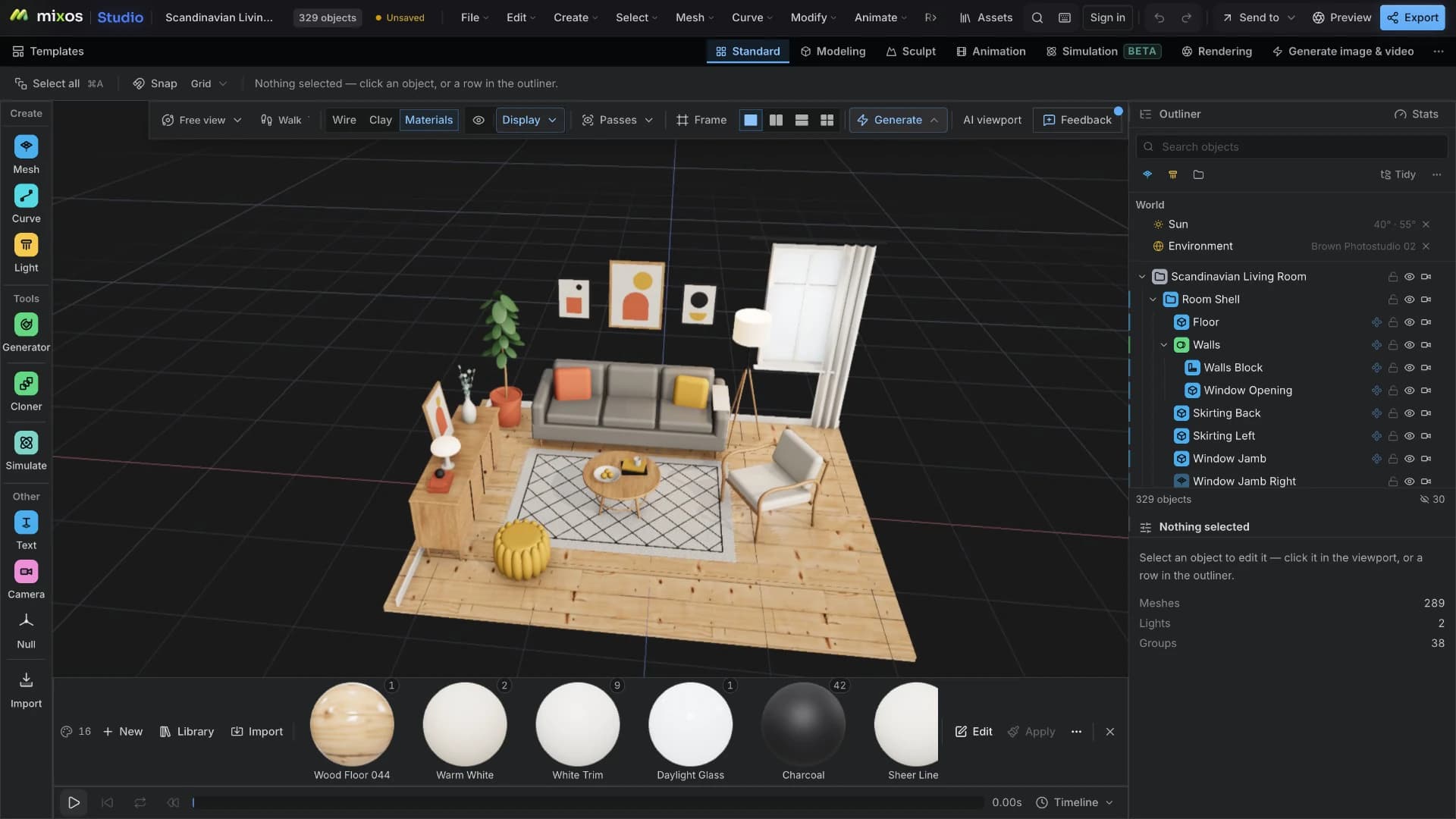
Open Mixos Studio in a WebGPU browser, add a curve and arm the pen, or pick a ready-made shape to edit.
Click for corners and drag for smooth points. Close the shape by clicking the first point, or finish it open for a path.
Add an extrude, lathe or sweep generator and apply it. Adjust the depth or bevel, move a point if the shape is off, and apply again.
Draw half the profile of a wine glass, lathe it into a full glass, then give it a clear glass material and a soft studio light.
Yes. Drawing curves, turning them into 3D objects, sculpting, painting and saving scenes to your Mixos account are free in the browser. Exporting the finished mesh for printing or another app is on a paid plan.
No. The pen tool works with a mouse or trackpad: click for corners, drag for curves. On an iPad you can use your finger or Apple Pencil, and Apple Pencil pressure is used when sculpting and painting.
Draw the outline as a curve, then apply a generator: extrude for flat shapes such as logos, lathe for round objects drawn as half a profile, or sweep for shapes that follow a path. The curve stays editable after you apply it.
Yes, once it is a closed solid. Export the mesh as STL or 3MF on a paid plan and send it to your slicer. Check that the shape has real thickness — a single flat outline needs to be extruded first.
A browser with WebGPU: current Chrome, Edge or Firefox, or Safari 26 and later. It runs on most laptops and desktops from the last several years, as well as Chromebooks and iPads.
It covers similar ground in a browser: simple 3D shapes and text, painting colour onto models, and putting them together in a scene. Mixos also adds curve drawing, sculpting and animation. Microsoft removed Paint 3D from its store in 2024.
Read next
The whole pass, from import to exported maps.
The maps a modern material is made of, and what each one does.
Why the same texture reads bigger on one model than another.
Drop the files in and see the material lit, in the browser.
Keep exploring
Paint 3D online
Online 3D modeling
3D sculpting software
Online texture painter
Online 3D animation
AI 3D model generator