Paint straight on the mesh
Brushes, alpha stamps, and cross-seam projection painting for both texture and masks.
ArmorPaint alternative
ArmorPaint brought paint-on-mesh PBR texturing to the desktop. Mixos brings it to the browser — the same layer, mask, and bake workflow, plus a 2,600+ material library and AI, with no build, no install, and no GPU setup.
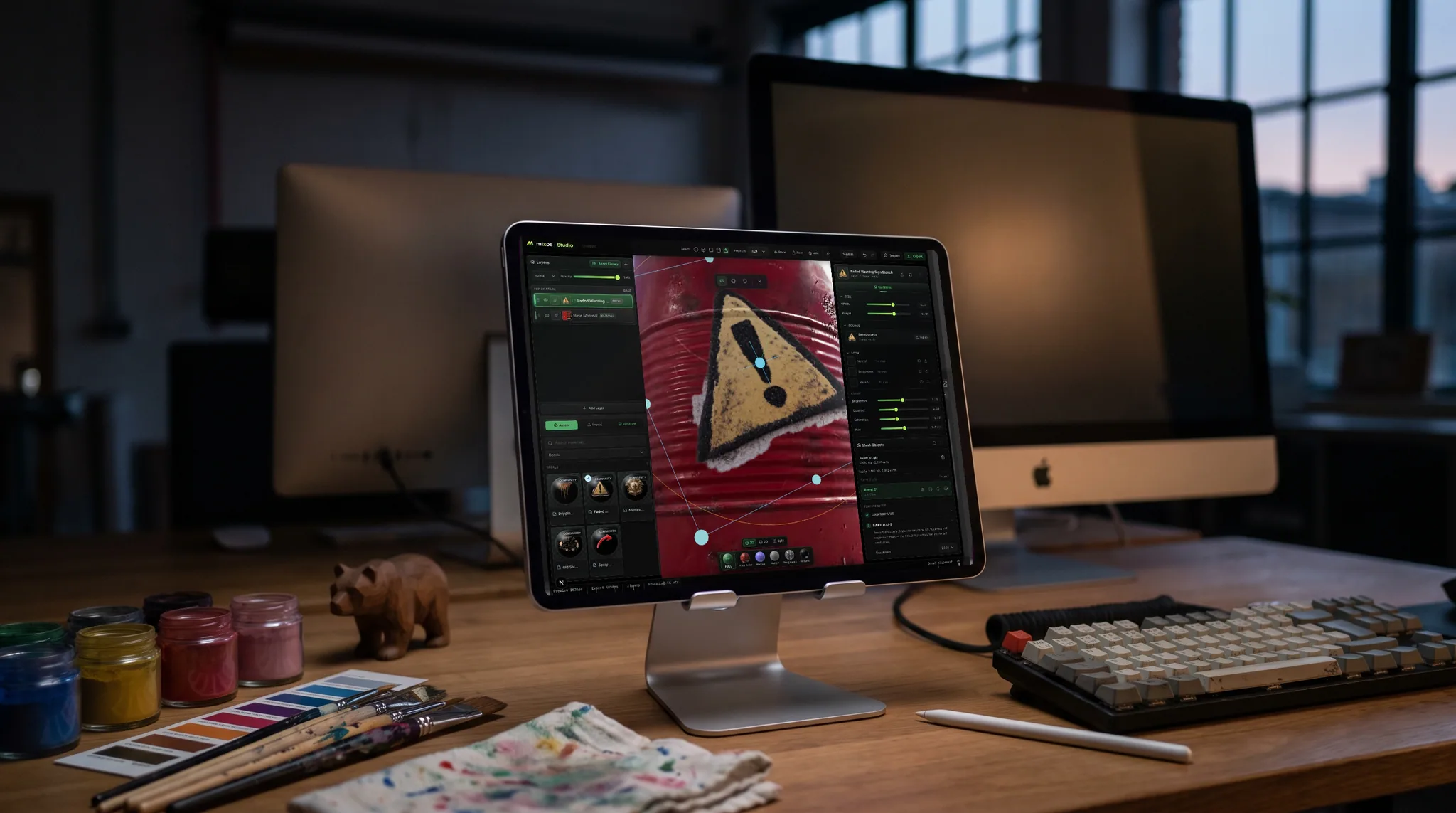
Brushes, alpha stamps, and cross-seam projection painting for both texture and masks.
Non-destructive layers and masks, plus mesh-map baking for AO, curvature, and grounded wear.
Skip compiling or installing anything — open a URL and paint on Mac, Windows, Linux, a Chromebook or an iPad.
A 2,600+ PBR material library and prompt-based generation come built in.
Why Mixos
ArmorPaint proved there's strong demand for a focused, paint-on-mesh PBR texturing tool. Mixos takes that same idea and removes the setup: instead of downloading or building a desktop app and configuring your GPU, you open a browser tab and start painting, with WebGPU driving a real-time PBR viewport.
The core workflow is all here — paint directly on the model, stack non-destructive layers, isolate with masks, bake AO and curvature from the mesh, and add procedural edge wear. On top of that, Mixos adds a 2,600+ material library and prompt-based generation for materials, masks, brushes, and decals.
Export standard PBR sets plus a .glb for any engine. It's free to author, upgrades unlock 4K watermark-free export and a cloud library, and it runs the same on every OS.
Same paint-on-mesh PBR workflow, but it runs in the browser with nothing to build or install, and adds a 2,600+ material library and AI generation.
No — Mixos is fully browser-based. Open the editor in a modern browser with WebGPU and start painting.
Yes — bake AO and curvature from your mesh and use them to drive grounded edge wear and grime.
Standard PBR map sets (base color, normal, roughness, metallic, height, AO, opacity) plus a .glb, up to 4K on paid plans.
Read next
The whole pass, from import to exported maps.
The maps a modern material is made of, and what each one does.
Why the same texture reads bigger on one model than another.
Drop the files in and see the material lit, in the browser.
No download, no setup, nothing to license. Auto-texture your first model and build real PBR materials in minutes.