Mixos Motion · Beta
Motion graphics, without the keyframes.
Drop in text, a logo, renders or video. Pick how each one moves, and Motion times the rest: captions, music, transitions and every social format from one comp.
What it does
Everything a short video needs, one click deep.
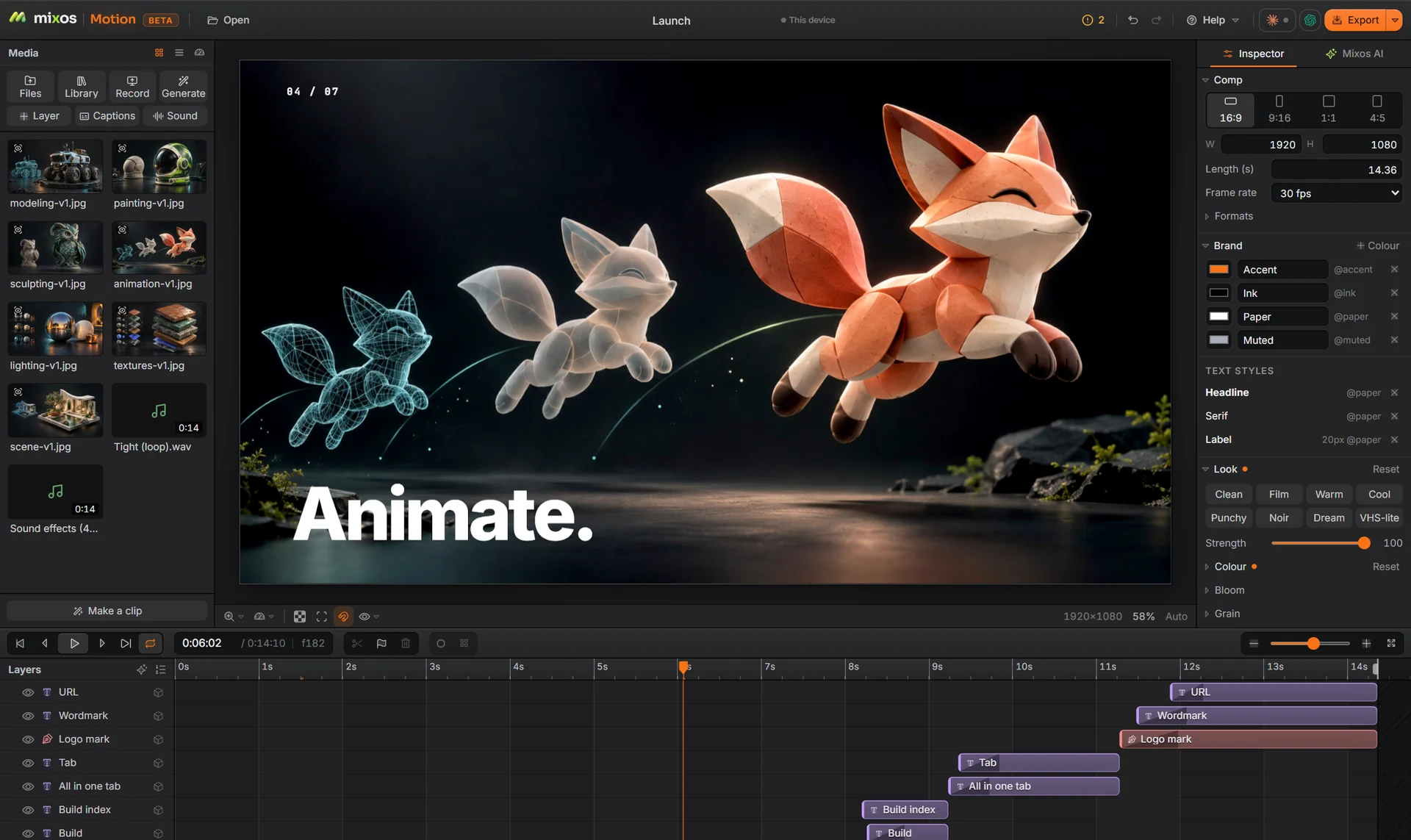
Behaviours, not keyframes
Fade, rise, pop, type on, wiggle, loop or drift, by line, word or letter, with a stagger. Keys, curves and a graph editor are there when you want them.
Make a clip
Hand Motion your pictures and a few words. It cuts them to the music, adds titles and an end card, and leaves every layer editable.
Every format from one comp
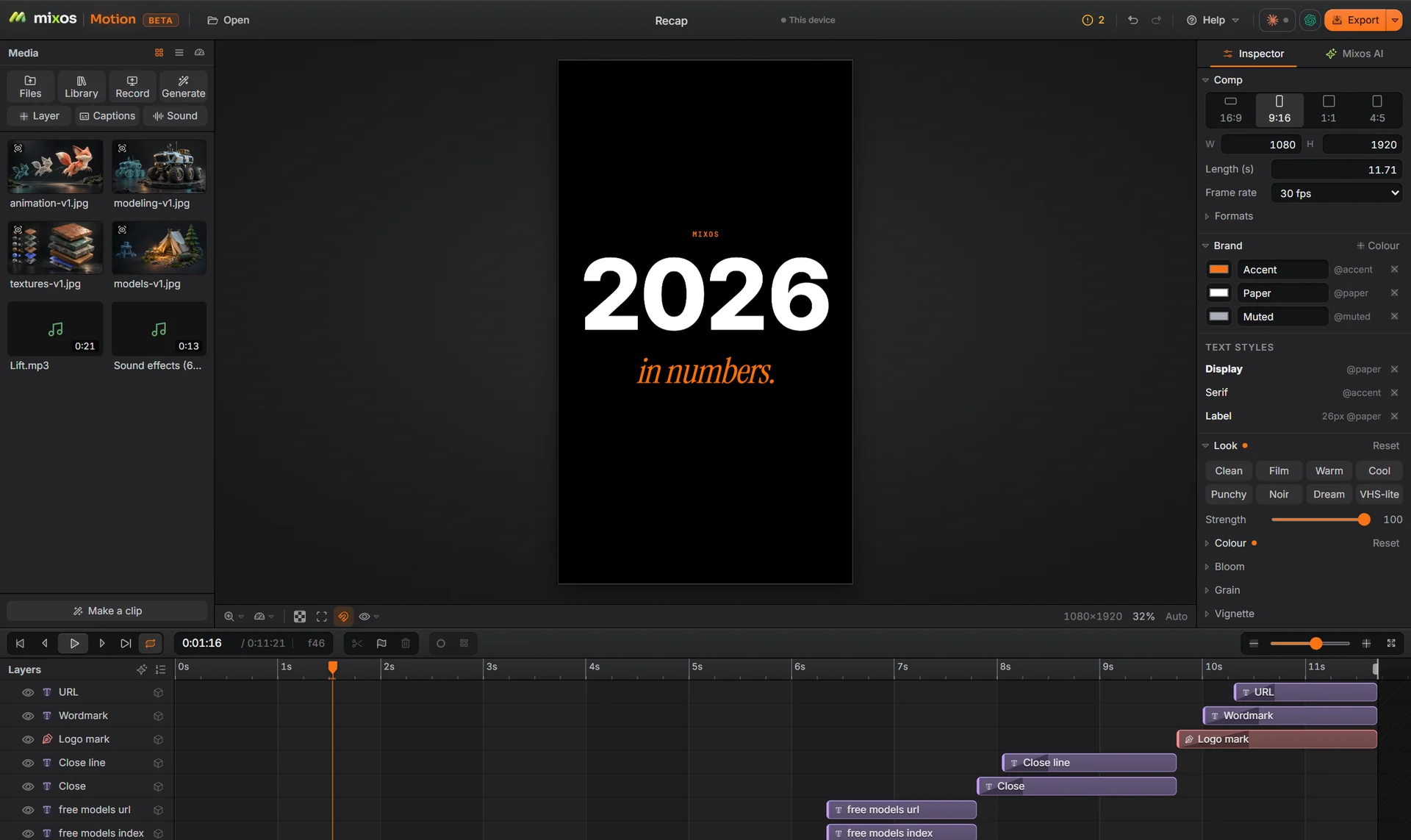
Switch between 16:9, 9:16, 1:1 and 4:5 and the layout follows: text, logos and pictures stay anchored where you put them.
Captions and voice
Captions from the sound track, a voice-over from your script, pauses and filler words cut. The speech models run on your device.
Sound that fits
A built-in music library, sound effects, beat markers and ducking, so the voice and the effects are never buried.
3D in the comp
Extruded 3D titles, 3D models as layers, and renders sent straight from Studio, lit and framed.
Cut-outs and tracking
Remove a background, put a title behind the subject, track and stabilise footage, follow a face.
Your brand everywhere
Brand colours and text styles live in the comp. Change one and every layer that uses it follows.
A checkup before you post
Motion flags text that is cut off, outside the safe zone, too fast to read or too low in contrast.
Templates
Start from a finished piece.
Each template builds every layer in your comp as one undo step. Swap the words, the picture and the brand colours; the timing stays.
A product sizzle: renders cut on the beat, one word each, then a clean end card.
A logo drawn in light: the mark traces itself, a flare blooms, the name slides out.
A year in numbers for socials: counters, a stat grid and a ticker sign-off.
How it works
From a blank comp to a posted clip.
- 1
Add what you have
Images, video, SVG logos, sound, 3D models, or a render from Studio. Big files stay linked, not copied.
- 2
Choose how it moves
Pick a behaviour for each layer, or let Make a clip time the whole sequence to the music.
- 3
Fit every format
Add the formats you post to. Each one re-lays the comp; adjust any of them on its own.
- 4
Check and export
Run the checkup, then export MP4, WebM, GIF, image sequences, Lottie or the sound alone.
Mixos AI inside
Describe the clip. Edit what comes back.
Mixos AI works in the same comp you do: ask for a product teaser, a lower third or captions in your brand, and every layer it makes is a normal layer you can move, retime or delete. It also connects to Claude and ChatGPT.
- Builds with the same tools as the buttons
- Every change is one undo step
- Contact sheets so it can see its own work
Part of the suite
Your 3D work, moving.
Render a scene in Studio and send it to Motion in one step. Saved comps live in the same library as your scenes, sculpts and materials.
Studio
Scene assembly, modeling & animationAssemble a shot: a real scene graph with parenting and transforms, polygon modeling on a half-edge core, and keyframe animation on a timeline — with an assistant that can drive all of it.
Paint
3D texture paintingImport a mesh and paint, layer, and mask production PBR materials right on it — then export clean map sets for any engine.
Mold
3D sculptingSculpt organic form directly on the GPU — subdivide, push, pull, and smooth clay with pressure brushes, then hand the mesh to Paint to texture.
Auto
AI auto-textureDescribe a look in one prompt and Auto textures your whole model — editable PBR maps and a textured GLB, projected onto the real geometry.
Floor plan
Draw a house, see it in 3DDraw walls and rooms in 2D and watch the house build in 3D beside them, with doors, windows and furniture, then walk through it or open it in Studio.
Logo
AI 3D logo designTurn a flat mark — yours or one described to an AI — into a stack of real extruded 3D layers, then give it metal, glass or neon, light it, and render a still or a turntable.
Questions
What is Mixos Motion?
A motion graphics and compositing app that runs in the browser. You animate text, logos, pictures, video and 3D with presets, then export a finished clip.
Do I need to know keyframes?
No. Behaviours and Make a clip cover most work without a single keyframe. Keyframes, easing curves and a graph editor are there for detailed timing.
Is it an After Effects alternative?
For short videos, social clips, titles, product teasers and explainers, yes. It is simpler on purpose: fewer panels, presets first, and the layout follows each format.
Is Motion free?
You can build and preview anything for free. Free exports are 540 px with a watermark; paid plans export full size without one.
What can I export?
MP4 (H.264 or HEVC), WebM, GIF, image sequences, Lottie for the web, and WAV or M4A for the sound alone.
Do I need to download anything?
No. Motion runs in Chrome or Edge on a desktop or laptop. The heavy work runs on your graphics card through WebGPU.
Where are my files kept?
Your comp is saved to your mixos library. On paid plans the media goes to your mixos cloud storage too; on free plans it stays on your device.
Why does it say Beta?
Motion is the newest app in mixos and is still changing quickly. Everything on this page works today; expect new tools and some rough edges.
Can it use my brand colours?
Yes. Set brand colours and text styles once in the comp, and every template and layer can use them.
Make something that moves.
Open Motion, drop in a picture and a line of text, and pick how they arrive.
Open Motion Plans and exports