Free 3D modeling software, online.
Studio is a whole 3D workspace in a browser tab: a real scene graph, polygon modeling, non-destructive modifiers, keyframe animation and a path-traced renderer — with an assistant that can drive all of it.
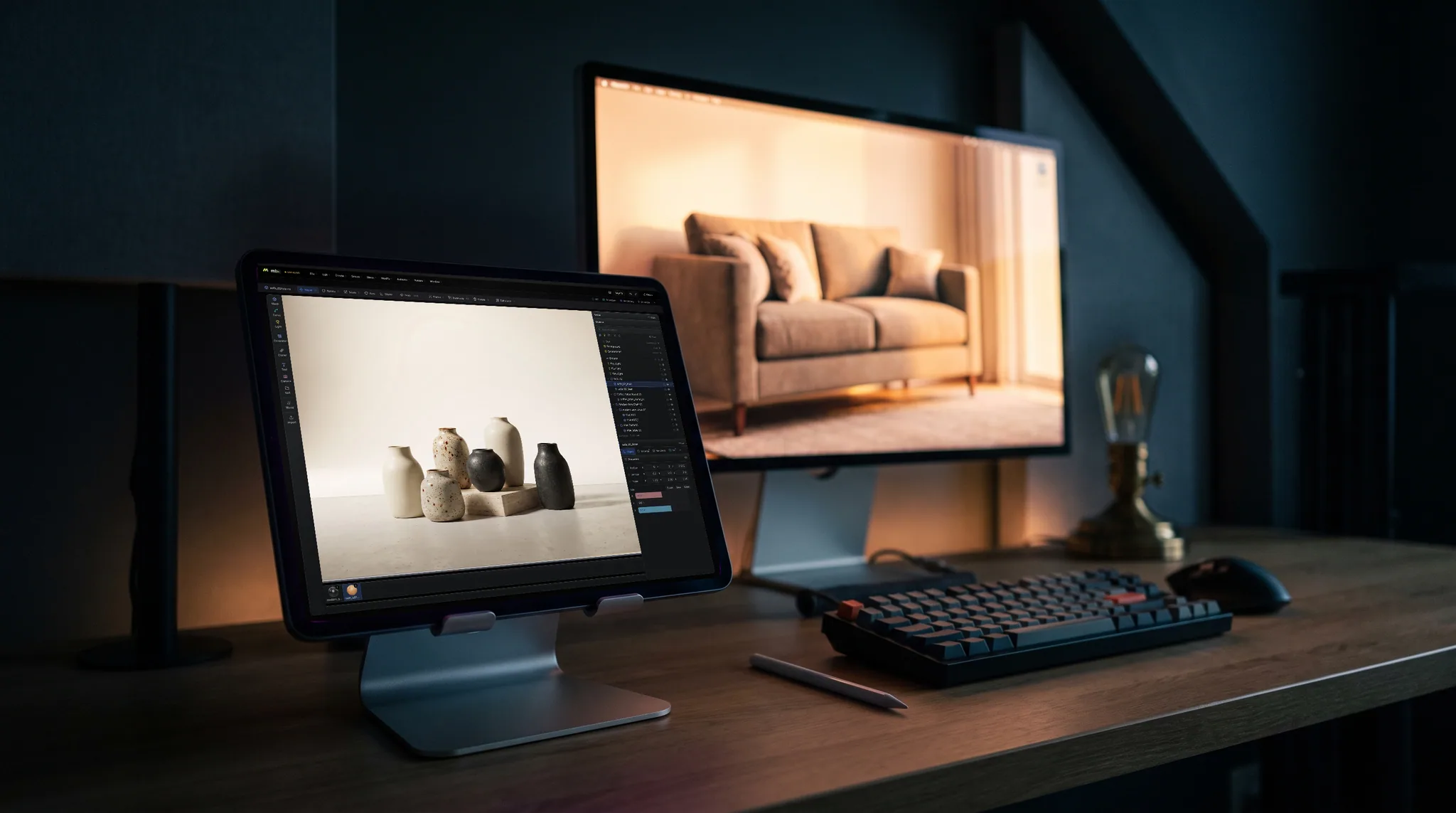
Free to use — model as much as you like. Exporting files needs a paid plan.
The toolset
A whole 3D workspace, in a tab.
Not a viewer and not a toy — the tools a scene actually needs, built on one command layer so everything undoes, repeats and can be driven by the assistant.
- 01
Start from anything
Drop in a GLB, glTF, FBX, OBJ or PLY and every part arrives as its own object with its hierarchy and names intact — or start from a primitive, a curve, or the CC0 model library built into the app.
Rigged and animated import
Drop in a rigged character — a Mixamo FBX, or any GLB carrying clips — and the skeleton decomposes into real outliner rows with its animation on the timeline. Bones take the same gizmo, curve editor and keyframes as anything else in the scene, because they are scene objects.
- 02
Model and arrange
Push the geometry around with the modeling verbs, stack modifiers on top, clone what repeats, and parent it all into a hierarchy that moves the way the shot needs it to.
A real scene graph
Parent objects into a hierarchy and transform them as one. Groups, nulls, lights and cameras all live in an outliner you can search, filter, reorder and drag — the same structure your imported file arrived with, names intact.
Polygon modeling
Extrude faces and regions, inset, bevel, loop cut, subdivide, bridge, poke, dissolve, boolean and merge — on a half-edge core that rebuilds and validates the mesh rather than mutating it behind your back.
Non-destructive modifiers
Twelve stackable kinds — subdivide, array, radial, mirror, solidify, twist, bend, taper, wave, noise, spherify and smooth. Reorder them, switch one off, or apply the stack down when you're sure.
Curves and generators
Draw a spline and let a generator make geometry out of it — extrude it into a profile, lathe it, sweep one curve along another, or loft between several. Edit the curve and the mesh follows.
Cloners and effectors
Make many of something without minting hundreds of objects. A cloner keeps the arrangement parametric, and an effector's own transform is its falloff — so changing your mind stays a slider, not a rebuild.
- 03
Light, key and frame
Add lamps and an environment, compose through a camera, then key what moves on the timeline. The viewport shows the real materials while you work, not a stand-in.
Keyframe animation
Key transforms, materials and parameters on a timeline, retime them in the dopesheet, and shape the in-betweens in the curve editor. Drivers link one value to another when a key would be the wrong tool.
Cameras you can compose through
Real cameras with focal length, sensor, lens shift and an aim target. Look through one to frame the shot, switch to a parallel projection for an orthographic view, and lay frame guides over the composition.
Materials, lights and a world
PBR materials — authored by hand or as a node graph — shared across objects, lit by point, spot, directional and rectangular or disc area lamps, real IES photometric profiles, or any mesh turned into an emitter. The HDRI environment and background are rows in the outliner, not settings buried in a dialog.
- 04
Render or hand it on
Path-trace a still or a frame sequence in the same app, export GLB, glTF or USDZ, publish a web-ready three.js or React build — or send the model to Paint to texture and Mold to sculpt.
A physically-based renderer
The viewport path-traces the scene exactly as assembled — your lamps, your materials, your world — with real soft shadows, bounced light and volumetric fog, then re-accumulates a still at full output resolution. A denoiser cleans up the remaining noise, so a usable frame arrives long before the sample count finishes.
From scene to shot
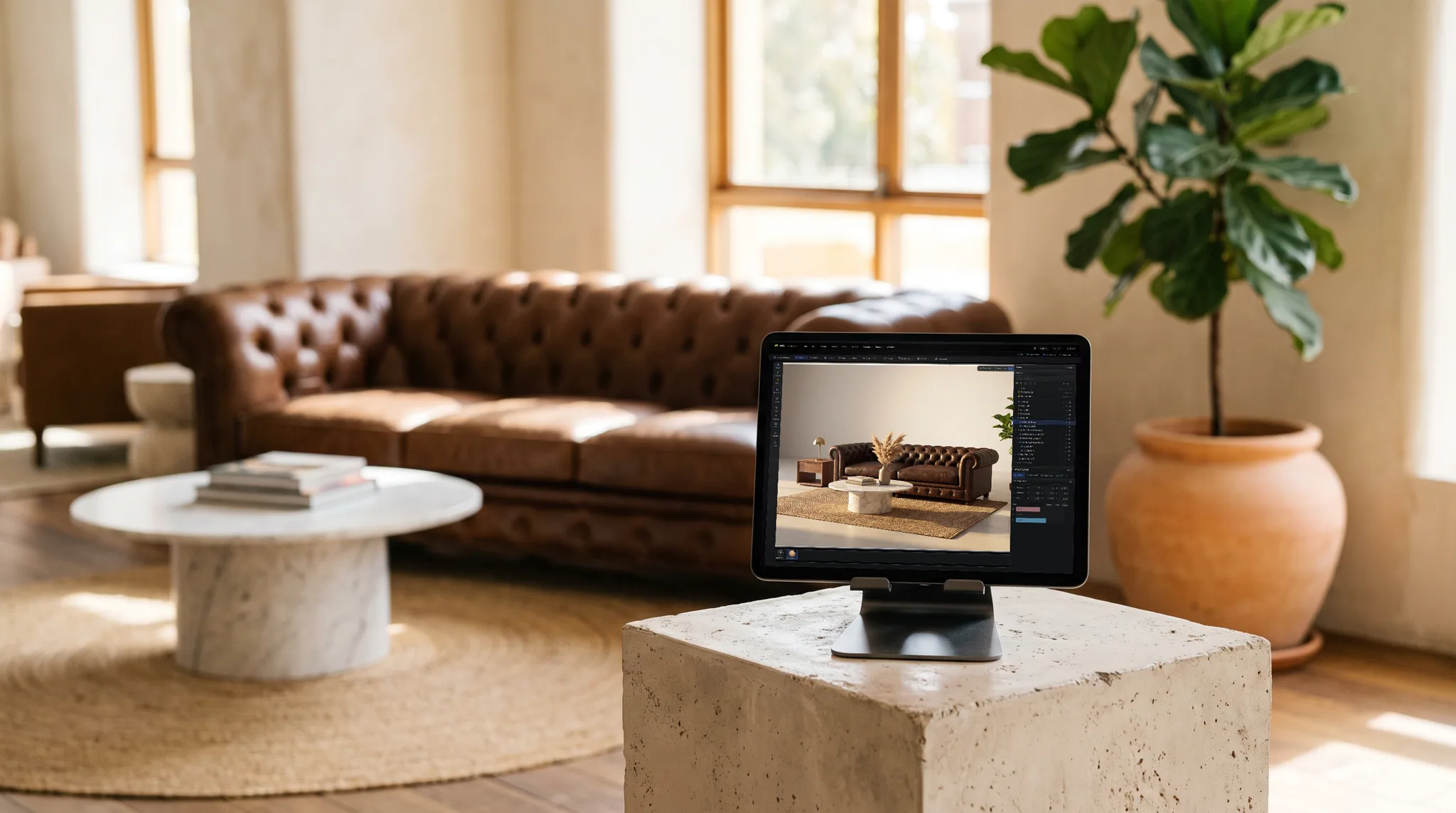
Build the room before it exists
Block out the space, drop in real materials, light it and let the path tracer settle. What comes out is a photograph of something you have not built yet — which is the whole point of doing it in 3D first.
- Real PBR materials from the built-in library
- Physically-based lights and a progressive path tracer
- Export the frame, or the model, when it looks right
AI image generation
Finish the frame you already framed.
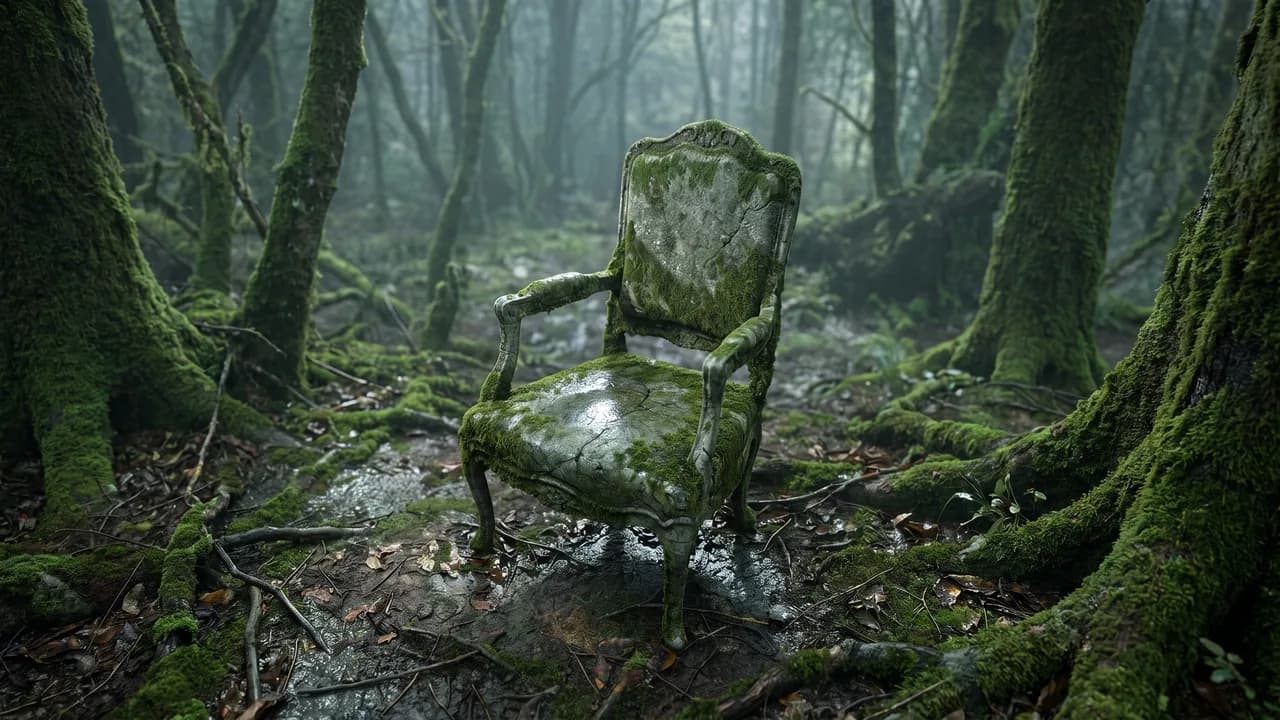
Generate runs on the frame inside your guides — the same pixels, at the same size and position you composed them. Describe the picture you want, then choose how literally the geometry underneath is held. 4 credits an image.
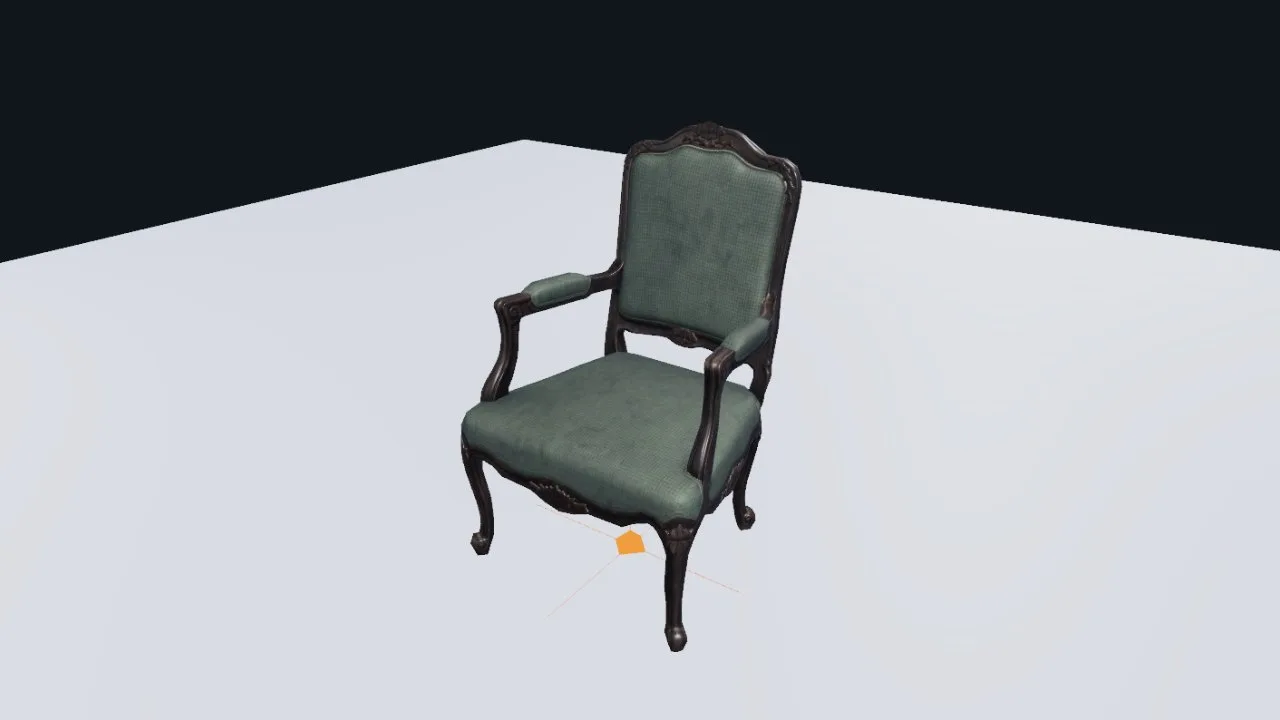
Your viewport
The frame Studio sends: the shot inside your guides, with the grid, gizmos and selection marks taken out. Nothing is staged for the camera.
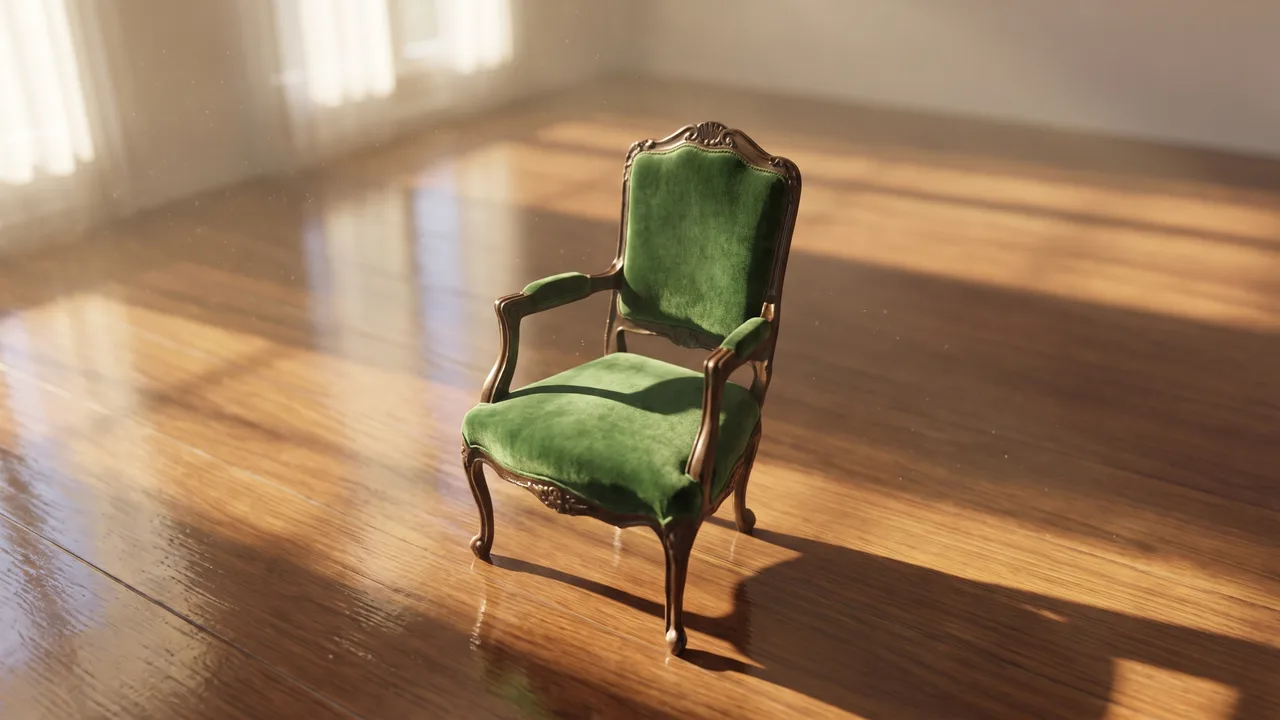
Exact
The chair comes back the same size, in the same place in frame. What changes is the rendering — real materials, real light, real shadow.
Reimagine
Same camera, same massing — but the blocking is treated as a placeholder, so the form itself is redrawn as whatever you described.
Both results run on the frame shown first, from the same camera. Unretouched captures.
The whole pipeline
The rest of the suite works on the same model.
Studio is where the shot gets assembled — sculpt it, unwrap it and texture it without leaving the tab. A mesh sculpted in Mold arrives here with its detail intact.
The handoff is a menu, not an export dance — the model goes across and comes back changed.
Wherever you work
The whole thing is a browser tab
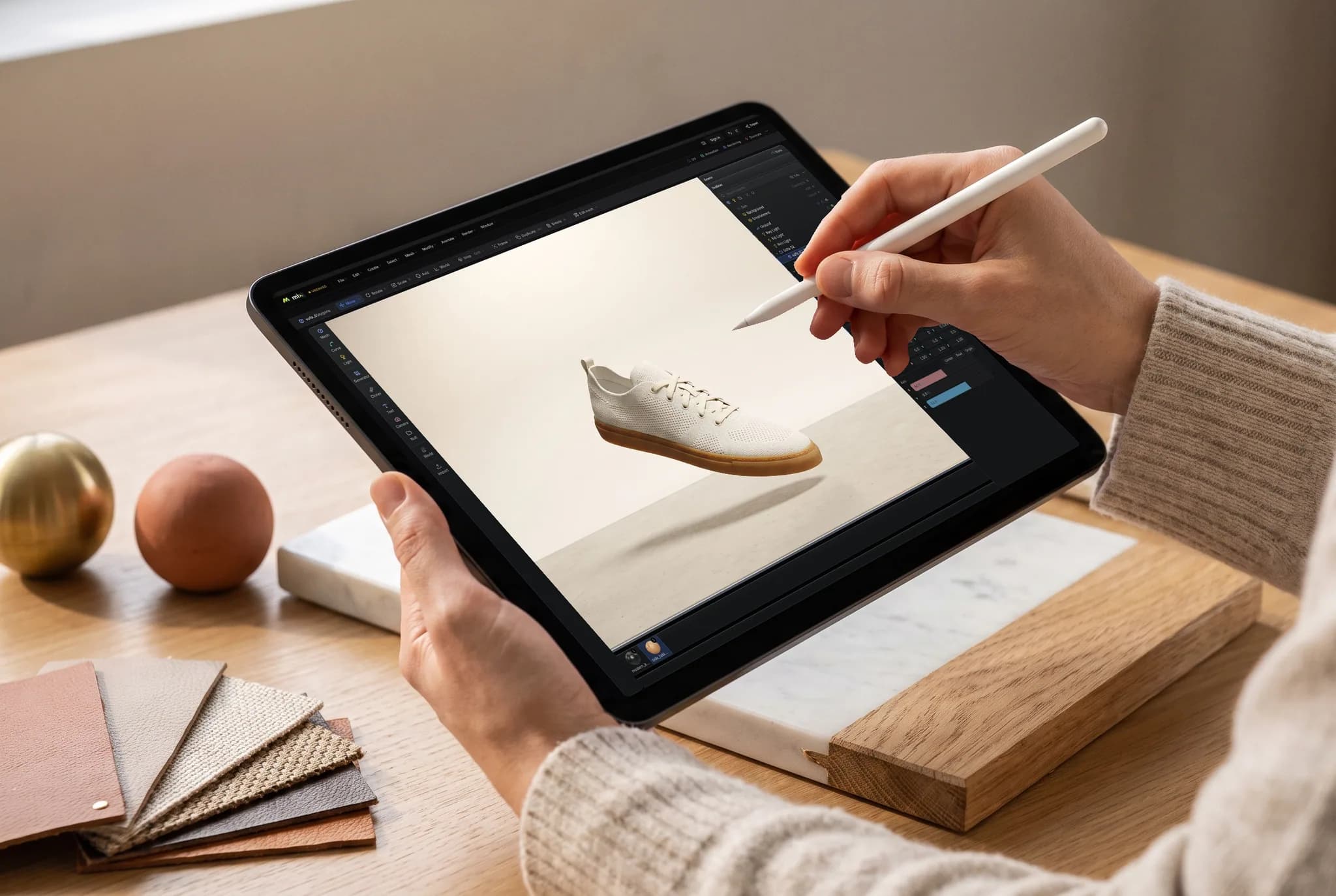
Studio opens on a laptop at a desk, an iPad on the sofa, or a machine in a lab you do not own. Same scene graph, same modifiers, same path tracer — nothing to install and no license to carry around.
- No download, no install, no plugins
- Projects follow your account, not the machine
- Pick a scene back up on whichever screen is nearest
Any device
Model on the machine you already have.
Studio's engine is the browser's, so there is no build to pick, no installer to run and no minimum spec beyond a browser that provides WebGPU.
Mac, Windows, Linux
Chrome, Edge, Firefox or Brave, plus Safari 26+. The desk layout docks a create rail, a library column and an inspector around the viewport.
iPad
A touch shell: full-bleed viewport with the context bar and a Create / Objects / Props / Library / View dock, each tab opening the same panels the columns hold.
Android & phones
One finger orbits, two dolly and pan. The same scene, the same engine — no separate build to install and nothing to sideload.
Chromebook
Modeling on hardware that can't run a desktop DCC at all, as long as ChromeOS provides WebGPU.
On iPhone and iPad, there's an app now.
Studio ships inside the free Mixos app, with a touch and Apple Pencil layout — and the browser still needs nothing installed. iOS 26 or later.
Common questions
What is Mixos Studio?
Studio is a 3D workspace that runs in your browser — the place you assemble a whole shot rather than one asset. It has a real scene graph with parenting and transforms, polygon modeling on a half-edge core, a non-destructive modifier stack, curves with generators, cloners, keyframe animation on a timeline, PBR materials, cameras and lights, and a path-traced renderer. It is part of the Mixos suite, so a model can move between Studio, Mold (sculpting) and Paint (texturing) without leaving the tab.
Is Studio free?
Yes. Modeling, assembling, animating, rendering to the viewport and saving your scenes are free on every account, with no time limit and no watermark on your work. Studio can also save a 512px watermarked render preview for free. Taking production files out — a model, scene file, web build, or clean full-resolution render — requires Pro, Max, Team, or a perpetual licence.
What do I need to run it?
A browser with WebGPU — current Chrome, Edge, Firefox or Brave on Mac, Windows or Linux, or Safari 26+. There is nothing to download, no installer, and no plugin. Studio also runs on iPad, Android tablets and phones with a touch layout, and on Chromebooks whose ChromeOS provides WebGPU. If your browser can't provide WebGPU, Studio says so on arrival rather than failing halfway through your work.
Is this a free Blender alternative?
For a lot of work, yes — scene assembly, polygon modeling, modifiers, curves and generators, cloners, keyframe animation, materials, lights, cameras and path-traced rendering are all here, with nothing to install and a scene that opens on any machine you sign in to. Blender still goes deeper on simulation, sculpting at extreme densities, video editing and the long tail of a twenty-year toolset. Studio trades that depth for zero setup, a browser that already runs on the machine you have, and an assistant that can drive the app for you.
Can I import my own models?
Yes — GLB, glTF, FBX, OBJ and PLY. Every part arrives as its own scene object with the file's hierarchy and names preserved, and embedded textures come across with it and are stored with the scene. There are size and triangle ceilings; a file over them is refused outright rather than half-imported, because a partly-loaded scene is worse than none.
What can Studio export?
With Pro, Max, Team, or a perpetual licence, Studio exports models as GLB, glTF zip, or USDZ; renders as PNG stills or numbered frame sequences; and whole scenes as a self-contained HTML page, CMS embed, react-three-fiber component, or vanilla three.js module. Free accounts can save a 512px watermarked render preview, but production export is paid.
Can I animate in the browser?
Yes. Key transforms and parameters on a timeline, retime them in the dopesheet, and shape the interpolation in the curve editor with real tangents. Clips keep separate takes apart, and drivers link one value to another for the relationships a keyframe can't express. Finished animation exports inside a GLB, or renders out as a path-traced frame sequence.
Does it render properly, or just preview?
Both, and they are the same renderer. The viewport can path-trace the scene exactly as assembled — your lamps, your materials, the world environment, through the camera you composed with — and a still re-accumulates from scratch at full output resolution and sample count. That takes real time (tens of seconds to several minutes), which is the honest cost of a physically-based image. A rasterized viewport render is there too when you want a full-resolution frame in under a second.
Can I do 3D modeling on a Chromebook or an iPad?
Yes, on any device whose browser provides WebGPU. Chromebooks run Studio's desk layout; iPads, Android tablets and phones get a touch shell where the viewport goes full-bleed and the panels become slide-up sheets from a bottom dock — one finger orbits, two dolly and pan. It is the same engine and the same scene, so one started on a tablet opens on a desktop exactly as you left it.
Where are my scenes saved?
In your Mixos library, in the cloud — not in one machine's Downloads folder. Studio autosaves as you work, so a scene you started on one device is listed and openable on another, and you can always save an explicit version or a copy. A free account is what gives you the library.
How does Studio fit with the other Mixos apps?
Studio is where a shot gets assembled. Mold sculpts organic form and hands the mesh on; Paint textures the model with layered PBR materials; Blend mixes tileable surfaces and Auto textures a whole model from a prompt. Unwrapping and path-traced rendering happen inside Studio itself. A model moves between the apps in both directions without losing its texture, out of one shared library.
What is the assistant?
Studio is built on a command layer: every operation — toolbar, menu, keyboard shortcut, outliner drag — runs through one definition. The built-in assistant calls those same commands, so asking it to add objects, arrange, light, model or animate runs the identical code path your own clicks do. It reports the real result afterwards, including when the app clamped or refused something, rather than claiming it did what you asked.
Start building a scene
Studio opens on a WebGPU-capable browser with nothing to install. Drop in a model, or start from a cube.