Start from simple 3D shapes
Add a cube, sphere, cylinder, cone or torus in Studio, then move, scale and rotate it and combine shapes into a scene. When shapes are not enough, the same app does real polygon modeling.
Paint 3D online
Microsoft removed Paint 3D from the Microsoft Store in November 2024. Mixos covers the same jobs in your browser: build scenes from 3D shapes and text in Studio, paint colour and materials straight onto a model in Paint, and turn a name or a logo into 3D in Logo. Making and saving are free with a free account; downloading finished files needs a paid plan.
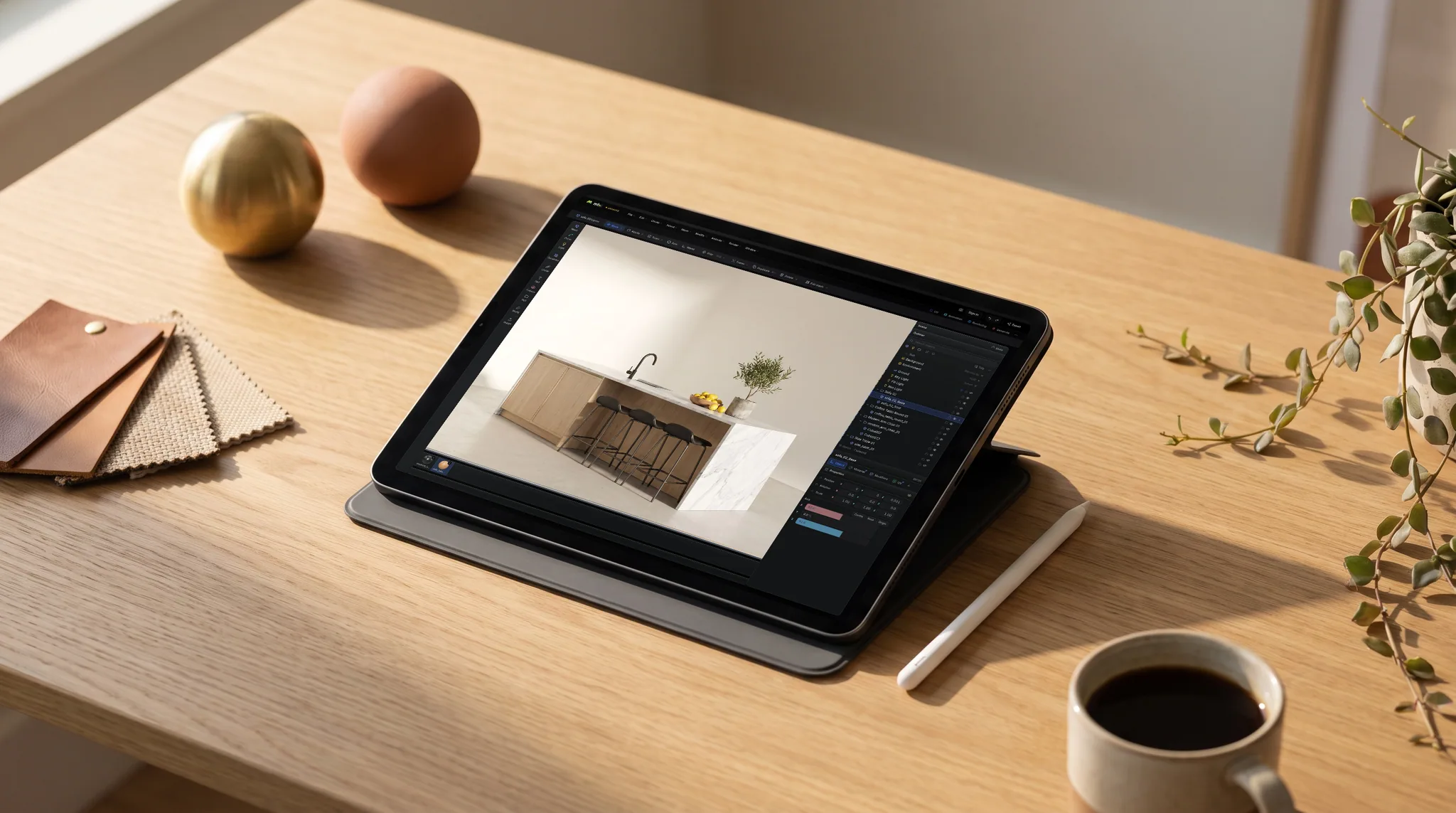
Add a cube, sphere, cylinder, cone or torus in Studio, then move, scale and rotate it and combine shapes into a scene. When shapes are not enough, the same app does real polygon modeling.
Brush colour onto the surface of a 3D model in Paint, stack layers, and place logos and stencils on it as decals. Every stroke lands on the mesh, not on a flat sheet.
Type a name in Logo and it becomes raised 3D lettering you can finish in gloss, metal, glass or gold — or bring an SVG logo. Studio has editable 3D text objects too.
Paint 3D was a Windows app. Mixos opens in a WebGPU browser on Windows, Mac, Linux, a Chromebook or an iPad, and your work is saved to your account, so it follows you between them.
Feature by feature
What changes when you move from Paint 3D to a browser. A check marks the tool with the edge on each row — including the rows Paint 3D wins.
| Feature | Mixos | Paint 3D |
|---|---|---|
| Runs on | A WebGPU browser on Windows, Mac, Linux, Chromebook or iPad | Windows 10 and Windows 11 |
| Availability | Opens from a URL, always the current version | Removed from the Microsoft Store in November 2024 |
| Price | Free account to make and save; downloading files needs a paid plan | Free |
| Learning curve | More tools, so more to learn | Built for beginners, with very few controls |
| Simple 3D shapes | Cube, sphere, cylinder, cone, torus and more in Studio | Built-in 3D shape library |
| Painting on a model | Brushes, layers, masks and decals in Paint | Brushes and stickers |
| Materials | 2,600+ PBR materials — wood, metal, stone, fabric and more | A few finishes, such as matte, gloss and metal |
| 3D text | 3D lettering in Logo, editable 3D text in Studio | 3D text tool |
| Modeling beyond shapes | Extrude, bevel, loop cut, booleans and modifiers | 3D doodle tool for freehand shapes |
| Works offline | In the desktop app; the browser needs a connection | Yes, as an installed app |
Paint 3D details reflect Microsoft's public information as of October 2026.
Why Mixos
Paint 3D came with Windows 10 as a friendly way to make simple 3D objects: pick a shape, paint it, add stickers and 3D text. Microsoft deprecated it and removed it from the Microsoft Store in November 2024, so it can no longer be downloaded from Microsoft. What people used it for has not gone away — a low-effort way to make something in 3D and give it colour — which is why so many people now look for Paint 3D online.
Mixos is not a copy of Paint 3D and does not open its project files. It is a set of creative apps that run in a browser tab and cover the same jobs: Studio for arranging 3D shapes, text, lights and a camera into a scene; Paint for brushing colour, layers and real materials such as wood, metal and fabric onto a model; and Logo for turning a name or a logo into a 3D mark. A model built in Studio can be sent to Paint to be coloured, and back.
It asks a little more of you than Paint 3D did. There are more controls, and the 3D viewport needs a browser with WebGPU — current Chrome, Edge or Firefox, or Safari 26 and later. In return it runs on Windows, Mac, Linux, Chromebooks and iPads rather than as one Windows app, and your work is saved to your account, so it opens on whichever machine you sign in from.
Making, painting and saving are free on a free account, with no time limit and no watermark on your work. Downloading finished files — a 3D model, full-resolution texture maps or a clean render — requires Pro, Max, Team or a perpetual licence. Studio can save a 512px watermarked render preview for free, which is enough to share a quick picture of what you made.
Not from Microsoft. Paint 3D was deprecated and removed from the Microsoft Store in November 2024. Mixos is a separate product, not a version of Paint 3D, and it runs in a browser tab, so there is nothing to download.
Microsoft did not make a browser version of Paint 3D. Mixos is the closest thing to Paint 3D online: make 3D shapes and text, paint colours and materials onto models and turn them around in a real-time 3D viewport, all in a browser tab.
Making, painting and saving are free on a free account, with no time limit. Unlike Paint 3D, downloading finished files is not free: exporting a 3D model, full-resolution texture maps or a clean render needs Pro, Max, Team or a perpetual licence. Studio can save a 512px watermarked render preview for free.
Yes, a free one. Every Mixos app asks you to sign in before it opens, so your work can be saved to your account and opened from any machine.
If you exported a model from Paint 3D as a GLB file, yes — Studio and Paint both import GLB, as well as glTF, FBX and OBJ. Paint 3D's own project files cannot be opened.
A browser with WebGPU: current Chrome, Edge or Firefox on Windows, Mac, Linux or ChromeOS, or Safari 26 or later on a Mac or iPad. No dedicated graphics card is required, and there is nothing to install.
A little. Paint 3D was designed to have as few controls as possible; the Mixos apps are fuller tools with more options. Starting is still simple: add a shape in Studio, give it a colour or a material, and turn the camera around it. The Learn pages have step-by-step guides when you want to go further.
Read next
Vertices, edges and faces — the box-modelling fundamentals.
Which of the two approaches fits the thing you're making.
Which format keeps materials and which throws them away.
Why the same texture reads bigger on one model than another.
Keep exploring

Add a shape, paint it, turn it around. No install — a free account and you are in.