PNG or GeoTIFF
Grayscale images from World Machine, Gaea, Unreal or Photoshop work, and so do single-band GeoTIFF elevation models and ESRI ASCII grids (.asc) from national mapping agencies.
Heightmap to 3D
Drop a grayscale PNG from a terrain tool, a game engine or a sculpt, or a single-band GeoTIFF or ESRI ASCII grid from a survey, and Studio turns it into a terrain mesh. Set the size and height, then render it, print it or export it.
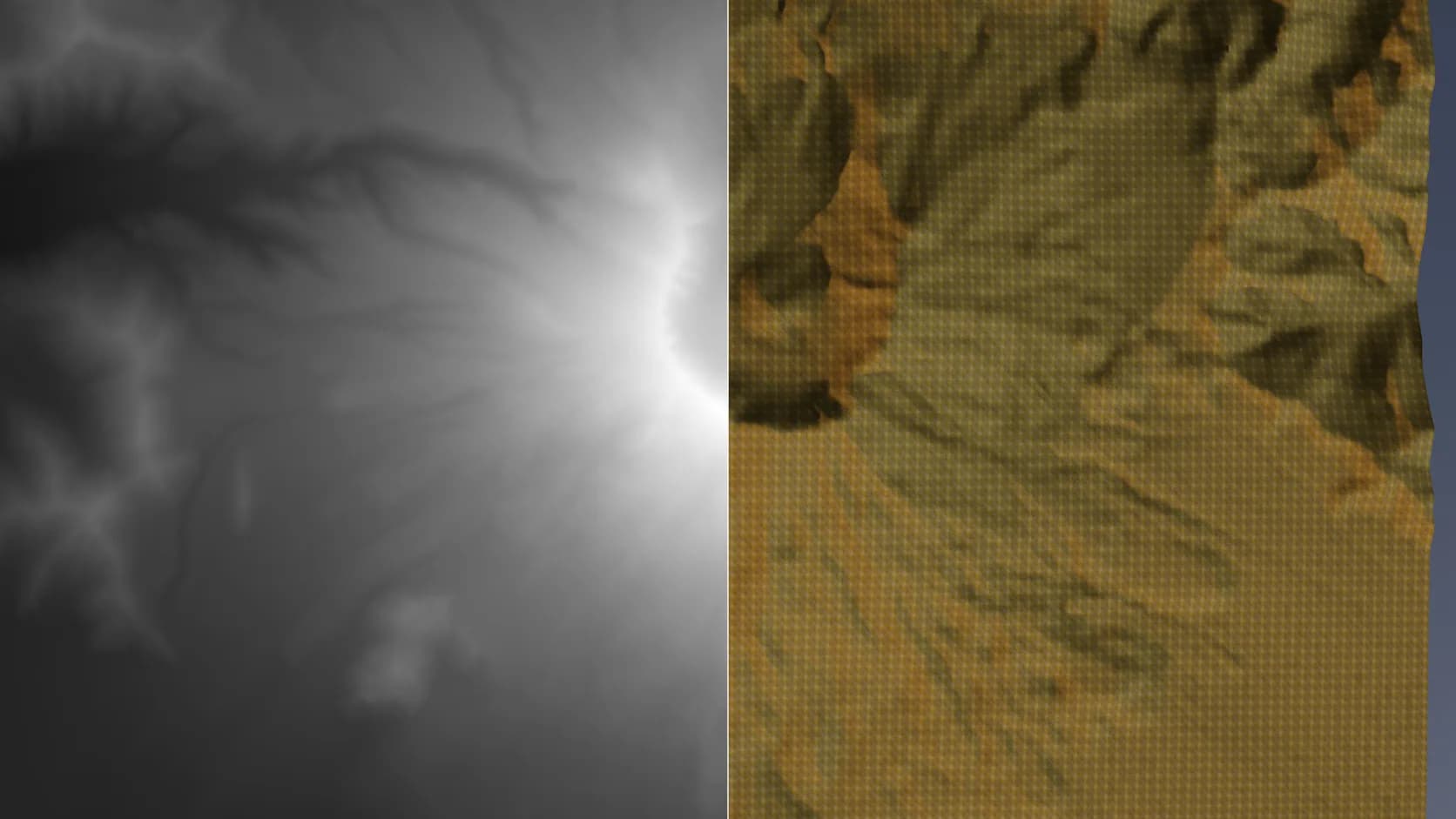
Grayscale images from World Machine, Gaea, Unreal or Photoshop work, and so do single-band GeoTIFF elevation models and ESRI ASCII grids (.asc) from national mapping agencies.
Set the width in metres and the height range, or let a GeoTIFF's own values set it, so the mesh comes out at the scale it represents.
The terrain is a normal Studio object: add modifiers, paint materials, light it with the sun study and render.
Export GLB, OBJ, FBX or STL on a paid plan, or close it into a printable solid first.
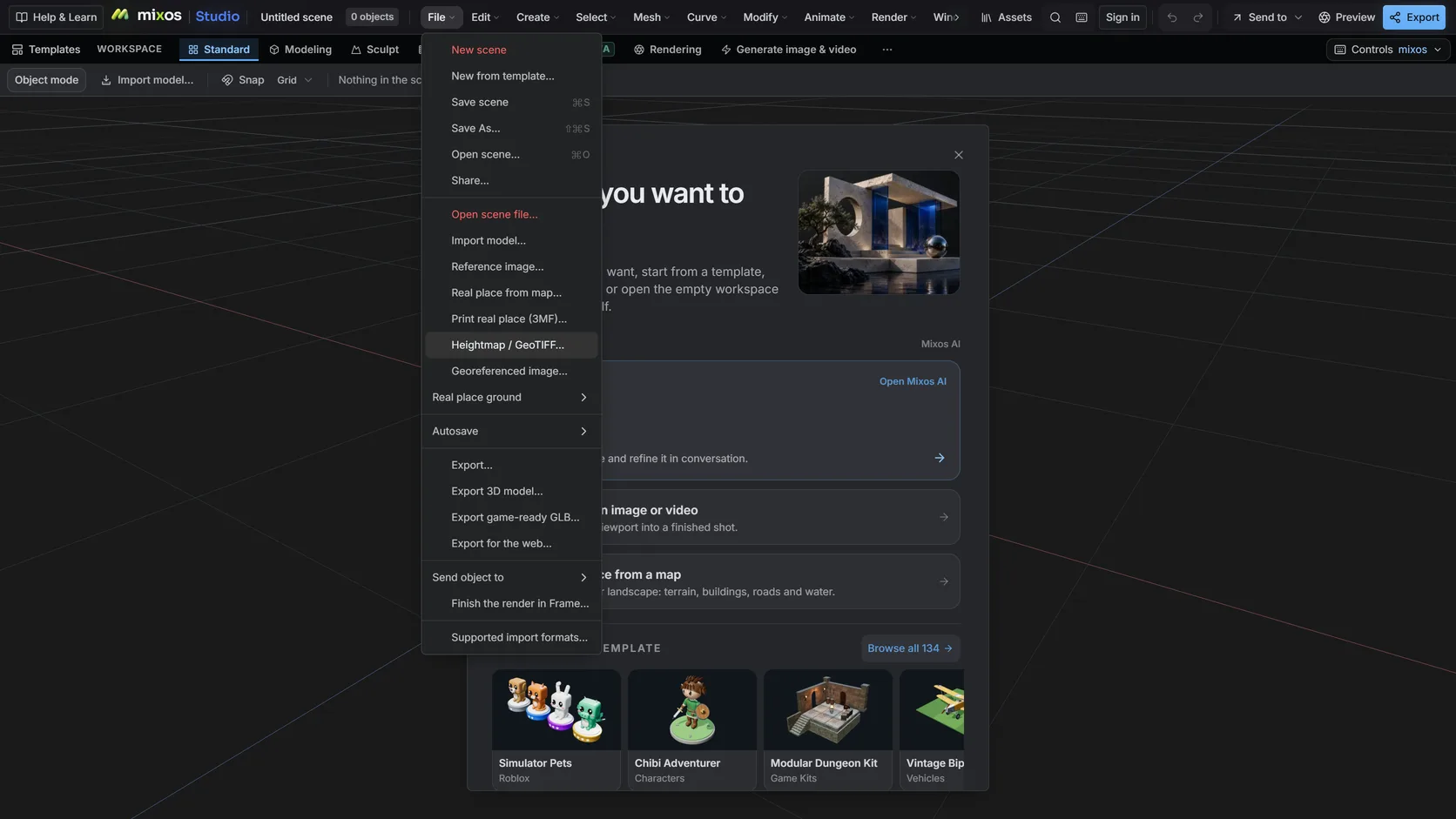
Choose File ▸ Heightmap / GeoTIFF… and pick an 8- or 16-bit grayscale PNG, a single-band GeoTIFF or an ESRI ASCII grid; a GeoTIFF or a grid brings its own size. Ask mixos AI to set the width and the height range.
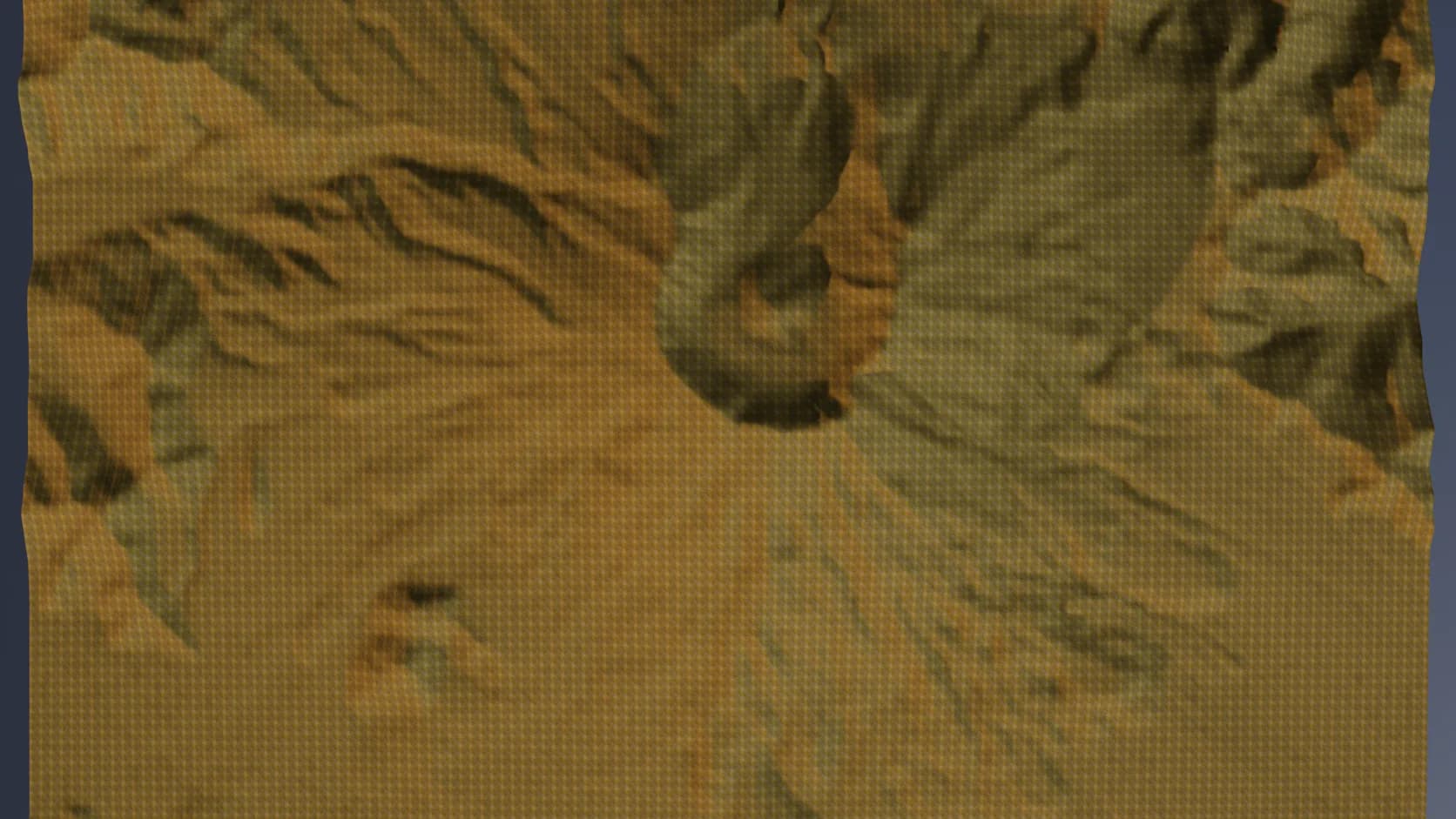
The result is a mesh, not a GPU displacement, so it exports, prints and takes modelling operations.
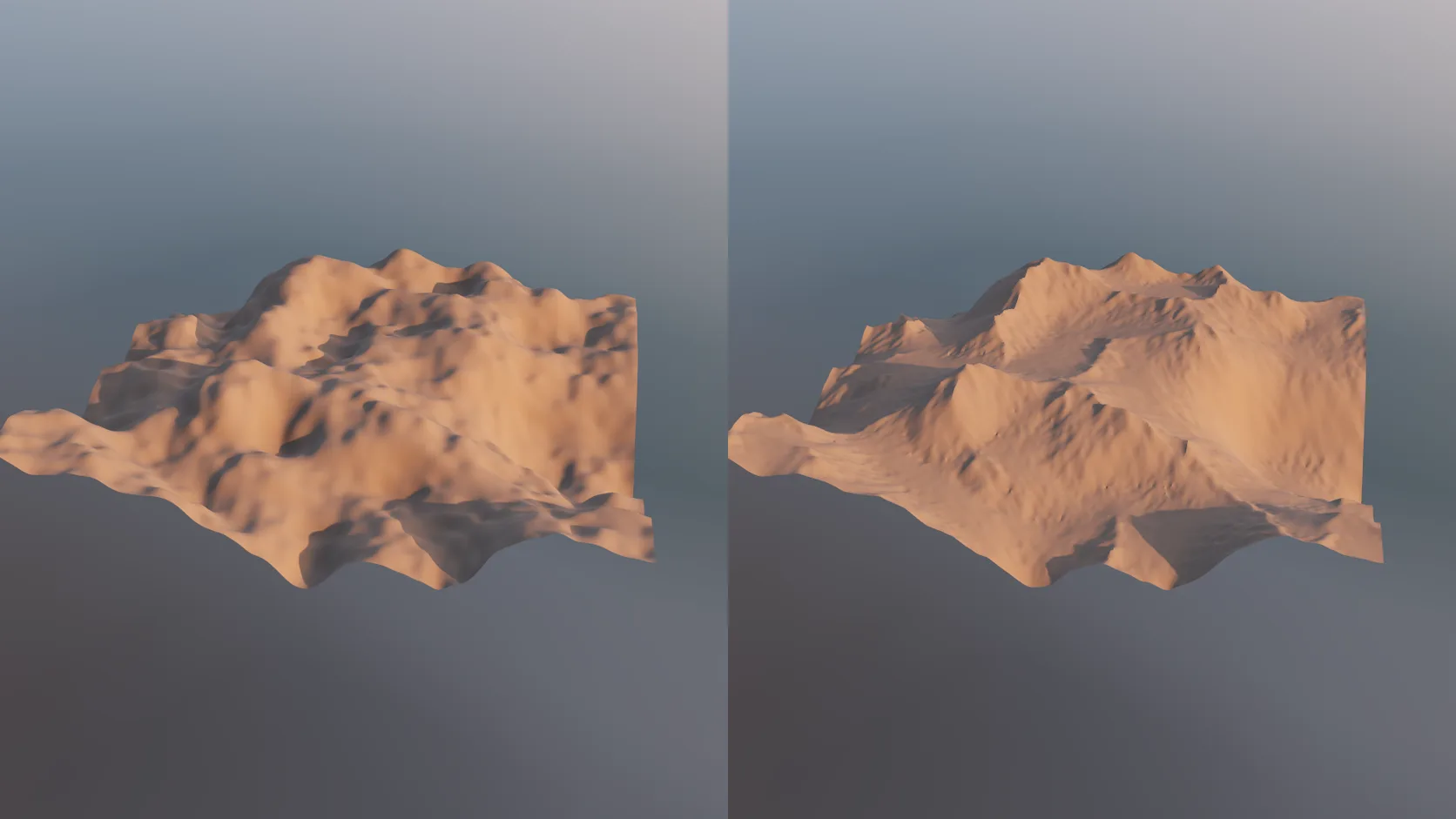
Real elevation is smooth at 30 m, and noise looks invented. An erode stage carves gullies, ridges and sediment fans into any terrain mesh — non-destructively, on the GPU, so you can dial it back.
Why Mixos
A heightmap is an image where brightness means height. Game and VFX terrain tools export them as 8-bit or 16-bit grayscale PNGs; survey agencies publish elevation models as GeoTIFFs, where each pixel holds a height in metres. Both describe the same thing, and both need turning into geometry before most 3D tools can use them.
Studio's heightmap import reads either. A PNG's brightness is mapped between the minimum and maximum heights you set; a GeoTIFF's values are already heights, so the mesh comes out at true scale. The grid is built as real geometry, not as a material displacement that only exists on the GPU, so it exports, prints and accepts modelling operations like any other mesh.
Resolution is a choice. A 4K heightmap is sixteen million samples, more than a browser scene needs for most shots; resample down for layout and lighting, then keep a denser version for the final render or print. Sixteen-bit sources give smooth slopes; 8-bit images can show visible terracing on gentle gradients.
If you do not have a heightmap at all, start from the real world instead: the Real place import builds terrain for any area from open global elevation data.
Import the PNG or GeoTIFF into Studio from File ▸ Import, set the width and height range, and it becomes a terrain mesh. Importing and editing are free; exporting the mesh is the paid step.
Yes. Sixteen-bit grayscale PNGs keep smooth slopes; 8-bit images work too but can show terracing on gentle gradients.
Single-band GeoTIFF elevation models are supported, and their pixel values are used as heights in metres. Multi-band imagery GeoTIFFs are not heightmaps and are not read as one.
Yes. ASCII grids in geographic or projected coordinates are read with their NODATA value and cell registration, and the values are used as heights in metres.
Yes. Close the terrain into a solid with a base, then export STL or 3MF on a paid plan.
Read next
Which format keeps materials and which throws them away.
Open the file in the browser — meshes, materials, triangle count.
Watertight remesh, thickened walls, and the checks that stop a bad print.
Key, retime and ease a move, step by step.
Keep exploring
3D terrain generator
3D printed topographic map
LiDAR to 3D
Aerialod alternative
Online 3D modeling