Touch- and Pencil-first
Paint straight on the mesh with a finger or Apple Pencil while the panels reflow into slide-up sheets. A soft nudge notes it runs best on desktop, then gets out of your way.
3D texturing on iPad
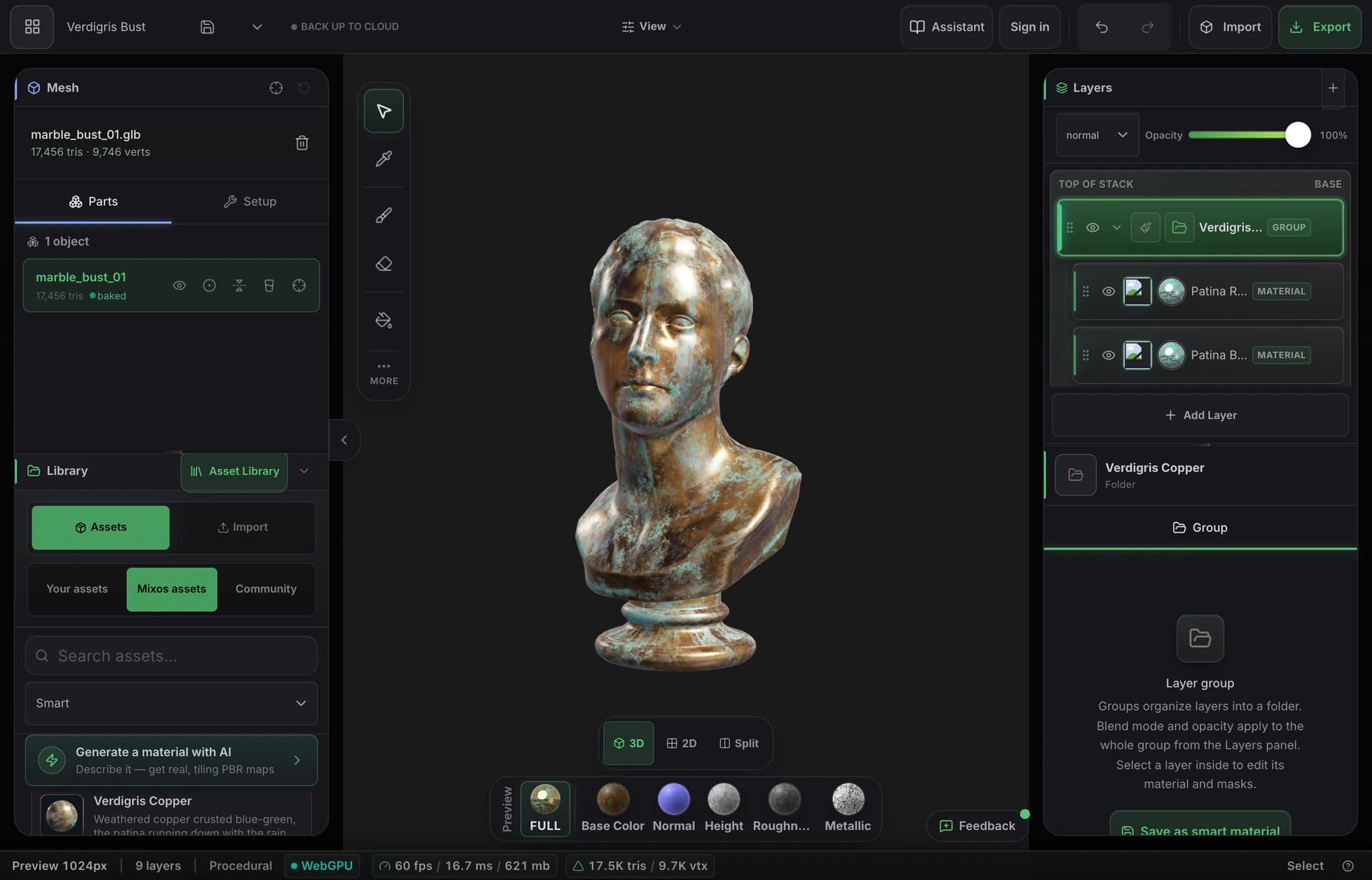
The whole Mixos texture painter runs on iPad — install the free app from the App Store, or just open Safari and start. Paint PBR materials on your model with a finger or Apple Pencil, stack layers, mask with edge wear, and export the same render-ready maps you'd get on a workstation. Both routes sign into the same account; the browser is the one that exports.
Paint straight on the mesh with a finger or Apple Pencil while the panels reflow into slide-up sheets. A soft nudge notes it runs best on desktop, then gets out of your way.
There's a free app on the App Store, and the identical editor runs in Safari with nothing to install. One account covers both, and neither is a cut-down iPad build kept in sync with a desktop one — it's the same editor either way.
Export base color, normal, roughness, metallic, height, AO and a .glb — engine-ready map sets for Blender, Unreal and Unity, not only an AR file.
Start on your iPad on the couch, pick it up on your laptop later — cloud projects mean the file isn't stranded on one tablet, and one account covers both.
Why Mixos
Serious 3D texturing has always meant a workstation — a big install, a GPU, and a desk. Mixos changes the surface it needs, not the workflow: the editor renders with WebGPU, which modern mobile Safari now supports, so an iPad Pro or Air runs the same non-destructive layers, procedural masks, smart materials, and projection painting you'd use on a desktop. You open a browser tab and paint on the model with touch or an Apple Pencil.
There are two ways onto the iPad and they run the same editor. The App Store app is the one to install if you want Mixos on your home screen and in the app switcher; the browser needs nothing installed at all. Below tablet width the desktop rails fold into slide-up sheets either way, brushes and stamps respond to the Pencil, and the 2,600+ material library, mesh-map baking, and edge-wear generators are all there. There is no second codebase to fall behind the desktop one — the app loads the same editor the tab does.
The payoff is the export. Where an iPad illustration app hands you a textured USDZ for AR, Mixos hands you organized PBR map sets — base color, normal, roughness, metallic, height, AO — plus a .glb, so your tablet-painted asset drops straight into Blender, Unreal, Unity, Godot, Cinema 4D, Houdini, or Maya. Author for free; upgrade only when you need watermark-free high-resolution export and a cloud project library.
Either route gives you the same painter, the same 2,600+ material library and the same AI generators. Nothing gets stranded between them: projects save to your account rather than to the tablet, so a session started in the app opens in a browser tab and carries on exactly where it was. Keep the app updated if you plan to export from it — taking finished map sets out of the iOS app needs a recent version, and the browser has always been able to.
Both. There's a free Mixos app on the App Store for iPhone and iPad, and the identical editor runs in Safari with nothing to install — one account, the same projects. Either route needs iPadOS 26 or later, which is the release that brought WebGPU to iOS. Exporting finished map sets out of the iOS app needs a recent version of it, so keep the app updated; from the browser it has always worked.
Yes — paint and sculpt with the Apple Pencil or a finger. Brushes, alpha stamps, and projection painting all respond to touch, and the panels reflow into slide-up sheets so the model stays front and center.
Any iPad that runs iPadOS 26 — that is iPad (8th generation), iPad Air (3rd generation), iPad mini (5th generation), and iPad Pro from 2018, and anything newer. The 3D viewport renders with WebGPU, which arrived on iPad in iPadOS 26; on an older one the viewport won't start.
Procreate lets you hand-paint color, roughness, and metallic onto a model on iPad and export a USDZ — great for AR and the Apple ecosystem. Mixos is a full PBR pipeline: non-destructive layers, smart materials, procedural masks, mesh-map baking, AI generation, and export as standard engine-ready map sets, on iPad and desktop alike. See the full comparison on our Mixos vs Procreate page.
Standard PBR maps — base color, normal, roughness, metallic, height, opacity — plus baked maps like AO and curvature and a glTF (.glb), up to 4K on paid plans. The same export you'd get on a desktop.
Read next
The whole pass, from import to exported maps.
The maps a modern material is made of, and what each one does.
Why the same texture reads bigger on one model than another.
Drop the files in and see the material lit, in the browser.
Keep exploring
Online texture painter
Browser-based texturing
Free Substance Painter alternative
3D on ChromeOS
