Edit every channel
Dial in base color, roughness, metallic, normal, and height with live feedback on a lit 3D surface.
PBR material editor
Build, layer, and edit PBR materials in the browser with a real-time WebGPU preview. Tune every channel — base color, roughness, metallic, normal, height — stack layers and masks, and export render-ready sets. Free to author.
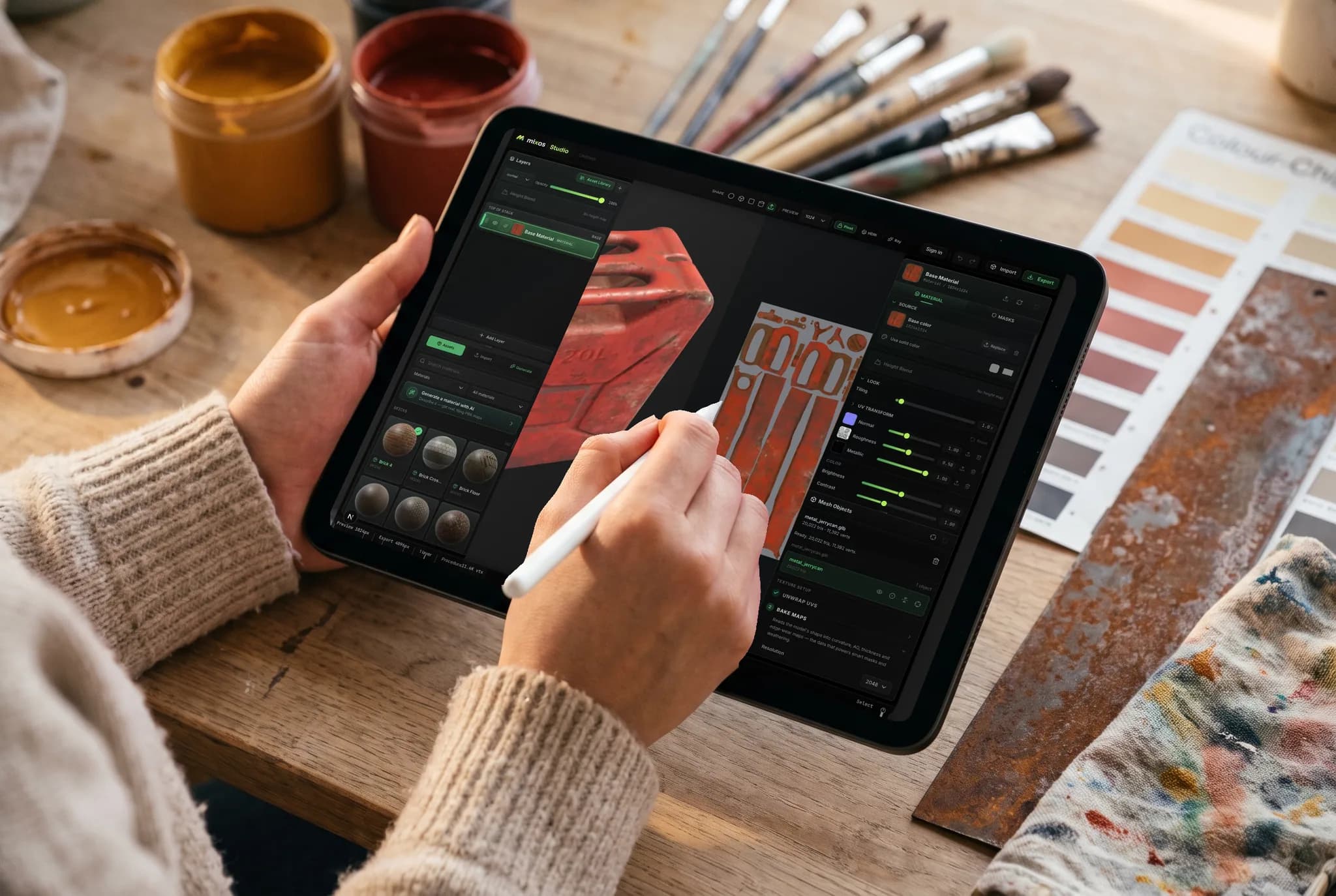
Dial in base color, roughness, metallic, normal, and height with live feedback on a lit 3D surface.
Stack blendable layers, isolate with masks, and keep everything editable — no flattening until you export.
Begin with a ready-made PBR material and edit from there, or build one channel by channel.
Render-ready map sets up to 4K plus a .glb, ready for Blender, Unreal, Unity, Godot, and more.
Why Mixos
Editing PBR materials usually means a desktop install or a tangle of shader nodes. Mixos puts a real material editor in the browser: every PBR channel is directly editable with a live WebGPU preview, so you see roughness, metalness, and normal detail update under light as you work.
Materials are layered and non-destructive. Stack layers and blend modes, isolate with masks, start from one of 2,600+ ready-made materials or build from scratch, and add edge wear and grime procedurally. Nothing flattens until you choose to export, so you can revise endlessly.
It's free to author — paint, layer, and preview at no cost — and you only pay to export render-ready sets and a .glb up to 4K. It runs on every OS, and projects hand off with a link.
Yes — building, layering, and previewing materials is free. Paid plans add watermark-free high-resolution export, a cloud project library, and more AI credits.
Base color, roughness, metallic, normal, height, AO, and opacity — all editable, all previewed live on a lit 3D surface.
Yes — import images and photos as material sources, and bring in meshes (GLB, glTF, FBX, OBJ) to edit materials on.
Standard PBR map sets plus a glTF (.glb), up to 4K on paid plans, ready for any renderer or engine.
Read next
Building a surface from rules instead of pixels.
What the two greyscale maps each control.
Free browser packer — occlusion, roughness and metallic into one file.
Drop the files in and see the material lit, in the browser.
Keep exploring
No download, no setup, nothing to license. Auto-texture your first model and build real PBR materials in minutes.