A real node graph
Generators, filters, warps, blends, channel math, and normal-map tools — wired together and evaluated on the GPU, refining live as you drag a slider.
Substance Designer alternative
Wire noise, filters, and blends into a graph and it authors a full PBR material — base color, normal, height, roughness, metallic. It runs on the GPU in a browser tab, it's free, and the material it produces lands as a layer in the same app you paint with.
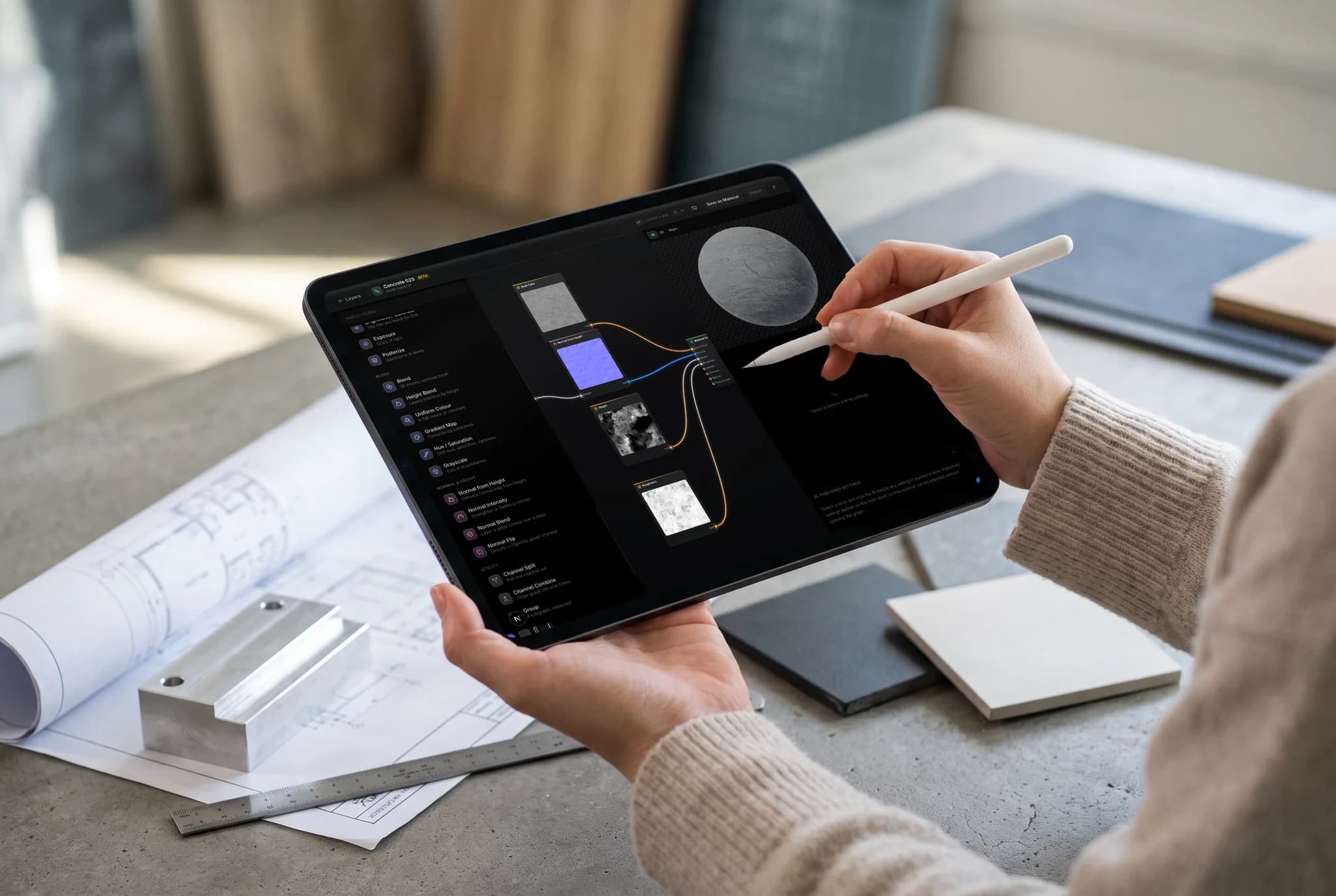
Generators, filters, warps, blends, channel math, and normal-map tools — wired together and evaluated on the GPU, refining live as you drag a slider.
Feed your model's own baked ambient occlusion, curvature, cavity, edge wear, and slope into the graph, so wear lands where the geometry says it should.
Publish a few parameters as variables — scale, wear amount, a color — named, grouped and ranged by you. They land on the layer panel, so a finished material is retunable without reopening the graph.
The graph output is an ordinary layer in the same editor. Mask it, blend it, stack it, and paint over it — no exporting an .sbsar to move next door.
Why Mixos
Substance 3D Designer is the reference tool for procedural material authoring, and its graph model is the one everybody learned: generators produce patterns, filters shape them, blends combine them, and the result is a set of PBR channels. Mixos implements that same model in a browser tab. Add a Node Material layer, wire up noise, warps, levels, curves, gradients and blends, and watch the material resolve on your model in real time.
The difference is where the graph lives. In the Substance pipeline, authoring happens in Designer and painting happens in Painter, connected by exported .sbsar files. In Mixos, the graph *is* a layer — so a node material sits in the same stack as your painted layers and library materials, takes the same masks and blend modes, and exports in the same map set. Change a parameter and the model updates; there's no publish step and nothing to re-import.
Exposed parameters carry over too, under a different name. Click the slider glyph beside any parameter in the graph and it becomes a published setting — a variable you can rename, put in a section, reorder, and give a narrower range than the node itself accepts. Those are what a teammate sees on the layer, so the graph stays your implementation detail while tile size, wear amount and color stay adjustable from outside it.
It's also free, with no seat to license and nothing to install. Node materials are available on every account, including free ones, and the graph runs on your own GPU through WebGPU rather than on a server — so iteration is immediate and your work never leaves the machine until you choose to save it.
For procedural node-based material authoring, yes — the node editor is free on every Mixos account, with no seat license and nothing to install. Paid plans add watermark-free 4K export, cloud projects, and more AI credits, but building graphs costs nothing.
Designer goes far deeper: a much larger node library, FX-Map, pixel processors, and .sbsar publishing into a mature ecosystem. Mixos covers the core authoring loop — generators, filters, warps, blends, channel math, mesh-map inputs and exposed parameters — in a browser, and hands the result straight to a texture painter. See the full breakdown on our Mixos vs Substance 3D Designer page.
No. Substance's graph formats are proprietary and Mixos doesn't read them, so an existing Designer graph has to be rebuilt rather than imported. What does transfer is the output: bake your Designer material to PBR maps and import those as a layer like any other texture set.
Around thirty nodes today: noise and gradient generators, blur, levels, curves, hue/saturation, directional and domain warps, mirrors, blend and height blend, normal-map tools, channel split and combine, math, image input, and your mesh's baked maps — ambient occlusion, curvature, cavity, edge wear and slope — as graph inputs.
Yes. Save any node layer as a material and it goes into your library with its recipe intact, so it reopens as an editable graph on the next model rather than as flat, baked maps.
Read next
The whole pass, from import to exported maps.
The maps a modern material is made of, and what each one does.
Why the same texture reads bigger on one model than another.
Drop the files in and see the material lit, in the browser.
