Mix and mask materials
Layer and blend PBR materials with masks, just like a mixing workflow — then paint detail on top.
Quixel Mixer alternative
If you relied on Quixel Mixer to blend materials and texture your models and want an actively-developed, browser-based home for that workflow, Mixos layers and masks PBR materials on any mesh — and exports standard maps for any engine.
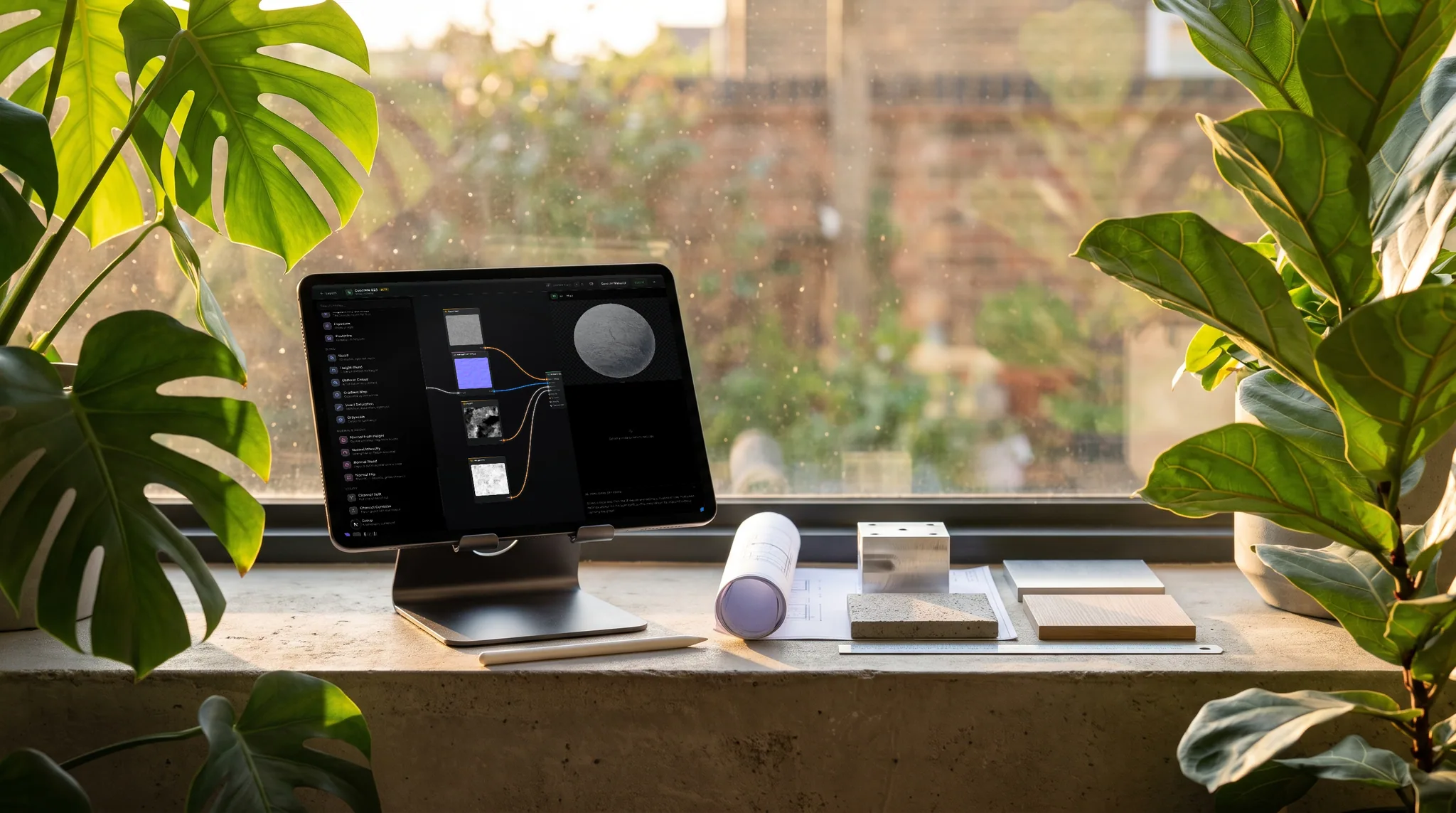
Layer and blend PBR materials with masks, just like a mixing workflow — then paint detail on top.
Start from a large built-in PBR library — metal, stone, wood, fabric — and blend from there.
No desktop app to download or keep updated — open a URL and you're mixing on any OS.
Export base color, normal, roughness, metallic, height and AO for Unreal, Unity, Blender, Godot, and beyond.
Why Mixos
Quixel Mixer made material blending approachable — stack materials, mask them, and paint over the result. Mixos brings that same layer-and-mask approach to the browser, with a real-time WebGPU viewport so you can see the blend on your model as you build it. There's no multi-gigabyte install, and it's under active development.
For the closest match to the Mixer workflow, Mixos includes Blend — a dedicated material mixer. Stack PBR materials on a tiling plane, interlock them by height the way Mixer's Height Blend did, break up the blend with procedural masks (noise, gradient, slope, curvature, cavity), tune every channel, and export a seamless PBR set. It's the fastest way to author a tileable material, and any mix opens straight into the full editor when you want to paint or texture a mesh.
You're not limited to blending presets. Paint directly on the mesh, add procedural edge wear and grime, generate new materials from a prompt, and isolate parts with color-ID and procedural masks. The 2,600+ material library gives you a deep starting palette to mix from.
Export standard PBR sets plus a .glb that drop into any engine. It's free to author, upgrades unlock 4K watermark-free export and a cloud library, and it runs on Mac, Windows, Linux, Chromebooks and iPads.
Yes — Blend is Mixos's dedicated material mixer, and it mirrors the Mixer workflow: stack PBR materials on a tiling plane, interlock them by height, break the blend up with procedural masks, tune every channel, and export a seamless map set — all in the browser. Open it at /blend, and jump into the full editor whenever you want to paint on a mesh.
Mixer was officially discontinued in February 2026 — Epic shipped a final offline build with no further updates or support. Mixos offers a layer-and-blend texturing workflow in the browser that's actively maintained and runs on any OS.
Yes — stack and mask PBR materials, blend them, and paint over the result, with a real-time 3D preview and a 2,600+ material library to mix from.
Standard PBR map sets (base color, normal, roughness, metallic, height, AO) plus a .glb, ready for Unreal, Unity, Blender, Godot, and other engines.
The editor is free to author in; paid plans add watermark-free 4K export, a cloud project library, and more AI credits.
Read next
The whole pass, from import to exported maps.
The maps a modern material is made of, and what each one does.
Why the same texture reads bigger on one model than another.
Drop the files in and see the material lit, in the browser.
No download, no setup, nothing to license. Auto-texture your first model and build real PBR materials in minutes.