Every PBR channel
Generations include real normal, roughness, metallic, and height maps — so surfaces light and tile like authored materials, not flat photos.
PBR texture generator
Type a surface and Mixos generates a complete PBR texture set — base color, normal, roughness, metallic, and height — seamless and tiling, every channel editable, and previewed lit in a real-time 3D viewport.
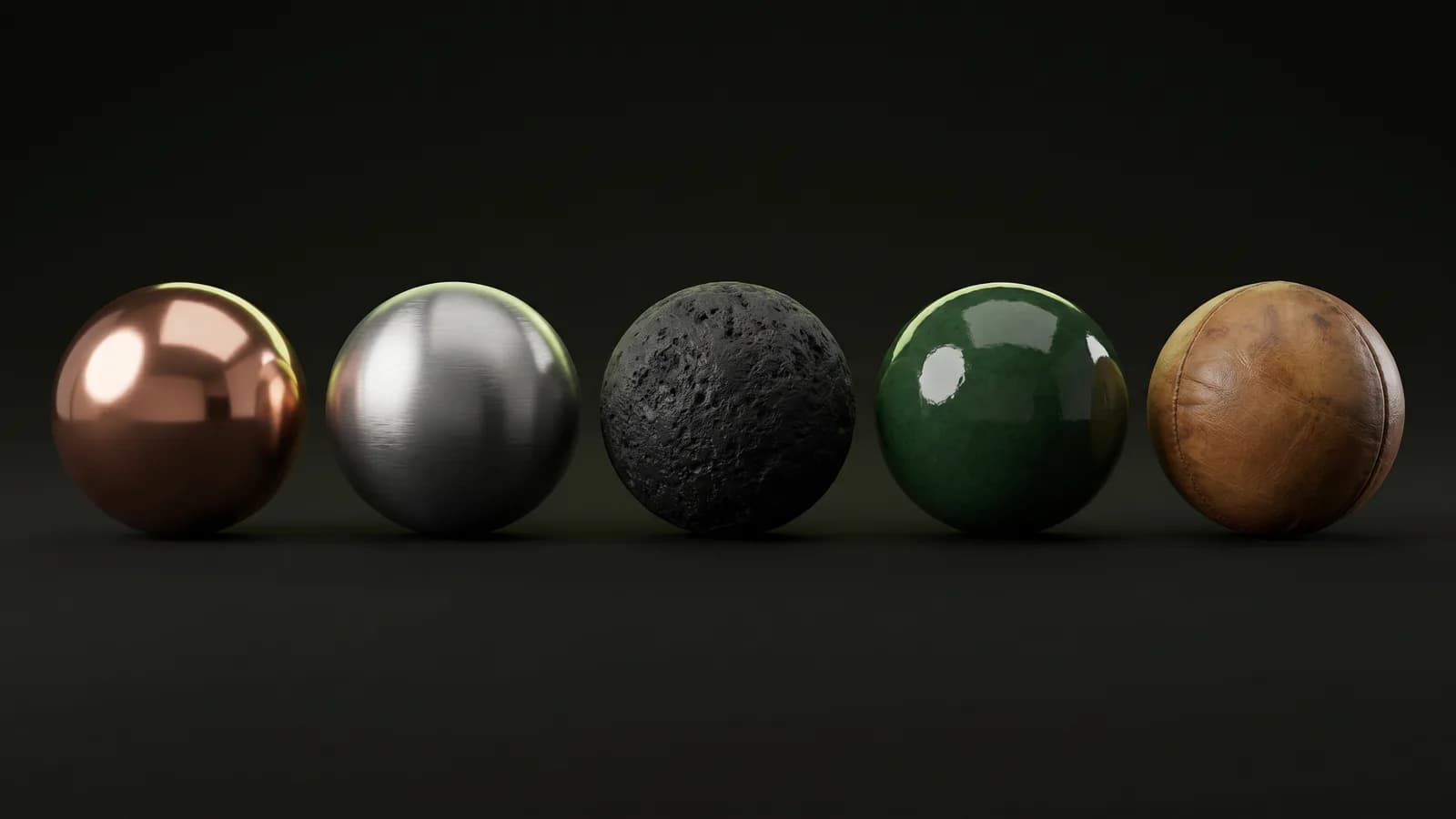
Generations include real normal, roughness, metallic, and height maps — so surfaces light and tile like authored materials, not flat photos.
Textures generate seamless, covering large surfaces with no visible repeats or hard edges.
See each generation on your model in a real-time WebGPU viewport before you commit — not as a flat thumbnail.
Drop a set onto the layer stack and tune any channel, mask it in, and paint detail over the top.
Why Mixos
A lot of “texture generators” hand you a single flat image. A real PBR texture set needs the maps a renderer reads — base color, normal, roughness, metallic, and height. Mixos generates all of them from one prompt, so you get a surface that lights correctly instead of a picture pasted onto geometry.
Because it's inside a full editor, generation is a starting point, not a dead end. Each set lands as editable layers — adjust roughness, repaint the base color, mask the material onto specific parts, and blend it with hand-painted wear. The real-time viewport shows exactly how it reads under light as you tune it.
Generations are seamless and tiling by default, triplanar projection lays them on any mesh, and you can export organized sets up to 4K plus a .glb. Every plan includes a pool of AI credits, and it all runs in the browser with nothing to install.
Full PBR. Each generation includes real base color, normal, roughness, metallic, and height maps, so it behaves like an authored material rather than a flat texture.
Yes — they generate seamless and tiling, so they cover large surfaces without visible repeats.
Absolutely. Generations land on the layer stack as editable channels — tune, mask, blend, and paint over them. Nothing is locked.
Organized PBR map sets (base color, normal, roughness, metallic, height, AO, opacity) plus a glTF (.glb), up to 4K on paid plans.
No download, no setup, nothing to license. Auto-texture your first model and build real PBR materials in minutes.