Full PBR, not just color
Generations come with real normal, roughness, metallic, and height maps — not a flat image — so they light and tile like a true material.
AI texture generator
Describe a surface and Mixos generates a complete tiling PBR material — real base color, normal, roughness, metallic, and height maps — every channel editable. Then paint, mask, and weather over the top.
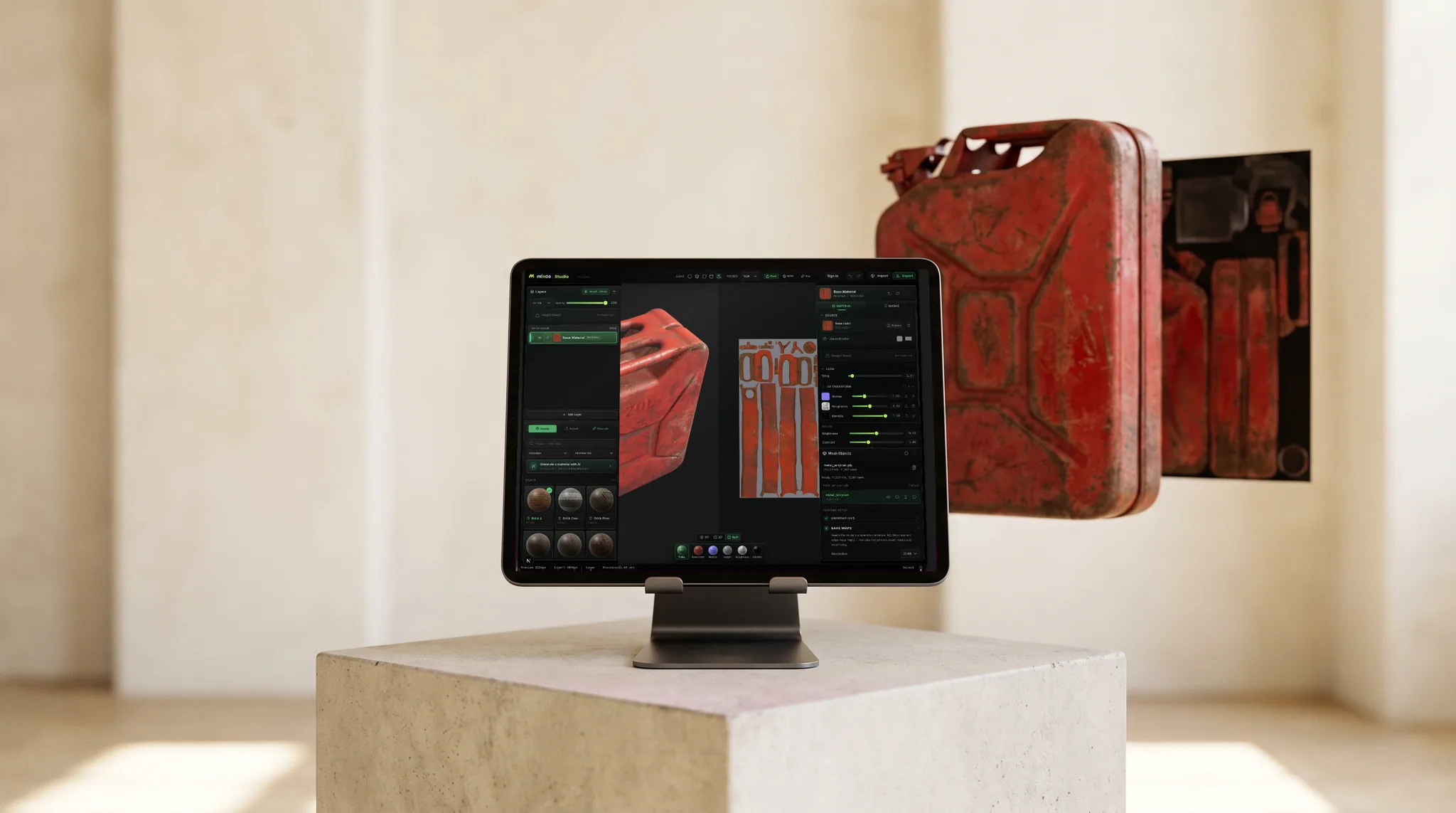
Generations come with real normal, roughness, metallic, and height maps — not a flat image — so they light and tile like a true material.
Textures generate seamless, so they cover large surfaces with no visible repeats or hard edges.
Drop a generation onto the layer stack and keep working — adjust channels, mask it in, and paint detail on top.
Generate weathering masks, alpha brush tips, and decals from prompts too — or one-click Auto-Texture a whole mesh.
Why Mixos
Plenty of tools generate a flat texture image. Mixos generates a full PBR material: from a single prompt you get real base color, normal, roughness, metallic, and height maps that light and tile like an authored surface. That's the difference between a picture of rust and a rusty material you can actually render.
Generations are first-class layers, not dead ends. Drop one onto the stack and it behaves like any other material — tune each channel, mask it onto specific parts, blend it with hand-painted detail, and add edge wear and grime over the top. You stay in control of the final look.
Beyond materials, the same prompt-to-asset approach produces seamless textures, grayscale weathering masks, alpha brush tips, and decals — plus full-mesh Auto-Texture. Every plan includes a pool of AI credits, and it all runs in the browser with nothing to install.
Full PBR. Each material generation includes real base color, normal, roughness, metallic, and height maps, so it behaves like an authored material rather than a flat texture.
Yes — materials and textures generate as seamless, tiling sets so they cover large surfaces without visible repeats.
Absolutely. Generations land on the layer stack as editable materials — adjust any channel, mask them in, blend them, and paint over the top. Nothing is locked.
Every plan includes a pool of AI credits, and a free account comes with trial credits. Each generation spends credits; Pro and Max add larger monthly pools and higher-resolution material generation.
Read next
The whole pass, from import to exported maps.
The maps a modern material is made of, and what each one does.
Why the same texture reads bigger on one model than another.
Drop the files in and see the material lit, in the browser.
No download, no setup, nothing to license. Auto-texture your first model and build real PBR materials in minutes.