Mask Map-ready channels
HDRP's Mask Map packs occlusion, metallic and smoothness into one texture — Mixos authors those exact channels, plus base color, normal and height for the URP and HDRP Lit shader.
Textures for Unity
Paint and layer materials on your asset in Mixos, then export clean PBR maps that wire straight into Unity's Lit shader for URP or HDRP. Real-time WebGPU preview while you work — and yes, it handles the smoothness-vs-roughness gotcha.
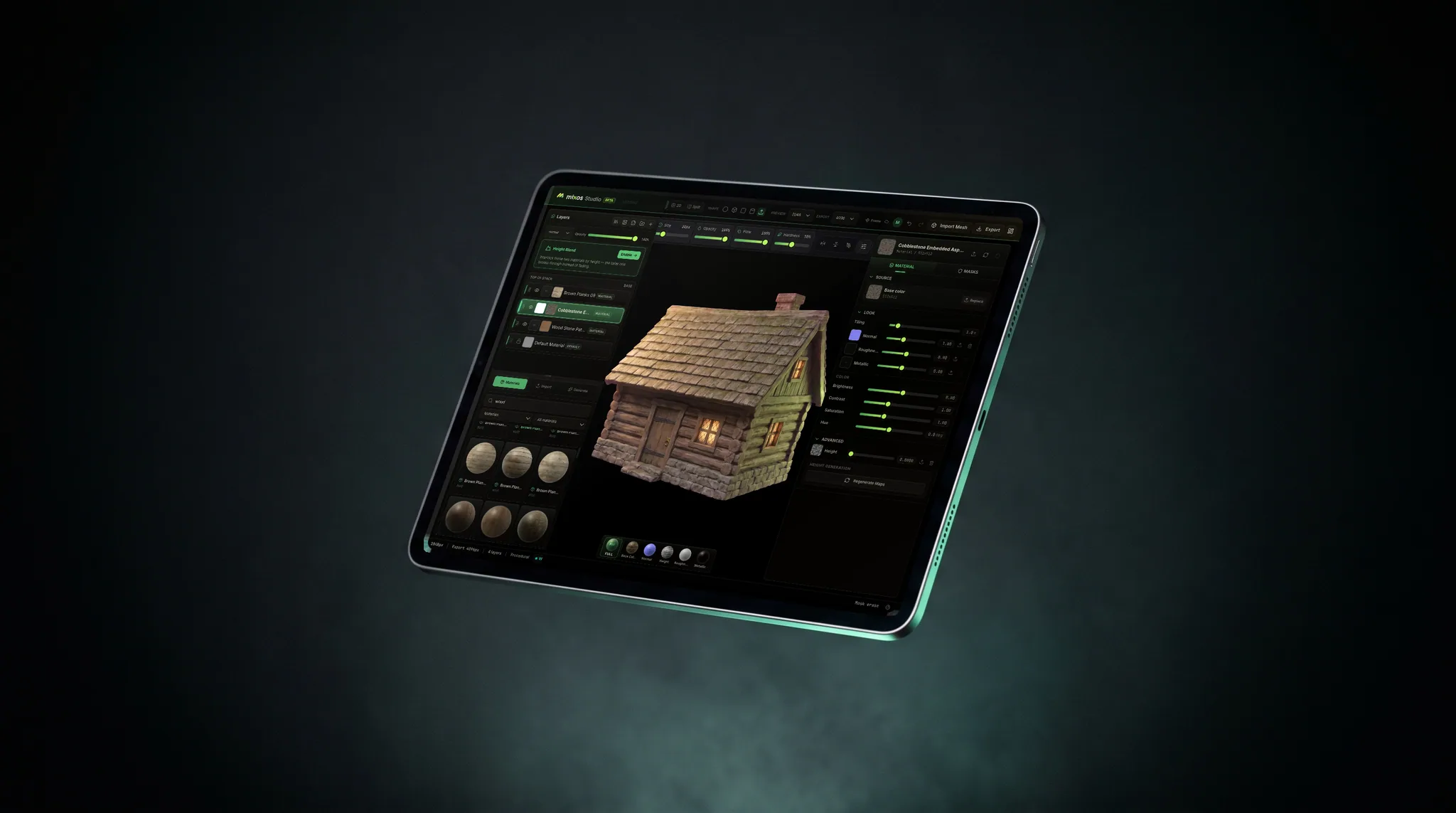
HDRP's Mask Map packs occlusion, metallic and smoothness into one texture — Mixos authors those exact channels, plus base color, normal and height for the URP and HDRP Lit shader.
Unity wants smoothness — the inverse of roughness. Export your roughness map and flip it in one step, or pack it where Unity expects it.
Generate AO and curvature from your mesh and bake edge wear and grime so assets read grounded in-engine.
Auto-Texture an asset or generate tiling materials from a prompt, then refine the layers for the final pass.
Why Mixos
Unity's Standard and Lit shaders use a metallic-roughness PBR workflow, and Mixos produces exactly those channels — base color, metallic, normal, height, and occlusion — so they map onto Unity's material inputs without surprises. The one thing worth knowing: Unity's “smoothness” is the inverse of “roughness.” Mixos exports a roughness map; invert it (a one-step adjustment) to get smoothness, the classic gotcha that trips up first-time imports.
The Mask Map is the other thing to get right. HDRP wants metallic, occlusion and smoothness living in one packed texture rather than three separate ones, and Mixos exports each channel individually so you can assemble it the way your shader expects — URP and HDRP otherwise read the same maps. A real-time WebGPU viewport keeps the preview honest, so the metal, paint and wear you author read the way they will in-engine. Non-destructive layers and masks make art-direction changes painless, and triplanar tiling covers large surfaces cleanly.
Because Mixos runs entirely in the browser, it drops into a team's workflow with no per-seat installs and the same experience on every OS. Author for free and upgrade only when you need 4K, watermark-free export.
Yes. Mixos exports standard PBR channels that map onto Unity's Lit shader inputs for both URP and HDRP. For HDRP's Mask Map you can assemble occlusion, metallic, and smoothness from the exported channels.
Unity uses smoothness, which is 1 minus roughness. Mixos exports a roughness map; invert it (a one-step image adjustment) to get smoothness, or place metallic and smoothness where the Lit shader's Metallic input expects them.
Yes — triplanar projection tiles materials on any mesh, and you can still bake against your UVs for precise control.
Yes. The editor renders with WebGPU in a modern browser, so there's nothing to install beside Unity and it runs the same on Windows, macOS, and Linux.
Read next
The whole pass, from import to exported maps.
The maps a modern material is made of, and what each one does.
Why the same texture reads bigger on one model than another.
Drop the files in and see the material lit, in the browser.
No download, no setup, nothing to license. Auto-texture your first model and build real PBR materials in minutes.