LAS and LAZ
Compressed LAZ and plain LAS both open, decoded in a background worker so the page stays responsive.
LiDAR to 3D
Drop a LAS or LAZ file and Studio reads it in your browser: keep the ground for a clean terrain model, or keep everything for a surface model with buildings and trees. You choose the cell size, the result is a mesh, and nothing is uploaded to a processing queue.
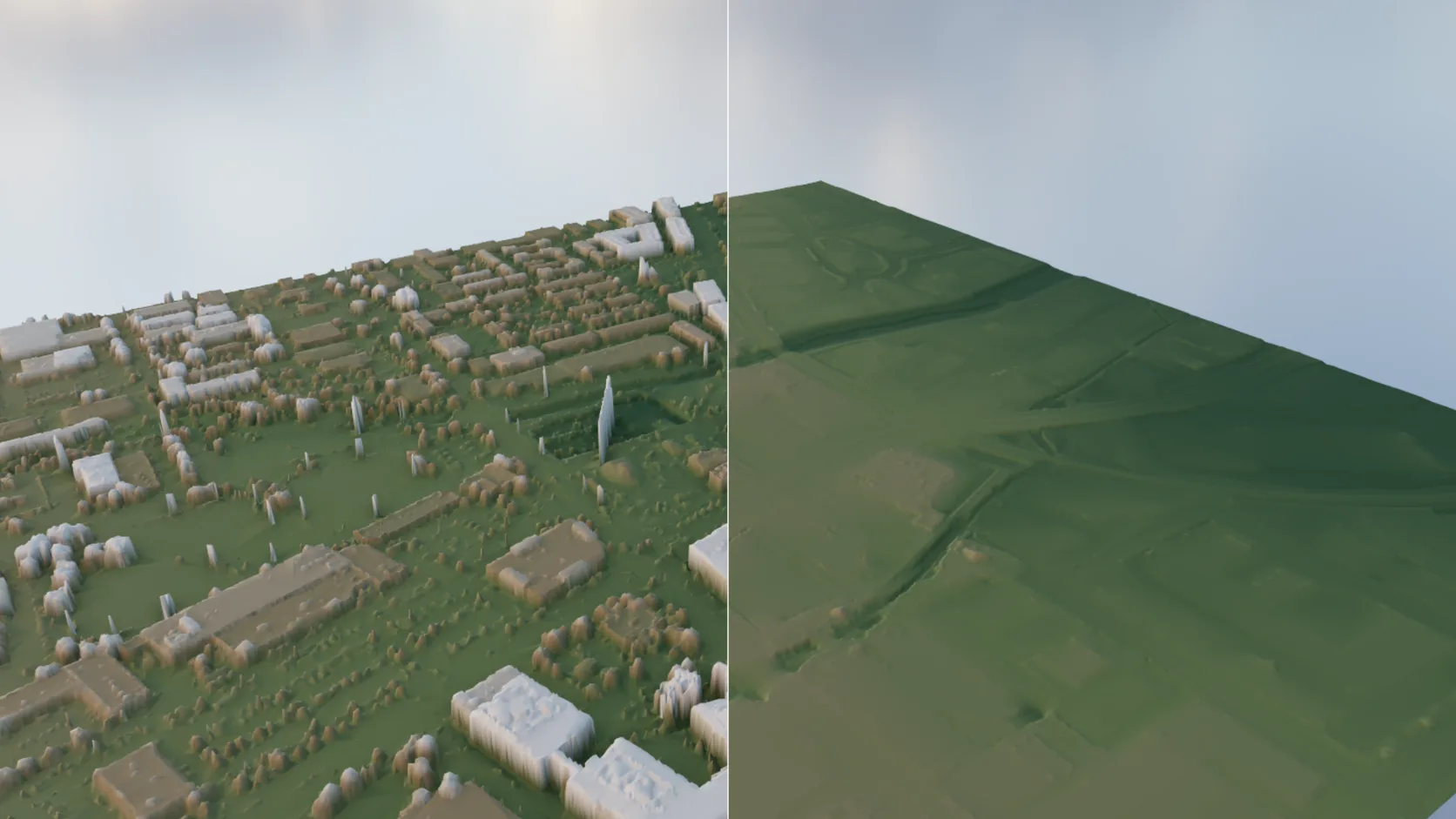
Compressed LAZ and plain LAS both open, decoded in a background worker so the page stays responsive.
Keep only points classified as ground for a bare-earth terrain, or keep every class for a surface model that includes buildings and canopy.
Set the grid cell size to trade detail for speed; holes under buildings and water are filled, and flat areas are simplified.
Points with RGB colour carry it into the mesh; otherwise you can colour by height or classification before you assign materials.
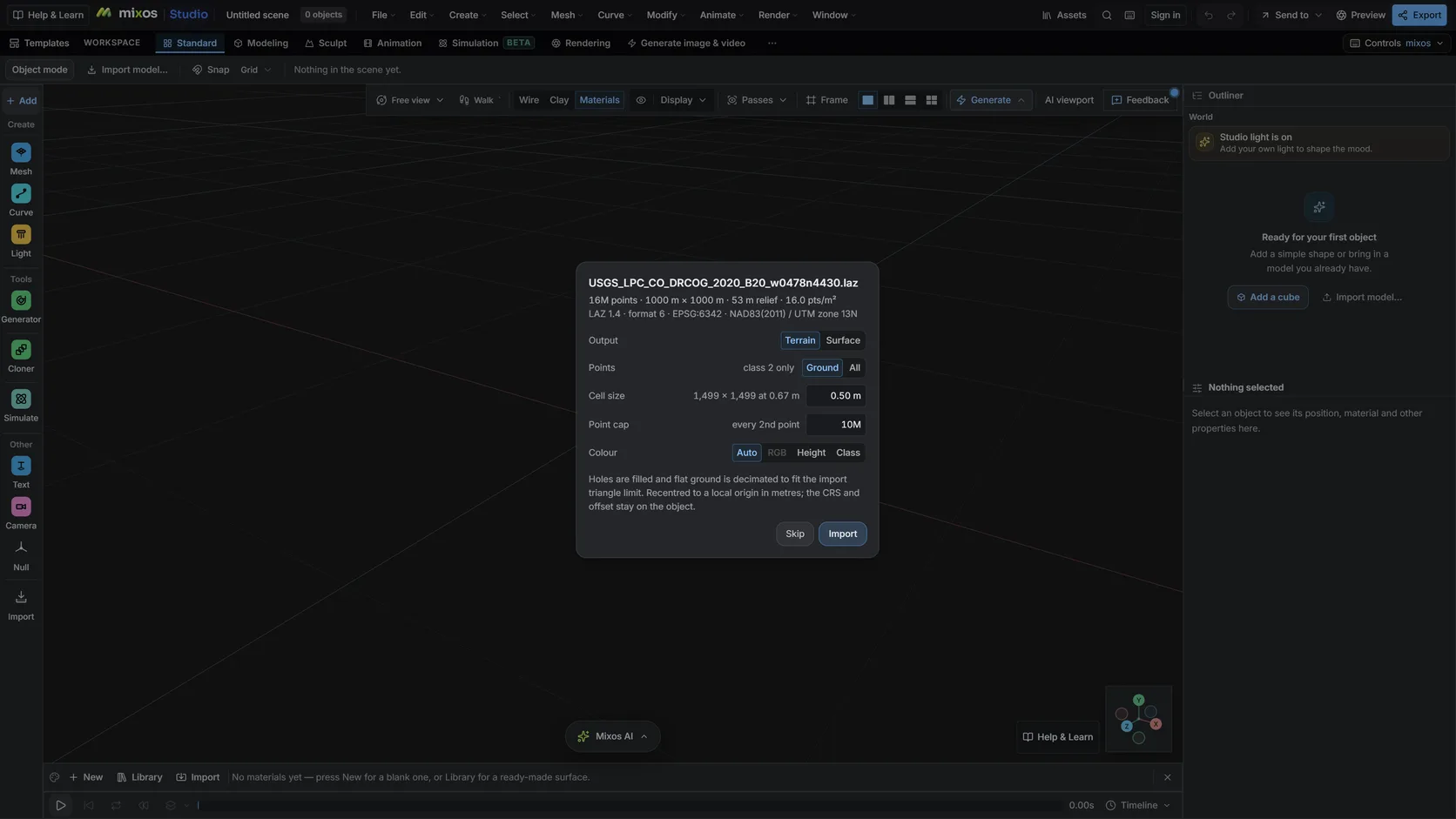
The header is read first: point count, extents and the classes in the file, with a cap and subsampling for big tiles.
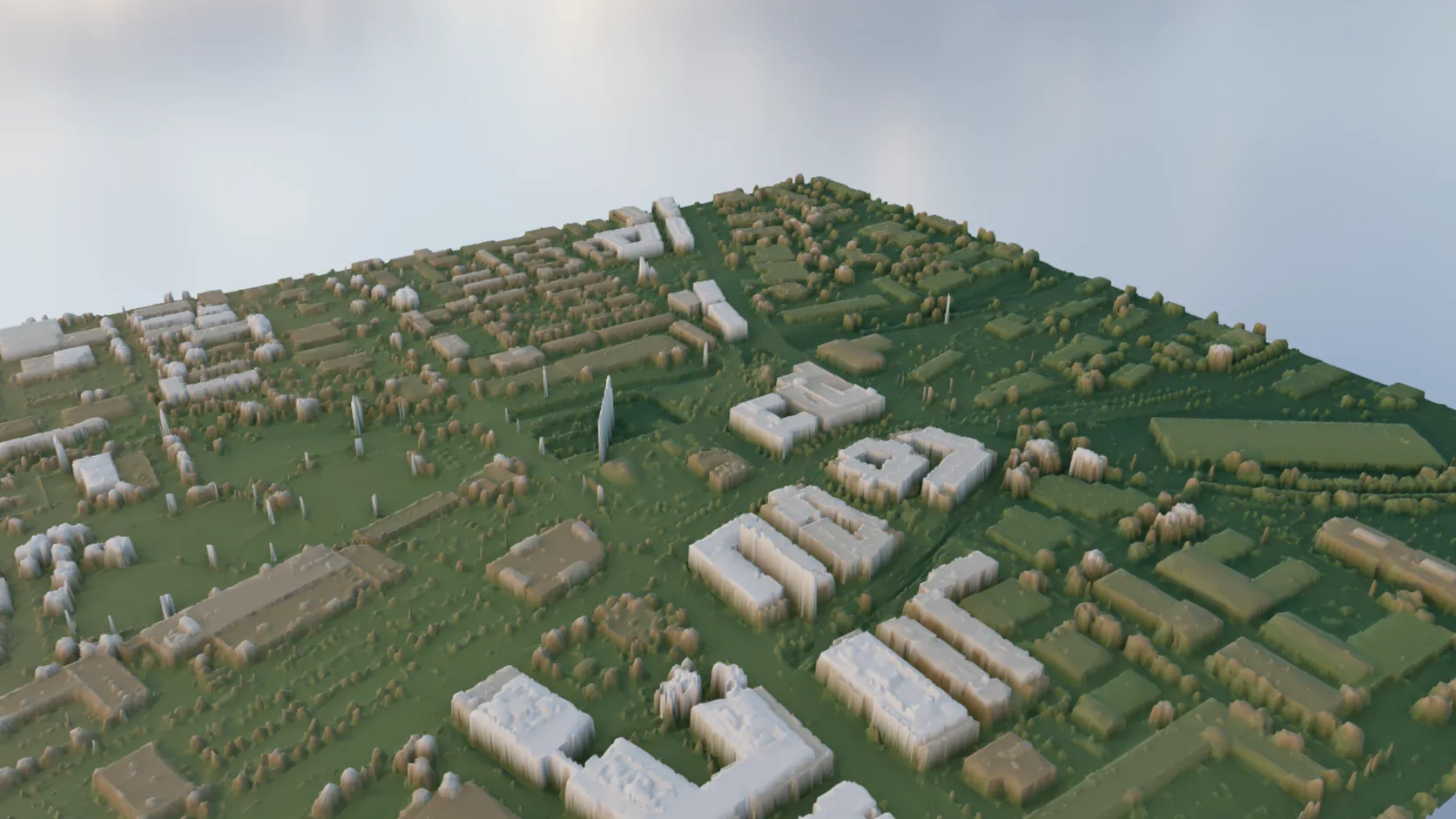
Keep every class for roofs, canopy and ground together.
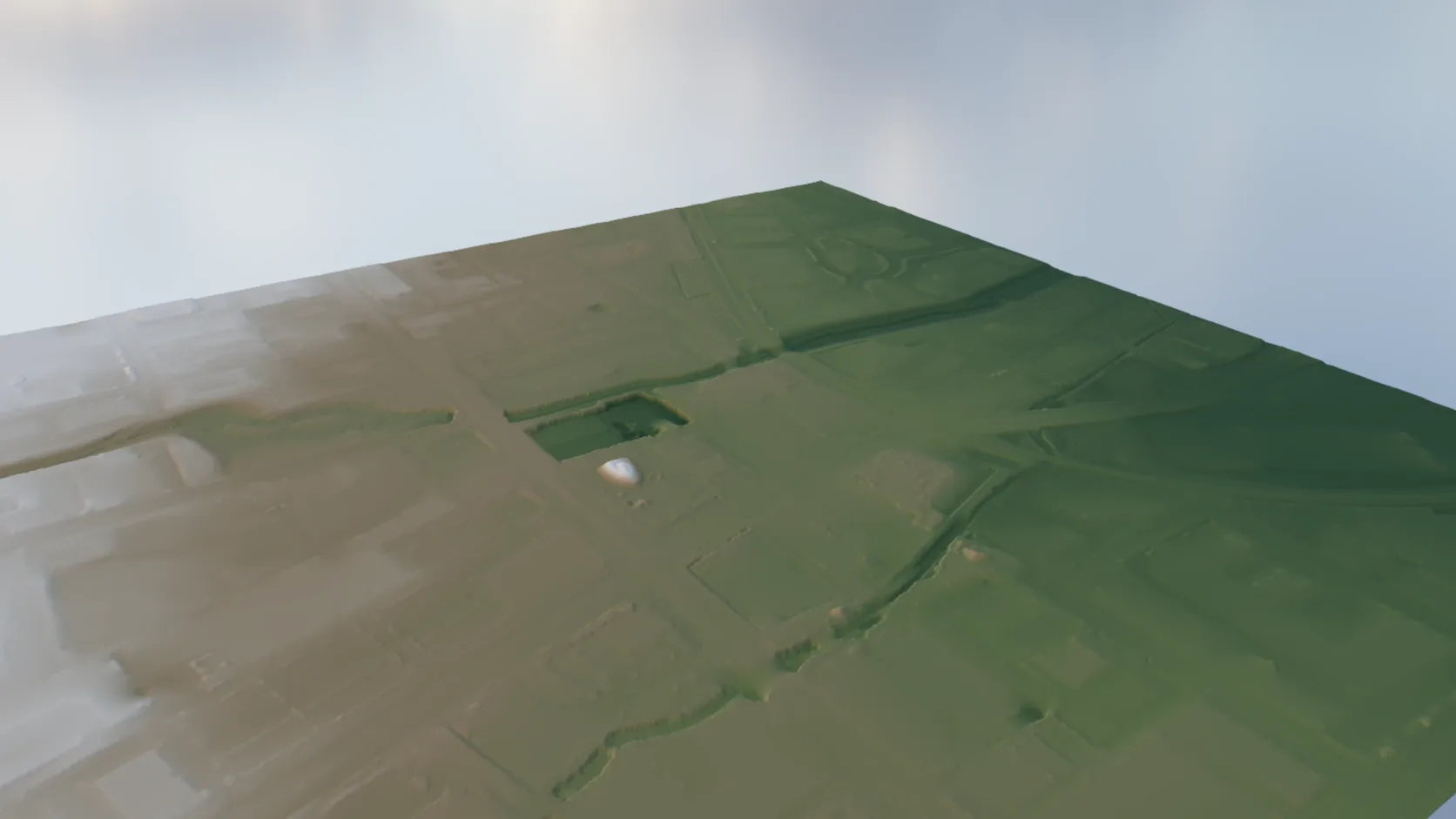
Keep the ground class and the gaps under trees and buildings are filled.
Why Mixos
Global elevation data is about 30 m per sample in most of the world. Airborne LiDAR is often under 1 m, which is the difference between a hill and the hill's footpaths, kerbs, banks and walls. Survey agencies in many countries publish it free — in the US, the USGS 3D Elevation Program covers most of the country — usually as LAS or compressed LAZ tiles.
A point cloud is not something most 3D tools can render or print. It needs gridding into a surface, with a decision about which points count. Ground-only gives the bare earth beneath trees and buildings, which is what a site model, a print or a flood study wants. Every class gives the surface a drone would see, roofs and canopy included.
Studio does that conversion in the browser. It reads the header first, so you see the point count, extents and available classes before committing, then grids the points you chose at the cell size you chose, fills the gaps and simplifies flat ground. The result is an ordinary mesh, recentred near the origin in metres with the original offset kept in its metadata.
Large tiles are large. A single LiDAR tile can hold tens of millions of points; the import offers a point cap and subsampling so the scene stays workable, and tells you what it kept.
Import it into Studio, choose ground-only or all classes and a cell size, and it becomes a terrain or surface mesh. Importing and editing are free; exporting the mesh is the paid step.
No. The file is decoded and gridded in your browser.
Yes. Ground-only keeps the points classified as ground and fills the gaps beneath trees and buildings, giving bare-earth terrain.
It depends on your device's memory. Large tiles can be capped or subsampled on import, and the import reports how many points it actually used.
Read next
Which format keeps materials and which throws them away.
Open the file in the browser — meshes, materials, triangle count.
Watertight remesh, thickened walls, and the checks that stop a bad print.
Key, retime and ease a move, step by step.
Keep exploring
Heightmap to 3D
3D terrain generator
3D printed topographic map
Online 3D modeling