AI 3D animation

Describe the shot, keep the keyframes.

Ask for a camera move, a character action or a timed sequence and it arrives as real keys on a real timeline — not a locked clip. Retime them in the dopesheet, shape the in-betweens in the curve editor, and path-trace the result. It runs in a browser tab, driven from the Claude or ChatGPT you already use.

mixos Studio open on an iPad showing a brown tufted leather chesterfield sofa, a marble coffee table and a fiddle-leaf fig, on a plinth, with the real physical version of the same subject behind it.

Keys you can edit, not a baked clip

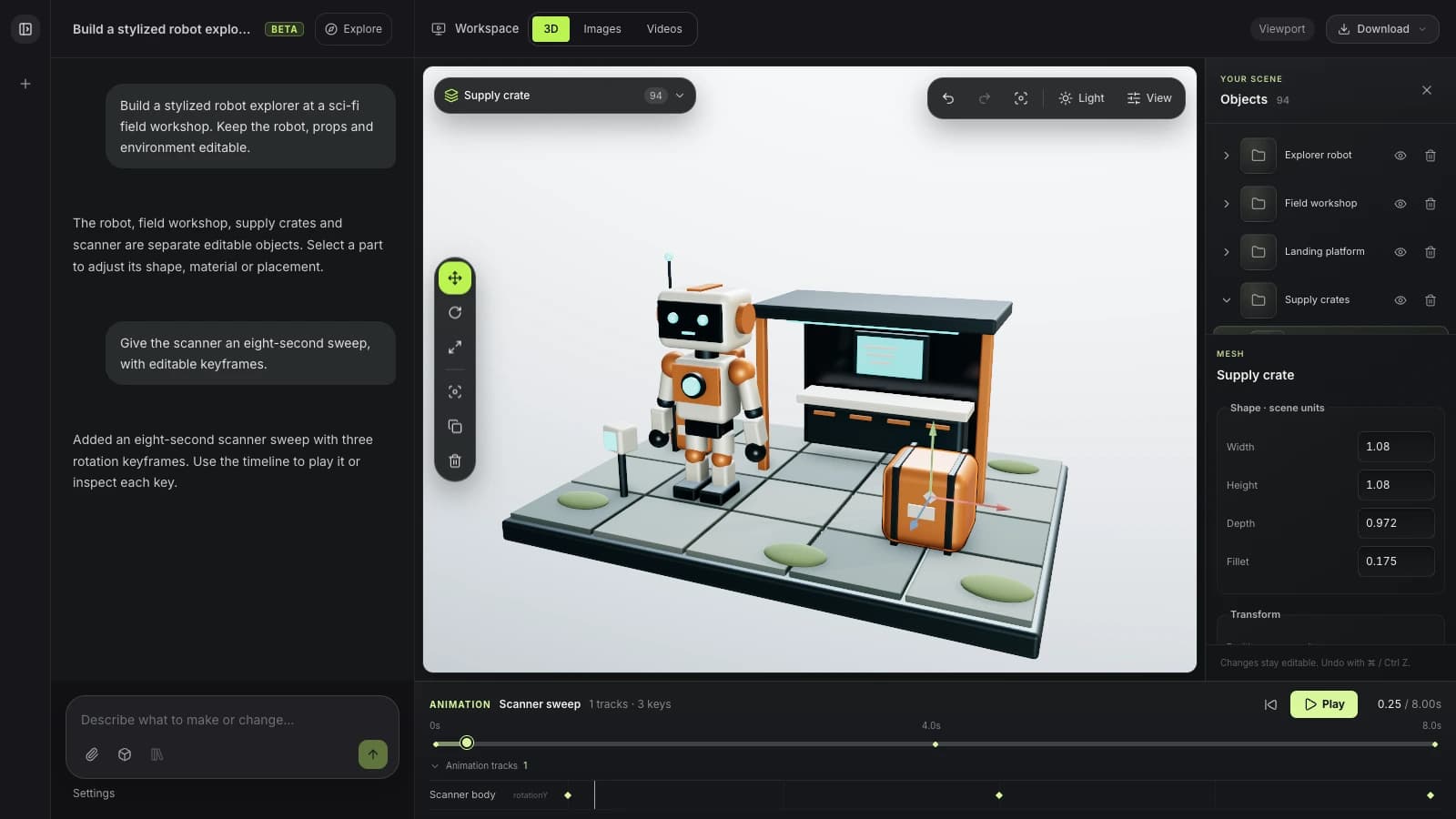
“Orbit the camera around the scene over four seconds” produces keyframes on the timeline. Drag them in the dopesheet, ease the settle in the curve editor, or delete one — it is your animation from the moment it lands.

Characters, rigged automatically

Auto-rig a T-posed character, then pull an action from a 2,548-clip motion library and have it retargeted onto your skeleton. Ask for a walk cycle and you get a bound, keyed character rather than a video of one.

Curves, drivers and markers

The ordinary animation loop is all reachable: interpolation and tangents, easing presets, markers, clips, frame rate and duration. Drivers link one value to another for the cases where a keyframe is the wrong instrument.

Render it properly

Path-trace a still or a flicker-free turntable from the same scene you animated — no export to a separate renderer, no farm to configure, and nothing installed.

Why Mixos

Generated video and animated 3D are not the same thing

Most things sold as AI animation produce pixels: a clip you can watch and cannot change. If the camera drifts a little too fast or the light is wrong on the third second, there is nothing to open — you regenerate and hope. That is a fine tool for a mood board and the wrong one for a shot that has to match a brief.

This is the other kind. The assistant operates the animation system rather than replacing it, so what you get back is scene data: keyframes on named channels, an interpolation mode, a duration, a frame rate. Everything it sets is something you could have set by hand, which means everything is something you can change by hand afterwards — and it all lands on the same undo stack as your own edits.

That makes the useful ask a fairly specific one. “Make it look cinematic” has nowhere to land; “orbit the camera 180° over four seconds and ease the ending”, “retime this clip to two seconds”, or “rig this character and apply a walk cycle” each map onto real operations. The assistant reads the timeline before it acts and reports what actually changed, so when it clamps a duration or refuses an operation you find out rather than discovering it at render time.

Frequently asked questions

Does it generate a video, or an actual animation?

An actual animation. You get keyframes on the timeline in your own scene, editable in the dopesheet and curve editor — not a rendered clip. You can then path-trace it to video yourself, at which point it is a render of your scene rather than a guess at one.

Can it animate a character?

Yes. It can auto-rig a T-posed mesh, add an IK chain, bind the skin, and retarget a clip from the built-in motion library onto that skeleton — 2,548 clips from the CMU corpus. The result is a rigged, keyed character you can keep animating.

Do I need an API key or an AI subscription?

You need a Claude or ChatGPT plan that supports connectors, because the model runs there. Mixos never asks for an API key. Animating, rigging and rendering cost no Mixos credits — only asking AI to generate an asset does, and that is a separate permission.

Can I animate without the assistant?

Yes — the timeline, dopesheet, curve editor and rigging tools are the app's own, and they work exactly the same whether you drive them yourself or ask. The connector is another way in, not a separate mode.

What can I export?

The animated scene as GLB or glTF with its clips intact, or a rendered still or turntable. Rigged characters keep their skeleton and skin weights, so the animation survives the trip into Blender, Unity or Unreal.

Mixos

Describe the move. Then edit the curve.

Ask for a camera move or a character action, and get keyframes you can retime, ease and render.