The official Blender status
Blender's download page lists Windows, macOS and Linux, not a public iPadOS release. The Blender team has shown an iPad Pro demo and is developing tablet support.
Blender on iPad
Blender has demonstrated an iPad build, but its official downloads are still for desktop operating systems. You can control Blender on a computer from your iPad, or make 3D work directly on the tablet with Mixos. Here is the practical difference.
Blender's download page lists Windows, macOS and Linux, not a public iPadOS release. The Blender team has shown an iPad Pro demo and is developing tablet support.
If your work depends on .blend files, Geometry Nodes or a desktop add-on, connect to a Mac or PC running Blender. The computer does the work; the iPad shows and controls it.
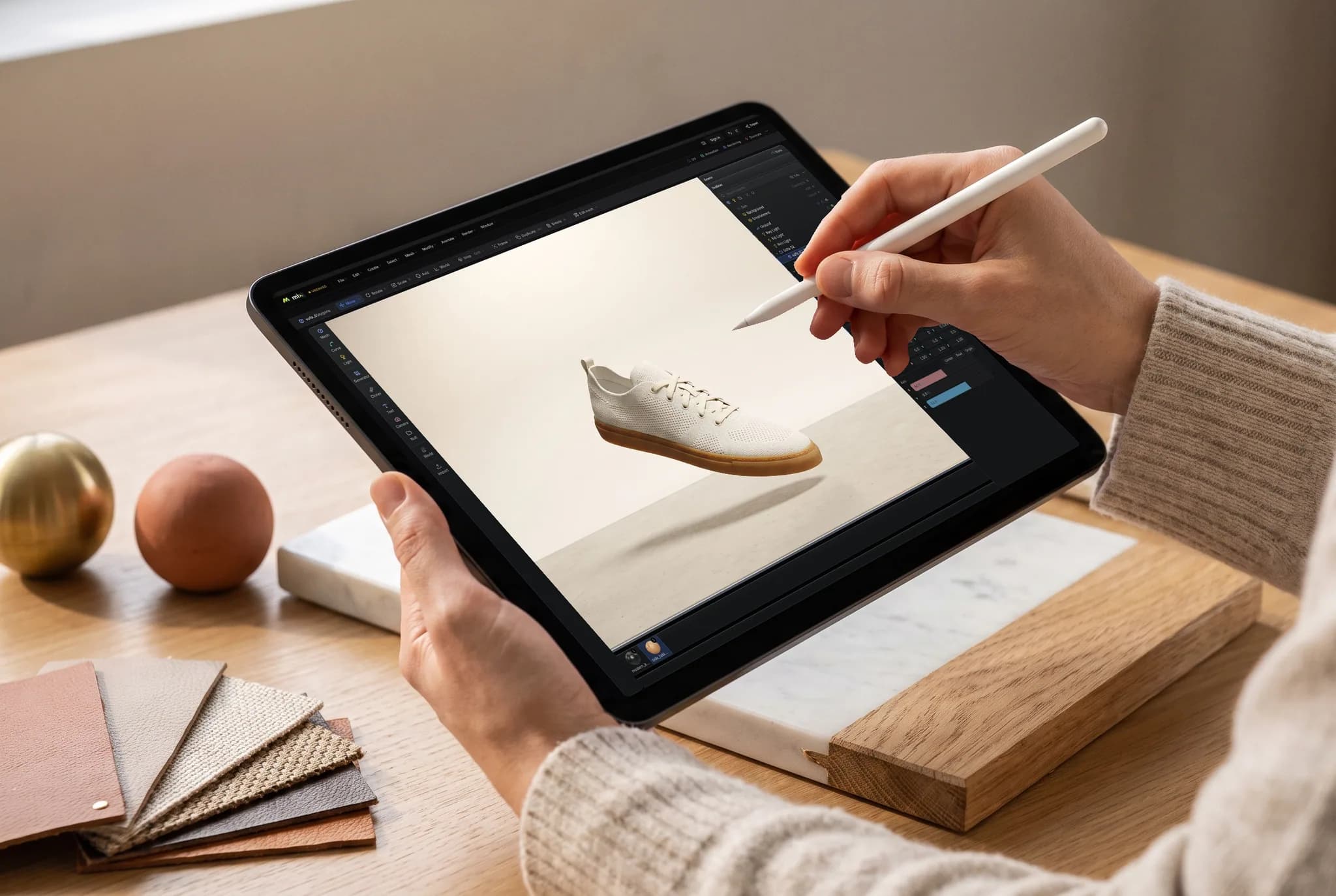
Mixos Studio opens in Safari or the Mixos iPad app. Model meshes, arrange scenes, add modifiers, keyframe animation and render on the iPad itself, with a touch layout and Apple Pencil support.
Mixos does not open or save .blend files. Move finished geometry through a supported interchange format such as GLB or OBJ; mesh export requires a paid plan.
Why Mixos
If you mean installing the official Blender app on iPadOS, there is no public iPad download on Blender's release page today. That is different from saying the project has ignored tablets: Blender demonstrated a working iPad build, and its tablet effort remains in development. Check Blender's own download page for the latest release status.
If you mean seeing your existing Blender project on an iPad, remote desktop is the direct route. Blender runs on your Mac or PC while the iPad acts as its display and input device. It keeps the real .blend file, add-ons and full desktop feature set, but it also needs that computer running and a connection good enough to work through.
If you mean modeling on the iPad without a second computer, Mixos is a separate 3D editor that runs on the tablet. Start in Studio with a cube, edit the mesh, stack modifiers, assemble a scene, animate and render. Turn the iPad sideways for the wider desk layout or upright for panels that fold into sheets. Mold handles sculpting; Paint handles layered texture work. You can start free, while exporting finished meshes is paid.
Choose the route that matches the file you need at the end. A Blender production scene with Geometry Nodes, custom add-ons or .blend-specific data belongs in Blender on a computer. A model or animation you want to begin on the iPad can start in Mixos, then move through a standard export format when needed. Interchange files carry assets, not an editable Blender project with every feature intact.
Launch Mixos Studio in Safari or the iPad app and start a new scene. A modern iPad with WebGPU support is required for the browser editor.
Edit a mesh with operations such as extrude, inset and bevel. Add modifiers, materials and lighting; move to Mold or Paint if you need sculpting or textures.
Save the scene to your Mixos account and open it later on a computer. If Blender is the destination, export a supported mesh format on a paid plan and import it there.
Make a small desk lamp: start from a cylinder, extrude the stem, bevel the shade, then add a warm light and render the scene.
Blender's official download page does not list a public iPadOS release. The Blender team has demonstrated Blender running on iPad and continues to work on tablet support, so check its download page for any change.
Yes. Run Blender on a Mac or PC and connect to that computer from the iPad. Blender and the .blend file stay on the computer, so its performance and your connection determine the experience.
Mixos Studio lets you model, arrange, animate and render 3D scenes on an iPad in Safari or the Mixos app. Starting and editing are free; exporting the finished mesh requires a paid plan. It is a separate editor, not a port of Blender.
No. Export a supported interchange file such as GLB, glTF, OBJ or FBX from Blender, then import it into Mixos. Blender-only data and add-ons will not transfer as an editable .blend project.
Yes. Mixos supports touch and Apple Pencil on iPad. Pencil is particularly useful for sculpting in Mold and painting in Paint; Studio also adapts its controls to the tablet.
Use an iPad and browser with WebGPU support, or the Mixos iPad app. Safari on iPadOS 26 supports the browser workflow; complex scenes still benefit from more memory and a faster GPU.
Read next
Vertices, edges and faces — the box-modelling fundamentals.
Which of the two approaches fits the thing you're making.
Which format keeps materials and which throws them away.
Why the same texture reads bigger on one model than another.
Keep exploring
Blender on tablet
Blender on phone
Blender alternative
Online 3D modeling
Sculpting on iPad
3D animation on iPad
3D texturing on iPad

Open Studio, shape a first model and save it to your account. Pick up the same Mixos scene on a larger screen whenever you want.