No host application
DEM Earth runs inside Cinema 4D. Studio is the 3D application, running in the browser, so there is no host licence, plugin install or version matching.
DEM Earth alternative
DEM Earth is a capable Cinema 4D plugin for real-world terrain. If you do not have Cinema 4D — or you want the city on the terrain in one step — Studio builds real elevation, OpenStreetMap buildings, roads and water from a box on a map, in a browser tab.
DEM Earth runs inside Cinema 4D. Studio is the 3D application, running in the browser, so there is no host licence, plugin install or version matching.
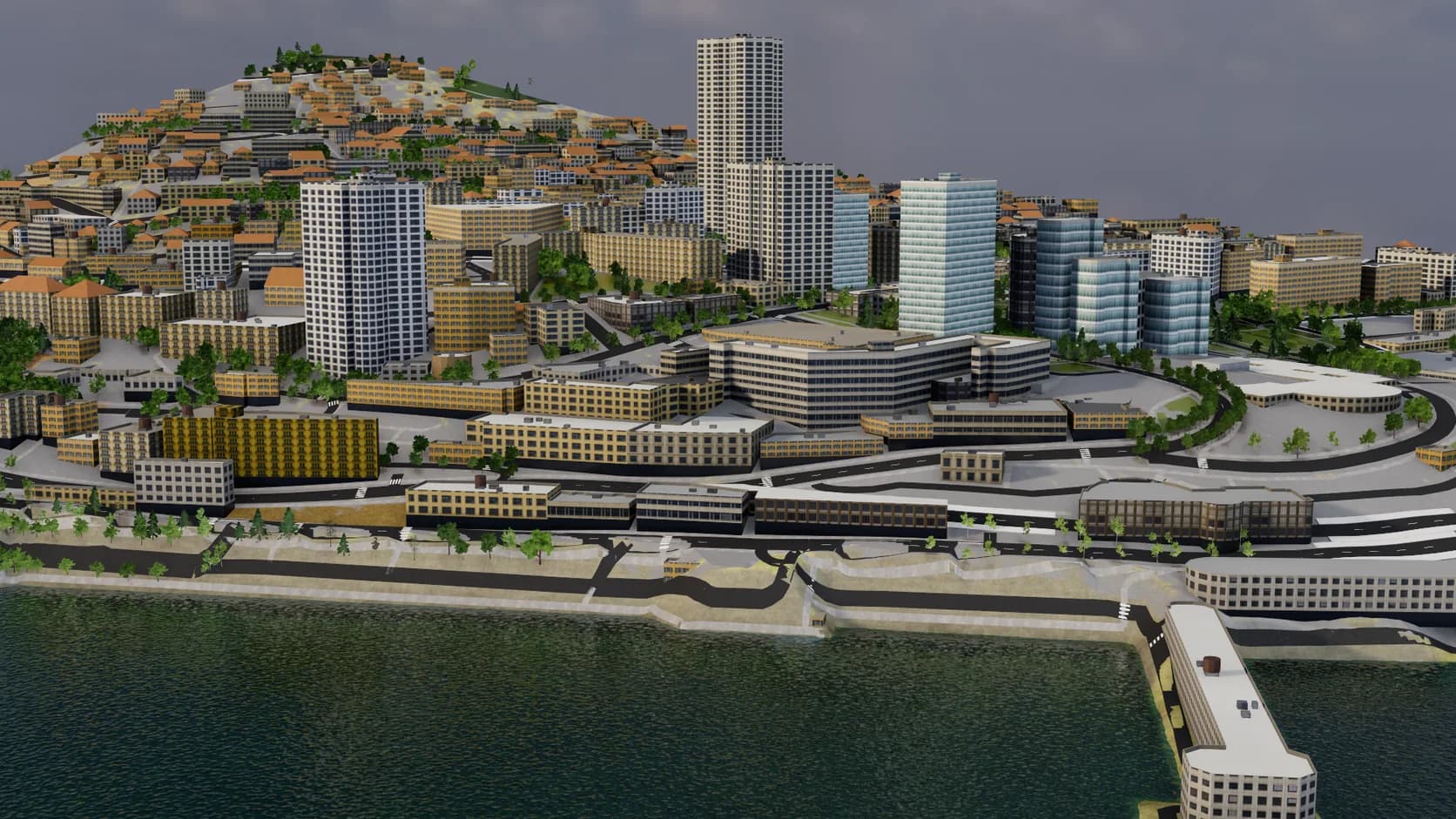
One import builds the terrain and extrudes OpenStreetMap buildings to their mapped heights, with roads, water and land cover laid on top.
On a paid plan, mixos AI can run the import from a sentence — a place, a look and a time of day — and keep going from there.
Materials, cameras, keyframe animation and a path tracer are in the same tab, with the sun placed for the real coordinates.
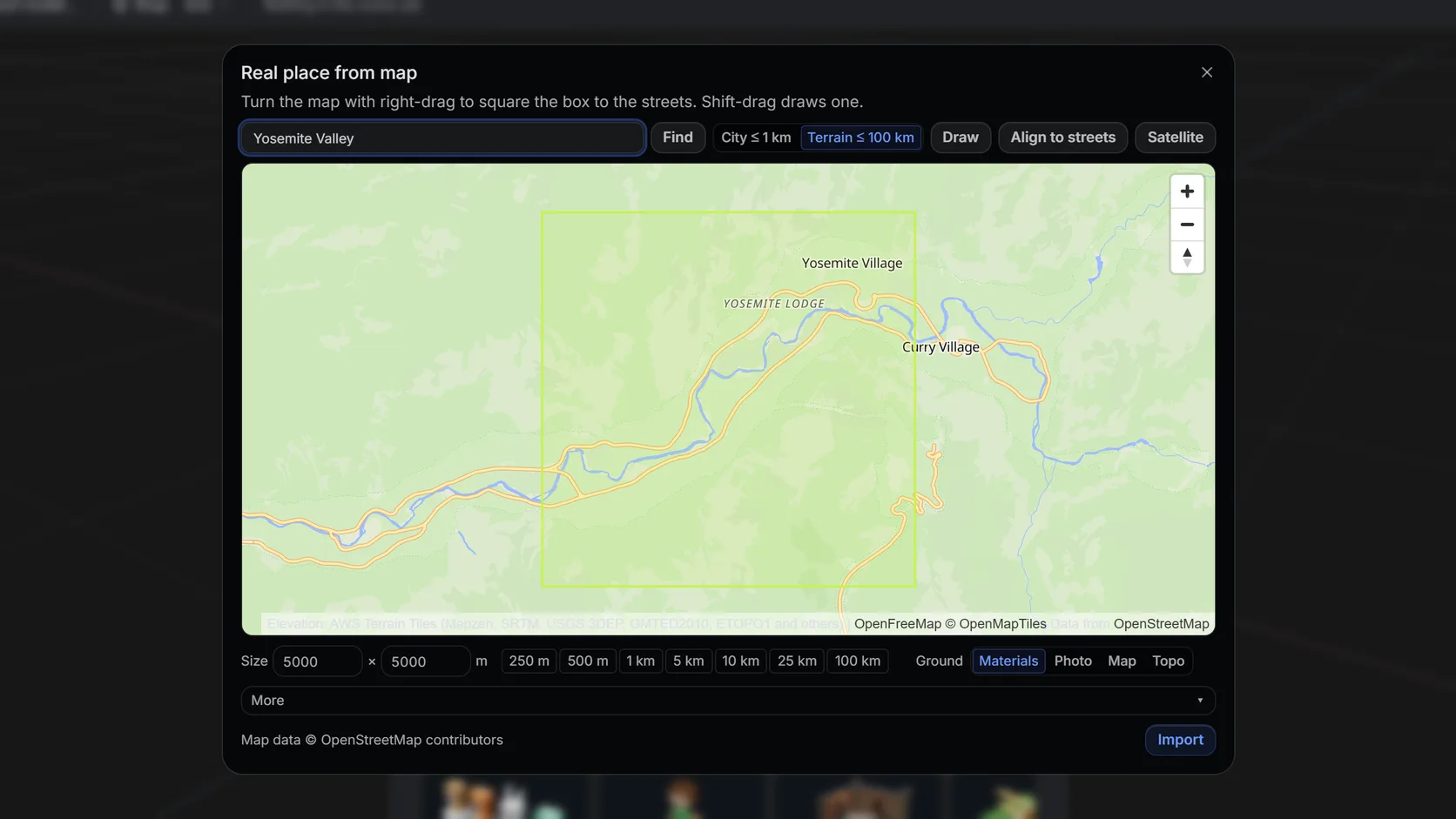
Search a name or an address, then drag a box. Terrain mode takes up to 100 km (25 km on a phone); city mode up to about 1 km with buildings, roads and water.
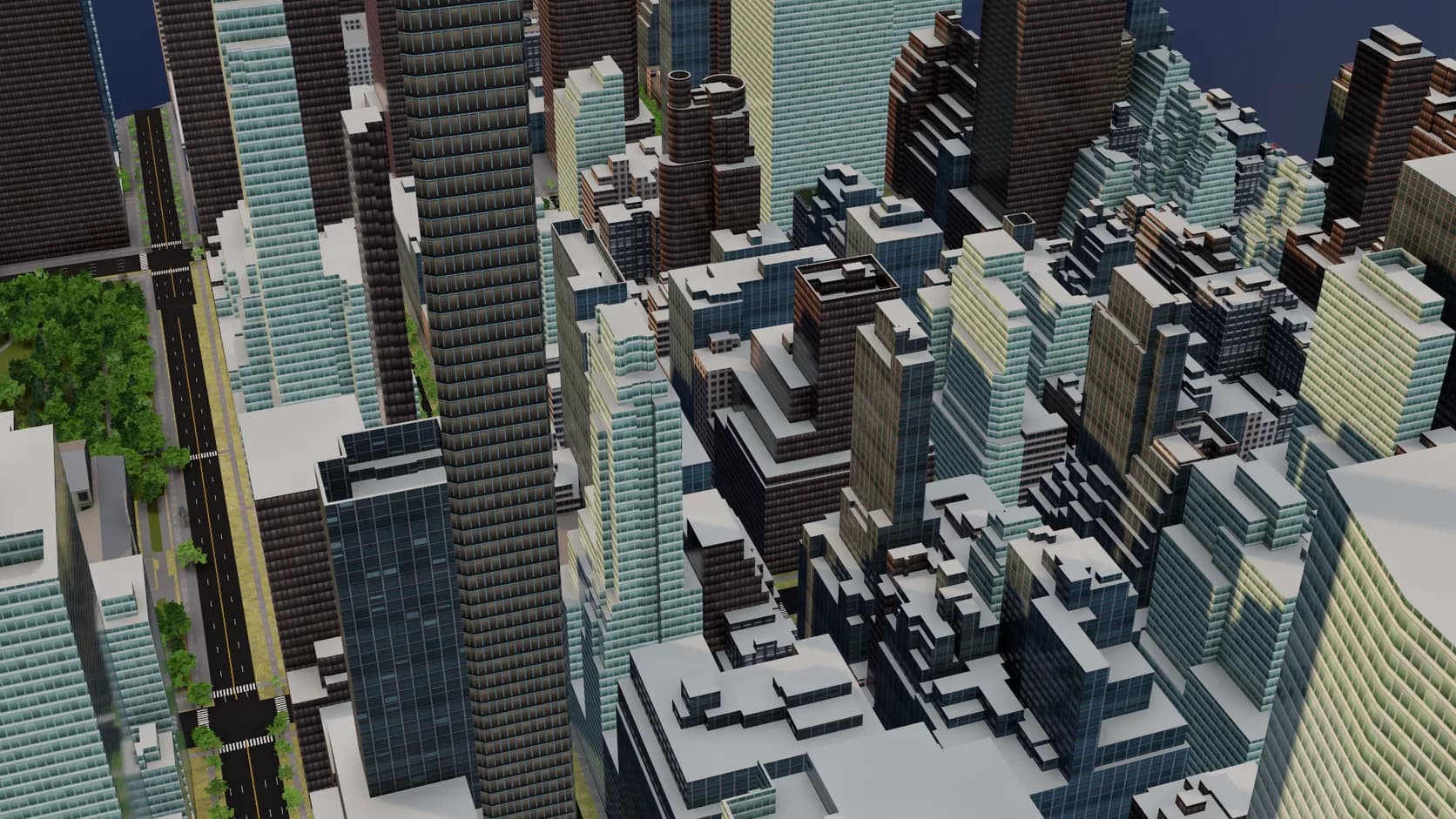
Footprints are extruded to their tagged height or floor count and seated on the ground. Mapped roof shapes and building parts are built, small homes get inferred gables and hips, and flat roofs get parapets and rooftop plant.
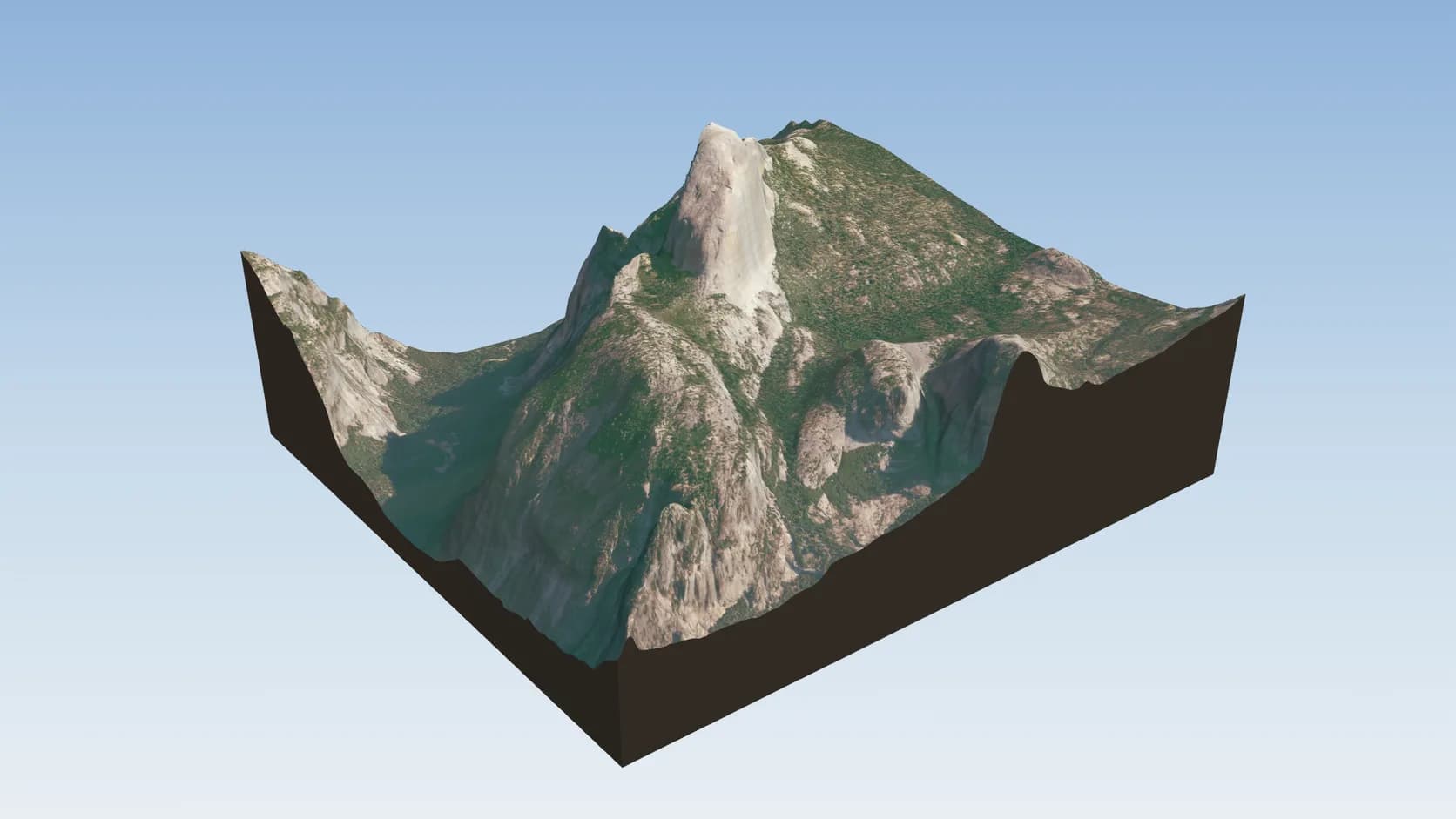
Drape NAIP in the US or Sentinel-2 2016 elsewhere — sources that allow commercial use with credit.
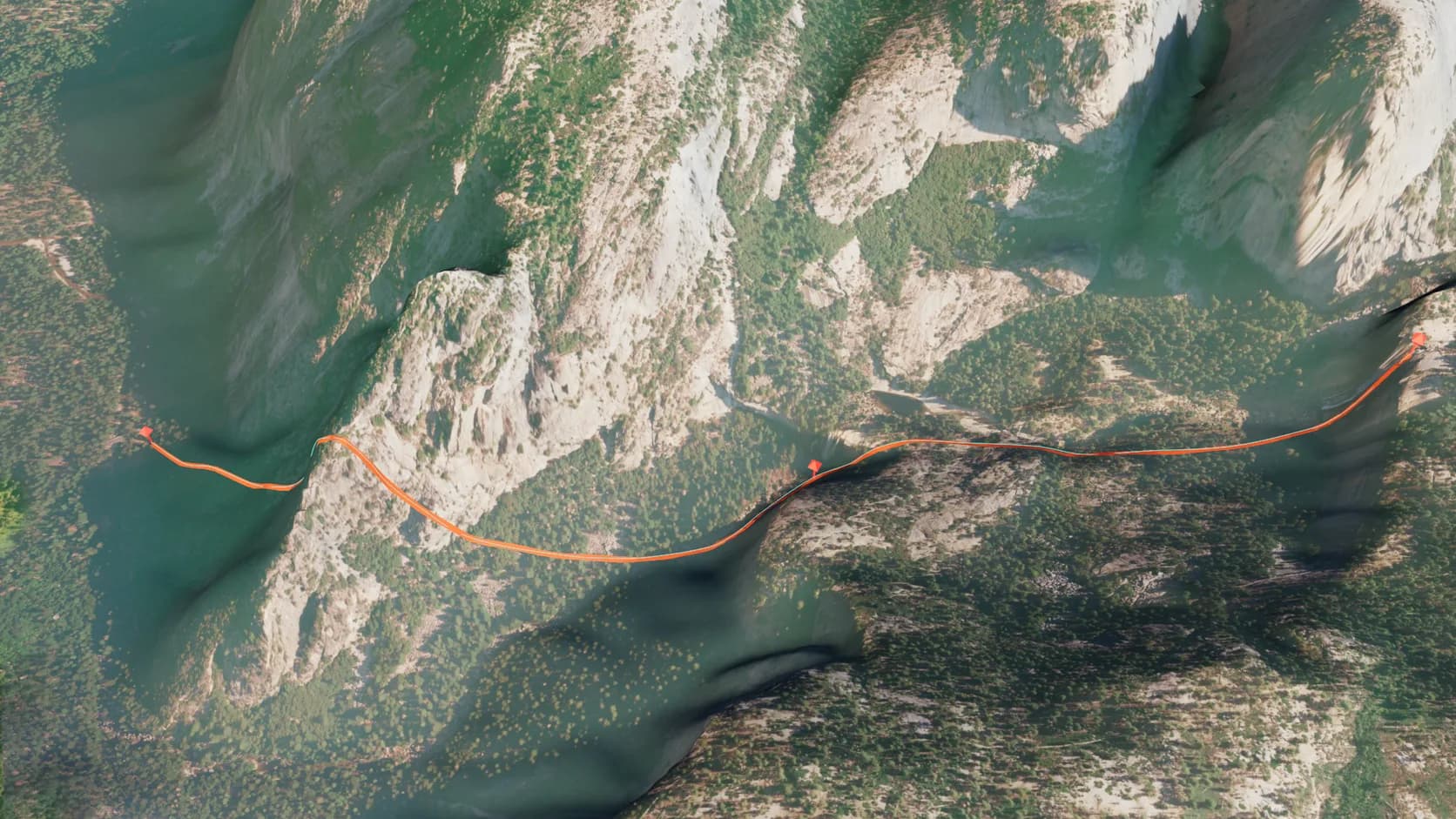
Import a .gpx from a watch or an app and each track becomes a ribbon on the ground, its waypoints named pins, with a path a camera can fly. No terrain yet? The area around the track is imported first.
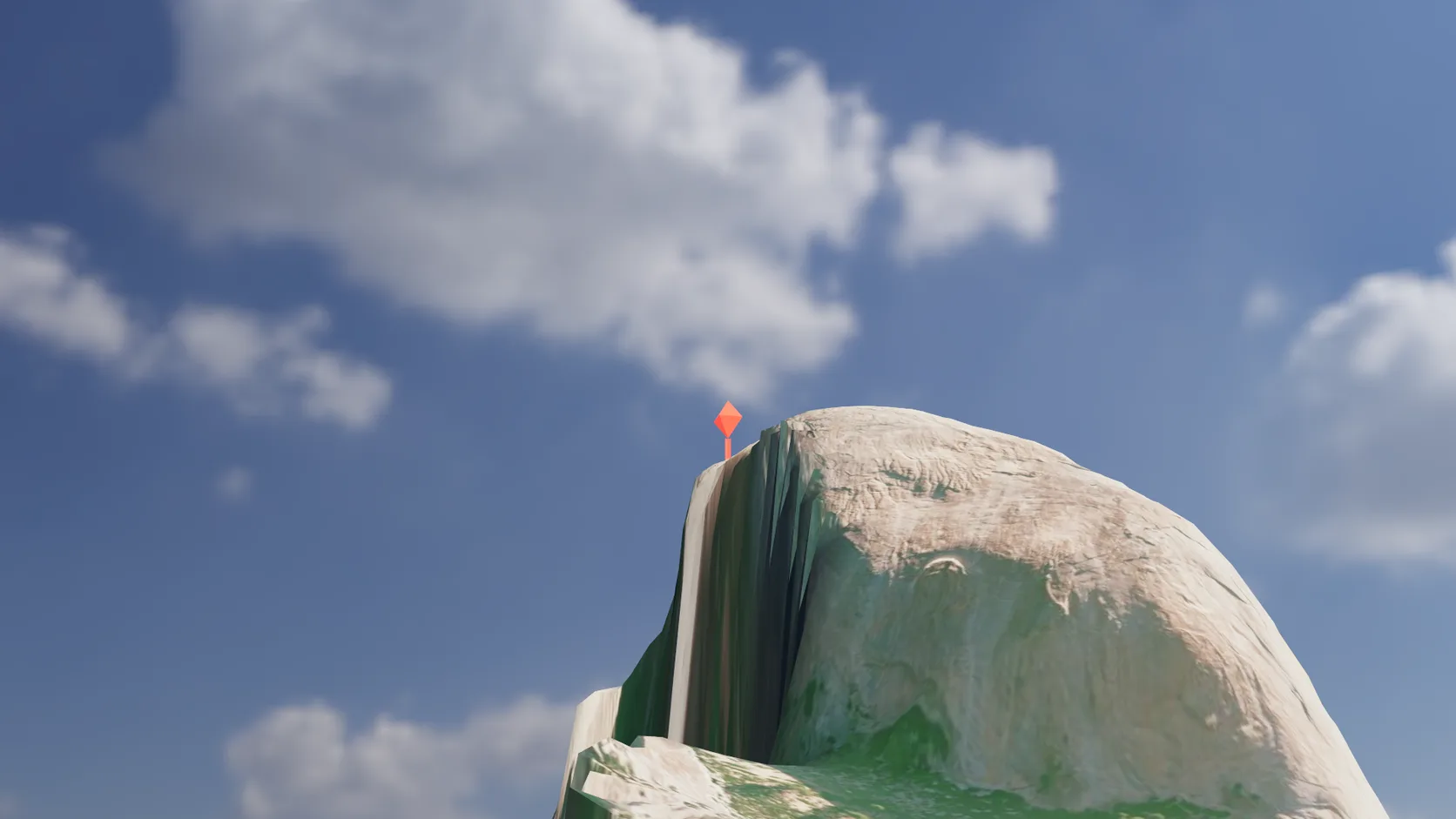
Name an address, a landmark or a latitude and longitude and a pin — or any object you pick — stands on the ground at that exact spot.
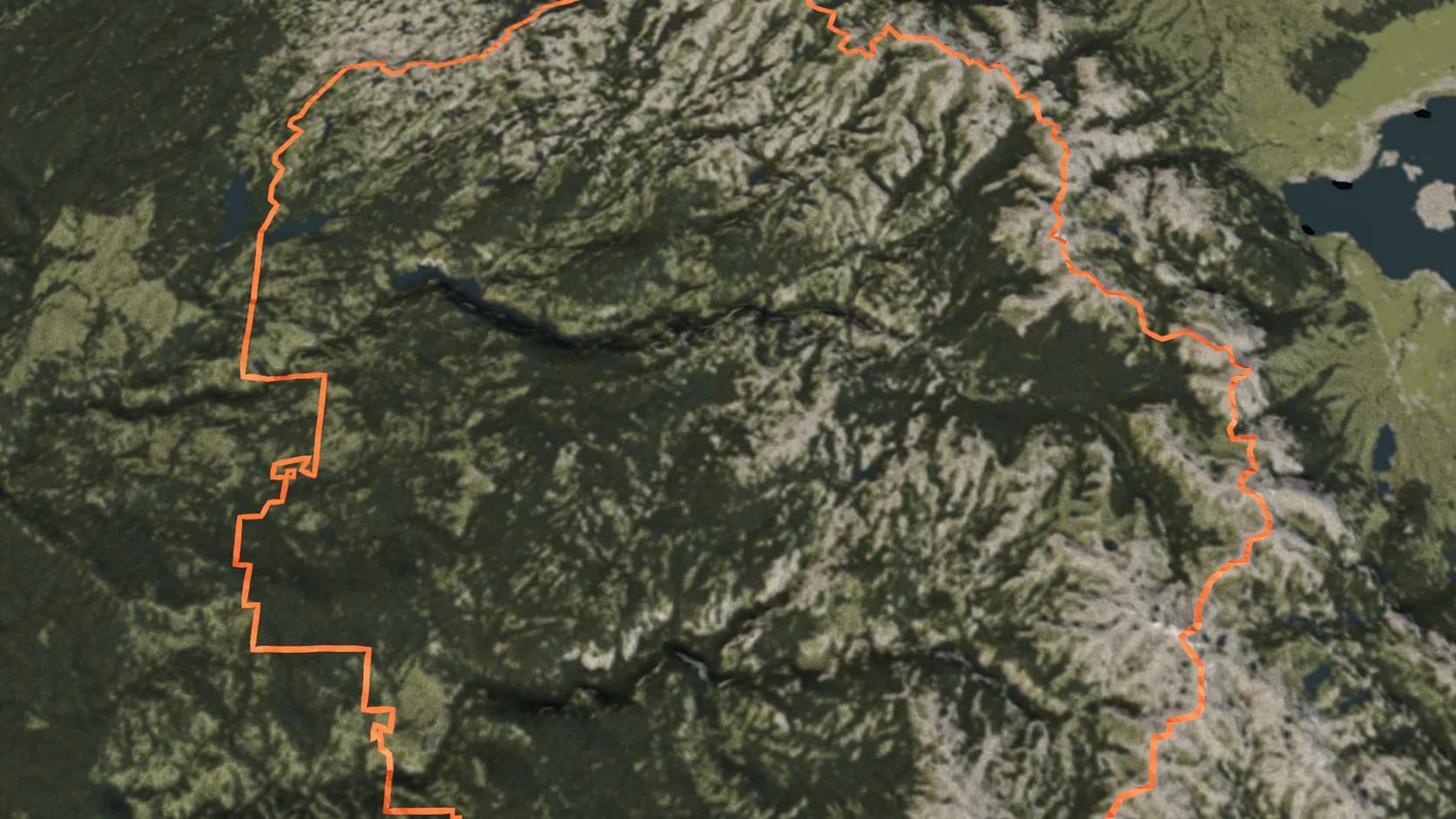
Name a country, state, county, city or park and its outline from OpenStreetMap is draped on the terrain as a ribbon.
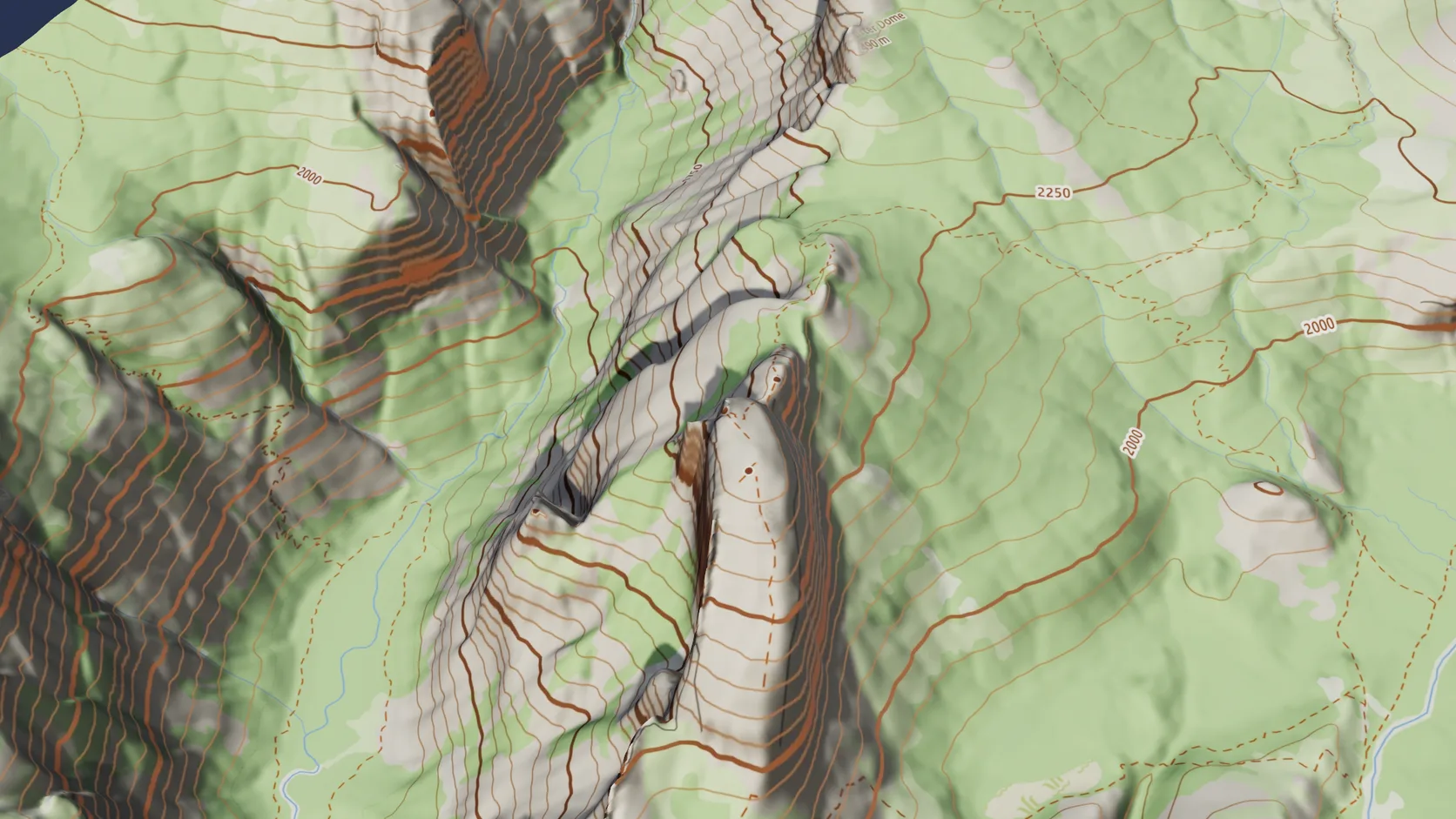
Drape the OpenFreeMap street map, or a topographic version with relief shading and labelled contours from the terrain's own elevation, and switch grounds later without re-importing.
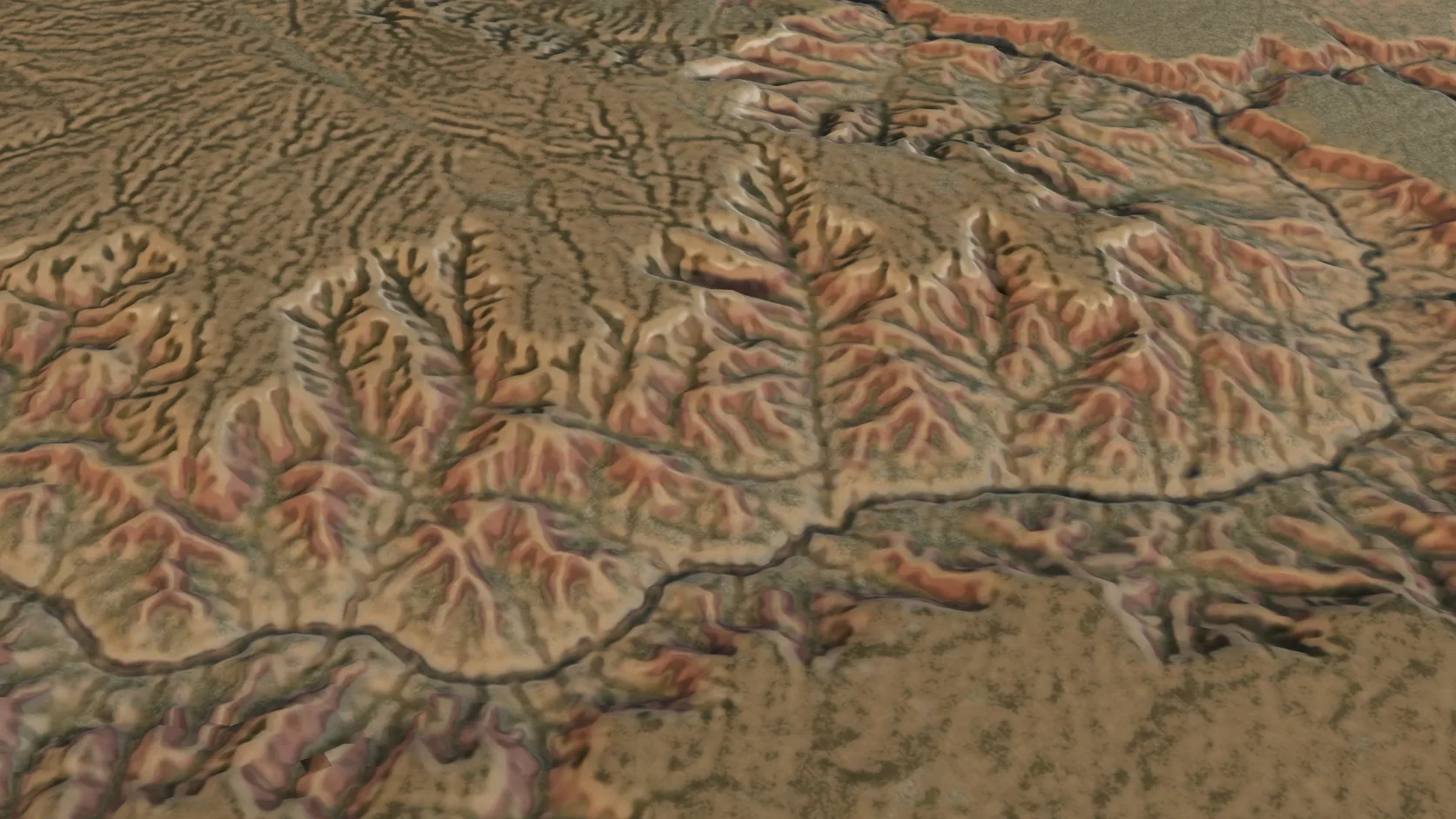
Terrain-only imports reach 100 km a side on a computer — a mountain range or a whole canyon system — with the grid coarsening to match.
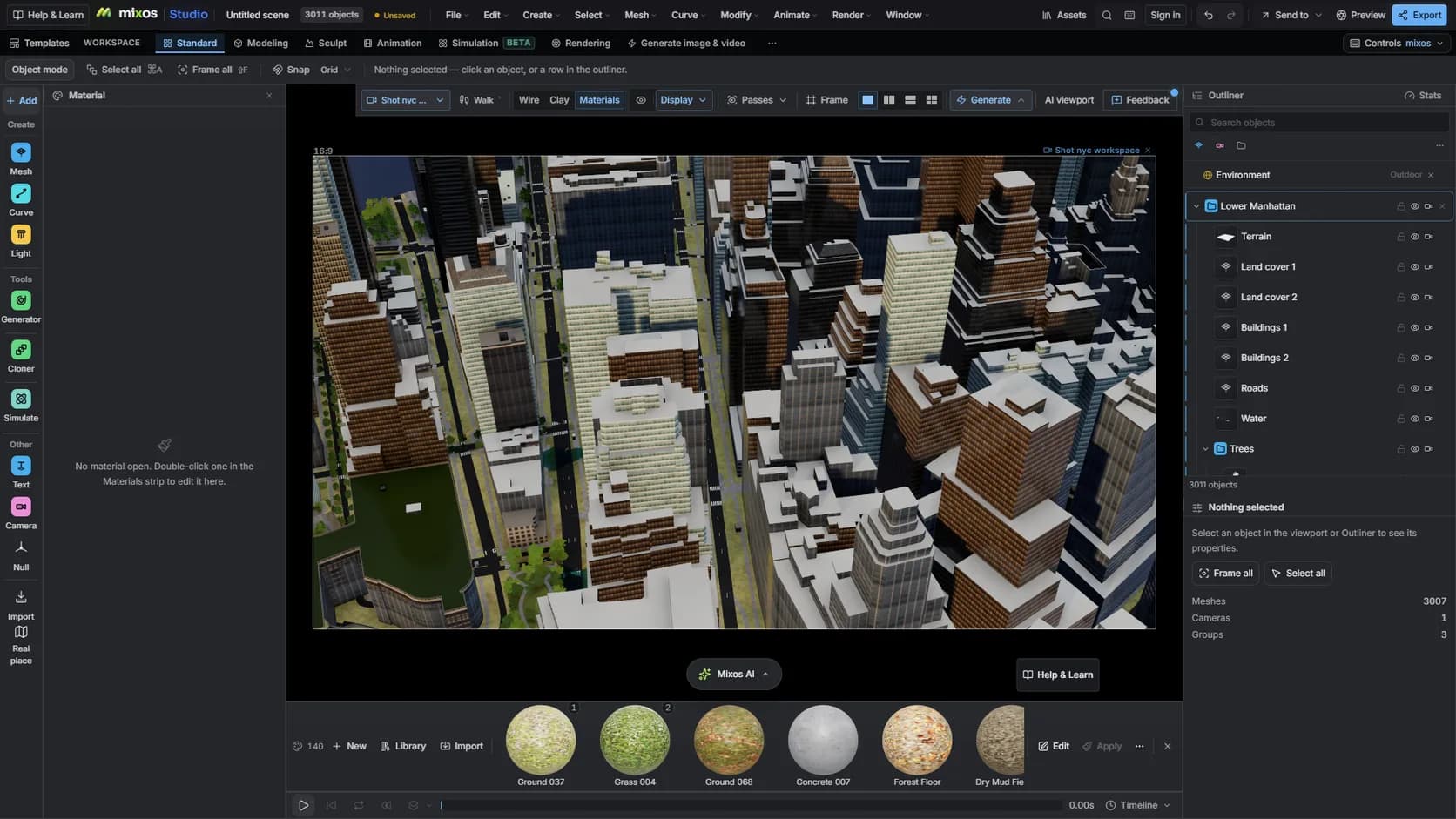
On a paid plan, mixos AI runs the same import from a sentence — the place, the look and the time of day — and keeps editing from there. It uses chat credits like any AI turn.
Feature by feature
Both turn real elevation data into 3D terrain. They differ in where they run and what comes with the terrain.
| Feature | Mixos | DEM Earth |
|---|---|---|
| Runs in | A WebGPU browser on Mac, Windows, Linux, ChromeOS or iPad | Cinema 4D on Windows or Mac |
| Needs another app | No | Yes — a Cinema 4D licence |
| Elevation data | Open global tiles: about 30 m source data in most places, finer in much of the US | Seven DEM datasets from 30 m to 90 m, plus your own high-resolution ASC files |
| Imagery | NAIP aerial (US), national orthophotos in several European countries, Sentinel-2 2016 elsewhere, a street or topographic map, your own georeferenced images, or library materials | Up to 22 image map layers, or your own imagery |
| OpenStreetMap buildings | Extruded to mapped heights with mapped or inferred roofs, styled facades, seated on the terrain | OSM object and extruder tools |
| Real 3D buildings | LoD2 roofs from open 3D city data in the Netherlands, North Rhine-Westphalia and Japan | Not listed on the product page |
| Roads, water, land cover | Built in the same import | Via OSM outlines and splines |
| GPS tracks and pins | GPX tracks draped as ribbons with waypoint pins; PinPoint places an object or pin at an address or coordinates | GPX import and PinPoint |
| Very large areas | Up to 100 km of terrain, about 1 km with buildings | Built for large areas |
| Rendering | Built-in path tracer | Any Cinema 4D render engine |
| Natural-language control | mixos AI runs the import from a prompt | No |
| Cost to start | Free to import, edit and render previews; export is paid | Paid plugin plus a Cinema 4D licence |
DEM Earth details are from the CinemaPlugins product page, checked 2026-10-16 (GPX and PinPoint 2026-10-17). Rival pricing is not listed here because it changes on someone else's schedule.
See the full mixos vs DEM Earth comparisonWhy Mixos
DEM Earth is a mature, well-regarded plugin, and if you already live in Cinema 4D it is a natural choice. It pulls several elevation datasets and a wide range of imagery layers, imports your own high-resolution survey data, and hands the result to every render engine Cinema 4D supports. For broadcast graphics built in a C4D pipeline, that integration is the point.
The trade is that it lives inside a host application. You need a Cinema 4D licence, a machine that runs it well, and a plugin version that matches your C4D version. For an occasional map shot, a student project, a property video or a print, that is a lot of software to own for one job.
Studio is a different shape of tool. It is a 3D application in its own right that runs in the browser, and real places are one of the things it imports. Draw a box on a map and you get the terrain, plus — in city mode — buildings extruded to their OpenStreetMap heights, roads, water and land cover, all as editable objects. Then you light it with a sun placed for the real coordinates, animate a camera and render, without leaving the tab.
If you need dozens of imagery layers, survey-grade custom DEMs across very large regions, or your final frames must come out of Cinema 4D, use DEM Earth. If you want real terrain and the city on it without a host application — or you would rather describe the shot to an assistant — Studio is the shorter path.
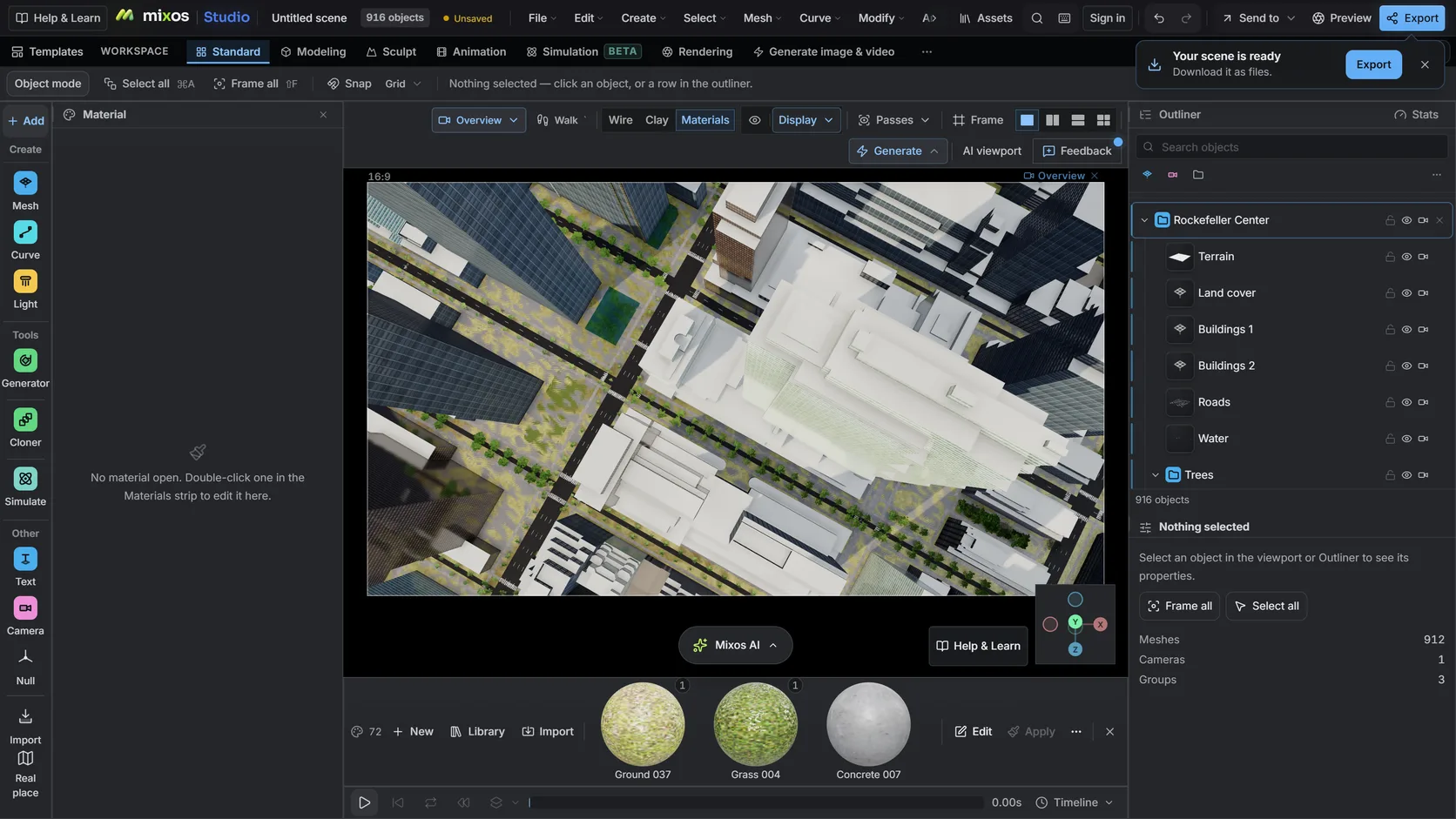
Studio's Real place import is free to use: import any area, edit it and render previews at no cost. Exporting the mesh or a clean full-resolution render is the paid step. In Blender, the free BlenderGIS add-on also imports elevation data.
No. DEM Earth is a Cinema 4D plugin, and its product page lists Cinema 4D versions only. Studio runs on its own in a browser.
Yes. The city import extrudes OpenStreetMap building outlines to their tagged height or floor count, seats them on the terrain, and adds roads, water and land cover in the same step.
Yes. GPX tracks are draped on the terrain with their waypoints as pins, and heightmap PNGs, GeoTIFFs, ESRI ASCII grids and LiDAR LAS/LAZ files import as terrain. You can also lay your own georeferenced image on the ground and draw a region's border from OpenStreetMap.
Yes. On a paid plan, export the scene as FBX, GLB or OBJ and open it in Cinema 4D, Blender or any other 3D application.
Read next
Which format keeps materials and which throws them away.
Open the file in the browser — meshes, materials, triangle count.
Watertight remesh, thickened walls, and the checks that stop a bad print.
Key, retime and ease a move, step by step.
Keep exploring
DEM Earth for Blender
3D terrain generator
3D city model generator
Satellite imagery on terrain
Google Earth Studio alternative
Cinema 4D alternative