Texturing 3D gratuito software online.
Importa il tuo modello, applica un materiale ed esporta mappe per Blender, Unreal o Unity. Dipingi e modifica il risultato nel browser, senza installare nulla.
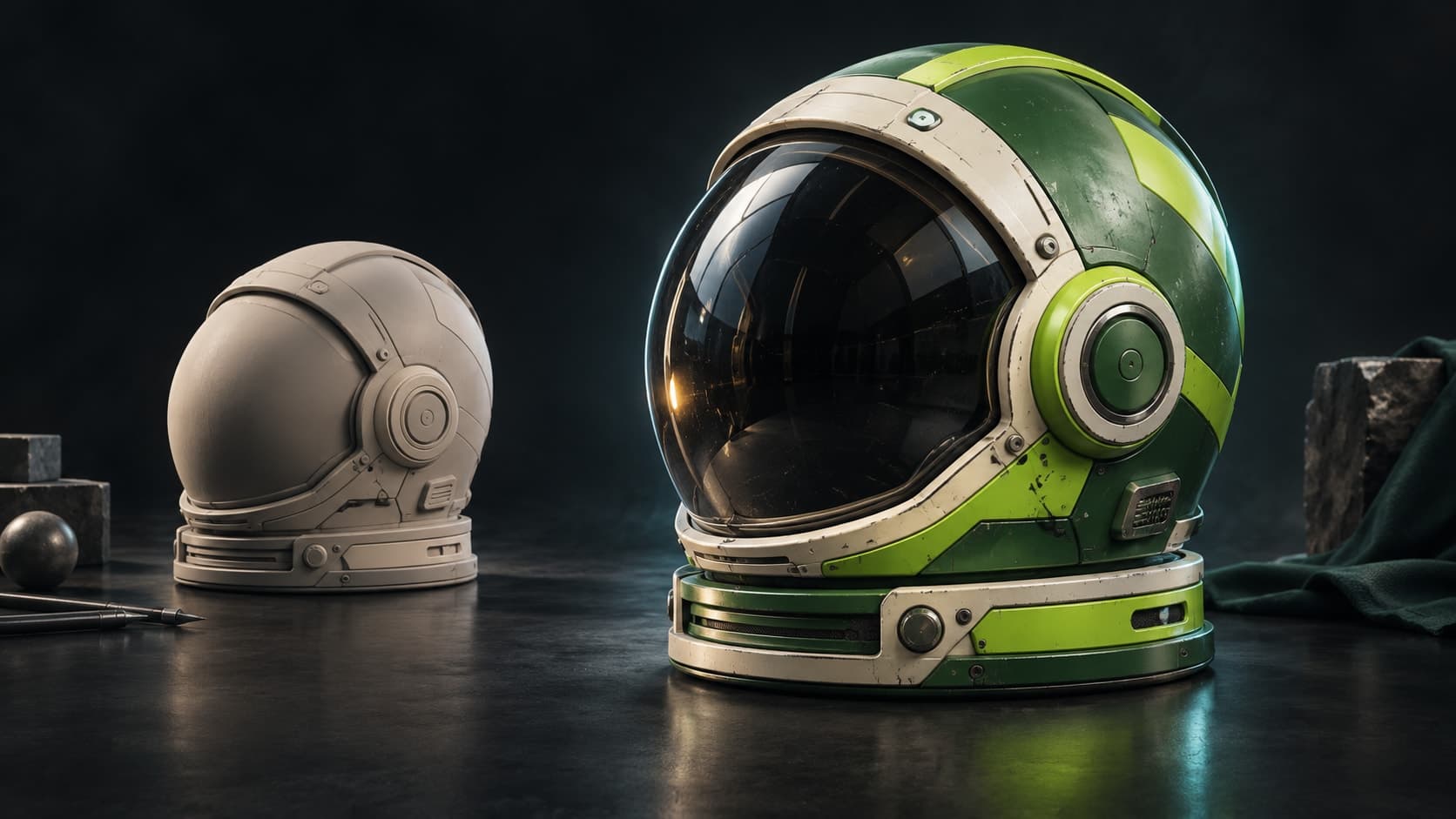
Illustrazione concettuale.
Prova: dipingi un materiale su una sfera con UV
Usa il GLB fornito per esercitarti con livelli e maschere senza preparare un modello. La sfera ha già le coordinate UV.
Importa il mesh di prova
Scarica la sfera GLB qui sotto. Apri Paint e importa il file nell’area di lavoro.
Applica un materiale della libreria
Trascina un materiale di legno dalla libreria sulla sfera. Regola la scala finché le venature si adattano alla superficie.
Dipingi una maschera e controlla le mappe
Aggiungi un secondo livello di materiale e dipingi la sua maschera per mostrarlo su parte della sfera. Visualizza separatamente base color e roughness per verificare il risultato.
Dovresti vedere due materiali su un mesh, con la maschera dipinta che ne controlla il confine. I livelli restano modificabili; esportare le mappe richiede un piano a pagamento.
Gratuito da usare — texturizza quanto vuoi. L'esportazione delle mappe richiede un piano a pagamento.
Il toolkit
Dipingi, stratifica e maschera — il tuo modo di texturizzare.
Non uno stack di filtri e non un'anteprima — ma gli strumenti di cui una texture finita ha realmente bisogno, ognuno di essi non distruttivo.
Dipingi sul modello
Dettagli del pennello direttamente sulla mesh — modalità pennello, alpha stamps e pittura a proiezione che si estende attraverso le UV seams, sia per la texture che per le maschere che la posizionano.
Impila livelli miscelabili
Livelli non distruttivi con modalità di fusione, opacità e toggle per canale. Dipingi colore, altezza, roughness e metallic in modo indipendente, e riordina o disattiva qualsiasi livello in qualsiasi momento.
Smart masks
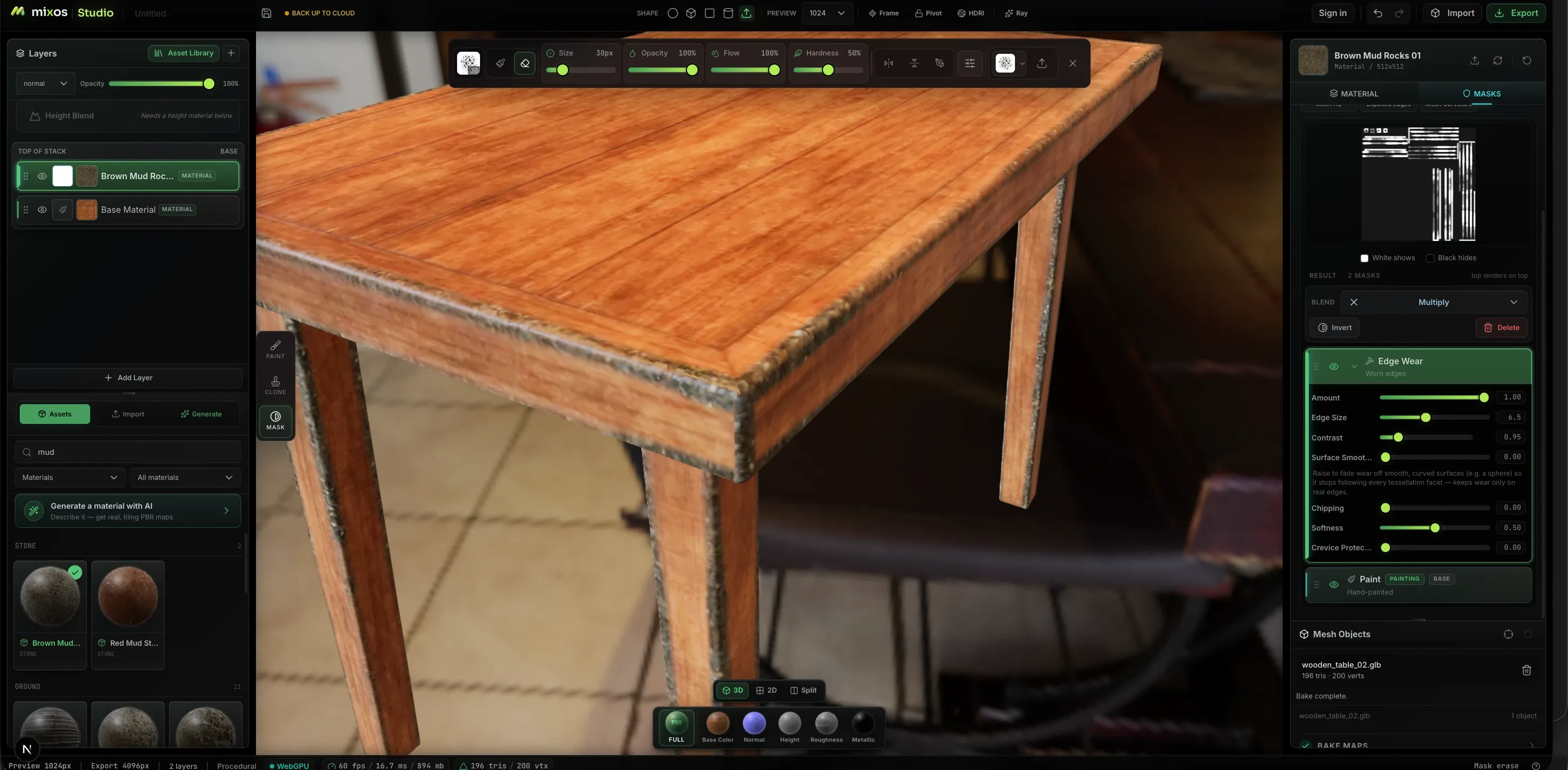
I generatori procedurali applicano l'usura dove si manifesta — edge wear, curvature, grime e cavity masks basate sulla geometria, con quantità, dimensione del bordo, contrasto e scheggiature regolabili tramite slider anziché con pennellate.
2600+ materiali PBR
Trascina un materiale pronto sullo stack — metallo, legno, pietra, tessuto, pelle — poi regola la tiling e la roughness. Importa i tuoi allo stesso modo: rilascia una cartella, o un'intera libreria, e le mappe verranno ordinate per nome file.
Decals e stencil
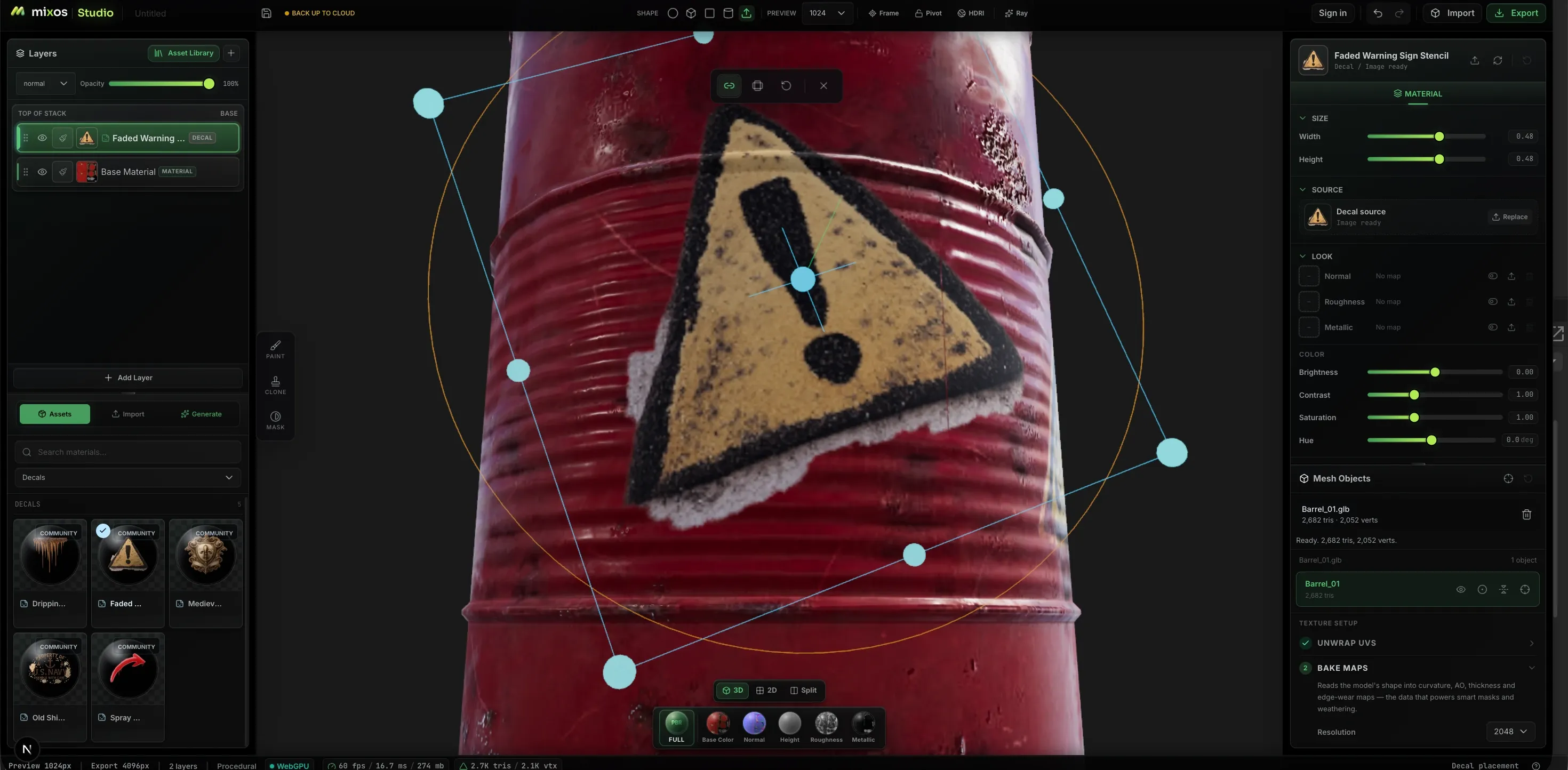
Rilascia loghi, segnali di avvertimento e stencil sulla superficie e posizionali con un gizmo on-mesh — sposta, scala e ruota rispetto alla geometria anziché a un foglio UV piatto.
Dipingi in 2D e 3D contemporaneamente
Dividi la vista e lavora sul foglio di texture piatto accanto al modello. Gli stessi pennelli, livelli e maschere si applicano in entrambi i pannelli e si aggiornano insieme — così cuciture, tiling e qualsiasi cosa più facile da colpire su un foglio piatto non sono più un'incognita.
Genera ciò di cui hai bisogno
Richiedi un materiale PBR tiling completo, una texture seamless, una maschera di weathering, una punta di pennello, una decal — o un intero modello 3D con UV reali su cui dipingere. Ogni canale viene restituito come una mappa reale che puoi modificare, non un'immagine piatta incorporata nel colore.
Da dove viene il realismo
Usura che segue la geometria.
La differenza tra un materiale piatto e un oggetto usato sta in dove i bordi si sono sfregati e dove lo sporco si è accumulato. Paint esegue il bake della curvatura e dell'occlusione ambientale dalla tua mesh e le usa per guidare le maschere, in modo che l'usura si posizioni dove la forma indica che dovrebbe.
Il workflow
Dalla mesh nuda alle mappe esportate
Porta un modello
Importa GLB, glTF, FBX o OBJ, prendine uno dalla libreria di modelli CC0 gratuita, oppure invia uno sculpt da Mold con UV fresche già applicate.
Applica una base
Trascina un materiale sullo stack per una base a livelli istantanea, oppure applica automaticamente una texture all'intera mesh da un prompt e rifinisci il risultato.
Dipingi e maschera
Dipingi i dettagli che lo rendono tuo, poi isolali — selezioni per ID colore per le parti, generatori procedurali per l'usura, maschere dipinte a mano per tutto il resto.
Esporta le mappe
Set di mappe PBR organizzati fino a 4K più un .glb, nominati per l'engine in cui ti stai dirigendo. Dipingere è gratuito; l'esportazione delle mappe finite è inclusa in un piano a pagamento.
Superfici che sembrano reali
Dipingi l'usura, non solo il colore
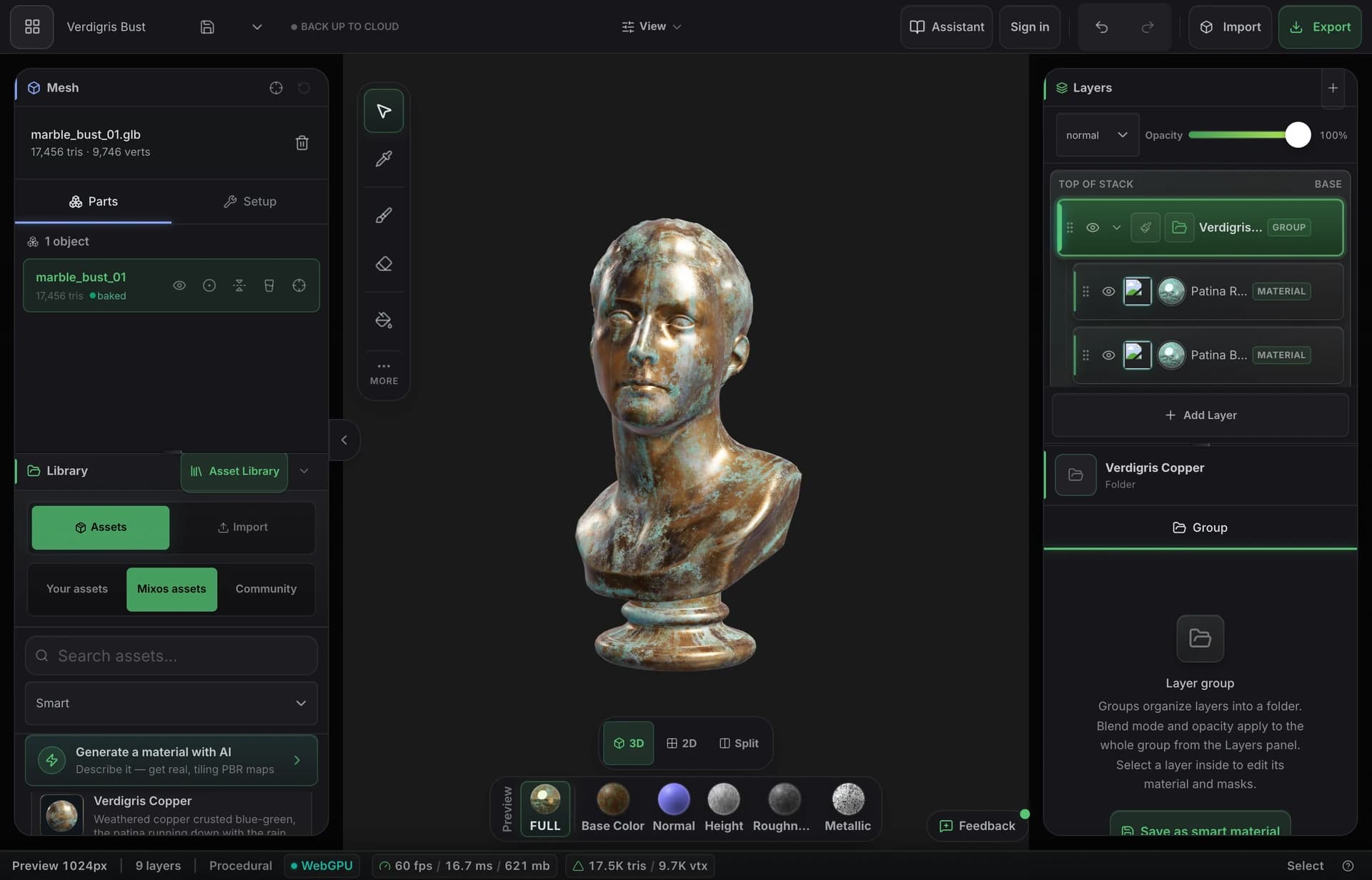
Bake la curvatura, lo spessore e l'occlusione ambientale del modello, poi lascia che i materiali smart depositino la ruggine nelle cavità e consumino la vernice dai bordi come farebbe l'uso. Il risultato sembra usato, perché è stato invecchiato dalla forma stessa.
- Curvatura, AO e spessore ottenuti tramite baking dalla tua mesh
- Materiali smart che trovano bordi e fessure autonomamente
- Esporta il set completo di mappe PBR fino a 4K
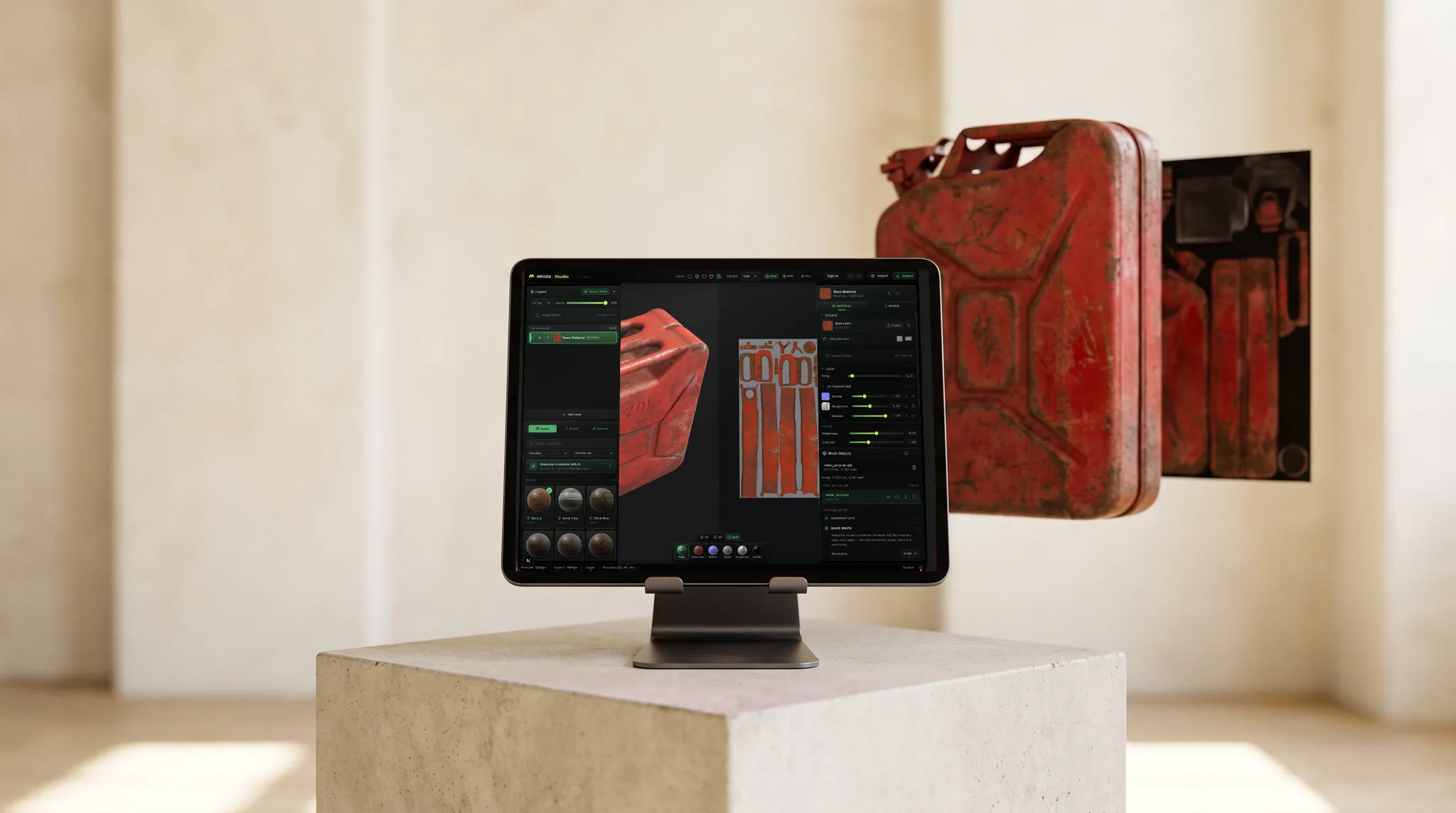
Nel tuo pipeline
Mappe standard, nominate come il tuo engine le richiede.
Colore base, normale, roughness, metallic, altezza e opacità, più ambient occlusion e curvature bake, esportati fino a 4K come PNG — con preset che nominano e impacchettano i canali nel modo previsto da Blender, Unreal e Unity.
Ogni canale viene visualizzato in anteprima sul modello individualmente, così puoi vedere cosa fa ogni mappa prima che venga esportata.
Sull'app desktop gratuita è disponibile un Live Link che trasmette le tue mappe a Blender, Cinema 4D o Unreal mentre dipingi, così vedi il cambiamento nel tuo renderer anziché dover esportare per controllare.
Libreria materiali
Inizia da 2669 materiali PBR pronti all'uso.
Mattoni, cemento, metallo, legno, pietra, tessuto, pelle e altro ancora — ognuno un set PBR completo. Trascinalo sulla superficie e dipingici sopra, oppure parti da un materiale generato.
Anche la libreria continua a crescere da sola: materiali AI della community — set PBR seamless generati in Mixos e condivisi dagli artisti che li hanno creati — arrivano nella stessa libreria ogni settimana, filtrati dietro il loro chip. Sono tuoi da usare per dipingere, anche se solo i set CC0 sono scaricabili.
- Wood376
- Stone244
- Metal229
- Tiles228
- Ground220
- Paving205
- Bricks202
- Fabric167
- Concrete132
- Asphalt90
- Leather54
- +8 altro
AI generation
Describe it. Get something you can actually edit.
Every generator hands back a working asset, not a picture of one — and everything below is a real, unretouched generation.
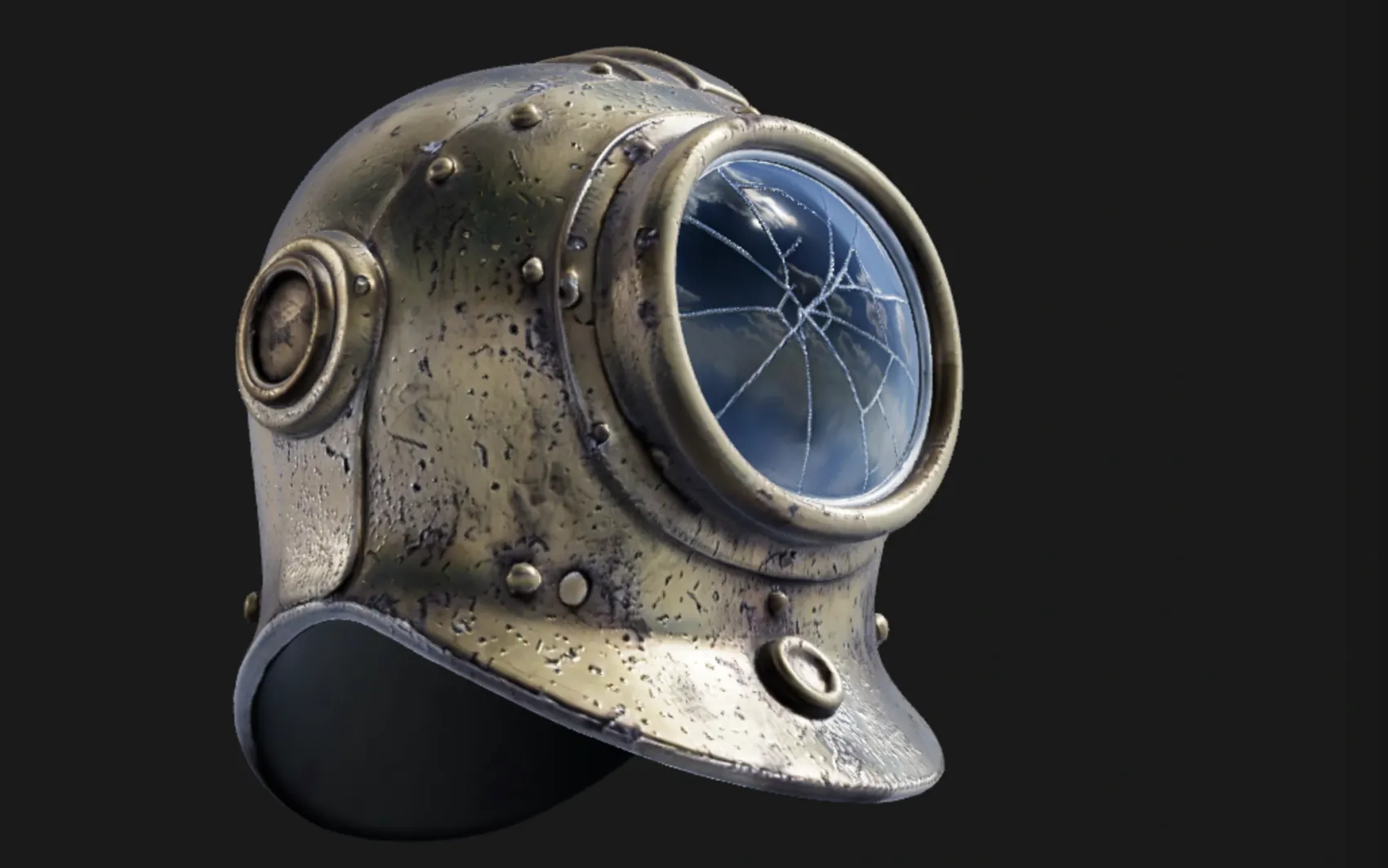
a weathered brass diving helmet with rivets and a cracked glass porthole
A textured, UV-unwrapped .glb — paintable the moment it lands, its generated maps already broken out as editable layers. No re-unwrap, no blank canvas.
“High detail” tier (Pro) · 180s
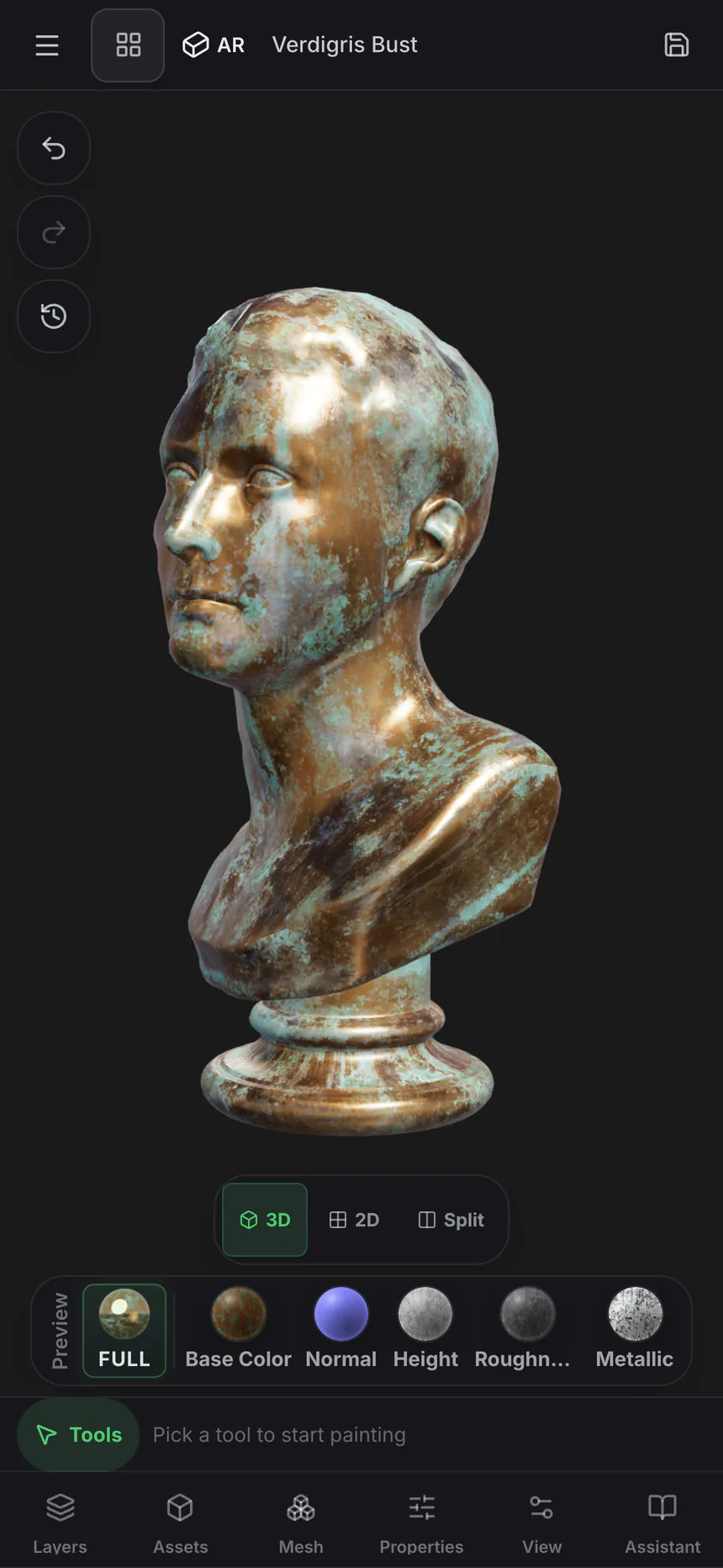
oxidised copper roof panel with green verdigris and rain streaks
One prompt, five real maps — not one image with the other four guessed from it. It exports as a standard map set for Blender, Unreal, Unity and C4D, and lands in the node editor as five wired nodes, so the roughness can go through a Levels or the albedo blend with grunge.
Five 1024² channels · 150s
 Base color
 Normal
 Roughness
 Metallic
 Height
Textures tile on all four edges, masks drive where a layer shows through, and brush alphas and decals stamp straight onto the mesh — each from one prompt, each landing as something you keep editing rather than a flat picture.
 Texture
 Mask
Mask Brush alpha
 Decal
DecalOnly generation spends credits — painting, layering, masking, baking and live preview never touch them. Every plan can generate, and a free account starts with a trial pool; Pro and Max add 2K materials and the two highest-fidelity 3D engines.
Mold ↔ Paint
Change the sculpt after you've textured it.
Texture a model in Paint, send it back to Mold, reshape the base — and the texture comes back exactly where you left it. Mixos carries the UV mapping across instead of re-projecting the paint onto the new surface, so your layers are never resampled and never drift. The tenth trip costs what the first one did.
- Layers return byte-identical
- Nothing is reprojected
- Full density comes home
- Multi-part models too
Node materials
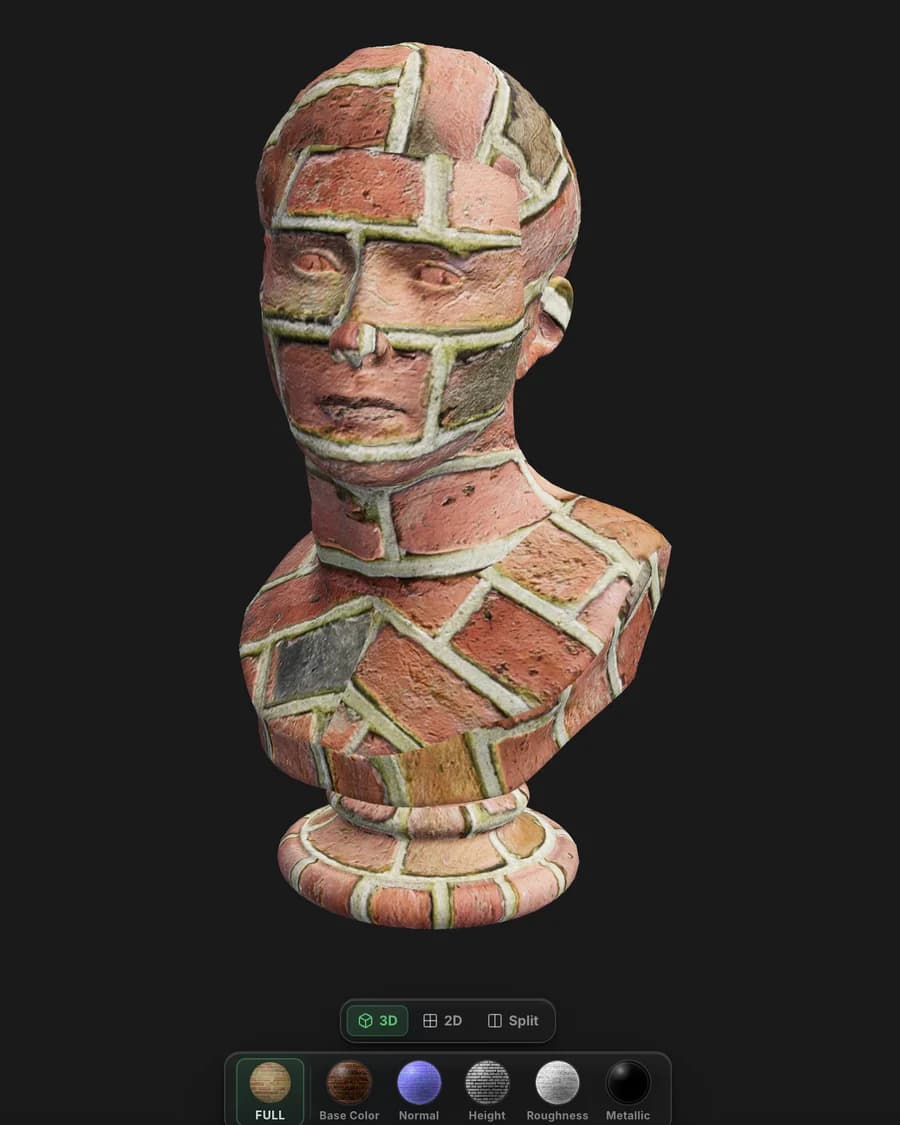
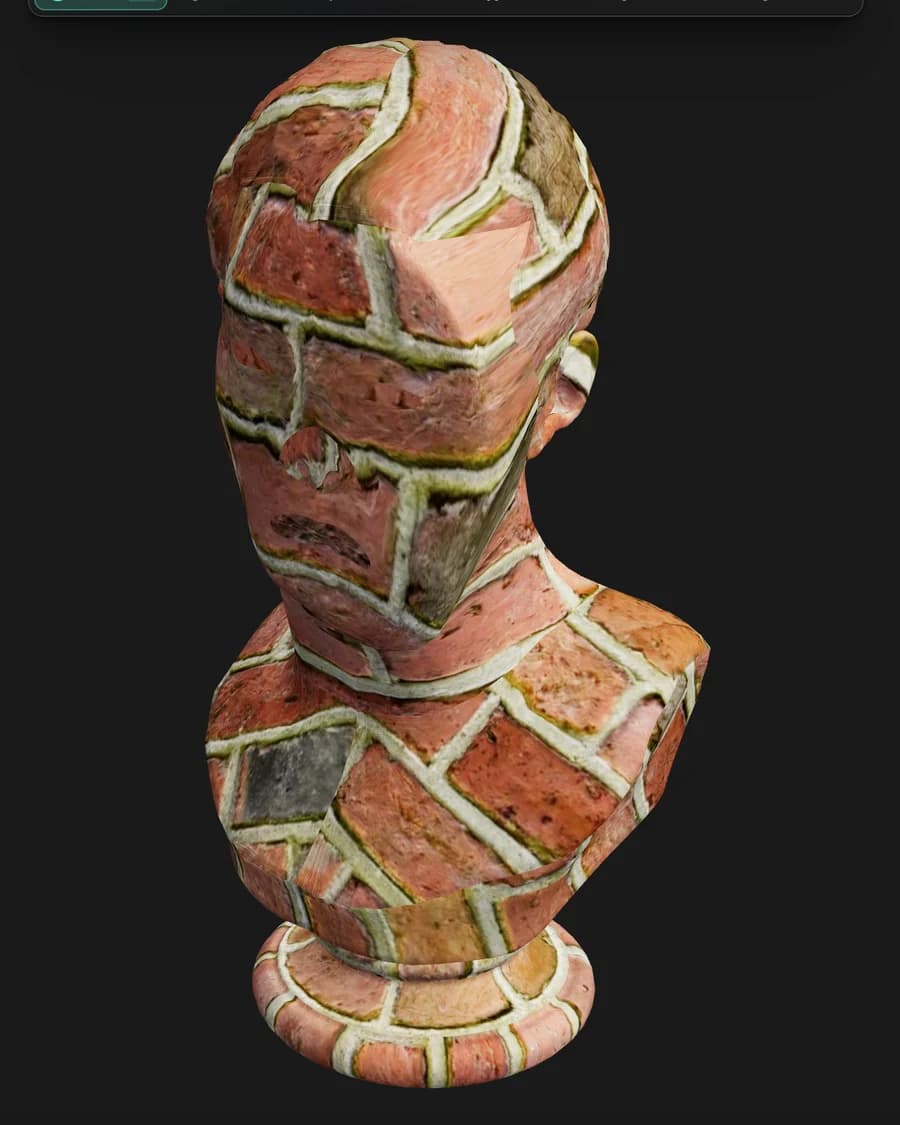
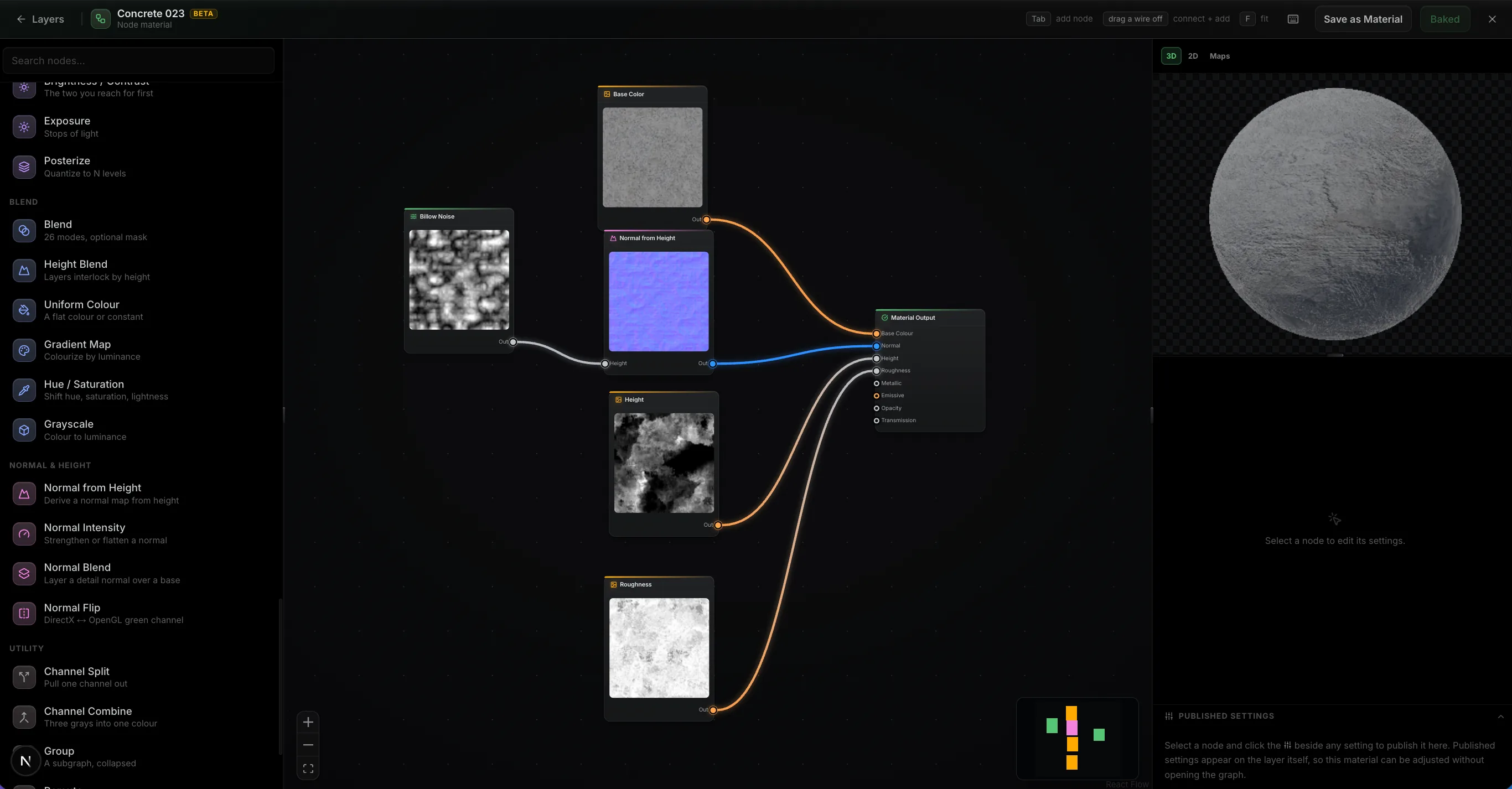
Build a material out of nodes.
Wire noise, warps, levels and blends into a graph and it authors every PBR channel at once, evaluated on your GPU as you drag a slider. Feed in your mesh's baked maps and the wear lands where the geometry says it should. Then publish the handful of parameters that matter as variables on the layer, so the finished material stays adjustable without reopening the graph.
- ~30 nodes
- Mesh maps as inputs
- Published settings
- It's just a layer
Path-traced preview
Path-traced preview.
The Ray toggle switches the viewport to a progressive path-traced render of the frame you're editing — bounced light, soft shadows, and glossy reflections across your whole layer stack. It refines in place while you tune quality, exposure and depth of field.
- Progressive — refines in place
- Fast / Balanced / High quality
- Physical depth of field
 Ray · path-traced
Live Link · desktop app only
Live Link to Blender, C4D and Unreal.
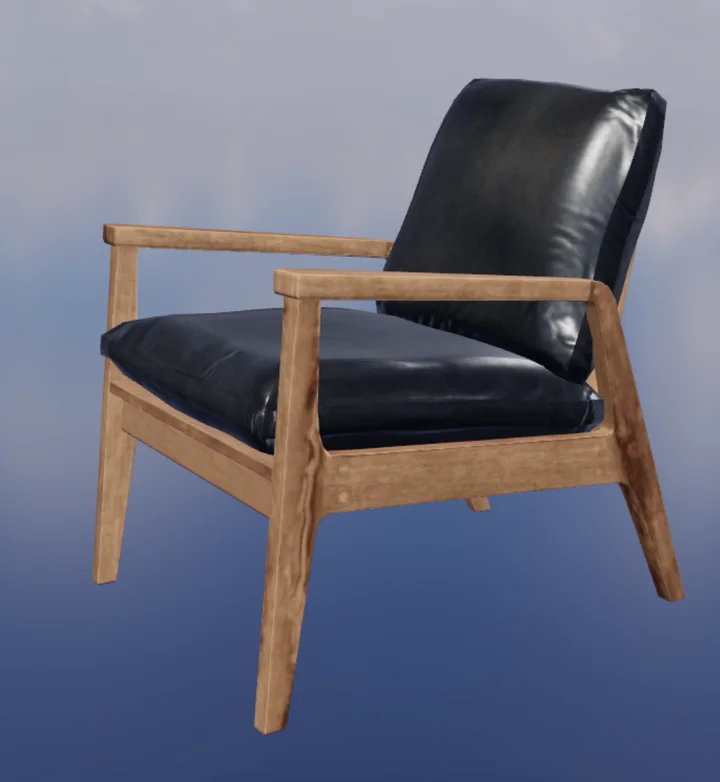
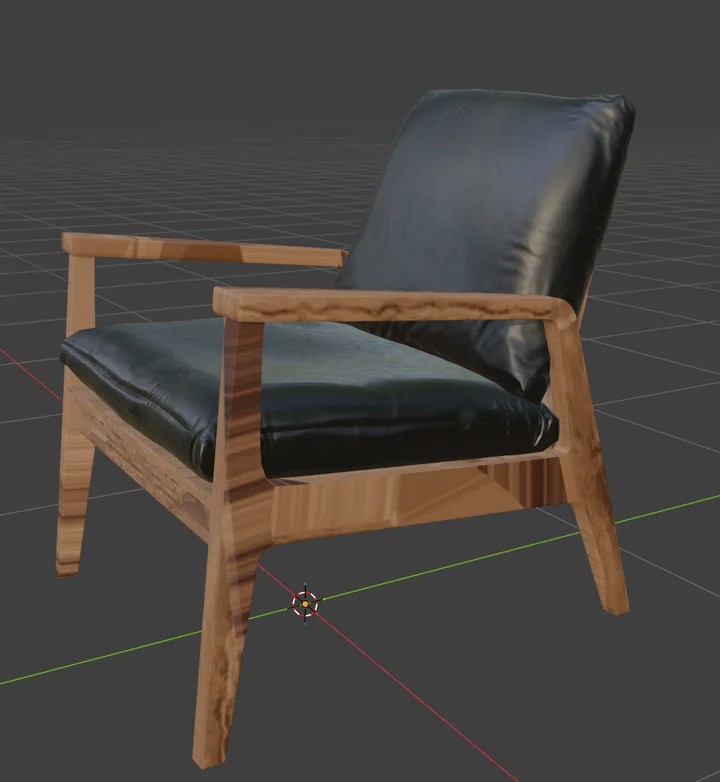
In the free desktop app, Live Link sends your maps to Blender, Cinema 4D, or Unreal each time they change — no export, no upload. With Blender it's two-way: send a model over, texture it, and the maps come back to the same object.
- Desktop app only
- One-click plugin install
- Auto Sync on every change
- Two-way with Blender
L'intera pipeline
Il resto della suite lavora sullo stesso modello.
Uno sculpt da Mold arriva qui con UV fresche. Una scena assemblata in Studio torna texturizzata. Auto applica texture a un'intera mesh da un prompt.
Il passaggio è un pulsante, non una complessa procedura di esportazione — il modello passa con i suoi livelli intatti e torna modificato.
Ovunque tu lavori
Texturing senza la workstation
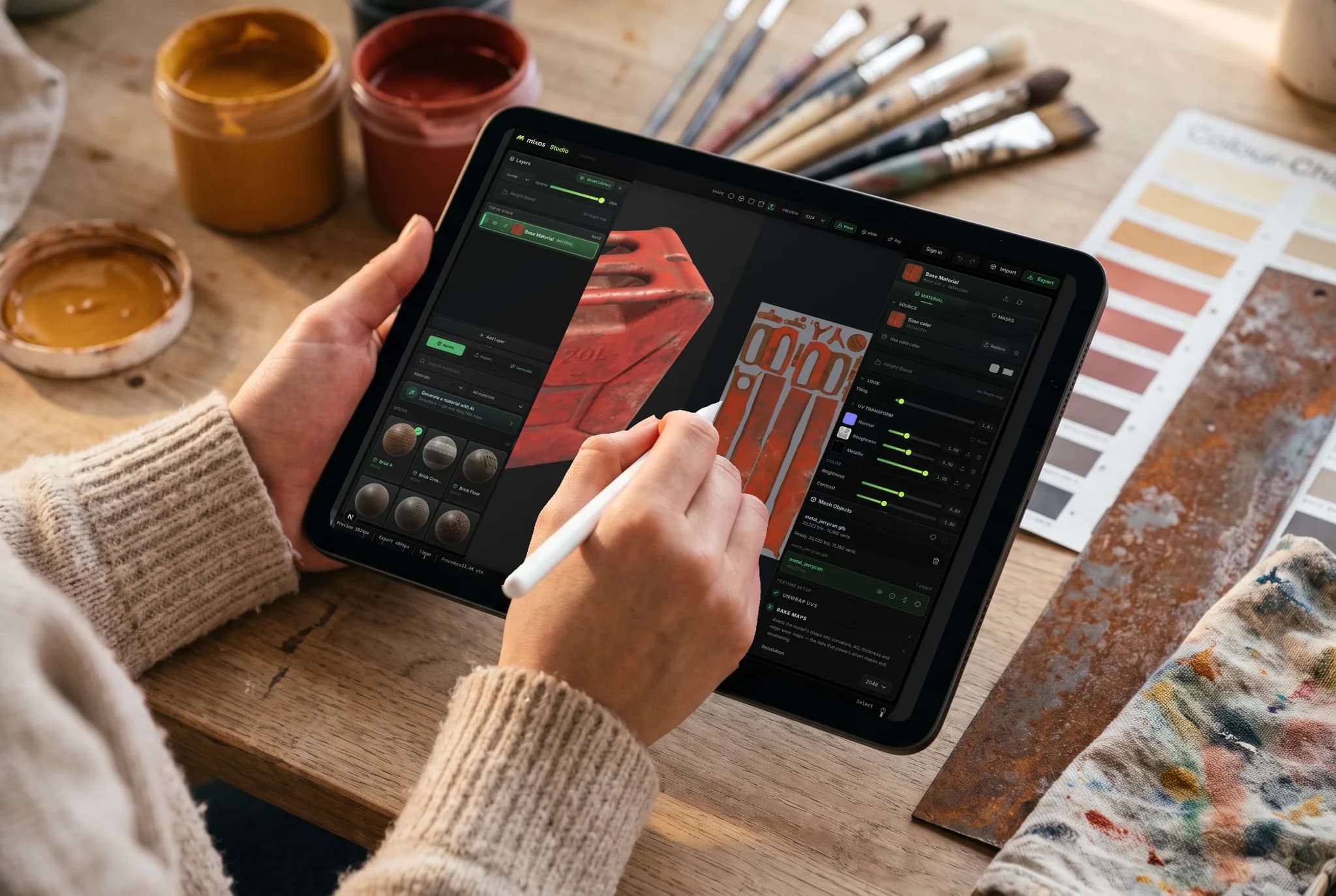
Paint funziona in una scheda del browser sulla GPU che hai già. Riprendi un modello su un iPad sul divano, continua più tardi su un laptop ed esporta le mappe da entrambi — senza dover spostare postazioni e senza installare nulla prima.
- Nessun download, nessuna installazione, nessuna licenza da trasferire
- Modelli e livelli seguono il tuo account
- Apple Pencil per mascheratura e dettagli dipinti a mano
Qualsiasi dispositivo
Texturizza sulla macchina che hai già.
Il motore di Paint è quello del browser, quindi non c'è una build da scegliere, nessun installer da eseguire e nessuna specifica minima oltre a un browser che supporti WebGPU.
Mac, Windows, Linux
Chrome, Edge, Firefox o Brave, più Safari 26+. Un mouse e una tastiera, o una tavoletta Wacom per i pennelli sensibili alla pressione.
iPad
Un layout ottimizzato per il touch in cui i pannelli si riorganizzano in schede a scorrimento, con la pressione e l'inclinazione di Apple Pencil che controllano il pennello.
Android
Telefoni e tablet con una versione aggiornata di Chrome. Nessun sideloading, nessuna build separata — la stessa scheda e lo stesso progetto.
Chromebook
Texturizzazione su hardware che non può eseguire pacchetti desktop, purché ChromeOS fornisca WebGPU.
Su iPhone e iPad, ora c'è un'app.
Paint è incluso nell'app gratuita Mixos, con un layout ottimizzato per il touch e Apple Pencil — e la versione browser non richiede comunque alcuna installazione. iOS 26 or later.
Domande frequenti
Cosa mi serve per usare Paint?
Un browser con WebGPU — Chrome, Edge o Safari aggiornati su Mac, Windows o Linux. Non c'è nulla da scaricare, nessun plugin e nessun server di licenze. Paint funziona anche su iPad e telefoni con un layout ottimizzato per il touch, inclusa la pressione di Apple Pencil.
Mixos Paint è un'alternativa a Substance Painter?
Per le funzionalità fondamentali, sì — pittura direttamente sulla mesh, livelli non distruttivi, modalità di fusione, maschere colore-ID e procedurali, smart materials, decalcomanie, baked mesh maps ed esportazione PBR 4K, tutto in una scheda del browser. Substance Painter offre maggiore profondità per pipeline di grandi studi; Paint scambia quella profondità per zero installazione, un livello gratuito che permette effettivamente di texturizzare, e un round trip senza perdite verso lo sculpting che Substance Painter non può fare affatto.
Quali texture maps esporta?
Colore base, normal, roughness, metallic, height e opacity, più mappe baked come ambient occlusion e curvature, e un glTF (.glb) con i materiali già allegati. I preset nominano e impacchettano i canali nel modo in cui Blender, Unreal, Unity, Godot, Cinema 4D, Maya e Houdini si aspettano, quindi il set si inserisce direttamente.
Posso importare i miei modelli e immagini?
Sì. Importa la tua mesh come GLB, glTF, FBX o OBJ per dipingere e fare il bake su di essa, e porta foto o scansioni come fonti di materiale. Puoi anche inserire un'intera libreria di materiali PBR esistente e Paint ordina le mappe per nome file.
Cosa succede alla mia texture se modifico il modello dopo averlo dipinto?
Sopravvive. Invia un progetto texturizzato di nuovo a Mold, rimodella la base, e la texture ritorna byte-identica — Mixos trasporta la UV mapping attraverso il processo invece di ri-proiettare la tua pittura sulla nuova superficie, quindi nulla viene ricampionato, indipendentemente da quante volte torni avanti e indietro. Se ri-unwrap il modello mentre lo sculpt è fuori, o cambi la topologia a tal punto che la vecchia mappatura non la descrive più, Paint ricostruisce il progetto — e duplica prima l'originale, così la texturizzazione non viene mai persa in ogni caso.
Ho bisogno di UV pulite prima di iniziare?
No. La proiezione triplanare applica i materiali senza soluzione di continuità su una mesh senza UV utilizzabili, quindi puoi iniziare a dipingere non appena il modello si carica. Quando desideri UV adeguate, Paint srotola la mesh per te e dispone di un editor UV per regolare le isole.
Mixos Paint è gratuito?
Dipingere è gratuito. Apri l'editor e texturizza quanto vuoi — ogni pennello, layer, maschera, smart material e l'intera libreria di materiali, senza limiti di tempo e senza watermark sul lavoro nel tuo viewport. Un account gratuito include anche un pool una tantum di crediti di prova per i generatori AI. L'esportazione delle texture map finite fa parte di un piano a pagamento.
A cosa servono i crediti AI?
Solo la generazione AI consuma crediti, e il costo di ciascuno riflette i nostri costi operativi. Una decalcomania, una maschera di invecchiamento o una punta di pennello costa 1 credito; una texture seamless o un materiale PBR completo ne costa alcuni, e i materiali nativi 2K un po' di più. Un pass di auto-texturing e la generazione di modelli 3D sono i più costosi — 4–16 crediti per un modello a seconda del generatore. Tutto il resto — pittura, layering, masking, baking e anteprima live — è sempre gratuito e non intacca mai i tuoi crediti.
Esiste un'app desktop?
Sì — Mixos per Mac e Windows è scaricabile gratuitamente. È lo stesso editor in un'interfaccia nativa che supera i limiti del browser: esegue il baking su ogni core, inferenza ML nativa, supporto offline completo e un Live Link che trasmette le tue mappe in Blender, Cinema 4D o Unreal mentre dipingi, senza alcun ciclo di esportazione. Un unico account copre l'app e qualsiasi browser.
Continua a esplorare
Inizia a texturizzare
Paint si apre in un browser compatibile con WebGPU senza bisogno di installazione. Porta la tua mesh, o inizia da un modello gratuito.