無料の3Dテクスチャリング オンラインソフトウェア
モデルを読み込み、マテリアルを適用して、Blender、Unreal、Unity向けのマップを書き出しましょう。ブラウザでペイントや調整ができ、インストールは不要です。
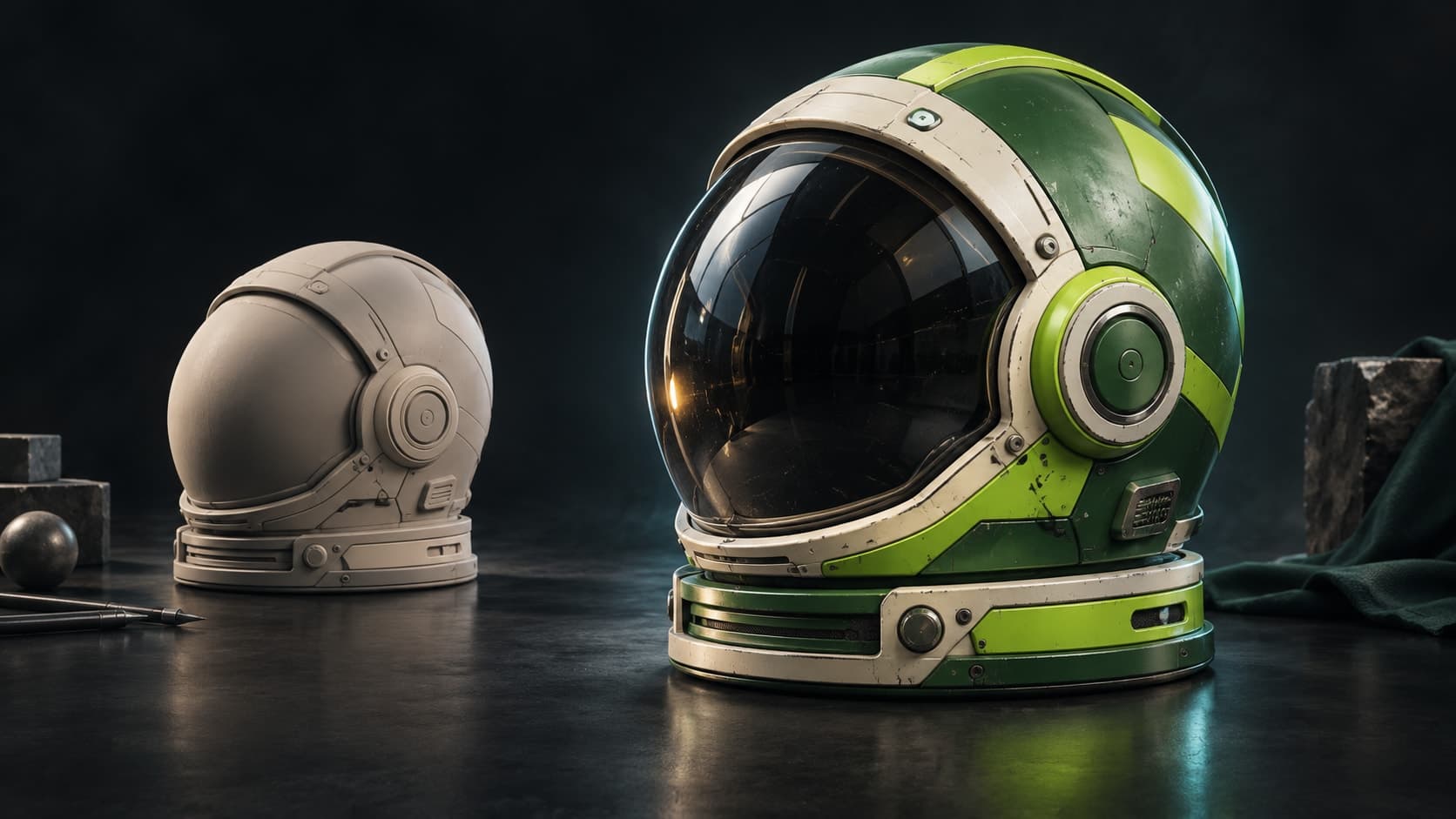
イメージを伝えるコンセプトアート。
試してみる:UV付きの球にマテリアルをペイント
付属のGLBで、自分のモデルを準備せずにレイヤーとマスクを練習できます。球にはUV座標が設定済みです。
練習用メッシュを読み込む
下の球のGLBをダウンロードします。Paintを開き、ワークスペースにファイルを読み込みます。
ライブラリのマテリアルを適用する
ライブラリから木材のマテリアルを球にドラッグします。木目が表面に合うようにスケールを調整します。
マスクをペイントしてマップを確認する
2つ目のマテリアルレイヤーを追加し、マスクをペイントして球の一部に表示します。ベースカラーとラフネスを個別にプレビューして結果を確認します。
1つのメッシュに2つのマテリアルが表示され、ペイントしたマスクが境界を制御します。レイヤーは引き続き編集可能です。テクスチャマップの書き出しには有料プランが必要です。
無料で好きなだけテクスチャリングできます。マップのエクスポートには有料プランが必要です。
ツールキット
ペイント、レイヤー、マスク — あなたのテクスチャリング方法。
フィルタースタックでもプレビューでもありません — 完成したテクスチャが実際に必要とするツールであり、そのすべてが非破壊的です。
モデルに直接ペイント
メッシュに直接ディテールをブラシで描画します — ブラシモード、アルファスタンプ、UVシームをまたがるプロジェクションペイントは、テクスチャとそれを配置するマスクの両方に対応します。
ブレンド可能なレイヤーを重ねる
ブレンドモード、不透明度、チャンネルごとの切り替えが可能な非破壊レイヤー。カラー、ハイト、ラフネス、メタリックを個別にペイントし、いつでもレイヤーの順序を変更したり、オフにしたりできます。
スマートマスク
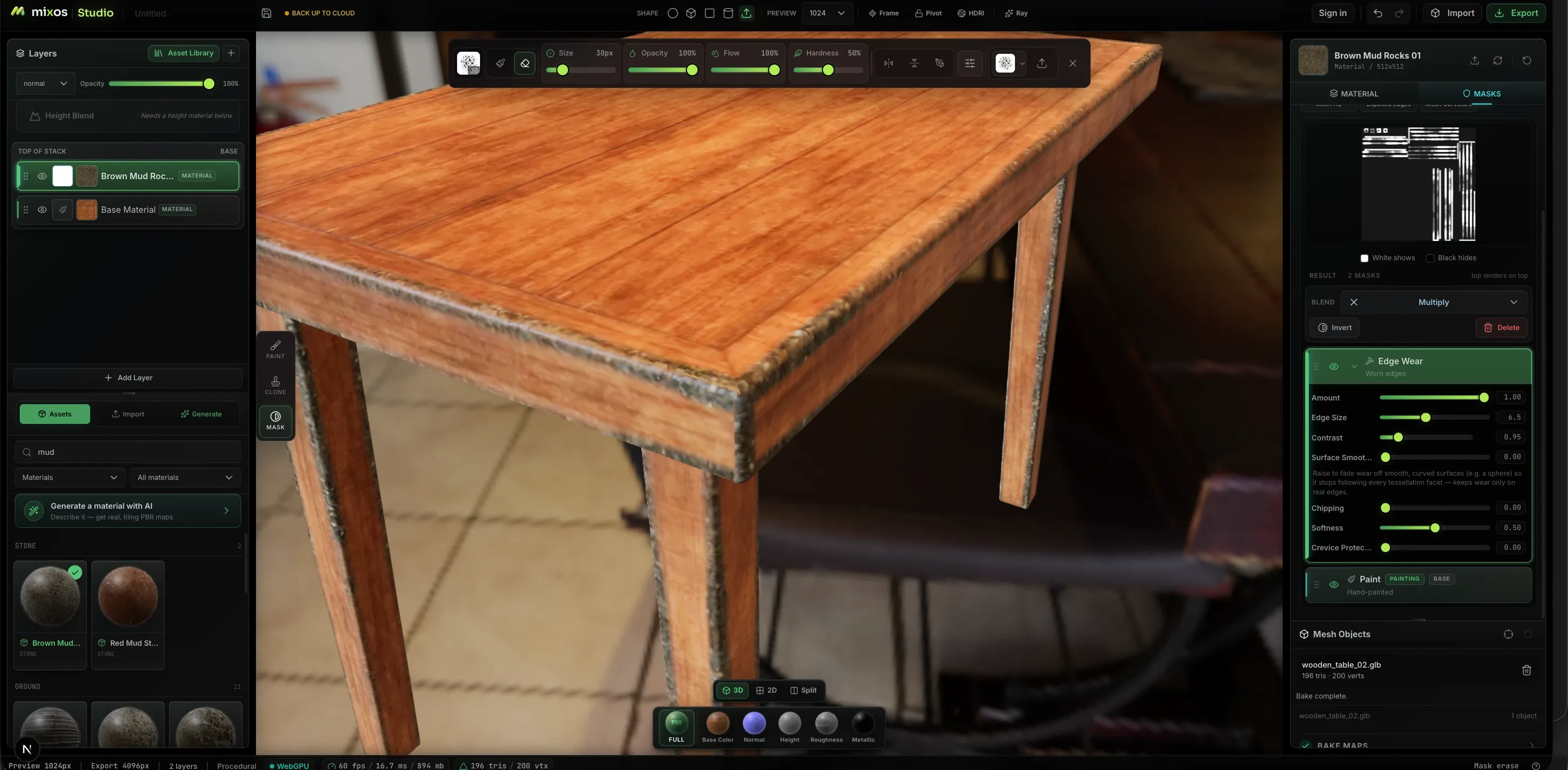
プロシージャルジェネレーターが、エッジウェア、カーブ、汚れ、キャビティマスクなど、ジオメトリに基づいた摩耗を発生箇所に適用します。ブラシワークではなく、量、エッジサイズ、コントラスト、チッピングをスライダーで調整できます。
2600+個のPBRマテリアル
既成のマテリアル(金属、木材、石、布地、革など)をスタックにドラッグし、タイリングとラフネスを調整します。独自の素材も同様にインポートできます。フォルダーやライブラリ全体をドロップするだけで、マップはファイル名で自動的に分類されます。
デカール&ステンシル
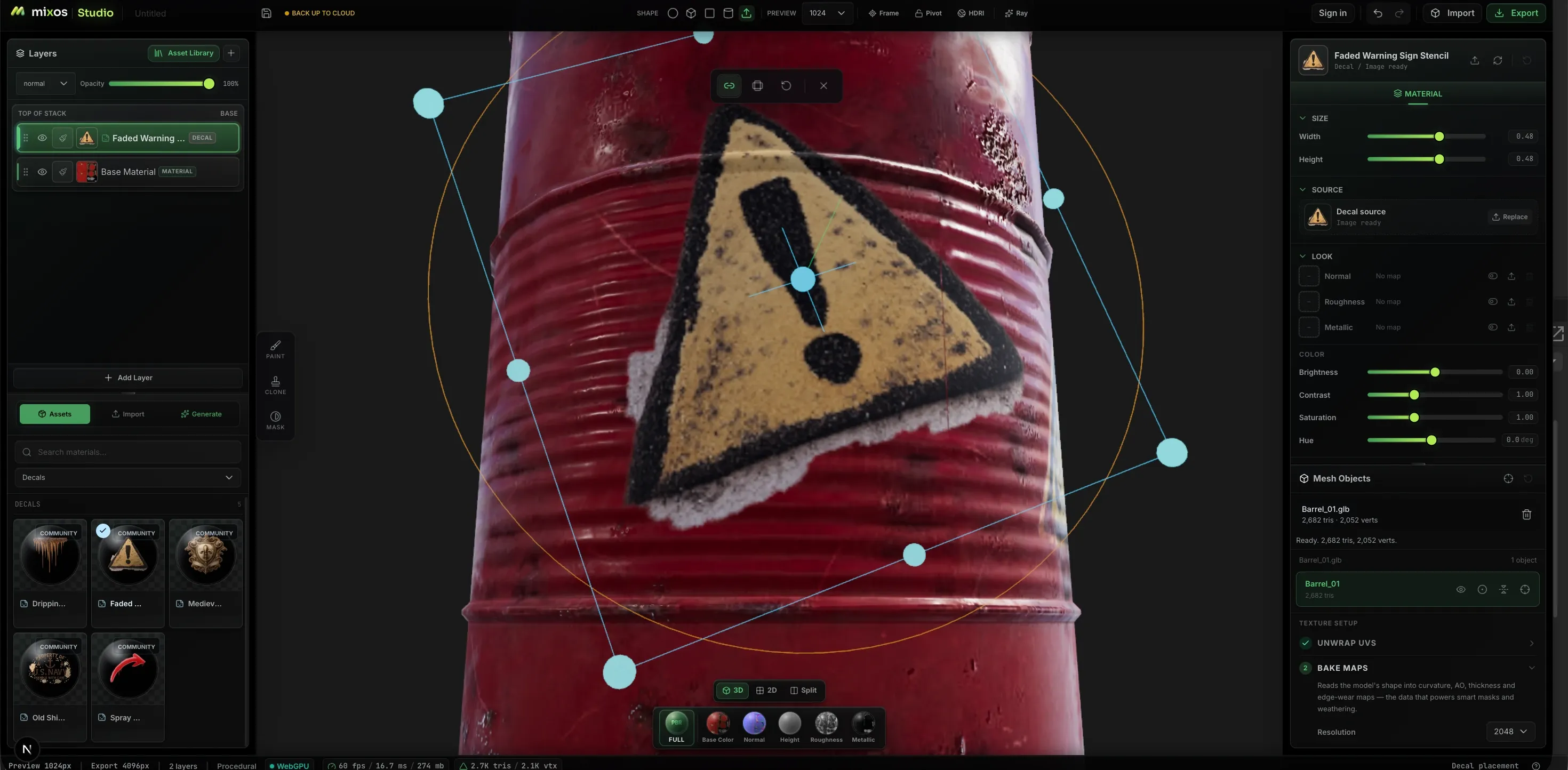
ロゴ、警告サイン、ステンシルを表面にドロップし、メッシュ上のギズモで配置します。平らなUVシート上ではなく、ジオメトリに対して移動、拡大縮小、回転させることができます。
2Dと3Dで同時にペイント
ビューを分割し、モデルの横にあるフラットなテクスチャシートで作業できます。同じブラシ、レイヤー、マスクがどちらのペインにも適用され、両方が同時に更新されます。これにより、シーム、タイリング、その他フラットシートで作業しやすいものが推測ではなくなります。
必要なものを生成
完全なタイリングPBRマテリアル、シームレステクスチャ、ウェザリングマスク、ブラシチップ、デカール、あるいはペイント可能な実際のUVを持つ3Dモデル全体を生成できます。すべてのチャンネルは編集可能な実際のマップとして返され、色に焼き付けられたフラットな画像ではありません。
リアリズムの源
ジオメトリに沿った摩耗。
平坦なマテリアルと使い込まれたオブジェクトの違いは、エッジが擦れた箇所や汚れが溜まった箇所に現れます。Paintはメッシュからカーバチャーとアンビエントオクルージョンをベイクし、それらを使ってマスクを駆動するため、摩耗は形状が示すべき場所に正確に適用されます。
ワークフロー
ベアメッシュからエクスポートされたマップまで
モデルを取り込む
GLB、glTF、FBX、OBJをインポートするか、無料のCC0モデルライブラリから選択するか、MoldからUVが適用されたスカルプトを送信します。
ベースを敷く
マテリアルをスタックにドラッグして瞬時にレイヤーベースを作成するか、プロンプトからメッシュ全体を自動テクスチャリングし、その結果をさらに調整します。
ペイントとマスク
ブラシで独自のディテールを加え、それを分離します — パーツごとのカラーID選択、摩耗用のプロシージャルジェネレーター、その他のすべてには手描きマスクを使用します。
マップをエクスポートする
最大4Kの整理されたPBRマップセットと.glbファイルが、使用するエンジン向けに命名されます。ペイントは無料ですが、完成したマップのエクスポートには有料プランが必要です。
現実と見紛う表面
色だけでなく、使い込み感をペイント
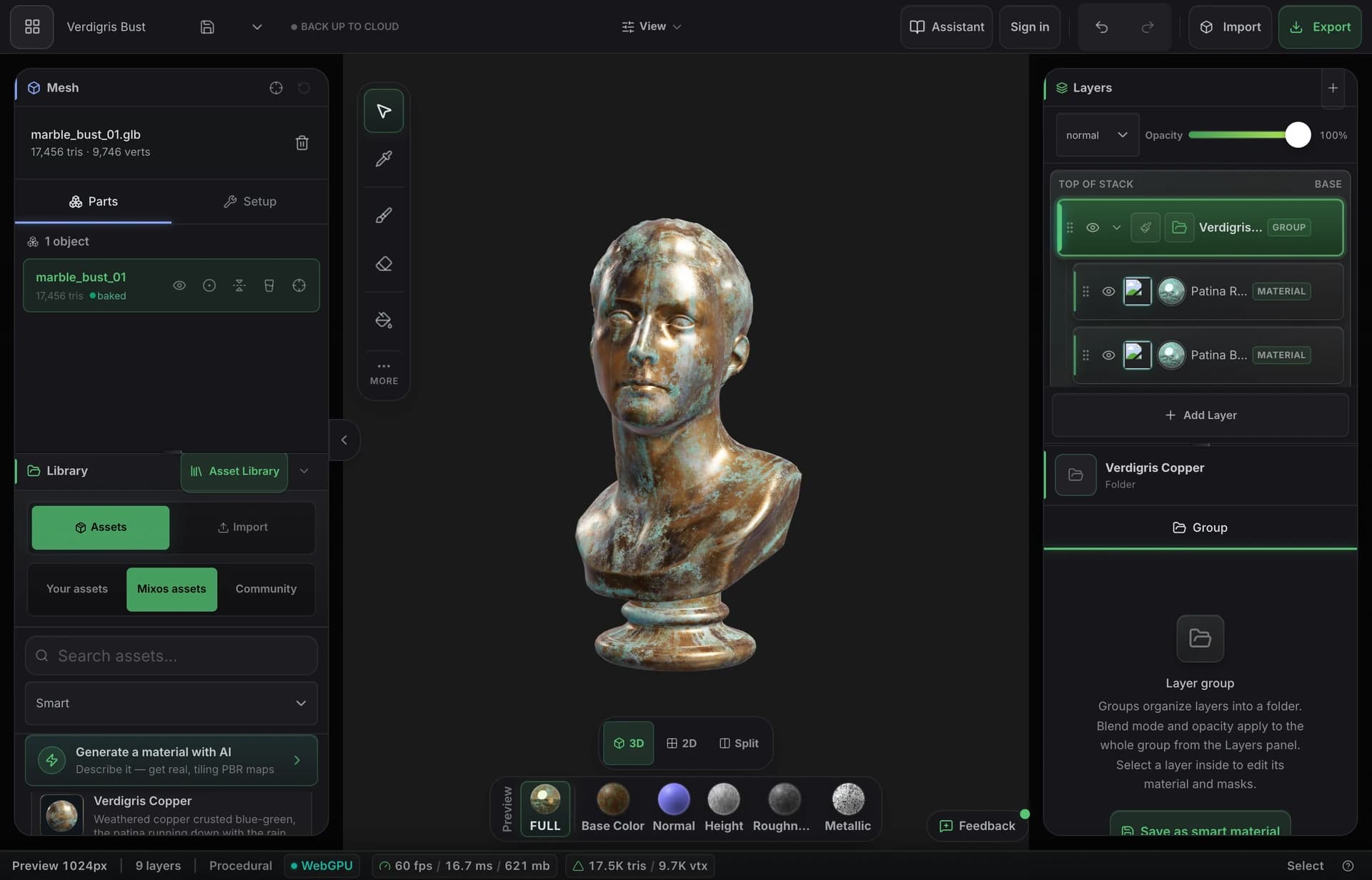
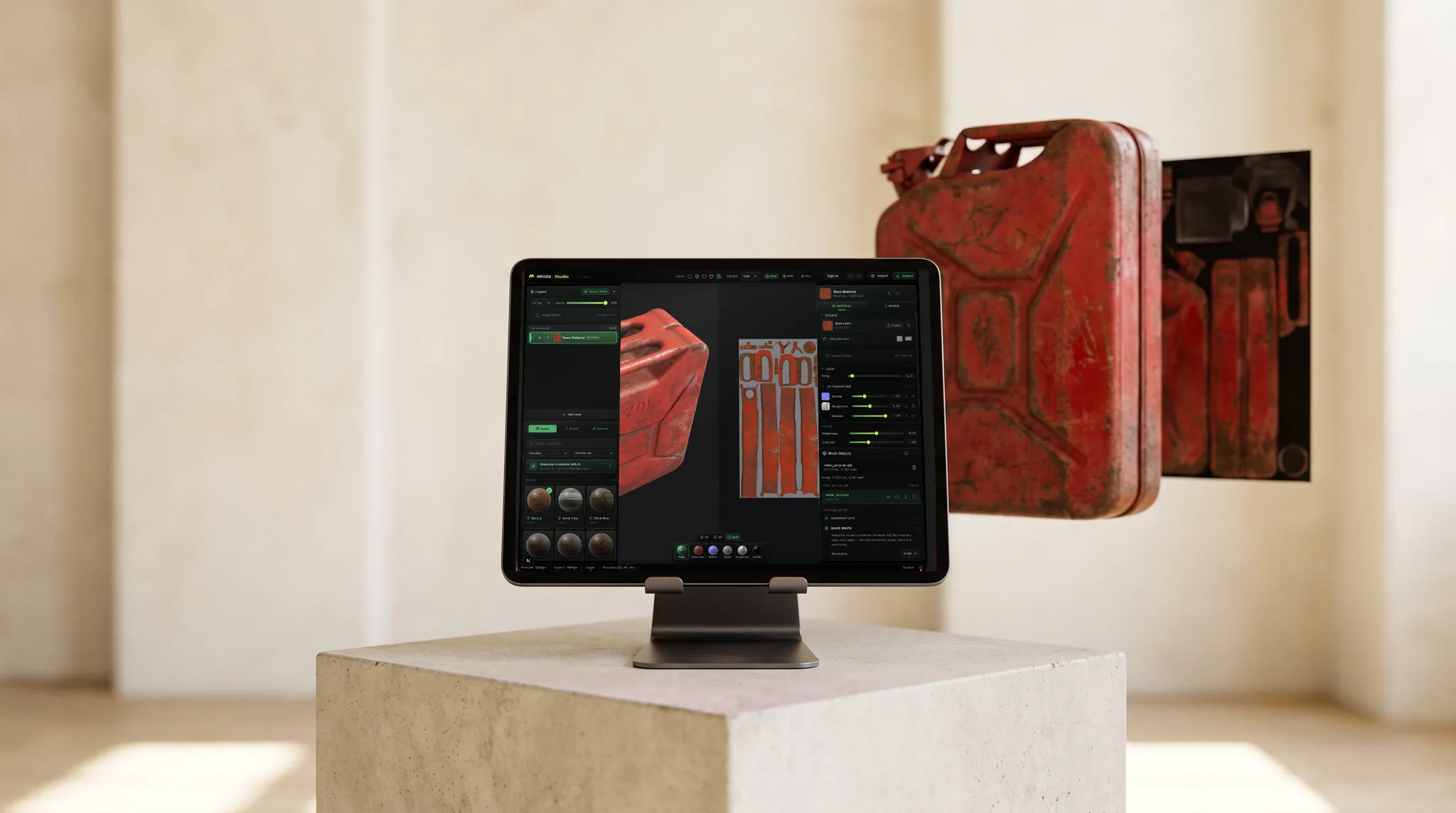
モデル自身の曲率、厚み、アンビエントオクルージョンをベイクし、スマートマテリアルで窪みに錆を沈着させたり、エッジから塗料が剥がれたりする様子を再現します。結果として得られるのは、形状そのものによって経年劣化した、使い込まれたような見た目です。
- メッシュからベイクされた曲率、AO、厚み
- エッジや隙間を自動で認識するスマートマテリアル
- 最大4KのPBRマップセットをフルエクスポート
パイプラインに組み込む
エンジンが求める命名規則に沿った標準マップ。
ベースカラー、ノーマル、ラフネス、メタリック、ハイト、オパシティに加え、ベイクされたアンビエントオクルージョンとカーブを、Blender、Unreal、Unityが期待する形式でチャンネルを命名・パッキングするプリセットと共に、最大4KのPNGとしてエクスポートできます。
各チャンネルがモデル上で個別にプレビューされるため、各マップがどのように機能するかをエクスポート前に確認できます。
無料のデスクトップアプリにはLive Linkがあり、ペイント中にマップをBlender、Cinema 4D、Unrealにストリーミングするため、エクスポートして確認するのではなく、レンダラーで変更をリアルタイムで確認できます。
マテリアルライブラリ
2,669個の既成PBRマテリアルから始めましょう。
レンガ、コンクリート、金属、木材、石、布地、革など、それぞれが完全なPBRセットです。表面にドラッグして上からペイントしたり、生成されたマテリアルから始めることもできます。
シェルフも自動的に増え続けています: コミュニティAIマテリアル — Mixosで生成され、作成したアーティストによって共有されたシームレスなPBRセット — 毎週同じライブラリに追加され、独自のチップでフィルタリングされます。これらはペイントに使用できますが、CC0セットのみダウンロード可能です。
- Wood376
- Stone244
- Metal229
- Tiles228
- Ground220
- Paving205
- Bricks202
- Fabric167
- Concrete132
- Asphalt90
- Leather54
- その他8カテゴリ
AI generation
Describe it. Get something you can actually edit.
Every generator hands back a working asset, not a picture of one — and everything below is a real, unretouched generation.
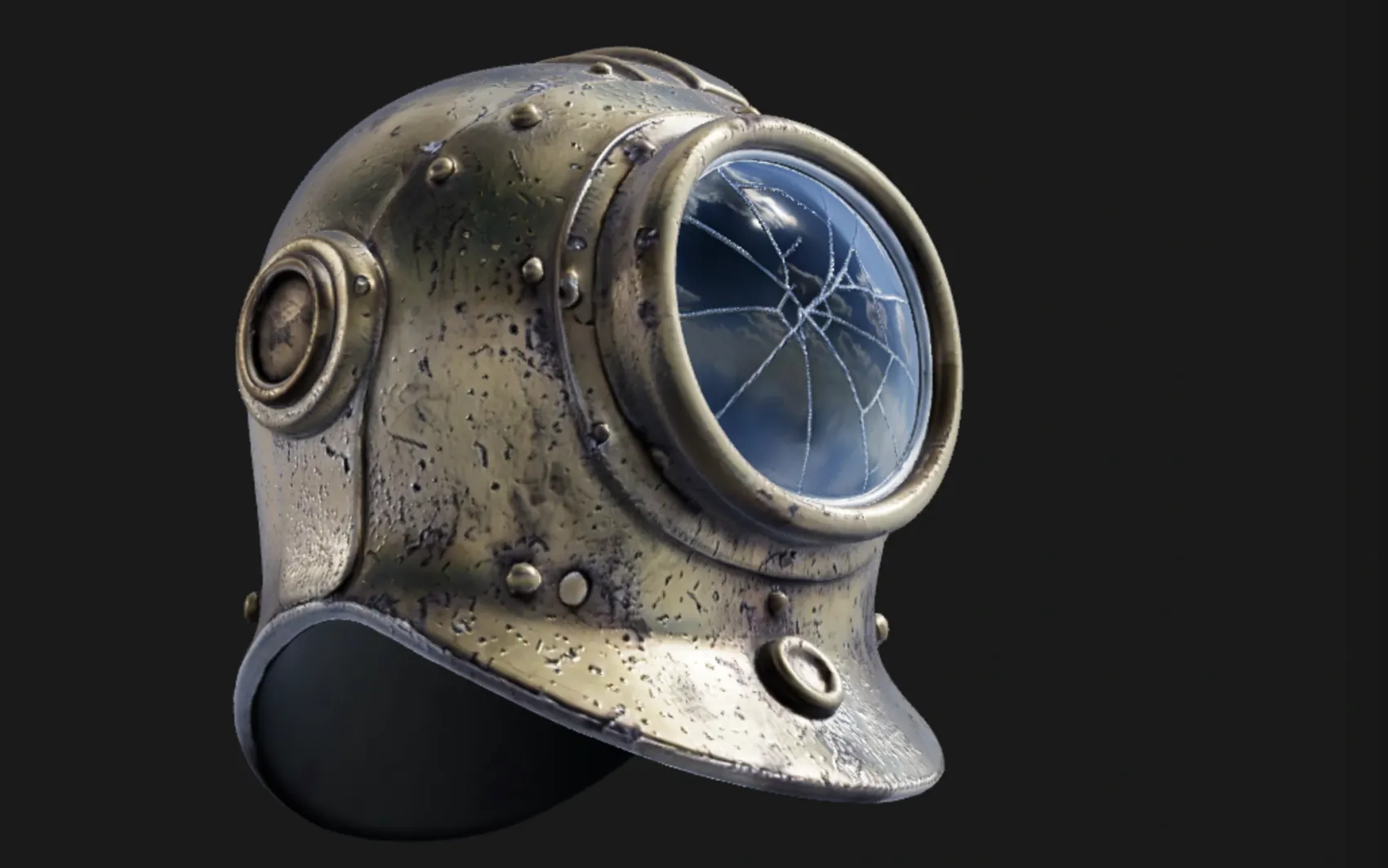
a weathered brass diving helmet with rivets and a cracked glass porthole
A textured, UV-unwrapped .glb — paintable the moment it lands, its generated maps already broken out as editable layers. No re-unwrap, no blank canvas.
“High detail” tier (Pro) · 180s
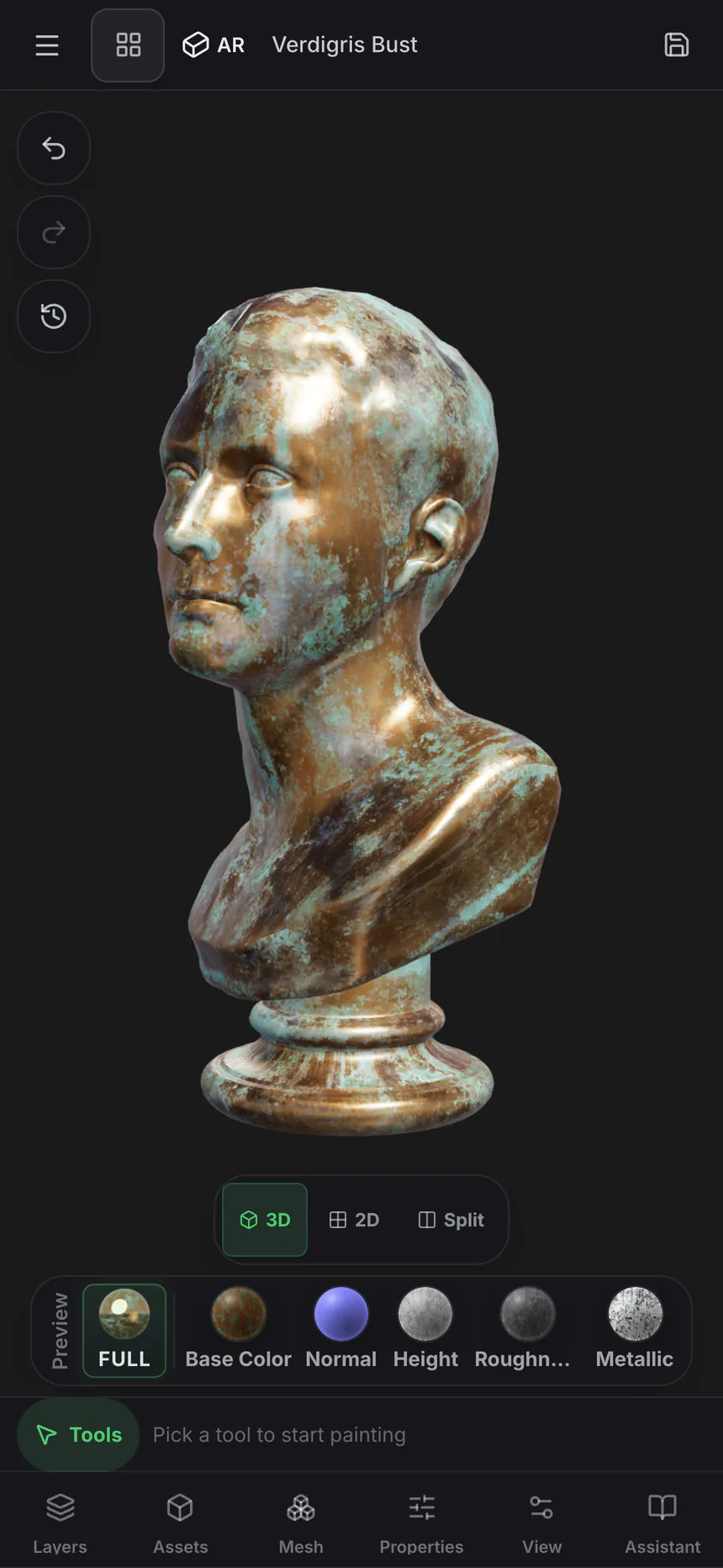
oxidised copper roof panel with green verdigris and rain streaks
One prompt, five real maps — not one image with the other four guessed from it. It exports as a standard map set for Blender, Unreal, Unity and C4D, and lands in the node editor as five wired nodes, so the roughness can go through a Levels or the albedo blend with grunge.
Five 1024² channels · 150s
 Base color
 Normal
 Roughness
 Metallic
 Height
Textures tile on all four edges, masks drive where a layer shows through, and brush alphas and decals stamp straight onto the mesh — each from one prompt, each landing as something you keep editing rather than a flat picture.
 Texture
 Mask
Mask Brush alpha
 Decal
DecalOnly generation spends credits — painting, layering, masking, baking and live preview never touch them. Every plan can generate, and a free account starts with a trial pool; Pro and Max add 2K materials and the two highest-fidelity 3D engines.
Mold ↔ Paint
Change the sculpt after you've textured it.
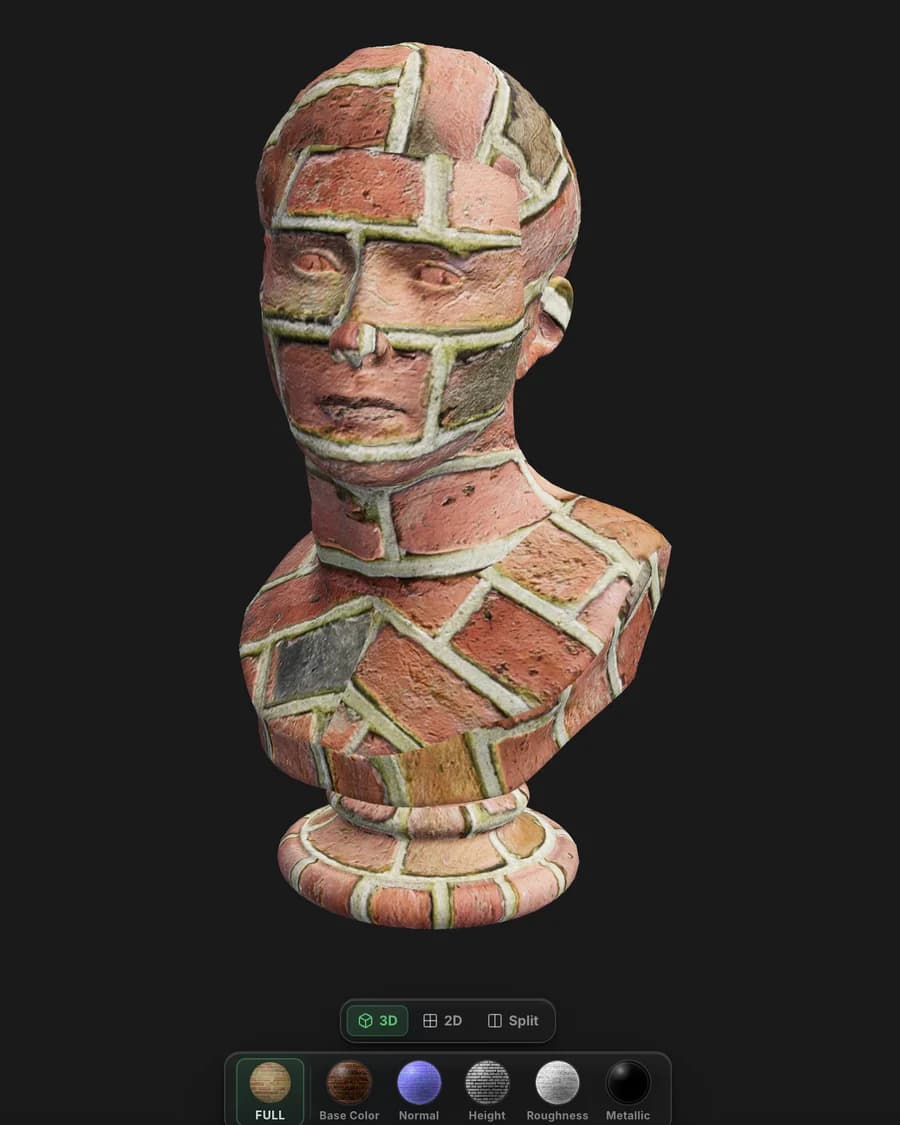
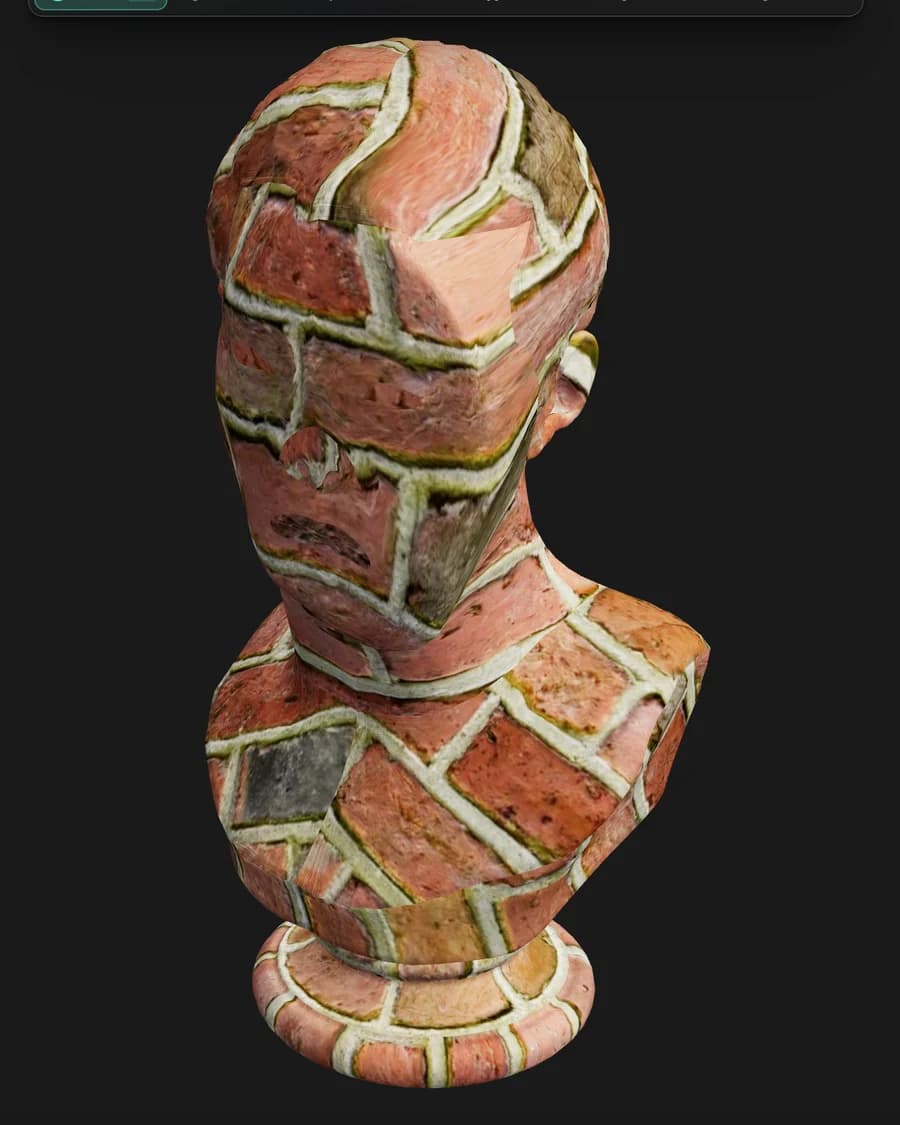
Texture a model in Paint, send it back to Mold, reshape the base — and the texture comes back exactly where you left it. Mixos carries the UV mapping across instead of re-projecting the paint onto the new surface, so your layers are never resampled and never drift. The tenth trip costs what the first one did.
- Layers return byte-identical
- Nothing is reprojected
- Full density comes home
- Multi-part models too
Node materials
Build a material out of nodes.
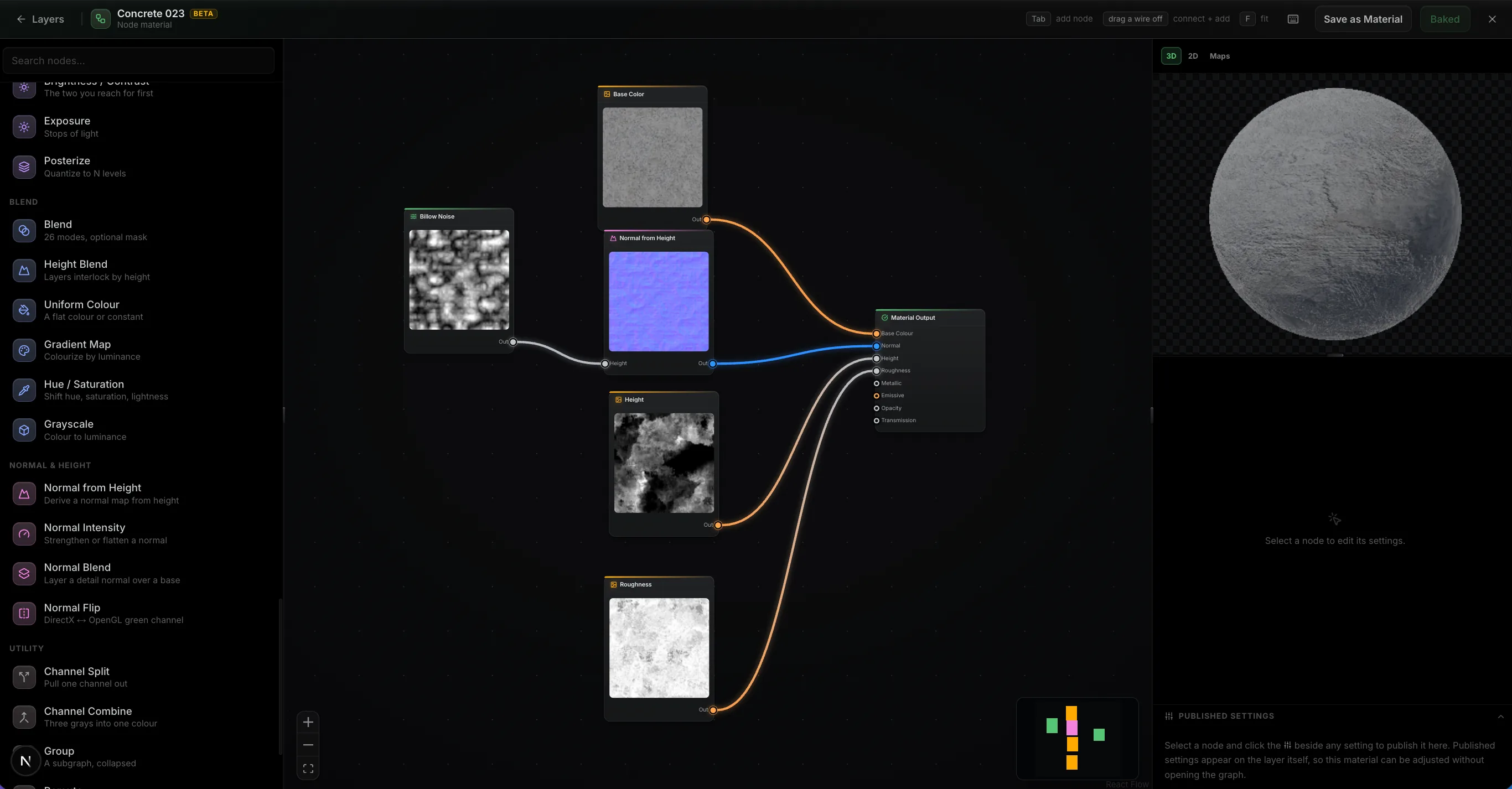
Wire noise, warps, levels and blends into a graph and it authors every PBR channel at once, evaluated on your GPU as you drag a slider. Feed in your mesh's baked maps and the wear lands where the geometry says it should. Then publish the handful of parameters that matter as variables on the layer, so the finished material stays adjustable without reopening the graph.
- ~30 nodes
- Mesh maps as inputs
- Published settings
- It's just a layer
Path-traced preview
Path-traced preview.
The Ray toggle switches the viewport to a progressive path-traced render of the frame you're editing — bounced light, soft shadows, and glossy reflections across your whole layer stack. It refines in place while you tune quality, exposure and depth of field.
- Progressive — refines in place
- Fast / Balanced / High quality
- Physical depth of field
 Ray · path-traced
Live Link · desktop app only
Live Link to Blender, C4D and Unreal.
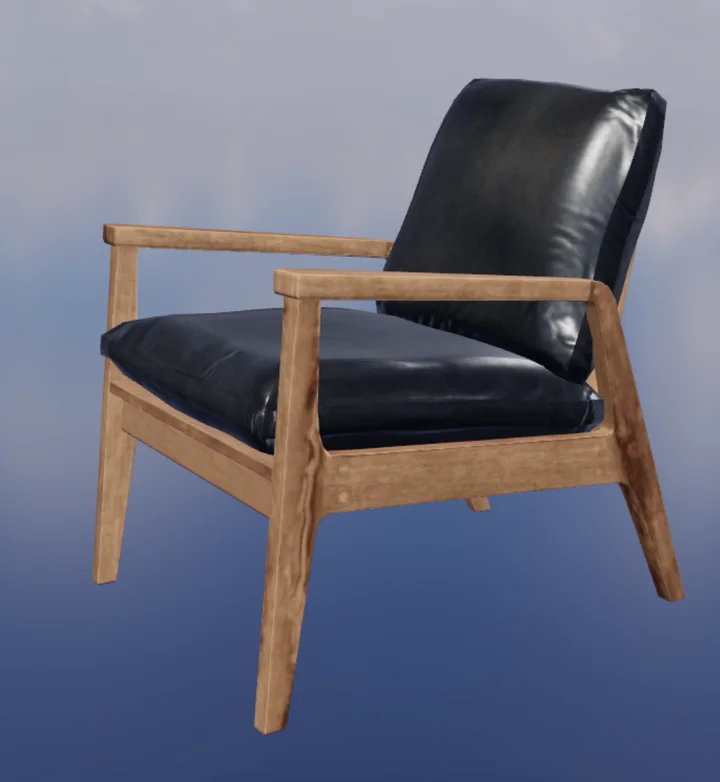
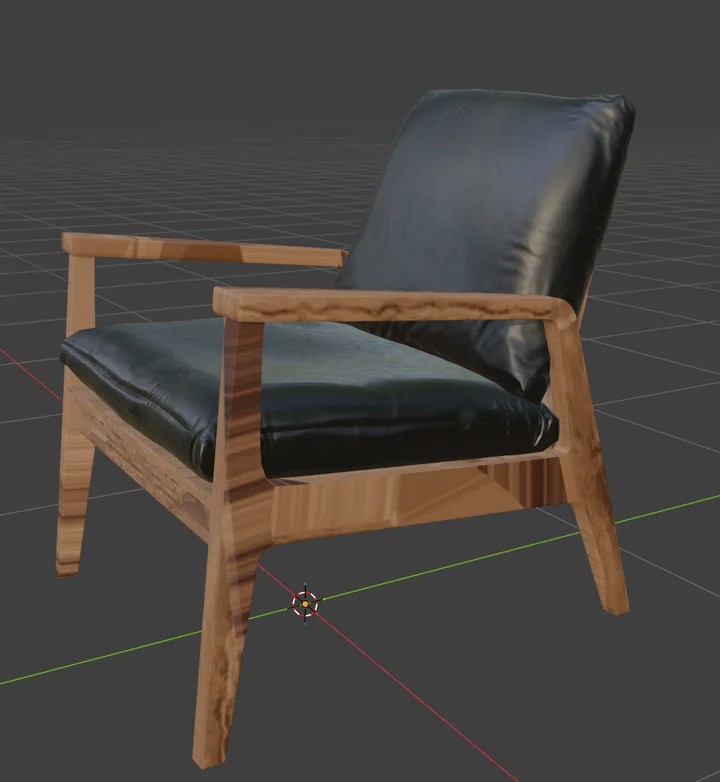
In the free desktop app, Live Link sends your maps to Blender, Cinema 4D, or Unreal each time they change — no export, no upload. With Blender it's two-way: send a model over, texture it, and the maps come back to the same object.
- Desktop app only
- One-click plugin install
- Auto Sync on every change
- Two-way with Blender
全体のパイプライン
スイートの他のツールも同じモデルで作業します。
Moldからのスカルプトは、新しいUVと共にここに到着します。Studioで組み立てられたシーンは、テクスチャが適用されて戻ってきます。Autoはプロンプトからメッシュ全体をテクスチャリングします。
引き渡しはエクスポートの手間ではなく、ボタン一つです — モデルはレイヤーを保持したまま転送され、変更されて戻ってきます。
どこでも作業可能
ワークステーションなしでテクスチャリング
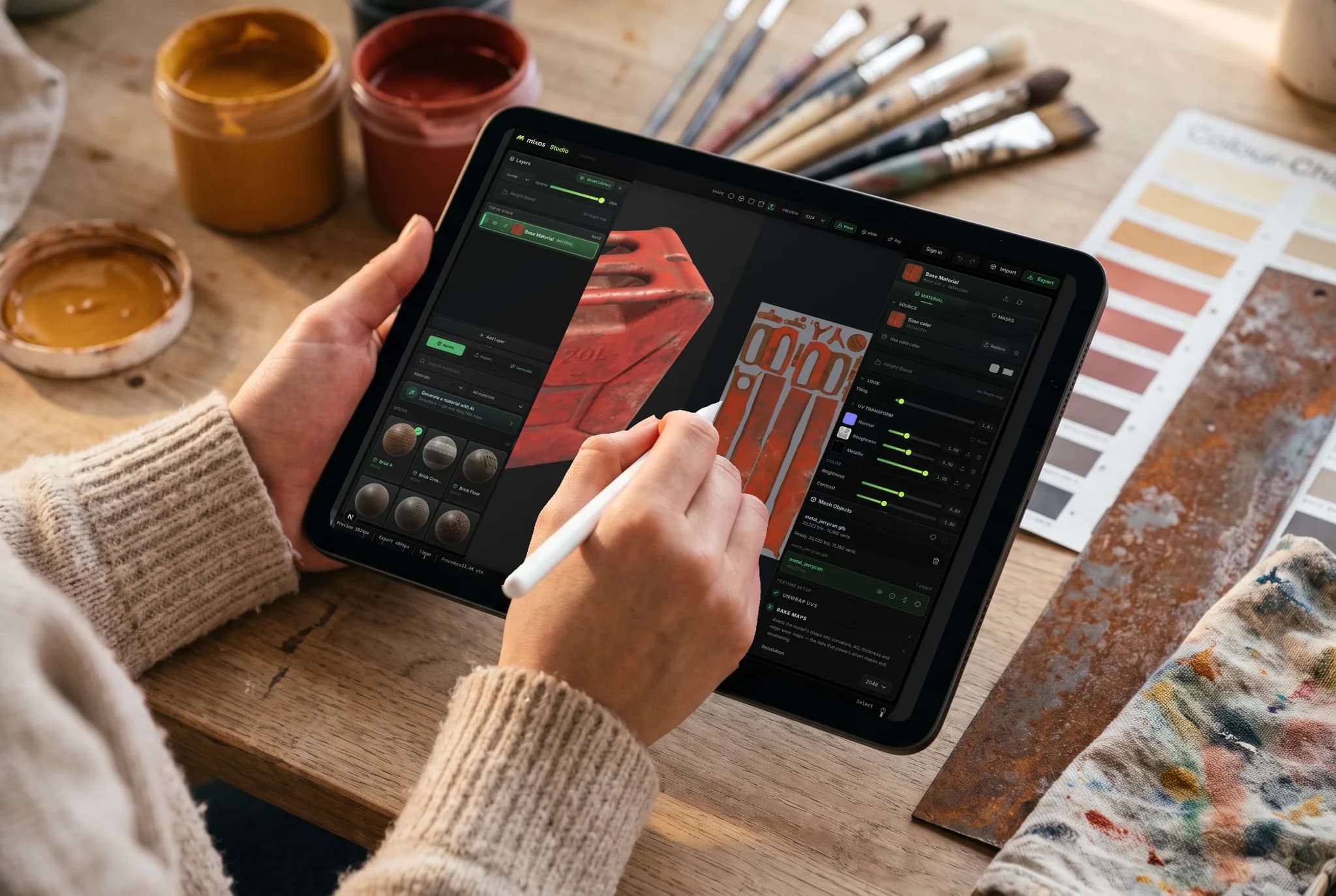
Paintは、お使いのGPUでブラウザタブから動作します。ソファでiPadを使ってモデルを編集し、後でノートパソコンで作業を続け、どちらからでもマップをエクスポートできます — デバイスを移動する必要も、事前に何かをインストールする必要もありません。
- ダウンロード、インストール、ライセンスの移行は不要
- モデルとレイヤーはあなたのアカウントに紐付けられます
- マスキングや手描きディテールにはApple Pencilを活用
あらゆるデバイスで
お手持ちのデバイスでテクスチャリング。
Paintのエンジンはブラウザに依存しているため、選択するビルドも、実行するインストーラーも、WebGPUを提供するブラウザ以外の最低要件もありません。
Mac、Windows、Linux
Chrome、Edge、Firefox、Brave、およびSafari 26+に対応。マウスとキーボード、または筆圧感知ブラシ用のWacomタブレットが利用できます。
iPad
パネルがスライドアップシートに再配置される、タッチ優先のレイアウト。Apple Pencilの筆圧と傾きでブラシを操作します。
Android
最新のChromeを搭載したスマートフォンやタブレットに対応。サイドローディングや個別のビルドは不要で、同じタブで同じプロジェクトを扱えます。
Chromebook
ChromeOSがWebGPUを提供している限り、デスクトップパッケージを全く実行できないハードウェアでもテクスチャリングが可能です。
iPhoneとiPadでは、アプリが利用可能になりました。
Paintは無料のMixosアプリ内に搭載されており、タッチ操作とApple Pencilに対応したレイアウトを提供します。ブラウザ版は引き続きインストール不要です。 iOS 26 or later.
よくある質問
Paintを実行するには何が必要ですか?
WebGPU対応ブラウザ — Mac、Windows、Linux上の最新のChrome、Edge、またはSafariが必要です。ダウンロードするものも、プラグインも、ライセンスサーバーもありません。PaintはiPadやスマートフォンでも、Apple Pencilの筆圧に対応したタッチ優先のレイアウトで動作します。
Mixos PaintはSubstance Painterの代替になりますか?
基本的な機能に関しては、はい — メッシュへの直接ペイント、非破壊レイヤー、ブレンドモード、カラーIDとプロシージャルマスク、スマートマテリアル、デカール、ベイク済みメッシュマップ、そして4K PBRエクスポートまで、すべてブラウザタブ内で利用できます。Substance Painterは大規模スタジオのパイプライン向けにさらに深い機能を提供しますが、Paintはその深さの代わりに、インストール不要、実際にテクスチャリングできる無料プラン、そしてSubstance Painterでは不可能なスカルプトへのロスレスな往復を実現します。
どのテクスチャマップをエクスポートしますか?
ベースカラー、ノーマル、ラフネス、メタリック、ハイト、オパシティに加え、アンビエントオクルージョンやカーバチャーなどのベイク済みマップ、そしてマテリアルが既にアタッチされたglTF (.glb)ファイルを出力します。Blender、Unreal Engine、Unity、Godot、Cinema 4D、Maya、Houdiniがそれぞれ期待する形式でチャンネルを命名・パックするプリセットがあり、そのままインポートできます。
独自のモデルや画像を持ち込めますか?
はい。メッシュをGLB、glTF、FBX、またはOBJとしてインポートし、その上でペイントやベイクができます。写真やスキャンをマテリアルソースとして取り込むことも可能です。既存のPBRマテリアルライブラリ全体をドロップインすることもでき、Paintはファイル名でマップを分類します。
ペイント後にモデルを変更した場合、テクスチャはどうなりますか?
テクスチャは維持されます。テクスチャリング済みのプロジェクトをMoldに戻し、ベースを再形成しても、テクスチャはバイト単位で同一の状態で戻ってきます — Mixosは新しいサーフェスにペイントを再投影するのではなく、UVマッピングをそのまま引き継ぐため、何度往復しても何もリサンプルされません。スカルプト中にモデルのUVを再展開したり、古いマッピングでは記述できないほどトポロジーを変更したりした場合、Paintはプロジェクトを再構築します — その際、まず元のプロジェクトを複製するため、いずれの場合もテクスチャリングが失われることはありません。
開始する前にクリーンなUVが必要ですか?
いいえ。トライプラナープロジェクションは、UVが全く使えないメッシュにもマテリアルをシームレスに適用するため、モデルがロードされた瞬間にペイントを開始できます。適切なUVが必要な場合は、PaintがメッシュのUV展開を行い、アイランドを調整するためのUVエディターも備えています。
Mixos Paintは無料ですか?
ペイントは無料です。エディターを開いて、好きなだけテクスチャリングできます — すべてのブラシ、レイヤー、マスク、スマートマテリアル、そしてマテリアルライブラリ全体が、時間制限やビューポート上の作品にウォーターマークなしで利用可能です。無料アカウントには、AIジェネレーター用の1回限りのトライアルクレジットも含まれます。完成したテクスチャマップのエクスポートは有料プランの一部です。
AIクレジットは何に使われますか?
AI生成のみがクレジットを消費します。各生成にかかる費用は、当社の運用コストに連動しています。デカール、ウェザリングマスク、ブラシの先端は1クレジットです。シームレステクスチャや完全なPBRマテリアルは数クレジット、ネイティブ2Kマテリアルはそれより少し多くかかります。オートテクスチャパスと3Dモデル生成が最も高価です — モデル1つにつき、ジェネレーターに応じて4〜16クレジットです。それ以外のすべての機能 — ペイント、レイヤー、マスキング、ベイク、ライブプレビュー — は常に無料で、クレジットを消費することはありません。
デスクトップアプリはありますか?
はい — MacおよびWindows版Mixosは無料でダウンロードできます。これは、ブラウザの制限を取り払うネイティブシェル内の同じエディターです。すべてのコアでのベイク、ネイティブML推論、完全なオフラインサポート、そしてペイント中にマップをBlender、Cinema 4D、UnrealにストリーミングするLive Linkを備えており、エクスポートのループは一切ありません。1つのアカウントでアプリと任意のブラウザをカバーします。
さらに探索する
テクスチャリングを始める
PaintはWebGPU対応ブラウザで開き、何もインストールする必要はありません。独自のメッシュを持ち込むか、無料モデルから始めることができます。