免费 3D 纹理绘制 软件,在线。
导入自己的模型,应用材质,再导出适用于 Blender、Unreal 或 Unity 的贴图。在浏览器中绘制和调整效果,无需安装。
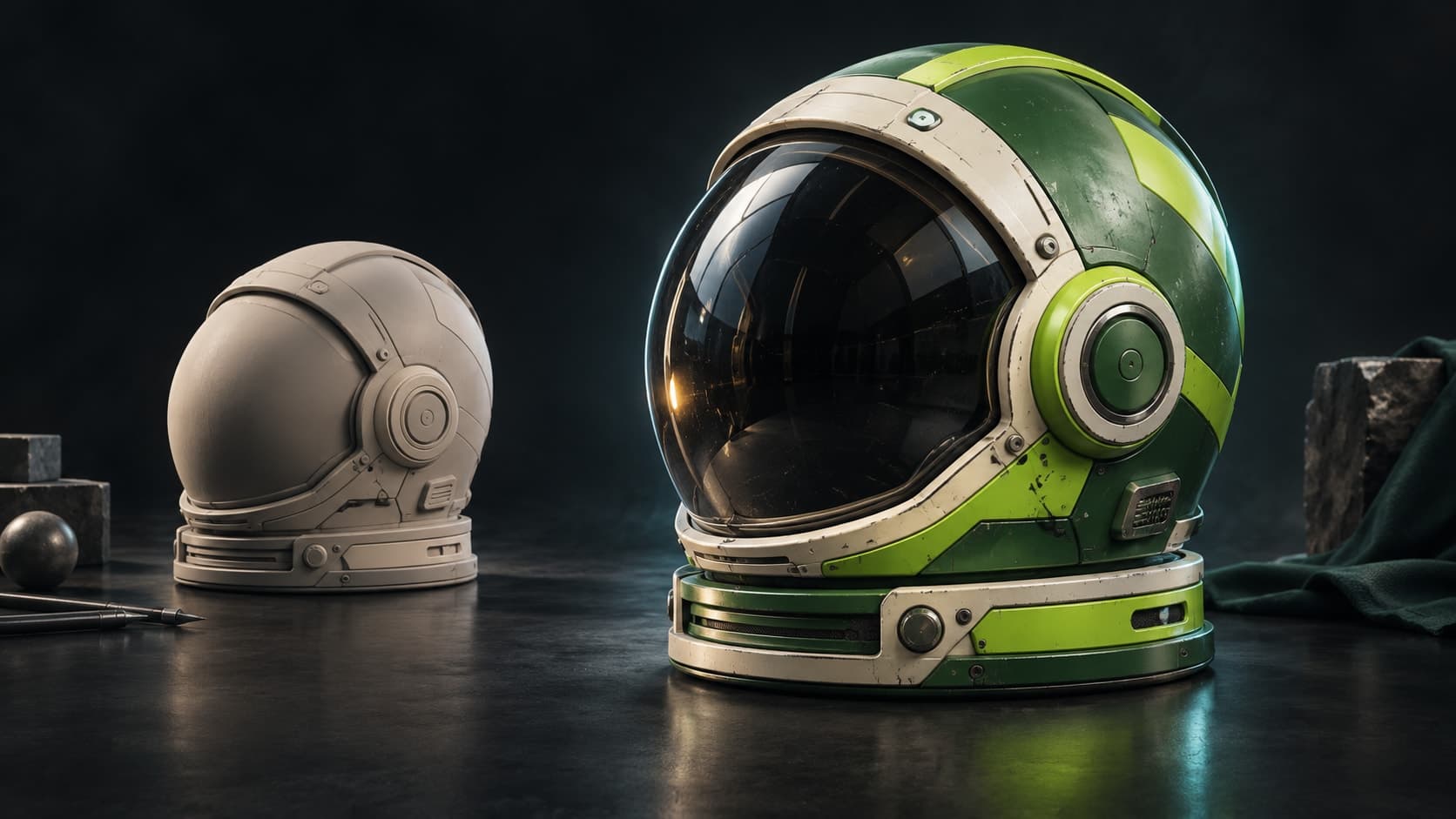
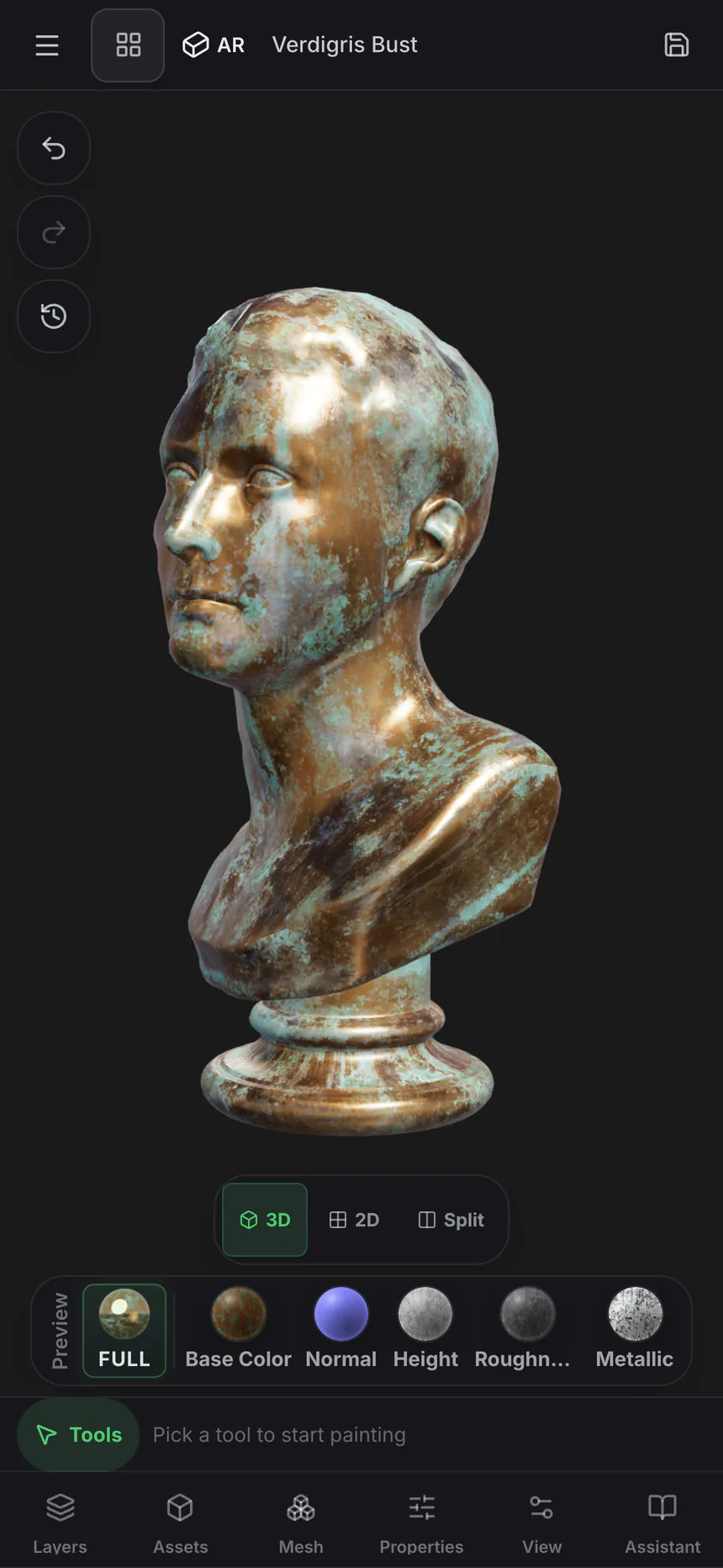
用于说明的概念美术。
动手试试:在带 UV 的球体上绘制材质
使用提供的 GLB 练习图层和遮罩,无需准备自己的模型。球体已具备 UV 坐标。
导入练习网格
下载下方的球体 GLB。打开 Paint,然后将文件导入工作区。
应用材质库中的材质
将材质库中的木材材质拖到球体上。调整缩放,让木纹适合表面。
绘制遮罩并检查贴图
添加第二个材质图层,绘制其遮罩,让它在球体的一部分显示。分别预览基础色和粗糙度,检查效果。
你应看到同一网格上的两种材质,由绘制的遮罩控制分界。图层堆栈仍可编辑;导出纹理贴图需要付费方案。
免费使用——随意绘制纹理。导出贴图需要付费方案。
工具包
绘制、分层和遮罩——您的纹理化方式。
这不是滤镜堆栈,也不是预览——而是完成纹理实际所需的工具,每个工具都是非破坏性的。
在模型上绘制
直接在网格上绘制细节 — 笔刷模式、Alpha 图章和跨 UV 接缝的投影绘制,适用于纹理本身及其放置遮罩。
堆叠可混合图层
具有混合模式、不透明度和每通道切换的非破坏性图层。独立绘制颜色、高度、粗糙度和金属度,并且可以随时重新排序或关闭任何图层。
智能遮罩
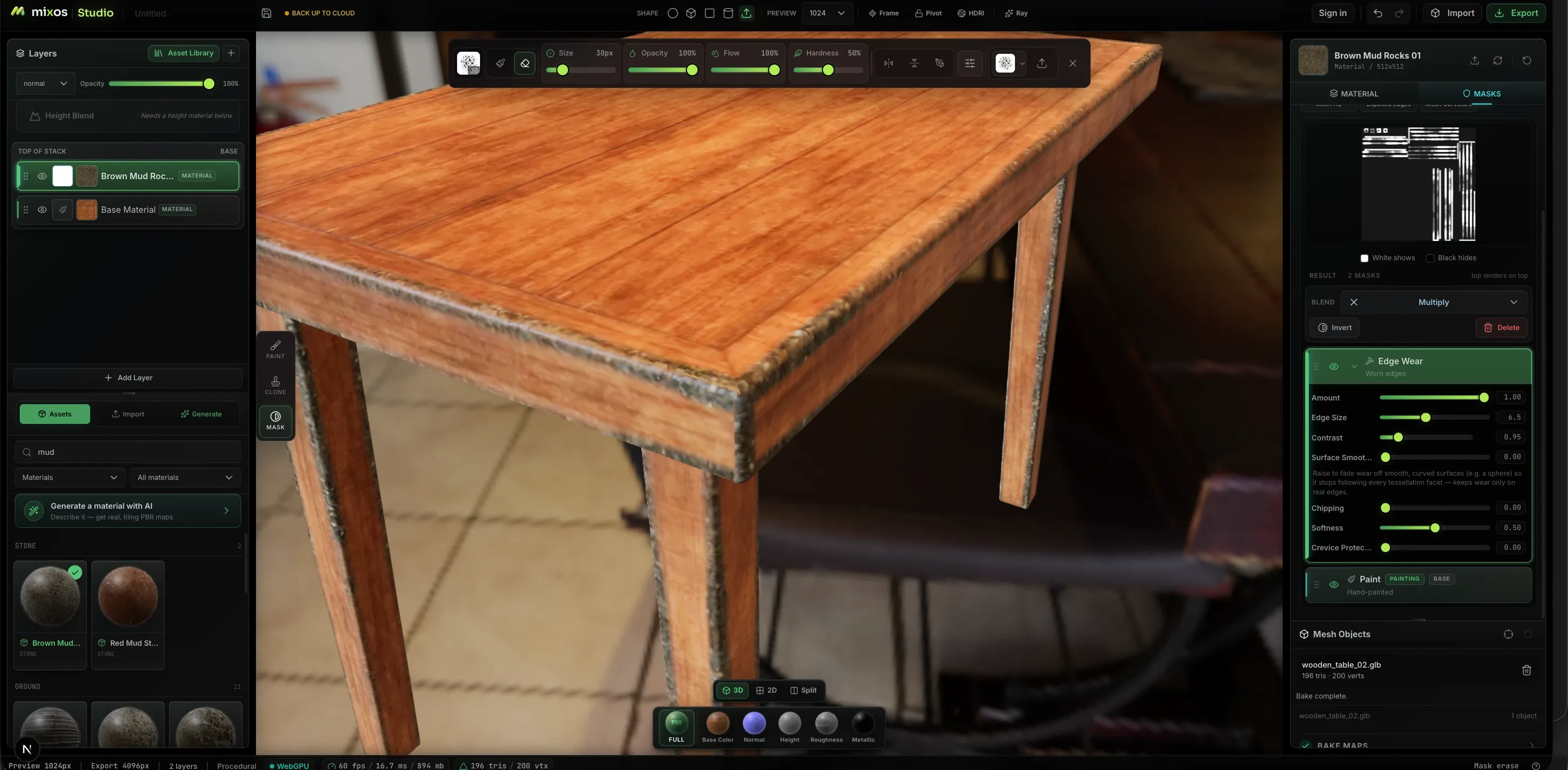
程序生成器会在磨损发生的地方放置磨损——由几何体驱动的边缘磨损、曲率、污垢和凹陷遮罩,通过滑块而非笔刷操作来调整数量、边缘大小、对比度和碎裂。
2600+ PBR 材质
将现成材质拖到堆栈上——金属、木材、石材、织物、皮革——然后调整平铺和粗糙度。以同样的方式导入您自己的材质:拖放一个文件夹,或整个库,贴图会按文件名自动排序。
贴花与模板
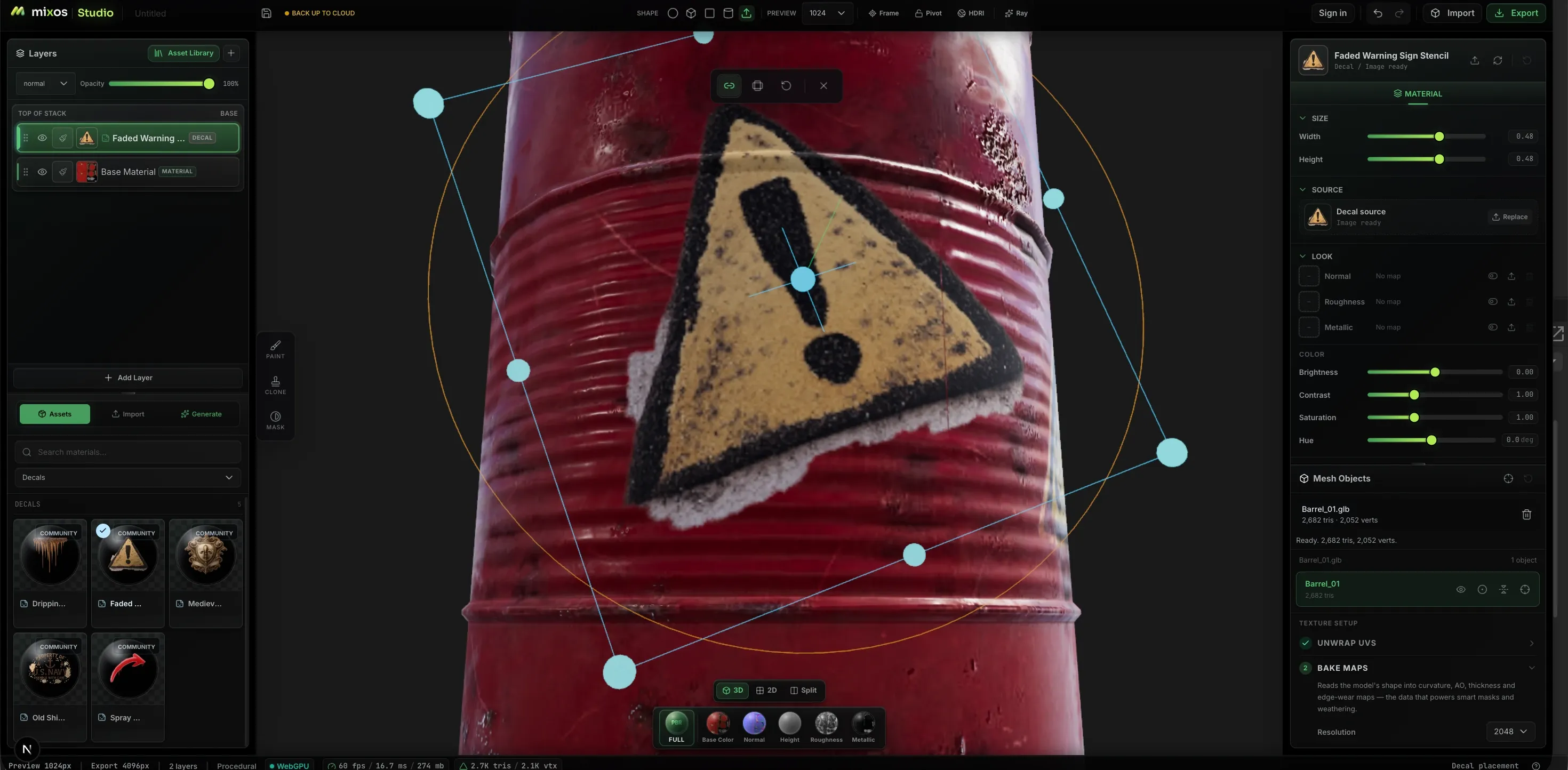
将徽标、警告标志和模板拖放到表面上,并使用网格上的 Gizmo 放置它们——相对于几何体而非平坦的 UV 贴图进行移动、缩放和旋转。
同时在 2D 和 3D 中绘制
分割视图,在模型旁边处理平坦的纹理贴图。相同的笔刷、图层和遮罩适用于任一面板,且两者同步更新——因此,接缝、平铺以及任何在平坦贴图上更容易操作的部分不再是猜测。
生成您所需
提示生成完整的可平铺 PBR 材质、无缝纹理、风化遮罩、笔刷笔尖、贴花——或带有真实 UV 可供绘制的完整 3D 模型。每个通道都以可编辑的真实贴图形式返回,而非烘焙到颜色中的平面图像。
真实感的来源
遵循几何形状的磨损效果。
平面材质与旧物之间的区别在于边缘的磨损和污垢的堆积。Paint 从您的网格中烘焙曲率和环境光遮蔽,并用它们来驱动蒙版,从而使磨损效果准确地出现在形状所需的位置。
工作流程
从裸网格到导出贴图
导入模型
导入 GLB、glTF、FBX 或 OBJ 文件,从免费的 CC0 模型库中选择一个,或者从 Mold 发送一个已带有全新 UV 的雕刻模型。
铺设基础
将材质拖到堆栈上以获得即时分层基础,或者通过提示自动纹理化整个网格,并在结果之上进行细化。
绘制与遮罩
刷入细节使其独具特色,然后将其分离——使用颜色 ID 选择部件,程序生成器制作磨损效果,手绘蒙版处理其他一切。
导出贴图
整理好的 PBR 贴图集,最高支持 4K,外加一个 .glb 文件,并根据您要使用的引擎命名。绘制是免费的;导出完成的贴图需要付费计划。
真实可感的表面
绘制磨损,而非仅仅是颜色
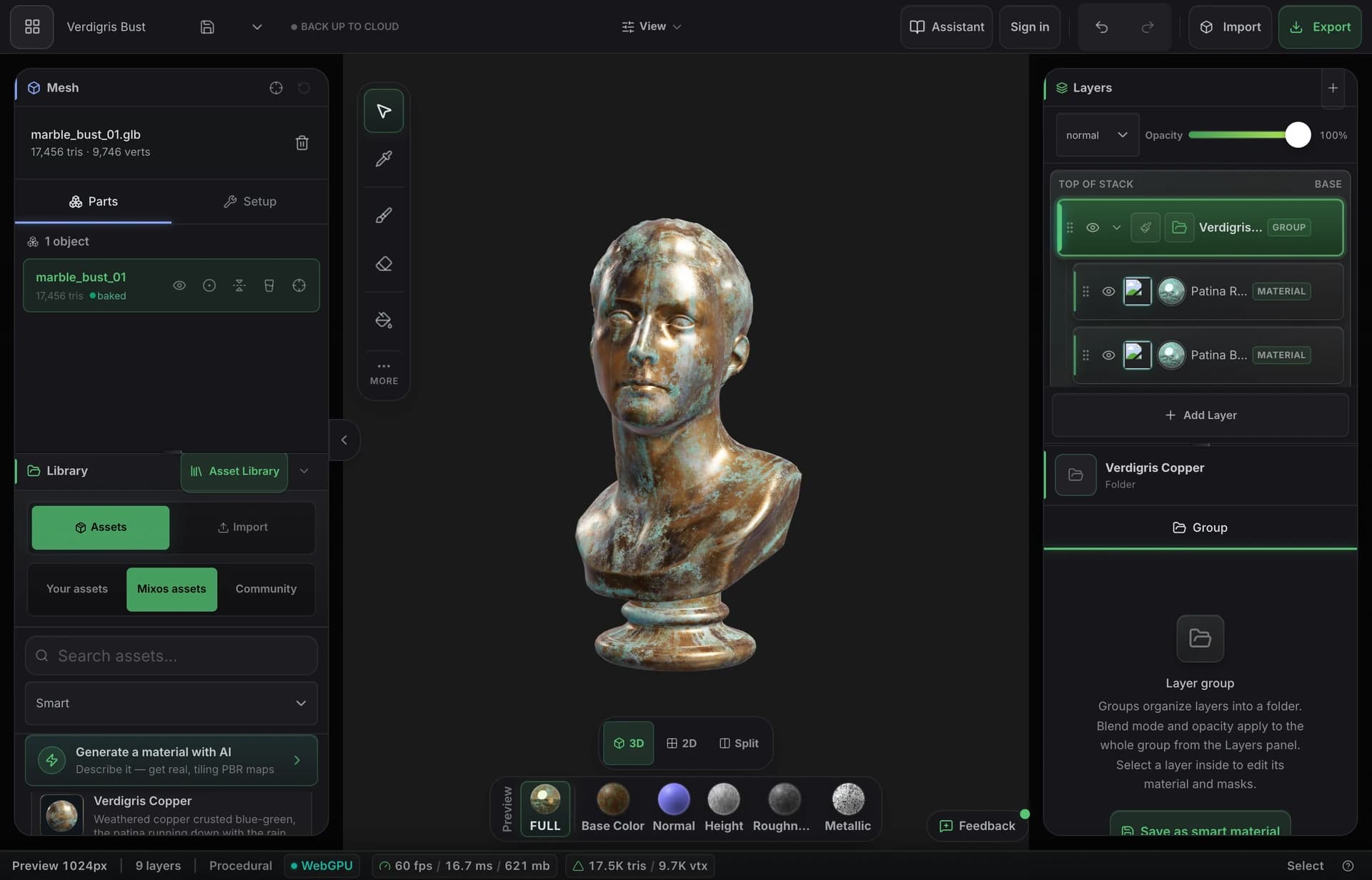
烘焙模型自身的曲率、厚度和环境光遮蔽,然后让智能材质将锈迹沉淀到凹陷处,并像实际使用一样磨掉边缘的油漆。最终效果看起来像是旧的,因为它是由形状本身“老化”而成的。
- 从您的网格烘焙曲率、AO和厚度
- 智能材质可自动识别边缘和缝隙
- 导出高达4K的完整PBR贴图集
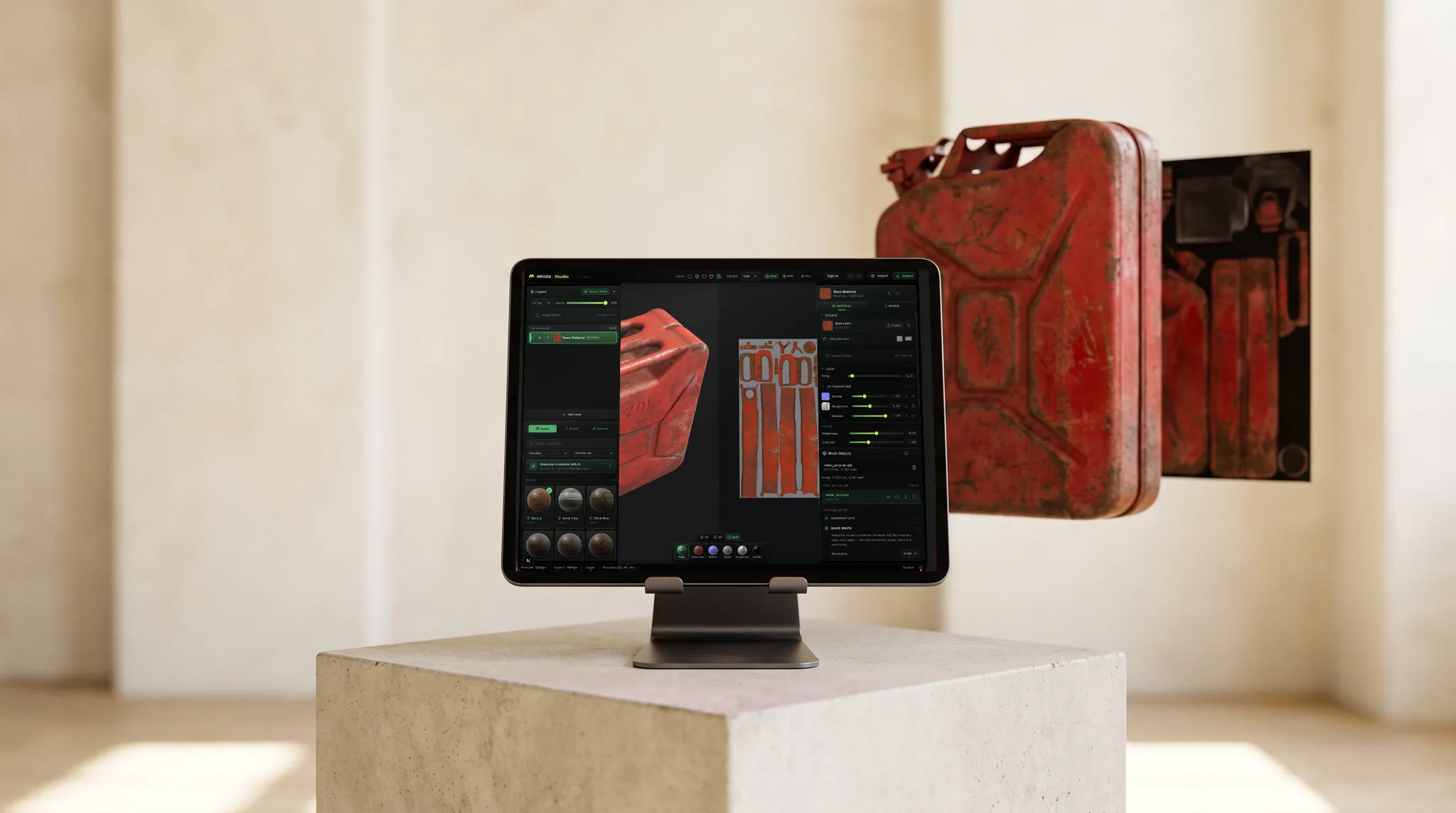
融入您的工作流程
标准贴图,按您的引擎所需方式命名。
基础颜色、法线、粗糙度、金属度、高度和不透明度,以及烘焙的环境光遮蔽和曲率,以 PNG 格式导出高达 4K——带有预设,可按照 Blender、Unreal 和 Unity 预期的方式命名和打包通道。
每个通道都在模型上独立预览,因此您可以在导出前看到每个贴图的效果。
在免费桌面应用程序中,有一个 Live Link,可在您绘制时将您的贴图流式传输到 Blender、Cinema 4D 或 Unreal,这样您就可以在渲染器中看到变化,而无需导出检查。
材质库
从 2,669 种现成 PBR 材质开始。
砖块、混凝土、金属、木材、石材、织物、皮革等——每个都是完整的 PBR 材质集。将其拖到表面并进行绘制,或从生成的材质开始。
库也在不断增长: 社区 AI 材质 ——在 Mixos 中生成并由艺术家分享的无缝 PBR 材质集——每周都会进入同一个库,通过各自的标签进行筛选。您可以随意使用它们进行绘制,但只有 CC0 材质集可供下载。
- Wood376
- Stone244
- Metal229
- Tiles228
- Ground220
- Paving205
- Bricks202
- Fabric167
- Concrete132
- Asphalt90
- Leather54
- +8 更多类别
AI generation
Describe it. Get something you can actually edit.
Every generator hands back a working asset, not a picture of one — and everything below is a real, unretouched generation.
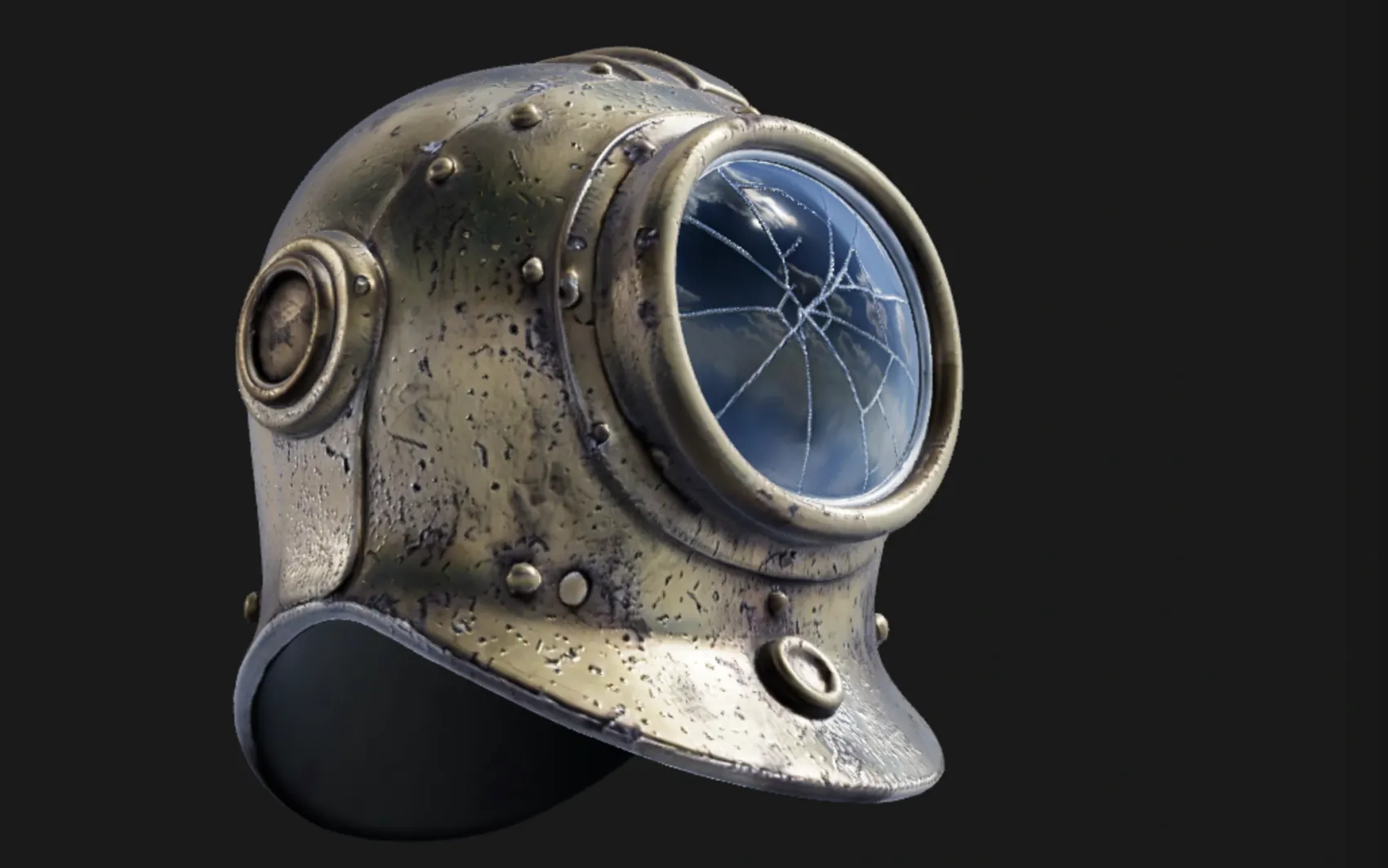
a weathered brass diving helmet with rivets and a cracked glass porthole
A textured, UV-unwrapped .glb — paintable the moment it lands, its generated maps already broken out as editable layers. No re-unwrap, no blank canvas.
“High detail” tier (Pro) · 180s
oxidised copper roof panel with green verdigris and rain streaks
One prompt, five real maps — not one image with the other four guessed from it. It exports as a standard map set for Blender, Unreal, Unity and C4D, and lands in the node editor as five wired nodes, so the roughness can go through a Levels or the albedo blend with grunge.
Five 1024² channels · 150s
 Base color
 Normal
 Roughness
 Metallic
 Height
Textures tile on all four edges, masks drive where a layer shows through, and brush alphas and decals stamp straight onto the mesh — each from one prompt, each landing as something you keep editing rather than a flat picture.
 Texture
 Mask
Mask Brush alpha
 Decal
DecalOnly generation spends credits — painting, layering, masking, baking and live preview never touch them. Every plan can generate, and a free account starts with a trial pool; Pro and Max add 2K materials and the two highest-fidelity 3D engines.
Mold ↔ Paint
Change the sculpt after you've textured it.
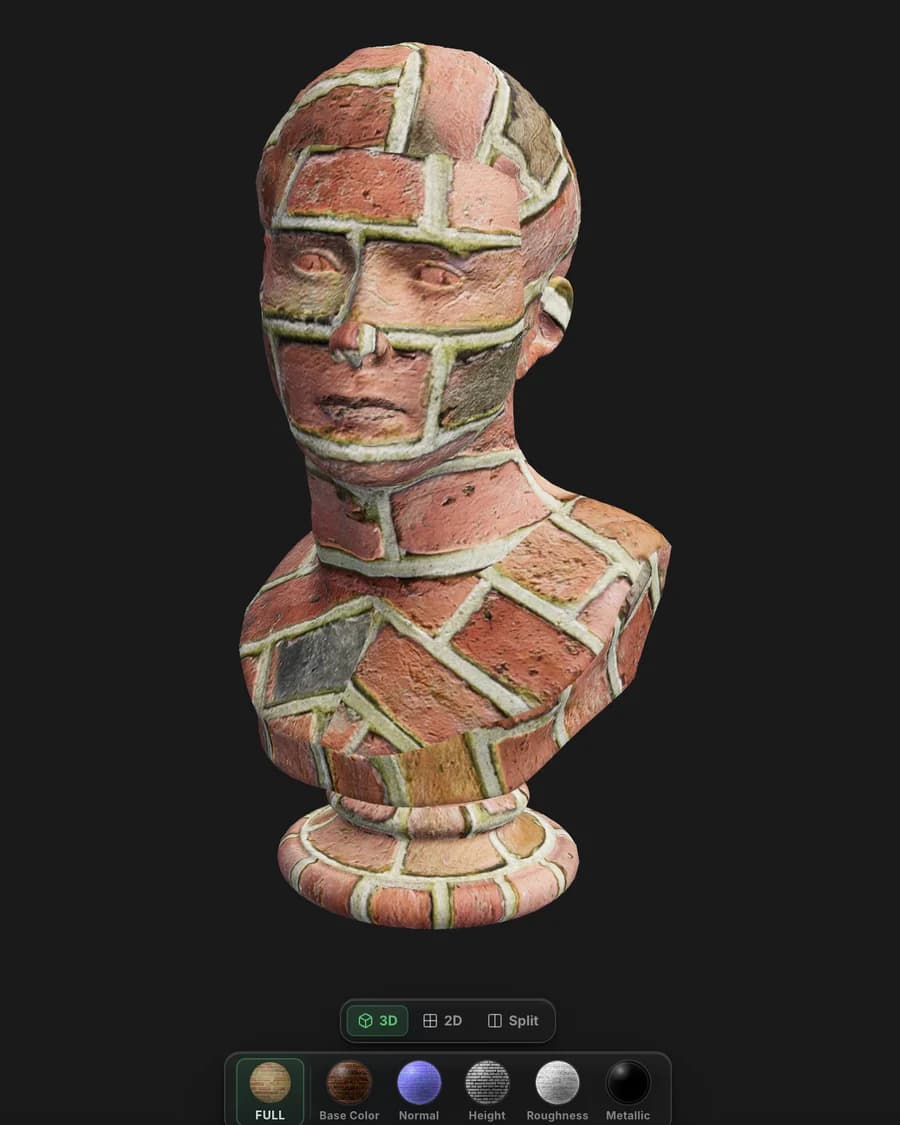
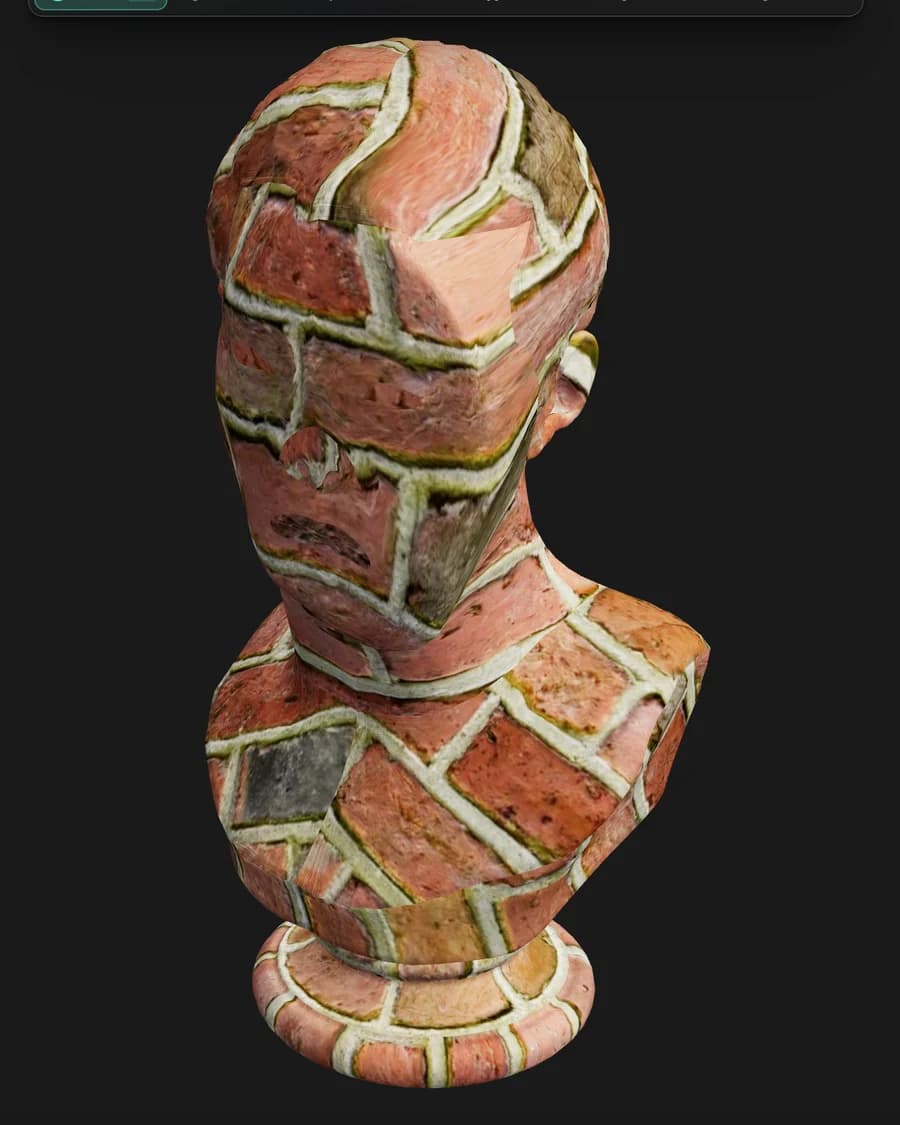
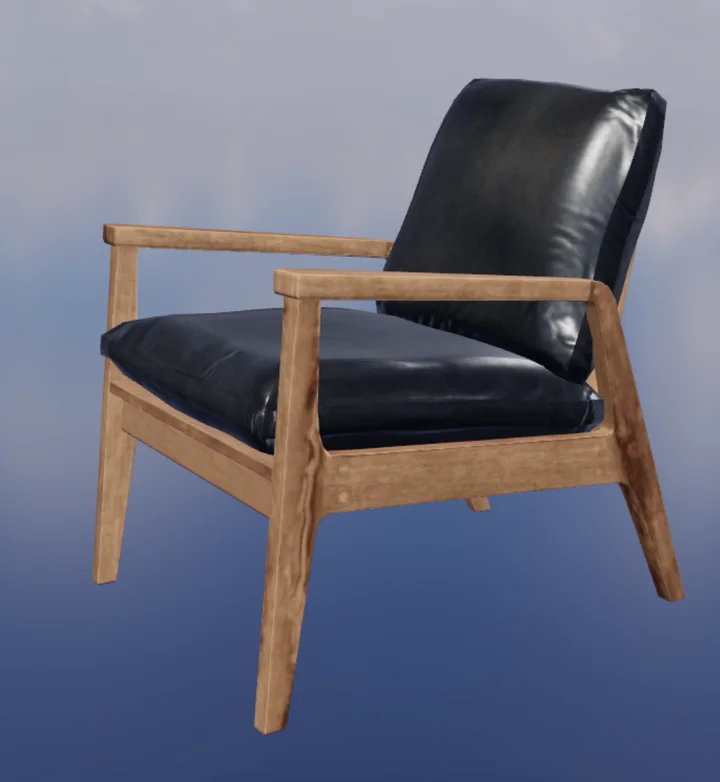
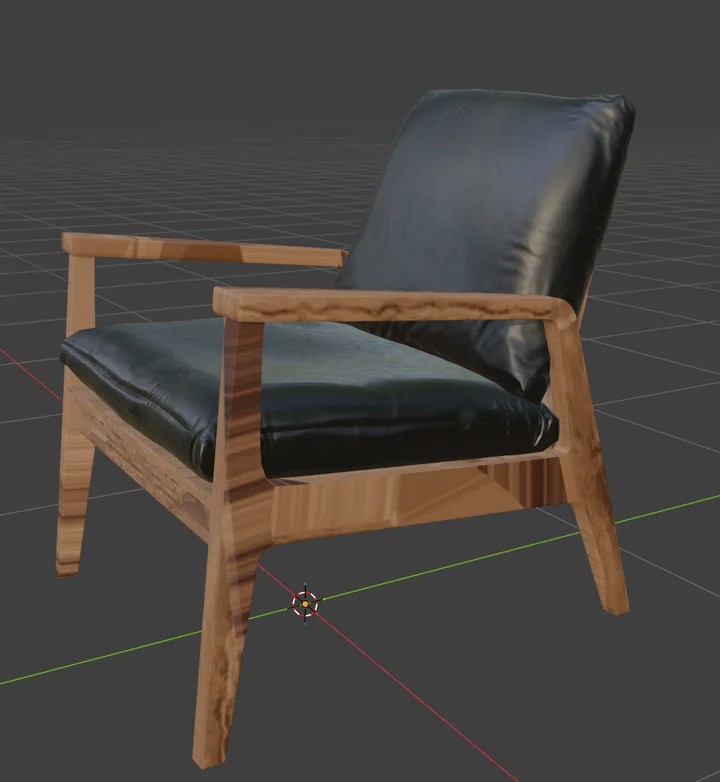
Texture a model in Paint, send it back to Mold, reshape the base — and the texture comes back exactly where you left it. Mixos carries the UV mapping across instead of re-projecting the paint onto the new surface, so your layers are never resampled and never drift. The tenth trip costs what the first one did.
- Layers return byte-identical
- Nothing is reprojected
- Full density comes home
- Multi-part models too
Node materials
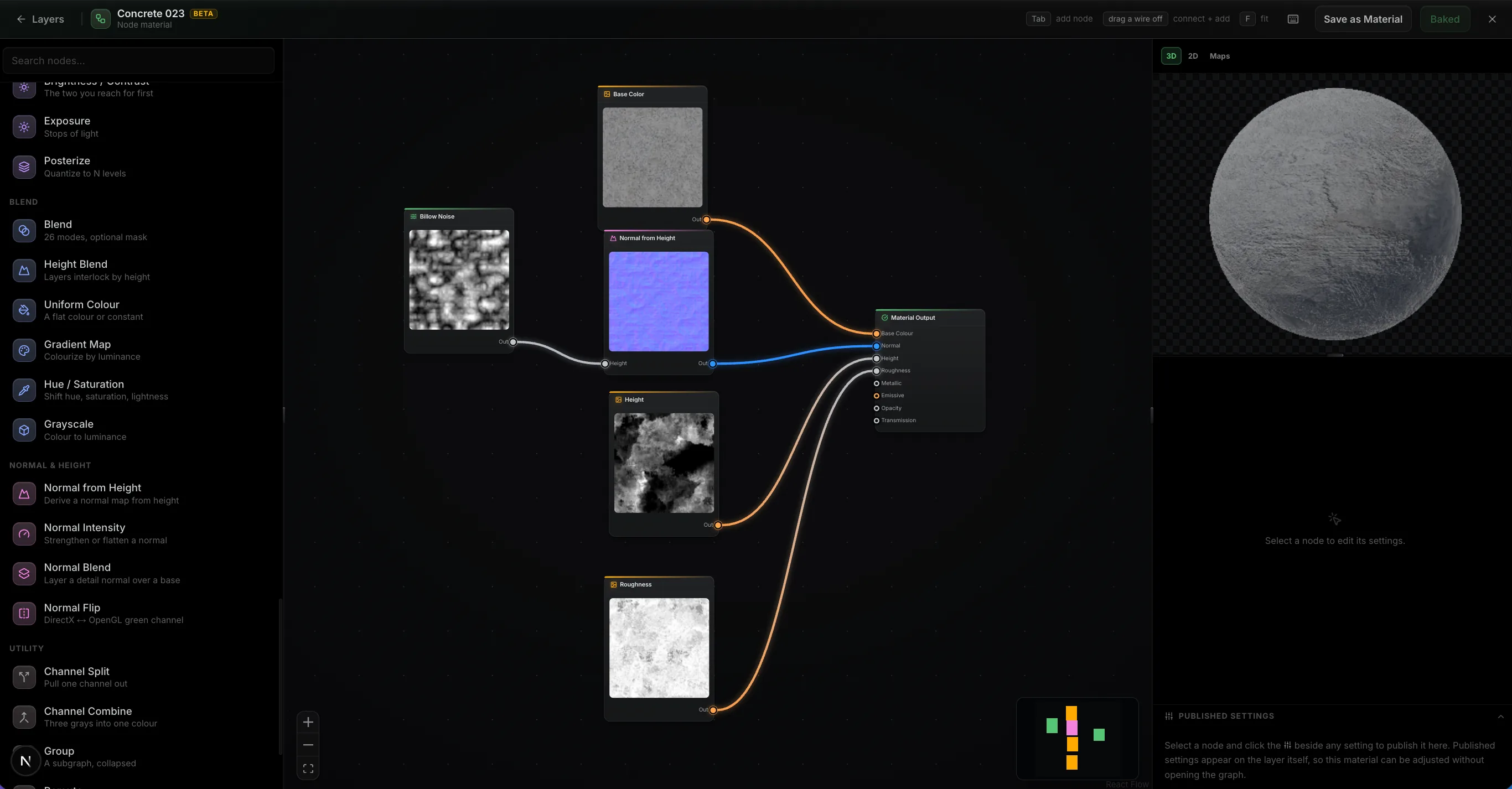
Build a material out of nodes.
Wire noise, warps, levels and blends into a graph and it authors every PBR channel at once, evaluated on your GPU as you drag a slider. Feed in your mesh's baked maps and the wear lands where the geometry says it should. Then publish the handful of parameters that matter as variables on the layer, so the finished material stays adjustable without reopening the graph.
- ~30 nodes
- Mesh maps as inputs
- Published settings
- It's just a layer
Path-traced preview
Path-traced preview.
The Ray toggle switches the viewport to a progressive path-traced render of the frame you're editing — bounced light, soft shadows, and glossy reflections across your whole layer stack. It refines in place while you tune quality, exposure and depth of field.
- Progressive — refines in place
- Fast / Balanced / High quality
- Physical depth of field
 Ray · path-traced
Live Link · desktop app only
Live Link to Blender, C4D and Unreal.
In the free desktop app, Live Link sends your maps to Blender, Cinema 4D, or Unreal each time they change — no export, no upload. With Blender it's two-way: send a model over, texture it, and the maps come back to the same object.
- Desktop app only
- One-click plugin install
- Auto Sync on every change
- Two-way with Blender
完整流程
套件的其他部分在同一模型上工作。
从 Mold 导出的雕刻模型会带着全新的 UV 来到这里。在 Studio 中组装的场景会带着纹理返回。Auto 根据提示为整个网格生成纹理。
移交只是一个按钮,而非繁琐的导出步骤——模型带着完整的图层过去,并带着修改后的效果回来。
无论您在哪里工作
无需工作站即可进行纹理绘制
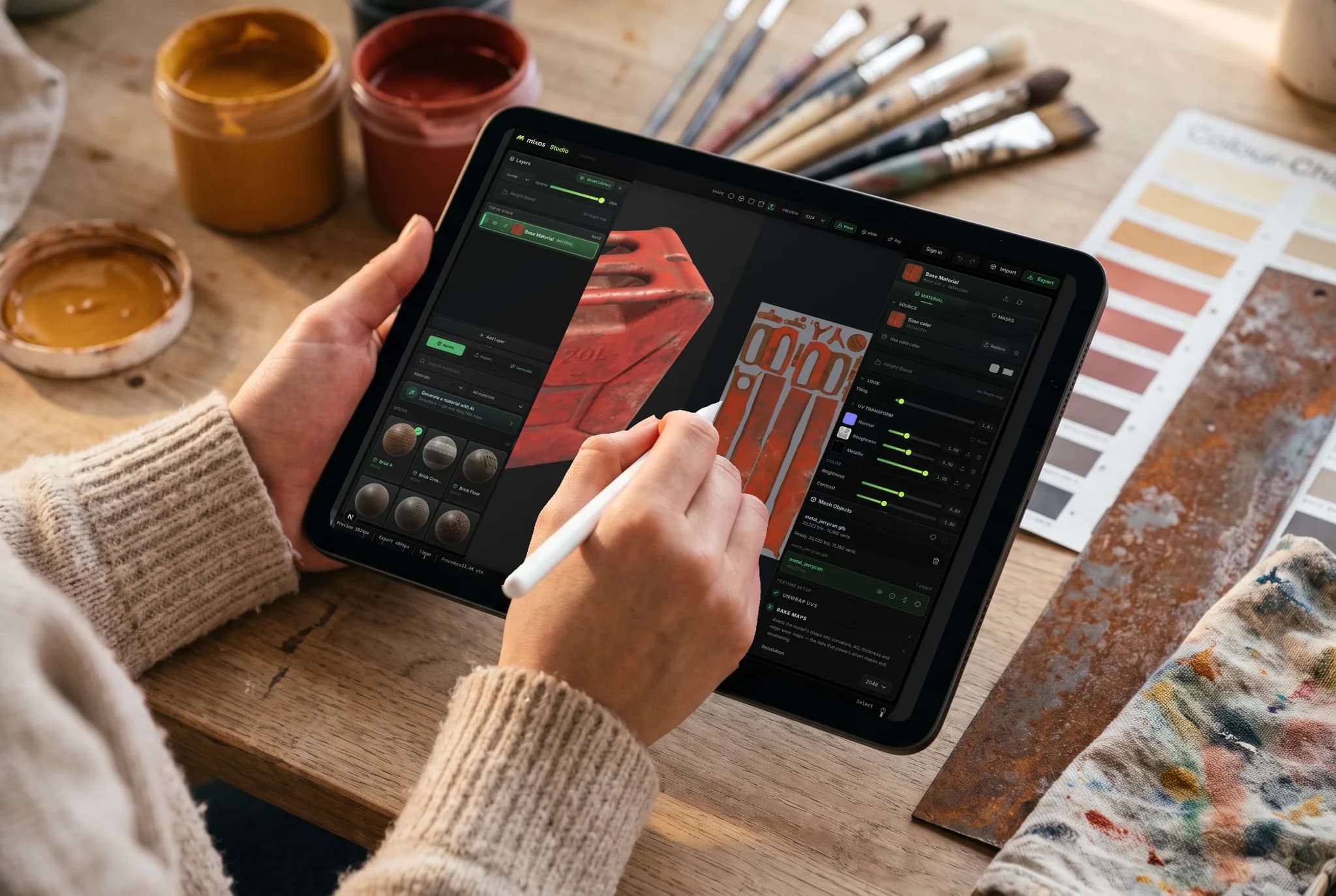
Paint在您已有的GPU上通过浏览器标签页运行。您可以在沙发上用iPad处理模型,稍后在笔记本电脑上继续,并从任一设备导出贴图——无需更换设备,也无需预先安装任何东西。
- 无需下载、无需安装、无需转移许可证
- 模型和图层随您的账户同步
- Apple Pencil用于遮罩和手绘细节
任何设备
在您已有的设备上进行纹理绘制。
Paint 的引擎就是浏览器本身,因此无需选择构建版本、无需运行安装程序,除了支持 WebGPU 的浏览器外,也没有最低配置要求。
Mac、Windows、Linux
Chrome、Edge、Firefox 或 Brave,以及 Safari 26+。鼠标和键盘,或用于压感笔刷的 Wacom 数位板。
iPad
触控优先的布局,面板可重排为滑出式工作表,Apple Pencil 的压感和倾斜度可控制笔刷。
Android
运行最新 Chrome 浏览器的手机和平板电脑。无需侧载,无需单独构建 — 相同的浏览器标签页和相同的项目。
Chromebook
在根本无法运行桌面软件包的硬件上进行纹理绘制,只要 ChromeOS 提供 WebGPU 支持即可。
iPhone 和 iPad 现已推出应用。
Paint 包含在免费的 Mixos 应用中,支持触控和 Apple Pencil 布局 — 浏览器版本依然无需安装。 iOS 26 or later.
常见问题
运行 Paint 需要什么?
支持 WebGPU 的浏览器 — Mac、Windows 或 Linux 上的最新 Chrome、Edge 或 Safari。无需下载任何内容、无需插件、也无需许可证服务器。Paint 也可在 iPad 和手机上运行,采用触控优先布局,并支持 Apple Pencil 压感。
Mixos Paint 是 Substance Painter 的替代品吗?
对于基本功能,是的 — 直接在网格上绘制、非破坏性图层、混合模式、颜色 ID 和程序化遮罩、智能材质、贴花、烘焙网格贴图以及 4K PBR 导出,所有这些都在浏览器标签页中完成。Substance Painter 在大型工作室流程方面功能更深入;Paint 则以零安装、真正可用的免费层级以及 Substance Painter 无法实现的无损雕刻往返流程来弥补深度上的差异。
它导出哪些纹理贴图?
基础颜色、法线、粗糙度、金属度、高度和不透明度,以及环境光遮蔽和曲率等烘焙贴图,以及一个已附加材质的 glTF (.glb) 文件。预设会按照 Blender、Unreal、Unity、Godot、Cinema 4D、Maya 和 Houdini 各自期望的方式命名和打包通道,因此可以直接导入使用。
我可以导入自己的模型和图像吗?
是的。您可以将网格模型导入为 GLB、glTF、FBX 或 OBJ 格式,以便在其上进行绘制和烘焙,并将照片或扫描件作为材质源导入。您还可以导入整个现有的 PBR 材质库,Paint 会根据文件名对贴图进行排序。
如果我在绘制后更改模型,我的纹理会怎样?
纹理会保留。将已纹理化的项目发送回 Mold,重新塑形基础模型,纹理会以字节级相同的方式返回 — Mixos 会在往返过程中保留 UV 映射,而不是将您的绘制重新投射到新表面上,因此无论您来回多少次,都不会进行重采样。如果您在雕刻过程中重新展开模型,或者拓扑结构变化太大导致旧映射不再适用,Paint 会重建项目 — 并首先复制您的原始项目,因此无论哪种情况,纹理都不会丢失。
我在开始之前需要干净的 UV 吗?
不需要。三平面投影可以在完全没有可用 UV 的网格上无缝地放置材质,因此模型加载后即可开始绘制。当您确实需要合适的 UV 时,Paint 会为您展开网格,并提供一个 UV 编辑器来调整 UV 岛。
Mixos Paint 是免费的吗?
绘制是免费的。打开编辑器,尽情进行纹理绘制 — 所有的笔刷、图层、遮罩、智能材质和整个材质库,没有时间限制,视口中的作品也没有水印。免费账户还包含一次性的人工智能生成器试用点数。导出最终的纹理贴图是付费计划的一部分。
AI 点数用于什么?
只有 AI 生成会消耗点数,每个操作的成本与我们的运行成本挂钩。一个贴花、风化遮罩或笔刷笔尖消耗 1 个点数;一个无缝纹理或完整的 PBR 材质消耗几个点数,原生 2K 材质会稍多一些。自动纹理处理和 3D 模型生成是最昂贵的 — 根据生成器不同,一个模型需要 4–16 个点数。其他所有功能 — 绘制、分层、遮罩、烘焙和实时预览 — 始终免费,不消耗您的点数。
有桌面应用吗?
是的 — 适用于 Mac 和 Windows 的 Mixos 可免费下载。它是一个原生外壳中的相同编辑器,突破了浏览器的限制:在每个核心上进行烘焙、原生 ML 推理、完整的离线支持,以及一个 Live Link,可在您绘制时将您的贴图实时传输到 Blender、Cinema 4D 或 Unreal 中,完全无需导出循环。一个账户即可涵盖该应用程序和任何浏览器。
继续探索