模型与场景
构建可编辑的物体、文字、曲线和完整场景。对部件进行布置、对齐、重复和散布。
Mixos AI 将你的描述构建为真实的 3D 场景,包含物体、材质、灯光和相机。它与你一起为镜头制作动画,再输出保留取景与动态的写实图像或视频。
拖动分隔线,对比 3D 场景与成品画面。预先准备的起始示例:3D 场景和动画是为起始资源库制作的,每张图像和每段视频都由其视口生成。 每个示例都可在工作区中免费打开,成为你自己的可编辑副本。
上面的每个示例都始于一个可以走进去看的场景。图像和视频最后才出现,来自你已经满意的画面。
每块车身面板、制动盘和外套纽扣都是带有自身材质的独立 3D 物体。可以移动它、改色,也可以在 Studio 中打开整个场景手动编辑。
运动以关键帧的形式存在于时间轴上。可以要求更低的角度或更慢的推轨,也可以自己拖动关键帧,并立刻看到预览,而此时还没有生成任何付费内容。
画面满意后,mixos AI 把视口变成写实图像,把动画变成视频,并保留你设定的布局、相机和节奏。
每一轮都会说明改了什么、花了多少,旁边就是撤销。没有你的同意,任何付费操作都不会运行。
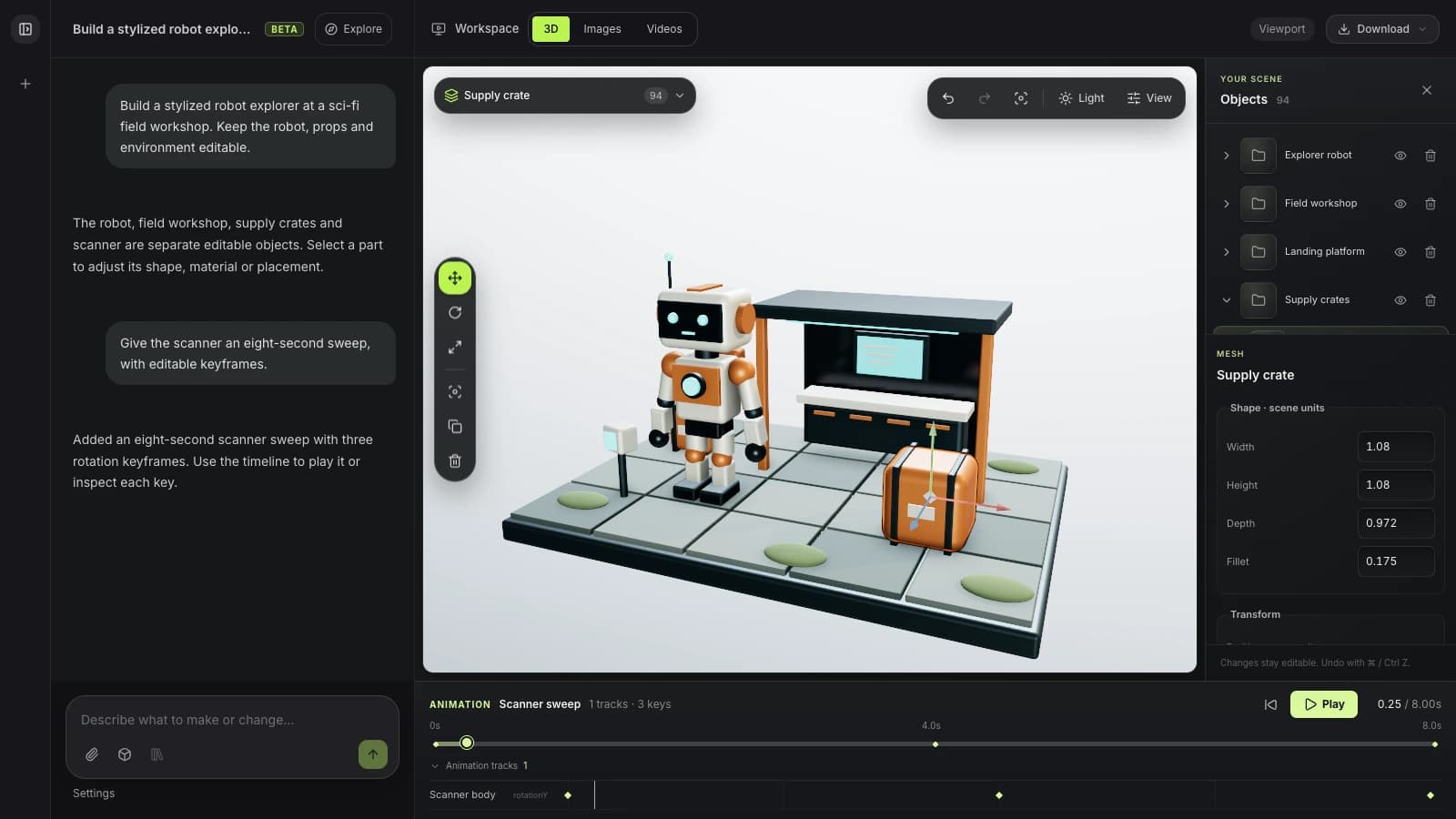
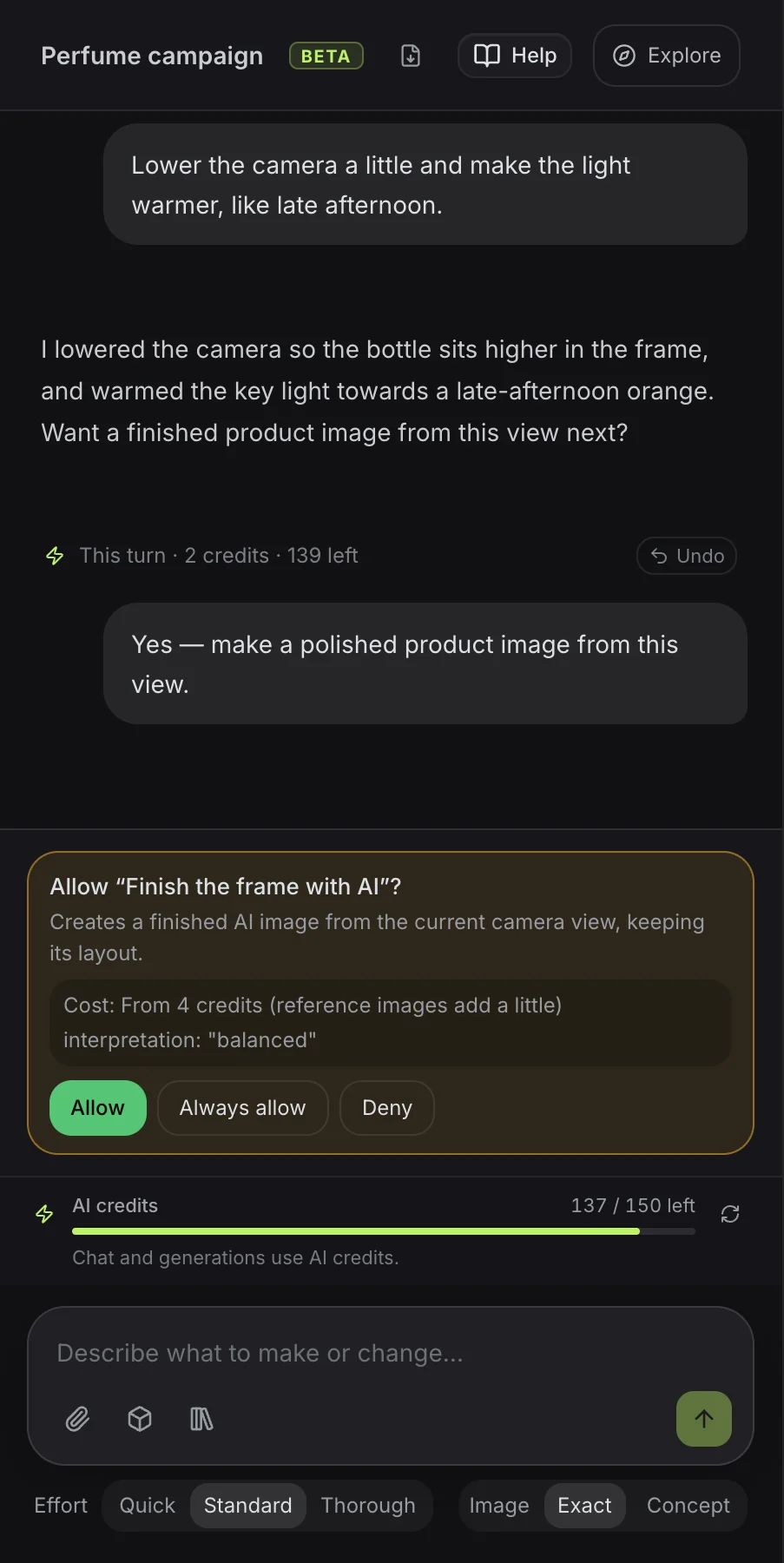
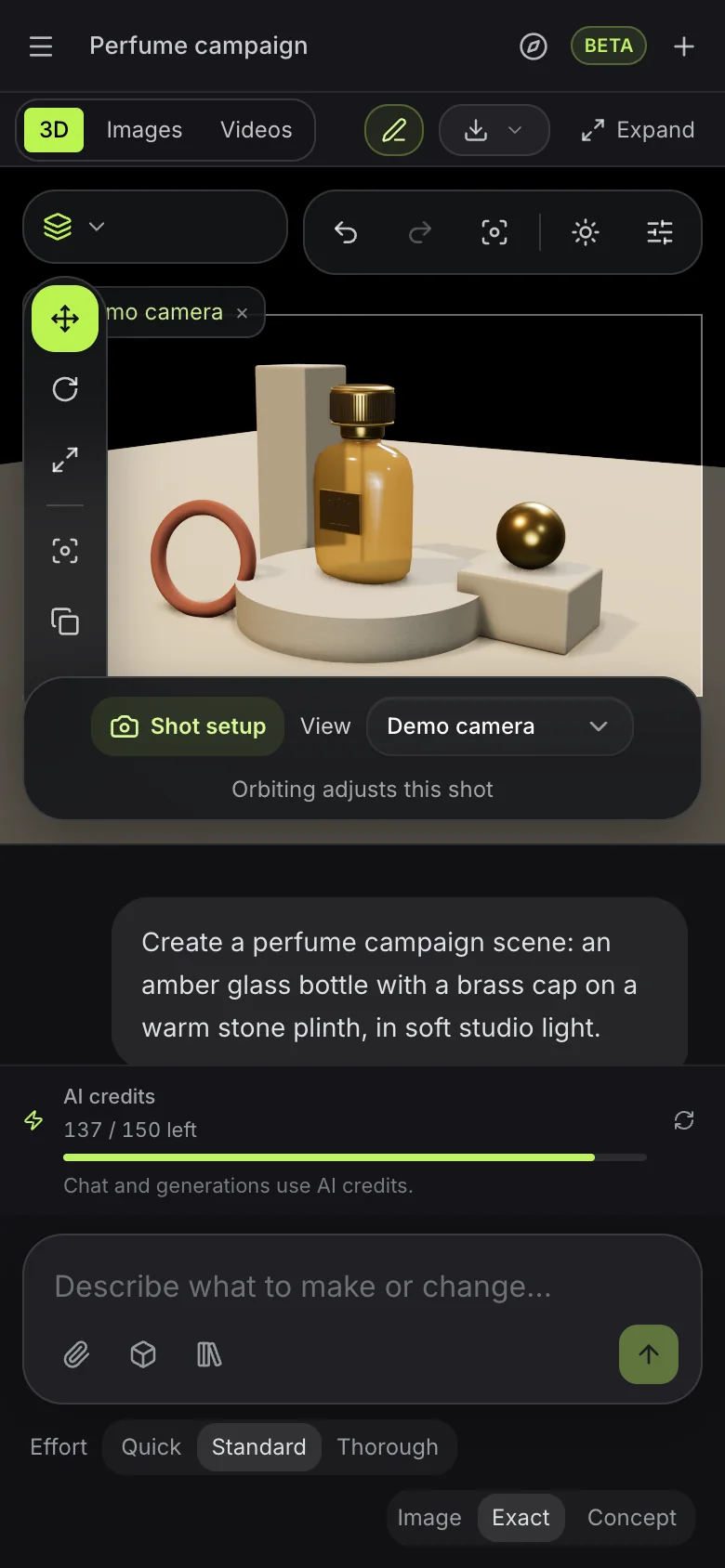
从一段描述开始,随着想法成形,再提出具体的修改。
构建可编辑的物体、文字、曲线和完整场景。对部件进行布置、对齐、重复和散布。
挤出、倒角、切割和合并网格。通过修改器堆栈保持修改实时有效。
使用资源库中的 PBR 材质,创建材质节点图,生成表面并调整其质感。
设置环境、灯光和相机构图。完善氛围与渲染设置。
检查绑定,应用可编辑的动捕,制作相机动画并预览运动。用独立镜头规划可选的分镜。
将布置好的场景变成图像或短视频。需要时可选择自动 3D 生成。
“设计一个安静的阅读角,配有雕塑感的躺椅、矮桌和纸灯。使用暖调木材、柔和的象牙色和午后的光线。”
试试这条提示词“在温暖的石材布景上创建一个雕塑感的香水瓶。使用琥珀色玻璃、黄铜细节和戏剧性的影棚灯光。然后用这个视角生成一张产品成图。”
试试这条提示词“一尊小狐狸半身像,有一对大而生动的耳朵,表面是氧化铜,凹处带有绿色铜绿,放在圆形炭灰色基座上。”
试试这条提示词“先做一片高高的、略带扭转的鳍片,在青绿色与黄铜色的圆形大理石底座周围重复 24 次。让鳍片像绕圆传播的波浪一样起伏,并在八秒内循环。”
试试这条提示词“创建一副雕塑感的头戴式耳机,珊瑚色耳壳配象牙色耳垫,放在黑色大理石基座上。制作一段缓慢的整圈旋转动画,再据此生成一段简短的产品视频。”
试试这条提示词“为一家名叫 Ember 的咖啡店设计 3D 标志:一颗升腾成火焰的咖啡豆,材质为拉丝铜。”
试试这条提示词Mixos AI 以 AI 积分运行。对话按每条消息所需的工作量消耗积分;图像、视频和生成的模型在你批准前会显示价格。
可观看本页的所有示例,并在 mixos 应用中编辑你的作品。与 mixos AI 对话需要付费方案。
每月 50 个 AI 积分,并可下载场景、模型、图像和视频的全分辨率文件。
每月 150 个 AI 积分,适合高强度使用。需要更多?付费方案可以从 25 积分起追加积分包。
Follow a project from idea to finished result, or search everything Mixos AI can do. Every prompt is yours to edit before sending.
15 areas to explore
Build designs in Frame with editable text, shapes, fonts and brand colours. Review layout variations, make matching sets and prepare AI artwork edits.
Open Frame and create a summer campaign from a template. Keep its text and shapes editable, preview the design and let me apply it before making a matching story.
Try this promptBuild editable objects, text, curves and complete scenes. Arrange, align, repeat and scatter parts.
Build a cosy reading nook with a custom armchair, floor lamp and side table. Keep the objects editable, inspect the scene and save it.
Try this promptExtrude, bevel, cut and combine meshes. Keep changes live with a modifier stack.
Inspect the selected object and suggest three useful geometry improvements. Tell me what you would change before editing it.
Try this promptCreate geometry node networks, adjustable generators, cloners and reusable patterns.
Build a procedural shelving unit with adjustable height, width and shelf count. Keep its controls live, inspect it and save the scene.
Try this promptShape meshes with brushes, masks, symmetry, remeshing and pose tools in Mold.
Open Mold and build a simple fox bust with a clear silhouette and expressive ears. Inspect the sculpt from several angles and save it.
Try this promptLayer PBR surfaces in Paint, control wear with masks and place decals on your model.
Inspect the current Paint model. Add a worn copper material layer and masked grime, keeping the layers editable, then save the project.
Try this promptUse library PBR materials, create material node graphs, generate surfaces and tune their finish.
Give the selected object a realistic brushed-copper finish using a library PBR material or a validated material graph. Inspect the surface and save the scene.
Try this promptSet environments, lights and camera composition. Refine the atmosphere and render settings.
Light and frame the current scene for a warm studio product shot. Inspect the composition and save it before generating any paid media.
Try this promptInspect rigs, apply editable motion capture, animate cameras and preview motion. Plan optional storyboards with independent shots.
Create a slow camera orbit around the selected object, preview it as a playblast and save the scene. Keep the animation editable.
Try this promptTurn a staged scene into an image or short video. Choose automatic 3D generation when you need it.
Explain the options and current credit costs for making an image, video or automatically generated 3D model from this scene. Let me choose before running generation.
Try this promptExplore concepts, choose a mark and build an editable 3D Logo project with depth and materials.
Open Logo and design a coffee-bean and flame emblem for Ember. Show me concepts to choose from, then build the chosen mark in brushed copper and save the Logo project.
Try this promptCheck topology, normals, proportions, intersections and performance. Unwrap and pack UVs.
Inspect the current model's topology, normals and UVs. Report the three most useful fixes before changing anything.
Try this promptFind saved work, import assets, save milestones and move work between apps. Prepare files for export.
Show me the saved scenes and models in my library that I could bring into this scene. Let me choose an asset before importing it.
Try this promptAuthor custom geometry, batch repeated work, save presets and use scene variables and constraints.
Inspect this scene and suggest a reusable preset or script for a repeated task. Describe the result before making changes.
Try this promptExplore cloth draping, rigid bodies, particles, fracture, volumes and hair. Available in development builds.
Create a cloth draped over a small table, advance the simulation to inspect the drape and save the scene.
Try this promptMixos AI can guide you to Auto, Scan, libraries and browser utilities. Use those apps' own controls for work there.
Mixos AI 已在此版本中开放。使用 Mixos 账号即可打开工作区;对话工具需要付费权限或尚未使用的已购积分。扩展的创作工作区正在预览版本中逐步推出。
可以。助手会在已打开的场景中处理物体、几何体、材质、灯光、相机和动画。可以保存阶段成果、重新打开项目,或在 Studio 中继续编辑。示意图仅展示创作方向,并不保证提示词会生成完全相同的结果。
常规建模请求会生成可编辑的几何体。明确的自动生成则使用现有的付费模型目录,根据文字或参考图创建带贴图的网格。你也可以导入受支持的模型、放入场景,并从资源库中复用。原生 .mxs 场景会作为新项目打开。
可以渲染场景,或用精确、均衡、创意三种解读方式让 AI 完成视口画面。制作视频时,先准备可编辑动画、成品静帧和匹配的动捕,再选择受支持的视频引擎。如果源场景发生变化,请先刷新静帧和动捕,再生成新的片段。结果可以预览、复用,并按现有的导出权限下载。
先检查骨架,并复用兼容的绑定。受支持的 T 姿势人形角色可以自动绑定。搜索动作库,应用合适的动捕,并以可编辑关键帧的方式调整时间与位移。不受支持的姿势、绑定或缺失的动作,需要使用兼容的角色或其他库内动作;全新的文本生成动作服务不在本次预览范围内。
不需要。用一条提示词描述你想制作或修改的内容,助手会自动按你的要求执行。设置中提供可选的请求聚焦。需要多个镜头时,可以从一个开始,或规划三个,分镜中最多可容纳十二个。每个镜头都有自己的相机、动画片段、简述和生成设置;场景中的物体、灯光与材质则是共享的。生成的镜头始终与其来源镜头保持关联。
不需要。Mixos AI 是独立的工作区,拥有自己的实时视口。相机预设和可编辑路径都在场景内运作。共享命令也支持 MCP 调用,但在这里创作并不需要外部软件或 MCP 设置。
在已发布的 Mixos 应用中,使用 Mixos 账号即可免费编辑。AI 生成会消耗积分。正式导出需要付费方案或许可;免费方案包含 512px 带水印的渲染预览。当前额度请查看定价页面。观看本页的演示不会消耗 AI 积分。