No green screen needed
The person is found in each frame by a model that runs in your browser. Nothing uploads and no credits are spent.
Turn on Cut out person and Motion finds the person in every frame, on your computer, with no green screen. Or click any object and it is followed through the shot. Then put anything behind it.
Maps that drop into
The person is found in each frame by a model that runs in your browser. Nothing uploads and no credits are spent.
Click a dog, a car or a product and it is cut out and followed across the frames, not only people.
Stack the cutout over a title and the words sit between the person and the background, the look the Reel template is built on.
Soften or tighten the edge without running it again, and use a colour key instead when you did shoot on green.
Every clip here is a template Motion rendered itself. Pick one in the start window and swap the words, the pictures and the brand colours.

A showreel from video: a word cut from footage, beat cuts, a speed ramp, a freeze frame.
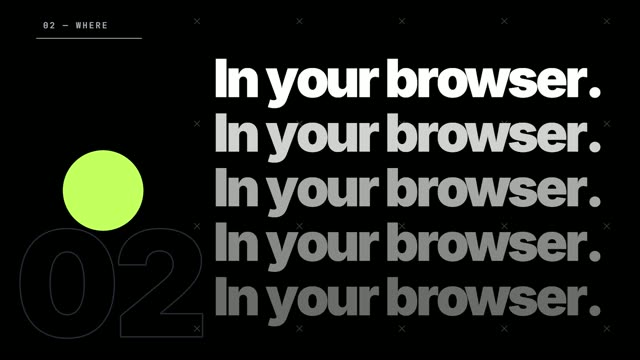
Kinetic type in one unbroken shot: the camera whips, rolls, dives into a full stop and pulls back out, with depth behind every scene.

A season opener drawn by hand: marker lettering that boils, players inside orbit rings, sparkles and spray on twos, cut on the beat.
Mixos AI
Type the ask under the viewer. Mixos AI works in your comp with the same tools as the buttons, so what it makes is normal layers you can move, retime or delete, and each request is one undo step.
Open MotionCut the person out of this clip and put a big bold title behind them.
Why Mixos
Add your clip to Motion, select it, and turn on Cut out person in the Inspector. The masks are made on your device after that, frame by frame, and a bar shows the progress. Frames it is unsure about are counted, so you know where to look.
Behind the cutout, put a colour, a photo, another clip or a generated scene. Above the background and below the cutout, put a title, and the person appears to stand in front of the words.
Because the work happens in your browser, long clips take a while on slower computers, and a sharp, well-lit subject cuts out more cleanly than a blurry one in a busy scene.
Building, animating and previewing are free with a free account, and a free export is 540 px with a watermark. Exporting up to 4K without the watermark is part of Pro at $10.00 a month or the one-time $129 license.
No. Motion finds the person, or the object you click, in ordinary footage. If you did film on green or blue, the colour key gives the cleanest edge.
No. The cutout model downloads to your browser and runs there, so the footage stays on your computer and no credits are spent.
Yes, as a transparent PNG sequence, to place the cutout in another editor.
Building and previewing are free. A free account exports video at 540 px on the long edge with a watermark; Pro and the one-time license export up to 4K without one.
A desktop or laptop with current Chrome or Edge, on Windows, macOS, Linux or ChromeOS. Motion draws on your graphics card through WebGPU, so nothing installs, and a free account is needed to open it.
Read next
Key, retime and ease a move, step by step.
Keys, in-betweens, and the interpolation that joins them.
Bones, skin weights, IK, and why auto-riggers want a T-pose.
What carries over to an engine, and what to bake first.
Keep exploring
More in Animation & rendering
Open Motion, add your clip, and turn on Cut out person.