Captions first
Speech is transcribed in your browser and every word is timed, so the translation starts from accurate lines.
Motion hears the speech and writes captions on your computer, then translates them with your browser's own translator. Each line keeps its timing, and you switch languages by showing one caption group and hiding the other.
Maps that drop into
Speech is transcribed in your browser and every word is timed, so the translation starts from accurate lines.
English, Spanish, French, German, Italian, Portuguese, Dutch, Polish, Turkish, Russian, Ukrainian, Arabic, Hindi, Japanese, Korean and Chinese.
The browser's on-device translator does the work, so neither the sound nor the words leave your computer, and no credits are spent.
Keep the original captions and add a translated copy as its own group, then export once per language.
Every clip here is a template Motion rendered itself. Pick one in the start window and swap the words, the pictures and the brand colours.
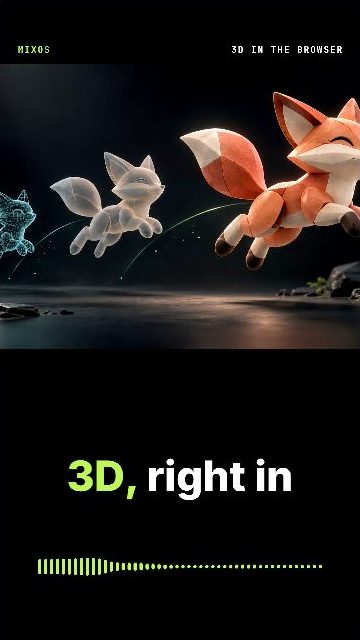
Narrated on this device, captions timed to every word, a waveform that moves with the voice.
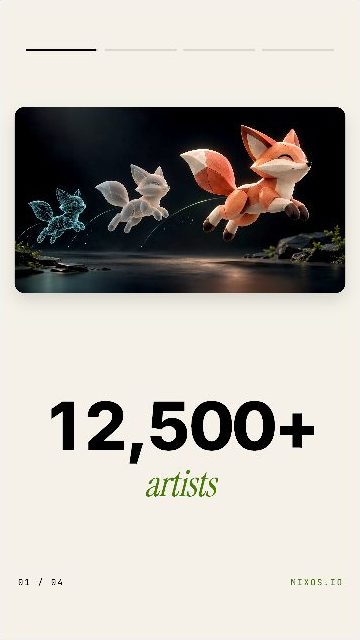
The year in numbers, vertical: one number per shot with a crisp render, cut on the beat.

A place to stay in five photographs, each cut its own way (zoom, whip, clock, colour swipe, light leak), with a rating badge and sign-off built as precomps.
Mixos AI
Type the ask under the viewer. Mixos AI works in your comp with the same tools as the buttons, so what it makes is normal layers you can move, retime or delete, and each request is one undo step.
Open MotionCaption this clip from the voice track, then add a Spanish version of the captions.
Why Mixos
Add your clip and make captions from its voice track. Check the words, since names and jargon may need a fix, then choose Translate captions and pick a language. A new caption group appears, labelled with its language, and the original is hidden.
Word order changes between languages, so each translated line keeps the start and length of the original line, and the words inside it are timed to where they fall. Pauses stay where they were.
Translation uses the translator built into current Chrome. Where the browser has none, Motion says so rather than sending your words to a server. The captions are text layers, so they are part of the exported video.
Building, animating and previewing are free with a free account, and a free export is 540 px with a watermark. Exporting up to 4K without the watermark is part of Pro at $10.00 a month or the one-time $129 license.
Sixteen: English, Spanish, French, German, Italian, Portuguese, Dutch, Polish, Turkish, Russian, Ukrainian, Arabic, Hindi, Japanese, Korean and Chinese.
No. Hearing the speech and translating it both run on your computer.
Yes. Every caption is an editable text layer on the timeline, in any language.
Building and previewing are free. A free account exports video at 540 px on the long edge with a watermark; Pro and the one-time license export up to 4K without one.
A desktop or laptop with current Chrome or Edge, on Windows, macOS, Linux or ChromeOS. Motion draws on your graphics card through WebGPU, so nothing installs, and a free account is needed to open it.
Read next
Key, retime and ease a move, step by step.
Keys, in-betweens, and the interpolation that joins them.
Bones, skin weights, IK, and why auto-riggers want a T-pose.
What carries over to an engine, and what to bake first.
Keep exploring
More in Animation & rendering
Open Motion, add your clip, and make captions from the voice.