
Shape with touch
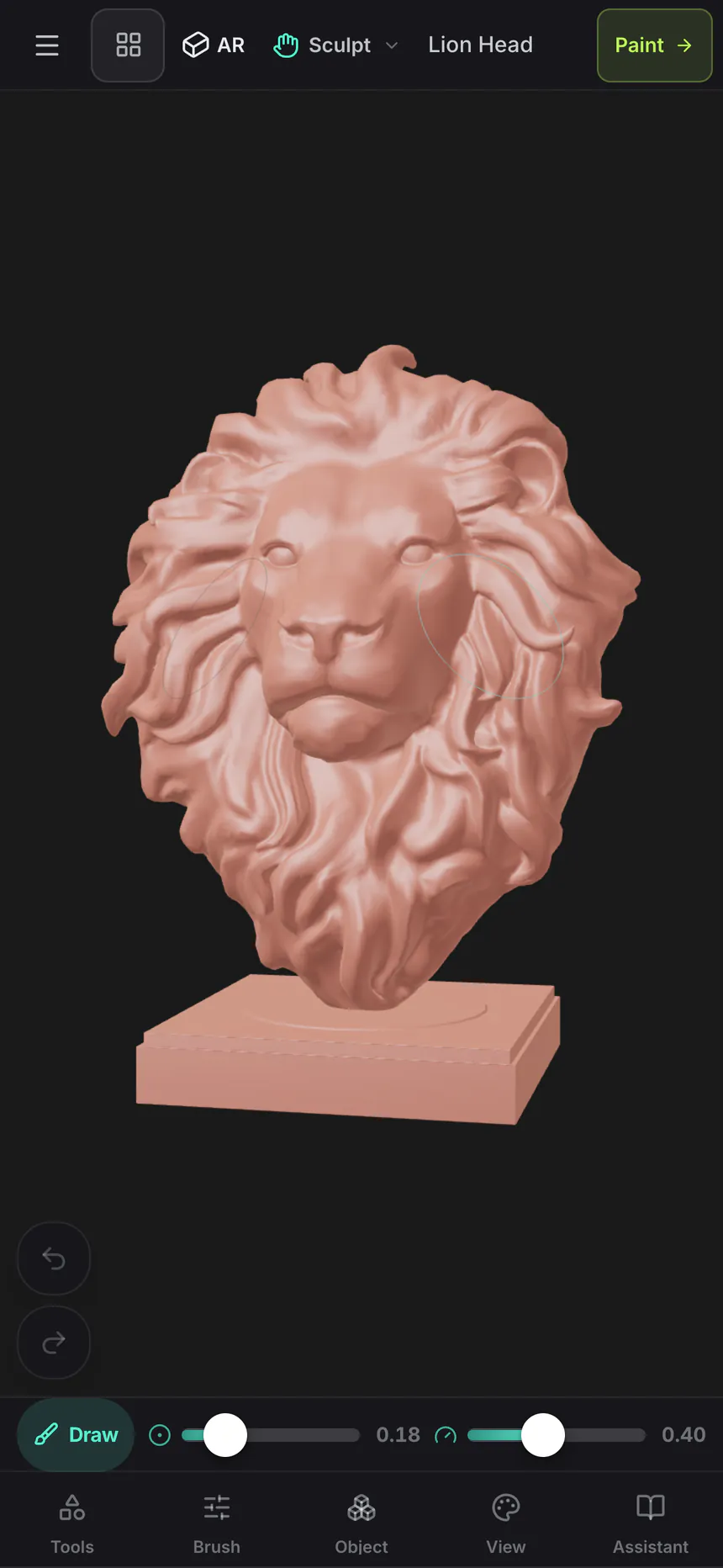
Push, pull and smooth geometry with the sculpting brush set. Keep the brush size and strength close while you work on your phone.
Mixos Mold · iPhone & iPad
Shape a character, a creature or an idea that hasn’t found its form yet. Mold brings hands-on 3D sculpting to your iPhone, with brushes that push, pull and smooth the surface.
Download on the App StoreFree download · In-app purchases · iOS 26 or later
A real workflow, on your phone
Push, pull and smooth geometry with the sculpting brush set. Keep the brush size and strength close while you work on your phone.
Use masks to protect parts of the form and symmetry to work on both sides. Remeshing lets you keep developing the surface as your idea changes.
Send a finished sculpt to Paint to add materials and surface detail. Your model can move from sculpting to texturing without starting over.
From the first idea to the final detail
Begin with broad brush strokes to establish the form. Use symmetry while you explore the shape, mask areas you want to protect and remesh as the surface changes. When the sculpt is ready for color and materials, send it directly to Paint.
Meet the whole iPhone & iPad suite Creative artwork generated with ChatGPT
Before you begin
Yes. Mold has a touch layout for iPhone, with sculpting brushes and controls for brush size and strength. You can rotate the model to work on different sides of the form.
Yes. Mixos supports touch and Apple Pencil on compatible iPads. The larger iPad workspace gives your sculpt and its controls more room.
Yes. Mold can send the sculpt directly to Paint, which is included in the same Mixos app. Paint adds PBR materials, layers and masks to the model’s surface.
No. Mixos is free to download, with in-app purchases available. Saving work requires an account. Exporting finished files requires Pro or Max, and AI generation uses credits. Check the App Store for current terms.
Included in Mixos for iPhone & iPad
Free download. In-app purchases available.