Lock or smooth
Lock holds the point in one place, as if on a tripod. Smooth keeps your pan or walk and removes the jitter on top of it.
Pick a point in the shot and Motion follows it through every frame, then moves the clip the other way to cancel the shake. Lock it dead still, or keep the camera move and lose only the wobble.
Maps that drop into
Lock holds the point in one place, as if on a tripod. Smooth keeps your pan or walk and removes the jitter on top of it.
The clip is scaled up only as much as the shake needs, so no black borders show at the sides.
The same tracker can pin a label, an arrow or a blur to something moving in the shot.
Tracking runs in your browser in the background. Nothing uploads and it costs no credits.
Every clip here is a template Motion rendered itself. Pick one in the start window and swap the words, the pictures and the brand colours.
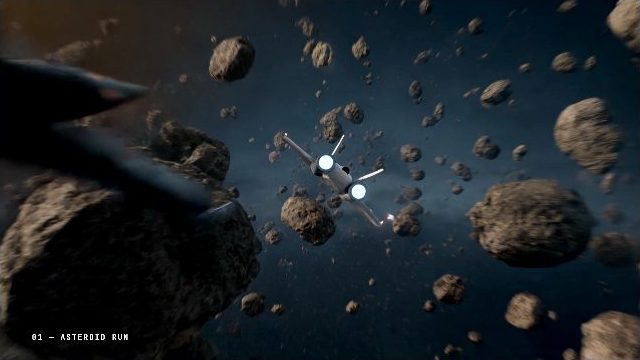
A showreel from video: a word cut from footage, beat cuts, a speed ramp, a freeze frame.
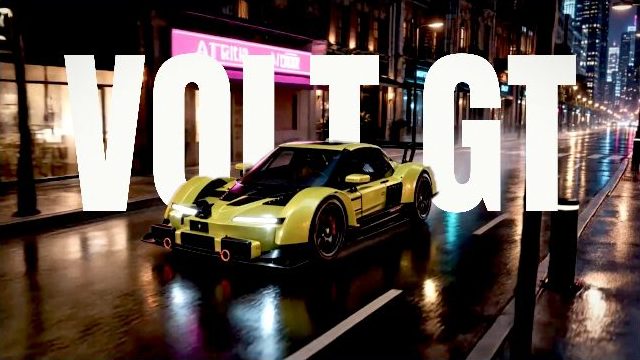
One clip, made into a launch: the name stands behind the car, slow motion, a tracked label, a duotone freeze and a spec panel.
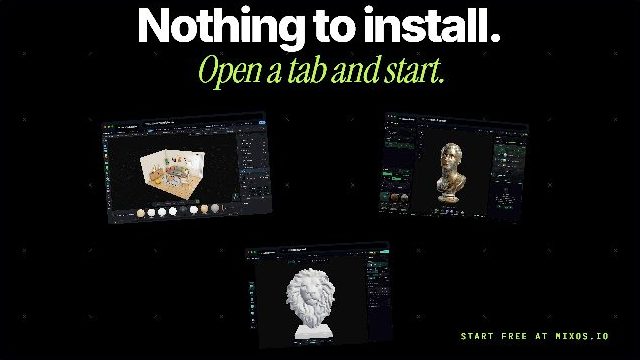
A software demo in one shot: the camera swings between tilted app windows, pushes in on each, then pulls back to all three.
Mixos AI
Type the ask under the viewer. Mixos AI works in your comp with the same tools as the buttons, so what it makes is normal layers you can move, retime or delete, and each request is one undo step.
Open MotionStabilise this handheld clip but keep the slow pan.
Why Mixos
Add the clip, select it and choose Stabilise in the Inspector. Pick something in the shot that should stay put, such as a window corner or a sign, with clear edges and in view the whole time. Motion tracks it and writes the opposite movement onto the clip.
Where the tracker is unsure, such as a frame where something passes in front, it marks those moments. Fix a key by hand and track again from there.
Stabilising crops a little, because the clip moves to cancel the shake. Smooth crops less than Lock. A very shaky clip may need more zoom than looks good, and then a gentler setting is the better result.
Building, animating and previewing are free with a free account, and a free export is 540 px with a watermark. Exporting up to 4K without the watermark is part of Pro at $10.00 a month or the one-time $129 license.
No. The tracker runs in your browser on your computer, with no model and no credits.
No. It cancels the movement of the frame. Blur already in each frame, and the wobbly look of fast phone pans, stay in the picture.
Yes. Track a point to a null layer and parent the text to it, and the text follows the point through the shot.
Building and previewing are free. A free account exports video at 540 px on the long edge with a watermark; Pro and the one-time license export up to 4K without one.
A desktop or laptop with current Chrome or Edge, on Windows, macOS, Linux or ChromeOS. Motion draws on your graphics card through WebGPU, so nothing installs, and a free account is needed to open it.
Read next
Key, retime and ease a move, step by step.
Keys, in-betweens, and the interpolation that joins them.
Bones, skin weights, IK, and why auto-riggers want a T-pose.
What carries over to an engine, and what to bake first.
Keep exploring
More in Animation & rendering
Open Motion, add your clip, and choose Stabilise.