Sculpting brushes explained
Every sculpting package ships a brush palette large enough to be intimidating, and almost every sculpt is made with four of them. This is what each brush actually does to the surface, which ones matter first, and what the settings underneath them change.
By Mixos
The short answer
Sculpting brushes do one of four things to a surface: add or remove volume (Clay, Draw, Inflate), average it (Smooth), level it (Flatten, Scrape, Polish) or push it around without changing volume (Move, Nudge, Pinch). Learn Clay, Smooth, Flatten and a crease brush like Dam Standard first — those four are enough to make a complete sculpt. Everything else refines what they do.
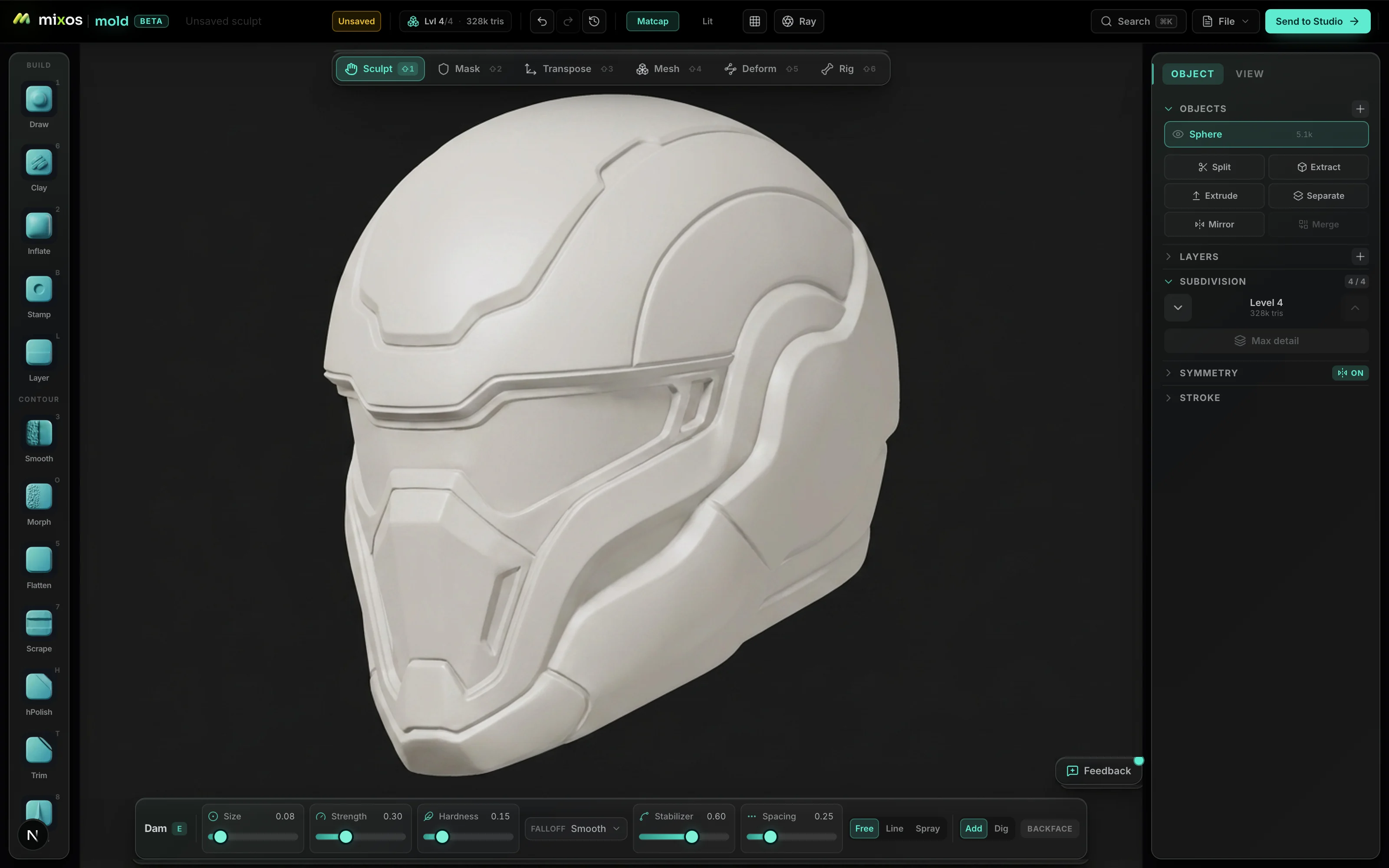
The four families
Brushes stop looking like a long list once you sort them by what they do to the surface. The first family adds or removes volume. Clay-type brushes deposit material in broad, forgiving strokes and are what most sculpting is actually done with. Draw pushes the surface out along its normal in a more defined ridge. Inflate expands the surface in all directions at once, which is what you want for puffing out a shape and not what you want for a sharp edge.
The second family averages. Smooth relaxes the surface toward its neighbors, removing lumps and stroke noise. It is the most-used brush in most sculpts and the one beginners under-use — a stroke laid down and then partly smoothed back is the basic rhythm of building form, not a sign the first stroke was wrong.
The third family levels. Flatten pushes everything toward a plane, Scrape shaves the high points and leaves the low ones, and Polish cleans a surface to something almost machined. These are what make hard-surface work possible, and they are also how you get believable planes into an organic sculpt — cheekbones and brows read as structure because they have flats, not just curves.
The fourth family moves without adding. Move drags a region bodily and is how you fix proportion — grab the jaw, pull it back. Nudge slides the surface sideways. Pinch pulls the surface toward the stroke, tightening an edge into a crisp line, and crease brushes like Dam Standard cut a narrow channel — the standard way to define lips, eyelids, panel gaps and folds.
The four to learn first
Clay for building mass, Smooth for controlling it, Flatten for structure, and a crease brush for definition. That set makes a complete sculpt. The reliable loop is: build up roughly with Clay, smooth back most of what you just did, flatten where the form needs a plane, and only then cut the sharp lines in with the crease brush. Detail last, always.
Move belongs alongside them, but as a proportion tool rather than a sculpting one. When something is wrong in a way smoothing won't fix, the answer is usually to drop to a coarse subdivision level and move the mass, not to keep adding clay at high resolution. Beginners often try to fix proportion by adding material, which makes a bigger sculpt with the same error in it.
Everything else — the surface-noise brushes, the stamps and alphas, the specialized hard-surface tools — is refinement. They are worth exploring once the base loop is comfortable, and they are a very effective way to spend three weeks not learning to sculpt if you explore them first.
The settings that actually change the result
Size and strength are obvious and still the two people get wrong: strokes are usually laid down far too strong. A brush at a low strength, built up over several passes, gives you control and a surface that doesn't need rescuing. High strength is for blocking out, not for detailing.
Falloff decides how the effect fades from the center of the brush to its edge, and it is the difference between a soft swell and a hard-edged bump. A smooth falloff is right for organic form; a tighter one is what you want for anything mechanical.
Alphas and stamps let a brush apply a pattern rather than a plain deposit — scales, skin texture, fabric weave, damage. They are how surface detail gets added at speed instead of stroke by stroke, and they belong at the very end of a sculpt.
Pressure is the setting that most changes how sculpting feels. With a pen tablet, stroke depth follows how hard you press, which is what makes the process feel like a physical medium rather than a series of stamps. It is worth turning on and worth having a tablet for, though everything here works with a mouse.
Frequently asked questions
What sculpting brush should I use for what?
Clay to build up mass, Smooth to average and control the surface, Flatten or Scrape to establish planes, and a crease brush like Dam Standard to cut sharp lines such as lips and panel gaps. Move is for fixing proportion, and Inflate for puffing out a whole region.
What is the difference between Clay and Draw?
Clay deposits material in broad, forgiving strokes that blend into surrounding form — it is the general-purpose build-up brush. Draw pushes the surface out along its normal in a more defined ridge, so it produces a sharper, more deliberate raised shape.
What does the Pinch brush do?
It pulls the surface toward the center of the stroke, tightening the geometry and sharpening an edge into a crisp line. It is used at the end to define an edge that flattening has already established — used early or heavily it produces a thin, papery surface.
How many brushes do I actually need?
Four. Clay, Smooth, Flatten and a crease brush will carry a complete sculpt from sphere to finished form. The large palettes exist for speed and for specialized work, not because a sculpt requires them.
Do I need a drawing tablet?
No, but it helps a lot. Pressure sensitivity ties stroke depth to how hard you press, which makes building form gradually much easier than modulating a brush-strength slider with a mouse. Any pressure-sensitive tablet or pen display works.
Why is my brush not doing anything?
Almost always resolution — the mesh has too few polygons in that area to represent the detail you're asking for. Subdivide to add density evenly, or remesh if the shape has moved a long way from where it started and the surface has stretched.

Brush behavior makes far more sense with a sphere in front of you than on a page.