Cloners and effectors
Array an object parametrically, then push the clones around with an effector whose own transform is its falloff. Move the effector and the falloff moves with it.
Motion design
Build the loops that fill a reel: a grid of clones rippled by an effector, a logo that hops with squash and stretch, a camera gliding along a rail. Everything stays parametric, so a client's change is a slider, and the result renders to a seamless MP4.
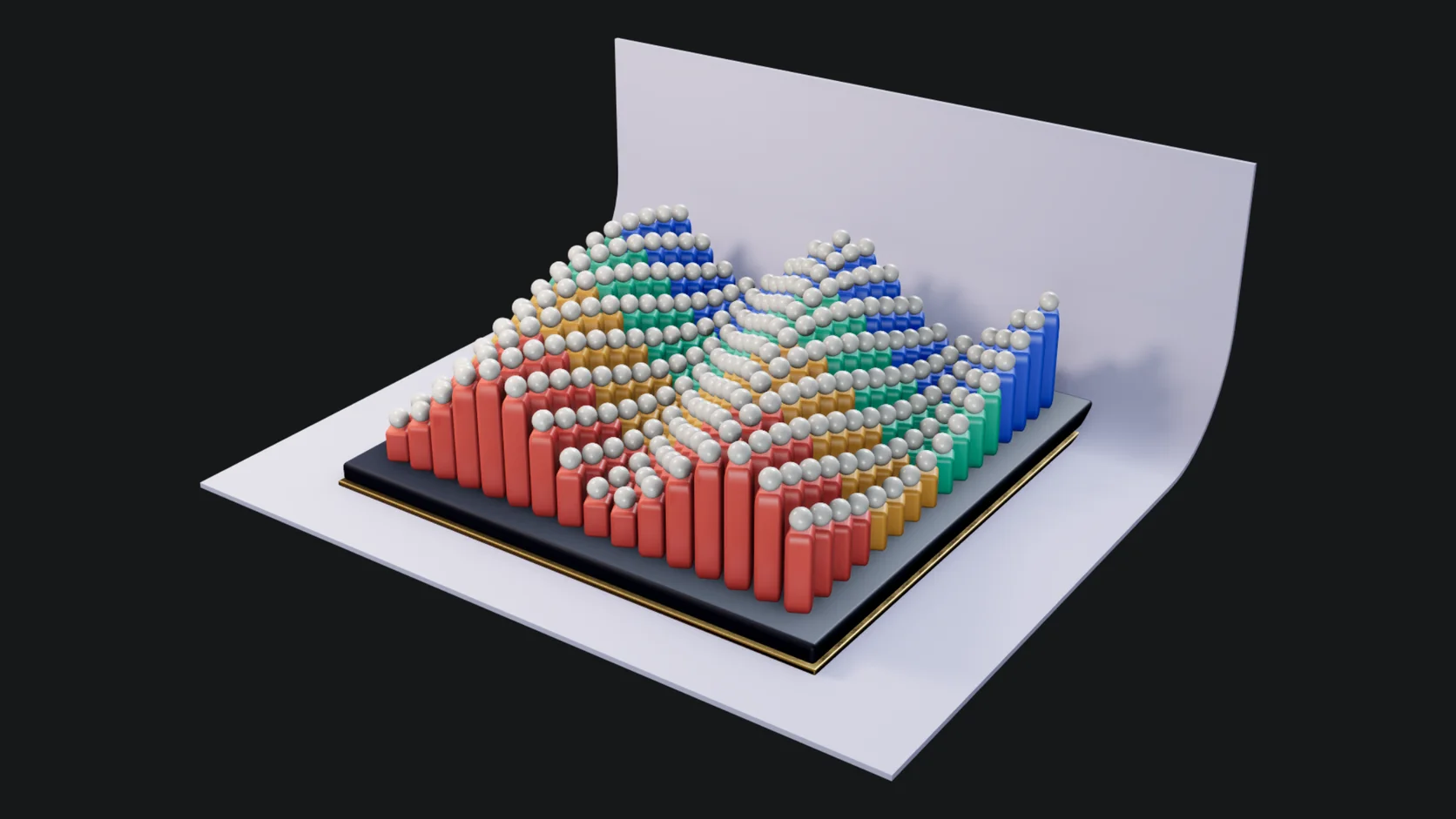
Array an object parametrically, then push the clones around with an effector whose own transform is its falloff. Move the effector and the falloff moves with it.
Drivers move things procedurally, like a buoy bobbing on a wave or a light flickering on noise, so a scene stays alive at any length with no keys to manage.
A timeline and a graph editor with easing presets, for the moves that need timing by hand.
Mark a clip as a loop and the render leaves out the duplicate end frame, then encodes one MP4, or a PNG sequence for your compositor.
Every picture on this page is a frame from a starter scene that ships with Studio. Each one is live: open it, press play, and change it.
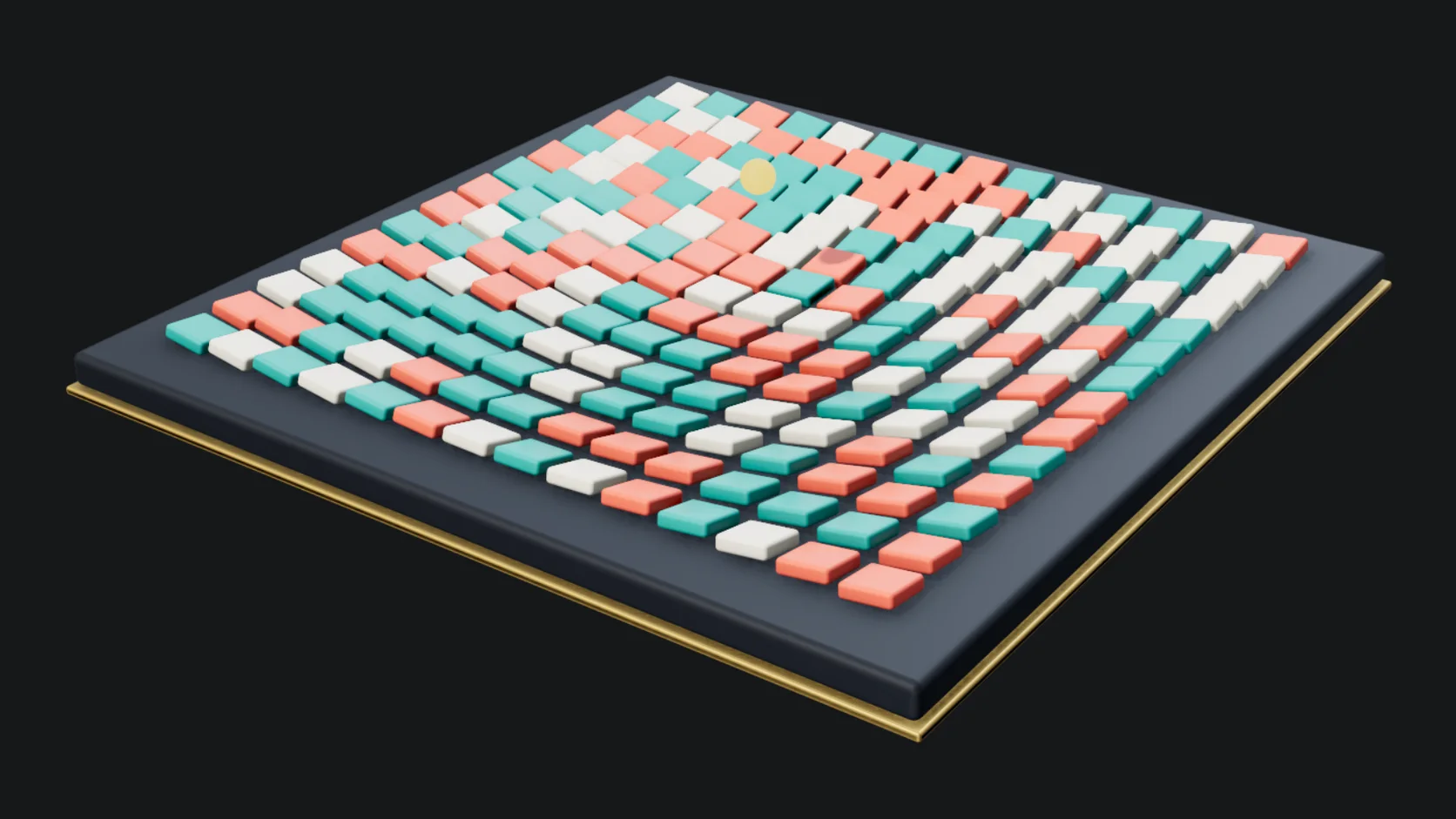
A grid of tiles flipped and lifted by sphere falloffs riding a keyed null. Move the null and the reveal follows.
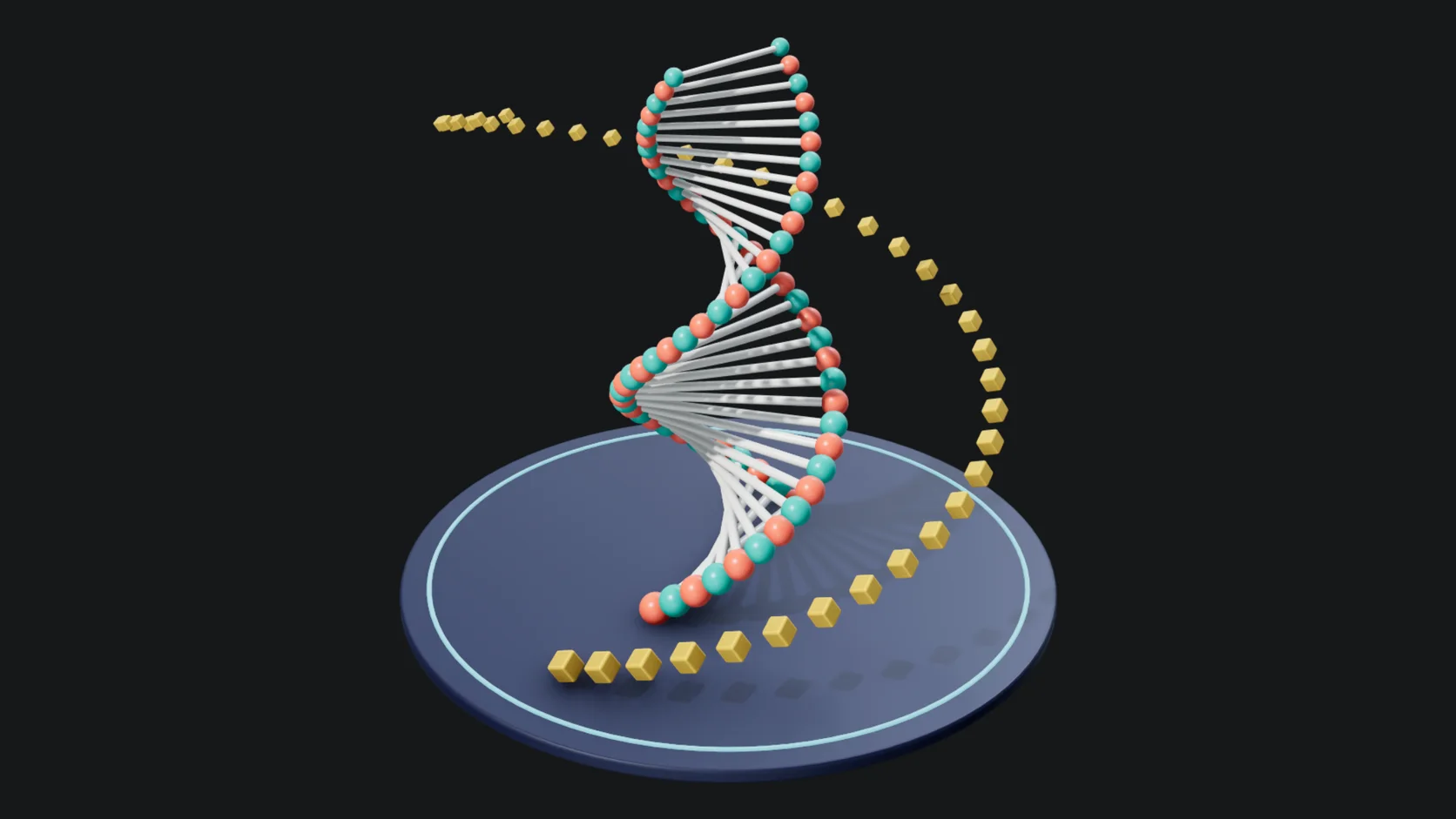
A double-helix ladder spun by a time effector, eight seconds long and seamless. Change the count or the twist with a slider.
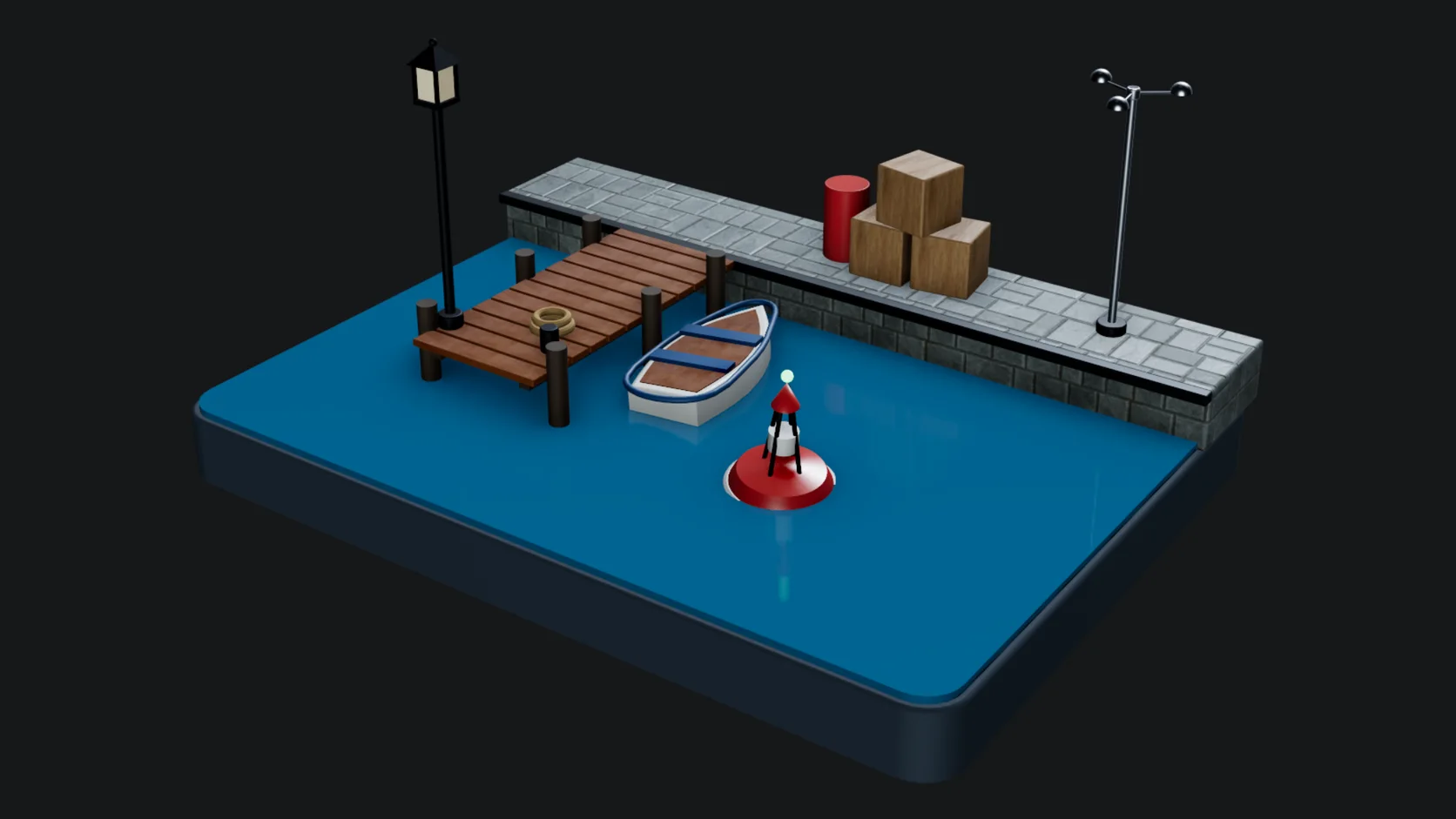
A harbor where a buoy bobs, boats rock and lamps flicker on drivers, with no keyframes at all. It runs for as long as the clip does.
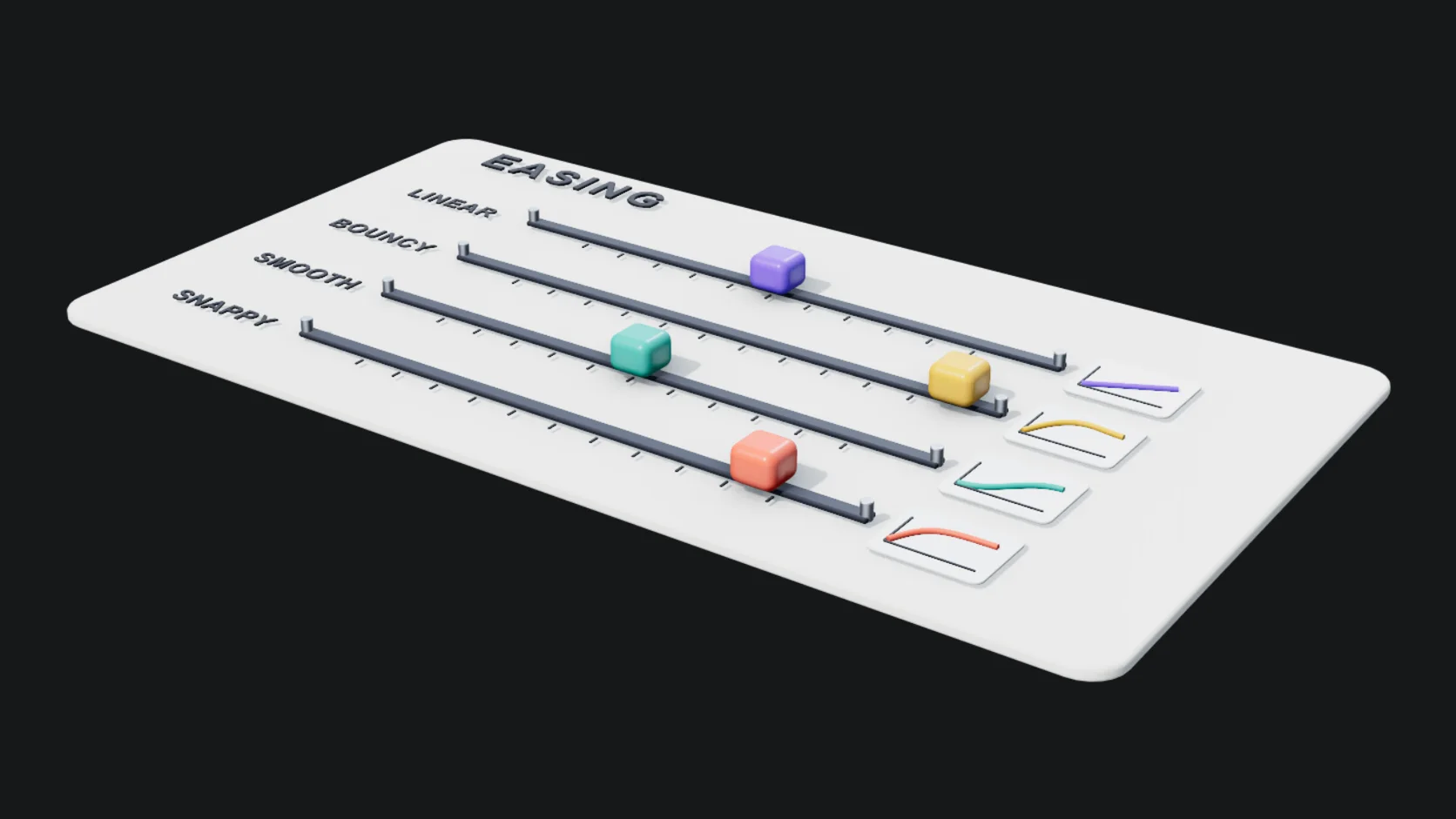
Four sliders make the same keyframed move with linear, smooth, bouncy and snappy timing, side by side on one loop.
Why Mixos
After Effects stays where it is, for compositing, type and 2D. This is the 3D part: the shapes, the clones, the camera and the light, rendered to a clip you cut into an edit or post as it is.
Compared with Cinema 4D, the cloner and effector core is here, and the full field system, dynamics and Redshift are not. The trade is that nothing installs, any laptop or Chromebook runs it, and scenes are saved to your account rather than one machine.
Starters include a cloner wave grid, a spiral loop, an effector reveal, a bouncing logo and a camera rail flythrough, each built from live objects you can take apart and reuse.
Building, animating and previewing are free. Saving renders and video without a watermark, up to 4K, is part of Pro at $8.99 a month or the one-time $99 license.
Yes. Mark the clip as a loop in the render settings and the last frame, which would duplicate the first, is left out, so the clip plays back without a hitch.
Yes: one MP4 (H.264) or WebM at the clip's frame rate, or a numbered PNG sequence. Every frame is a full path trace, so a long clip takes minutes and the tab has to stay open while it renders.
Yes, through files. Render a PNG sequence, with a transparent backdrop when you need to composite, or an MP4, and import it into After Effects or any editor. There is no live link between the two apps.
It has the core of MoGraph: parametric cloners and effectors, plus keyframes, drivers and path-traced rendering. It does not have the full field system, dynamics or a production renderer, so complex broadcast setups will outrun it.
A browser with WebGPU: current Chrome or Edge on Mac, Windows, Linux or ChromeOS, or Safari on iPadOS 26 and later. No install and no dedicated GPU required, though a better GPU makes a path-traced render resolve sooner.
Read next
Key, retime and ease a move, step by step.
Keys, in-betweens, and the interpolation that joins them.
Bones, skin weights, IK, and why auto-riggers want a T-pose.
What carries over to an engine, and what to bake first.
Keep exploring
More in Animation & rendering
Cinema 4D alternative

Online 3D animation
Product rendering
Blender alternative