
Geometry stays put
Retexturing changes the surface, not the shape. Triangle count, silhouette and rig are the ones you brought.
Retexture a 3D model
Already have the geometry? Describe a new finish and get it back retextured — bronze instead of plastic, weathered instead of new — with the mesh itself untouched and a fresh PBR set on top.
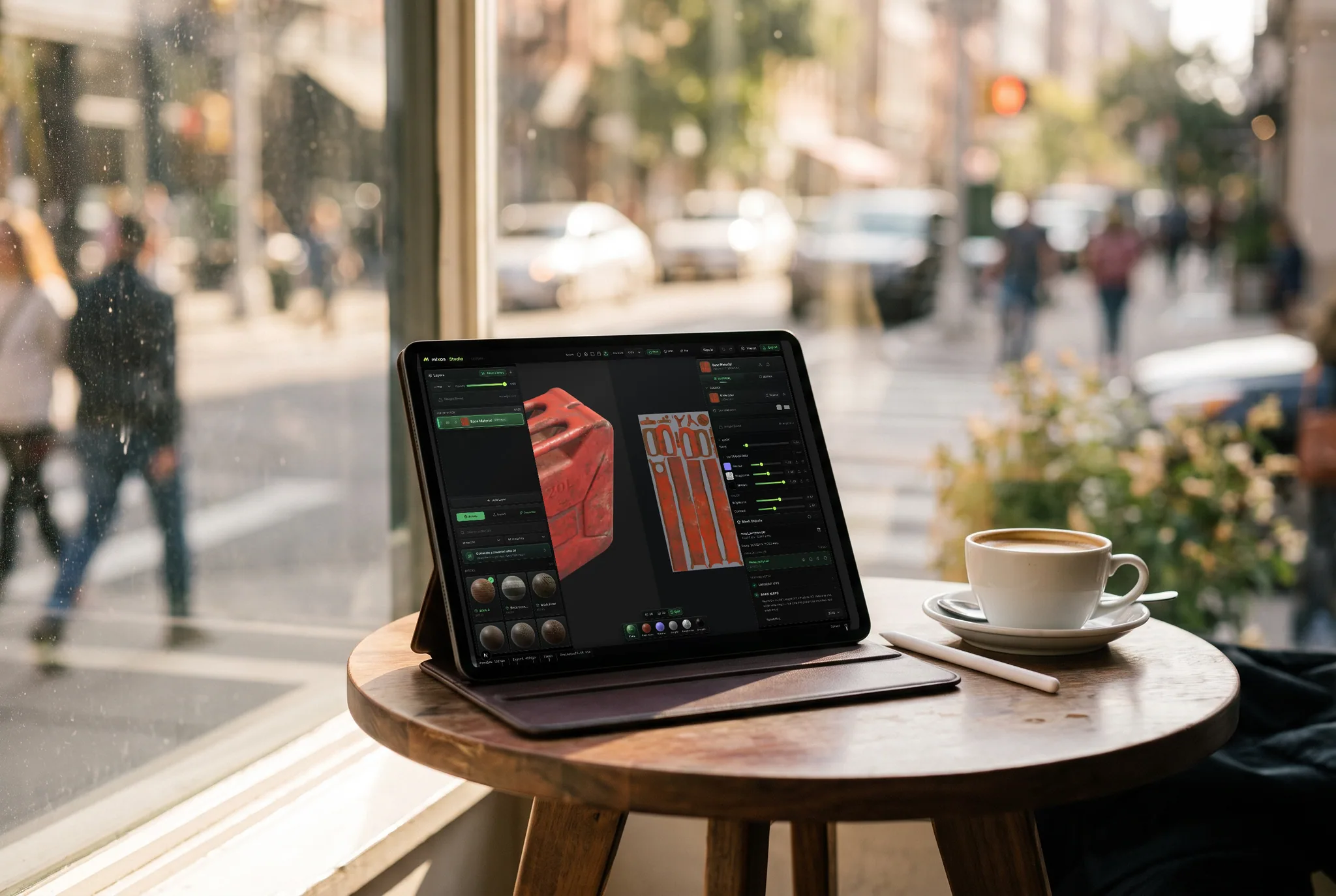
Retexturing changes the surface, not the shape. Triangle count, silhouette and rig are the ones you brought.
Run the same mesh through a few finishes to compare — worn, painted, rusted, polished — instead of authoring each by hand.
Each result arrives as layers you can mask and paint over, so a near-miss is fixable rather than a re-run.
GLB, glTF, OBJ, FBX and PLY, with or without existing UVs.
Why Mixos
These get used interchangeably and they are different jobs. Generating a texture makes a tiling square with no knowledge of your model. Retexturing starts from the model: it looks at the geometry you uploaded and paints a texture fitted to it, so a bolt head, a panel gap and a curved edge all get treated as the things they are rather than as more repeats of a pattern.
That makes it the fast way to answer 'what if this were made of something else'. A prop authored in grey clay becomes brass, then painted steel, then weathered concrete, without re-unwrapping or re-authoring anything, because the only thing changing is the atlas laid over an unchanged mesh. Results land as editable layers, so the version that is 90% right is a starting point rather than a discard.
Two limits worth knowing before you start. The prompt is text only — a number of tools in this space accept a reference image, which is genuinely better when you need a specific design in a specific place, and that is a real advantage of theirs. And the pass needs a desktop browser with WebGPU; it is not available on phones, tablets or inside the iOS app.
No. The geometry you upload is the geometry you get back — retexturing replaces the surface material, not the shape. If the mesh has no UVs it is unwrapped for you, which adds a UV layout without altering the form.
A texture generator makes a tiling material with no knowledge of your model. Retexturing is fitted to the specific mesh you uploaded, so the result follows your geometry instead of repeating across it.
The pass covers the whole mesh, but the result arrives as editable layers — so mask it back to the part you wanted and the original material shows through everywhere else.
Not currently. The prompt is text only. If you need a particular logo, decal or design placed exactly, paint or project it in the editor after the retexture pass.
The full PBR map set and a textured GLB with the maps embedded, at up to 4K on a paid plan. Retexturing and saving are free; downloading is the paid step.
Read next
Vertices, edges and faces — the box-modelling fundamentals.
Which of the two approaches fits the thing you're making.
Which format keeps materials and which throws them away.
Why the same texture reads bigger on one model than another.
Keep exploring
Upload the mesh you already have, describe a different material, and see it wearing one in a couple of minutes.