
Solid, not a filter
The mark is separated into flat colours and each one extruded into a real raised layer, so what you are presenting has genuine thickness, bevelled edges and side walls. Turn it and it behaves like an object, because it is one.
3D logo mockup
A flat PNG on a white slide tells a client very little. This turns the mark into a solid, lit object you can turn in your hands — brushed metal on a studio backdrop, or staged into a scene and photographed. It is the difference between showing a file and showing a thing.
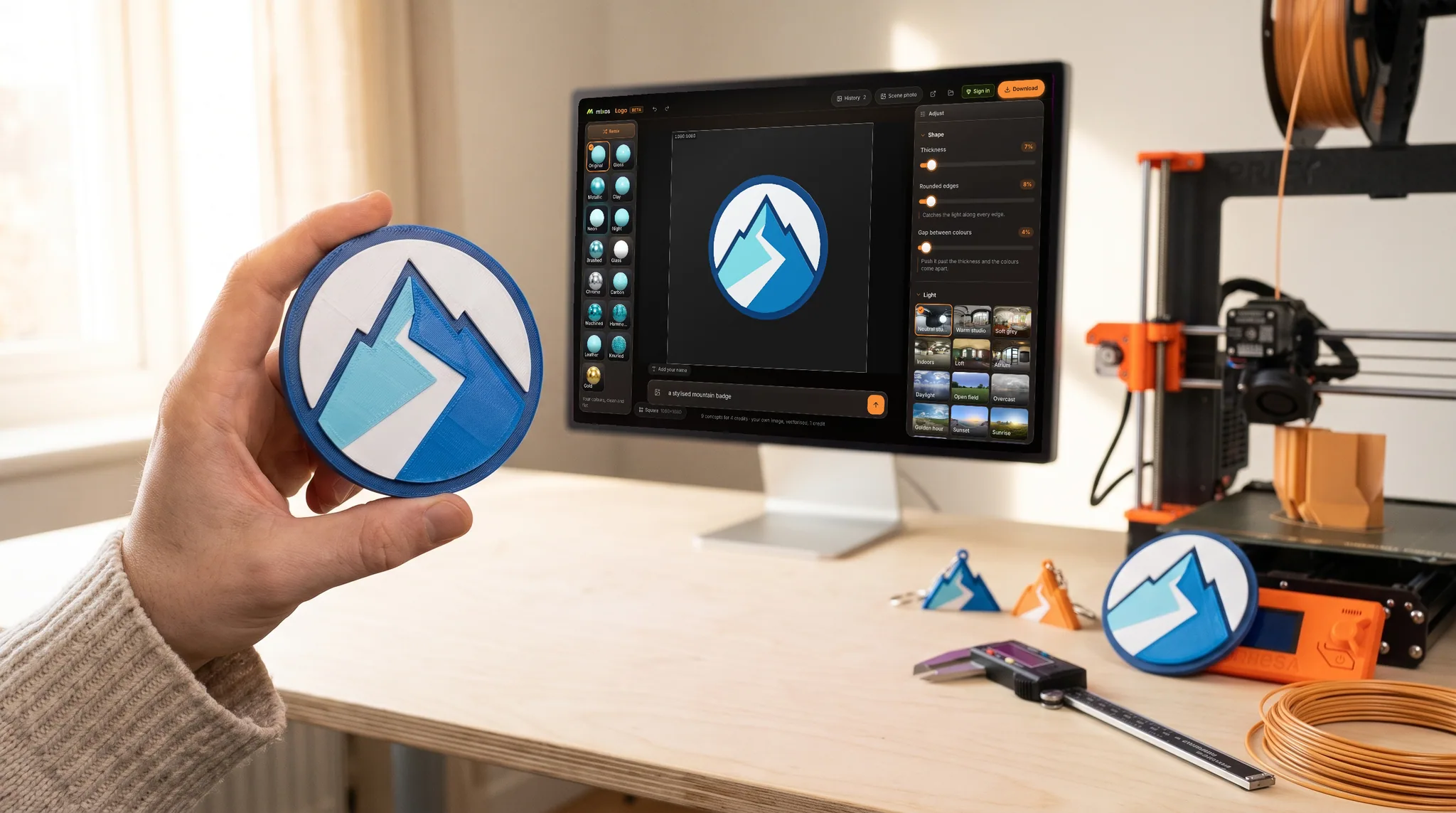
The mark is separated into flat colours and each one extruded into a real raised layer, so what you are presenting has genuine thickness, bevelled edges and side walls. Turn it and it behaves like an object, because it is one.
The same mark in matte clay, in brushed aluminium, in carbon, in polished chrome or in gold. Most finishes keep your brand colours and change only the surface; chrome and gold replace the colour, which is usually the point when you reach for them. Switching between them is instant.
Fifteen lighting environments, from a neutral studio to a loft, an atrium, overcast daylight or golden hour. Turn the light to move the highlight, blur the backdrop, or drop the background out entirely for a clean cut-out. This is where a mockup starts looking photographed rather than rendered.
Describe a setting and the mark is placed into it and photographed — standing on a surface, lit by that room. That one runs on AI, so unlike everything else on this page it needs an account and is a paid step.
Why Mixos
There is a moment in every identity project where the mark has to stop being a file and start being convincing. A flat lockup centred on a white artboard is honest but inert; it asks the person looking at it to imagine the thing, which is exactly the work you were hired to do for them.
The usual answer is a mockup pack — a photograph of a sign, a business card or an embossed folder with a smart object layer you paste the logo into. Those are good, and they are also a photograph of somebody else's object with your artwork pasted on. The perspective is fixed, the lighting is fixed, and if the client asks to see it in brass instead you are back in Photoshop.
The other route is to make the mark itself dimensional. Once each colour is a raised layer with real thickness, you can turn it to any angle, put it in any of fifteen lighting environments, and switch it from matte clay to brushed metal to polished chrome without redoing anything. Nothing is pasted into anything; it is the same object, lit differently.
For a presentation, two views usually do it: a clean cut-out on a transparent background for the slide itself, and one atmospheric shot with the light raking across the bevels for the cover. If you want it sitting in an actual room rather than a studio void, the staging step will generate one and photograph the mark inside it.
Building the mockup — extruding the mark, trying all fifteen finishes, lighting it and turning it — is free and needs no account. Saving the image needs a paid plan. The AI staging step, which puts it into a generated setting, needs an account and is a paid step.
No. This makes the logo itself into a 3D object and photographs that; it does not apply artwork to product templates. If you need it on merchandise, a mockup pack is still the right tool — this is for showing the mark as a solid thing in its own right.
A picture, with a transparent background if you want one, at sizes including square, wide and story. You can also save a short clip of it turning, or the 3D model itself if the mockup is going into someone else's scene.
An SVG under 4 MB opens free and needs no account, which is usually what a brand kit contains. A PNG or JPEG runs on AI, so it needs an account and is a small paid step.
Yes, and each layer keeps its own colour so you can correct any of them by hand. Chrome and gold are the exceptions: they replace colour with a metal, deliberately.
Read next
Describe a mark, then extrude every flat colour into its own 3D layer.
Watertight remesh, thickened walls, and the checks that stop a bad print.
Which format keeps materials and which throws them away.
Open the file in the browser — meshes, materials, triangle count.
No download, no setup, nothing to license. Auto-texture your first model and build real PBR materials in minutes.