Texture the whole silhouette
Multiple rendered views help one prompt carry across the head, body, limbs and tail instead of stopping at a single concept angle.
AI creature texturing
Import a creature mesh, describe its habitat and materials, and generate a coordinated surface direction. Refine the markings, focal features and PBR response before returning the maps to the production model.
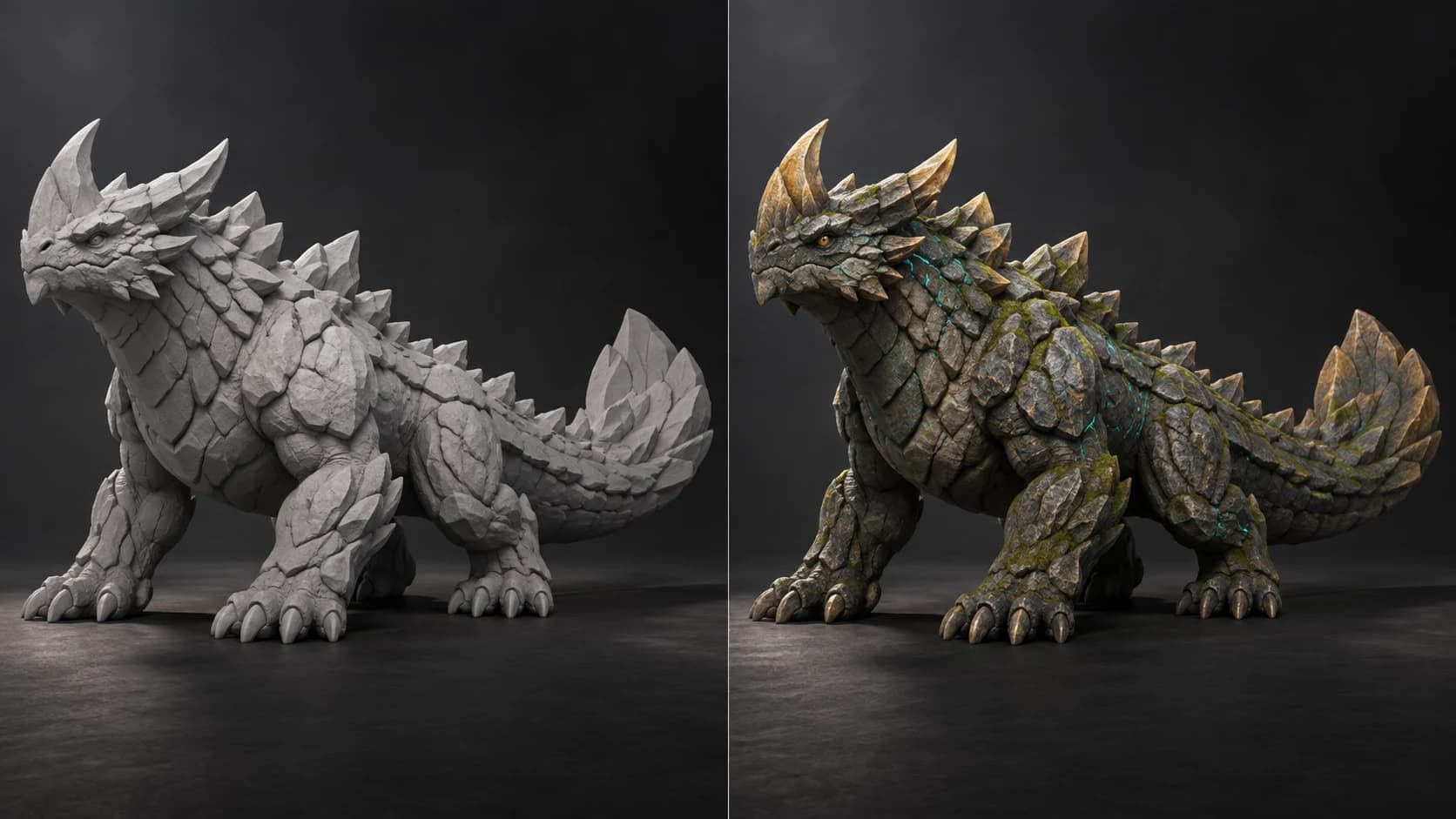
Multiple rendered views help one prompt carry across the head, body, limbs and tail instead of stopping at a single concept angle.
Use scales, skin, horn, shell, stone, moss or painted markings to separate forms without changing the creature you already sculpted.
Repaint the face, eyes and signature markings, then soften noisy areas so the texture supports the silhouette rather than competing with it.
Take out base color, roughness, metalness, normal and height maps, or a textured GLB for review, then validate the final material in its target renderer.
Why Mixos
Creature surfaces need variation without visual static. Large regions establish the species and habitat, medium patterns break up the body, and small detail belongs around the face, joints and other focal areas. Starting with a coordinated generated pass makes it faster to judge that distribution on the actual volume.
The difficult areas remain difficult: mouths, overlapping plates, undersides and narrow gaps may be poorly represented in the rendered views. Treat generation as a base and inspect the model from every side. Paint through the seams, simplify accidental noise and make deliberate decisions about symmetry before export.
Auto-Texture can re-atlas unsuitable UVs or combine parts for projection. Preserve the source creature and rig, and move the finished maps back through the production bake when the original topology, UDIMs, material slots or deformation setup must remain unchanged.
Prompts can establish directions such as skin, scales, shell, horn, stone, moss and painted markings. You can then refine those regions with layers and masks.
No. It creates texture and material cues on the supplied surface. Hair cards, groom systems and simulated fur remain separate parts of the creature pipeline.
Generation can suggest symmetry, but it is not a precision guarantee. Inspect both sides and repaint or mirror deliberate markings when the design requires exact correspondence.
Yes, after checking the UV layout. When Auto-Texture changes the atlas, rebake or transfer the finished result back to the production UVs before reconnecting it to the rigged source.
Read next
The whole pass, from import to exported maps.
The maps a modern material is made of, and what each one does.
Why the same texture reads bigger on one model than another.
Drop the files in and see the material lit, in the browser.
Keep exploring
3D character texturing
AI texture generator
Online texture painter
AI game asset texturing

Build a coordinated surface direction, then refine the anatomy, markings and focal detail on the real model.