Start with your own island prop
Bring the mesh you plan to import instead of generating an unrelated tile. Auto-Texture projects one coordinated look across the visible model.
UEFN custom-asset texturing
Import your custom mesh, generate a surface direction, and refine it with paint and material layers. Export Unreal-oriented maps, then check the asset against UEFN's current texture, UV and performance requirements.
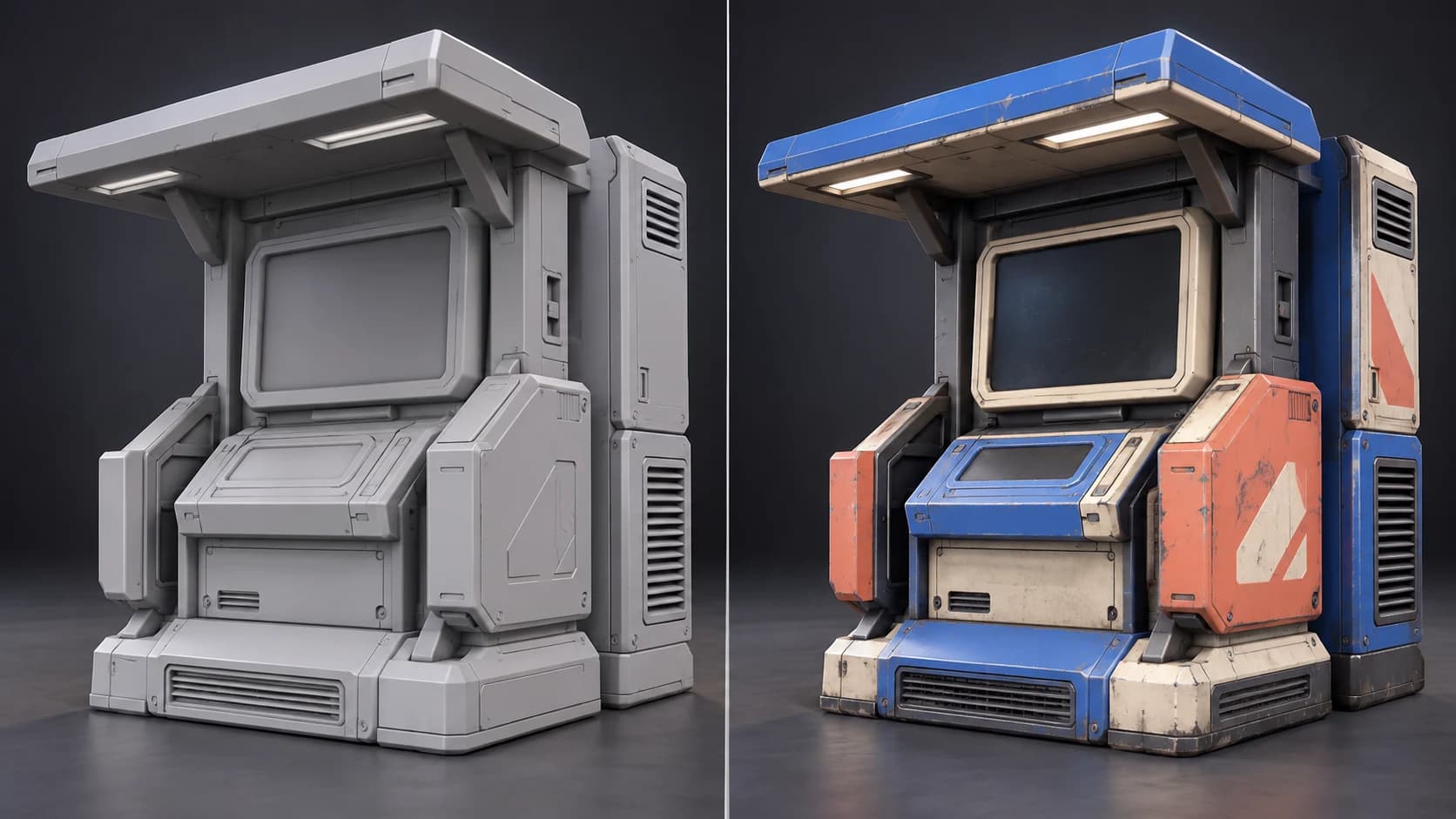
Bring the mesh you plan to import instead of generating an unrelated tile. Auto-Texture projects one coordinated look across the visible model.
Generate the palette and material split, then repaint wear, panels and focal details so the prop reads during play rather than only in a close render.
Export a DirectX normal map and packed ORM texture alongside base color and height, with a README that maps the files to Unreal material inputs.
Confirm power-of-two texture sizes, 0–1 UVs, material setup, collision and cross-platform cost inside the project before publishing the island.
Why Mixos
UEFN can import custom assets from third-party modeling tools, which makes surface creation a real part of an island pipeline. A generated pass can get an original prop to a playable visual direction quickly, while editable layers let you remove projection artifacts and strengthen the details that matter at player distance.
Auto-Texture can combine multipart geometry or create a new atlas for missing, stacked or tiled UVs. Epic's current asset guidance expects baking UVs in the 0–1 range and recommends padding around texture islands. Inspect the generated layout and rebake when the production mesh needs to preserve its original parts, LODs or material organization.
UEFN texture guidance calls for power-of-two dimensions so streaming and compression work reliably across platforms. Export with the Unreal preset, then choose the actual resolution and compression in UEFN, build the material, configure the mesh and test on the devices your island supports. Mixos prepares the texture work; UEFN remains the validation and publishing environment.
It creates and edits the texture work. You still configure the mesh, materials, collision, LOD behavior, memory use and publishing checks in UEFN.
Use the Unreal preset for a DirectX normal map and packed ORM texture. Then follow the included README and verify each material input in UEFN.
Choose a power-of-two size and test the smallest resolution that preserves the prop at gameplay distance. Final streaming, mip and compression choices belong in UEFN.
No. Mixos is an independent 3D texturing tool. Fortnite, UEFN and their current technical and publishing requirements are provided by Epic Games.
Read next
The whole pass, from import to exported maps.
The maps a modern material is made of, and what each one does.
Why the same texture reads bigger on one model than another.
Drop the files in and see the material lit, in the browser.
Keep exploring
Textures for Unreal Engine
AI game asset texturing
Low-poly asset texturing
Online texture painter

Texture your custom prop, export the Unreal-oriented maps and finish the compatibility work in UEFN.